1. Киришүү
This manual provides essential information for the safe and efficient installation, operation, and maintenance of your Antec NeoECO NE650G M 80+ Gold Certified Fully Modular Power Supply Unit (PSU). Please read this manual thoroughly before installation and keep it for future reference.
The Antec NeoECO Gold Modular series is designed to provide stable and efficient power to your PC system. Featuring an 80 PLUS Gold certification and a 100% full modular design, it ensures convenient installation and reduced electricity consumption. The integrated 120mm silent fan with Zero RPM mode optimizes cooling while maintaining quiet operation.
2. Коопсуздук маалыматы
Жабдууларыңызга зыян келтирбөө же жаракат албоо үчүн ар дайым төмөнкү коопсуздук чараларын сактаңыз:
- Орнотуудан же тейлөөдөн мурун кубат булагы AC розеткасынан ажыратылганын текшериңиз.
- PSUну ачпаңыз casinг. Жогорку томtages ажыратылган учурда да ичинде бар.
- PSUну жакшы желдетилген жерге, жылуулук булактарынан жана нымдуулуктан алыс орнотуңуз.
- Бул кубат булагы менен кошо берилген модулдук кабелдерди гана колдонуңуз. Шайкеш келбеген кабелдерди колдонуу кубат булагына же туташкан компоненттерге зыян келтириши мүмкүн.
- Бул продукт жеке компьютер системаларында колдонуу үчүн иштелип чыккан. Аны башка эч кандай максатта колдонбоңуз.
- Handle with care to avoid dropping or impacting the unit.
3. Пакеттин мазмуну
Пакетиңизде бардык буюмдар бар экенин текшериңиз:
- Antec NeoECO NE650G M Power Supply Unit
- Modular Cable Set (including ATX 24-pin, CPU 4+4-pin, PCIe 6+2-pin, SATA, and Molex cables)
- AC Power Cord
- Монтаждоо бурамалар
- Колдонуучунун Колдонмосу (бул документ)
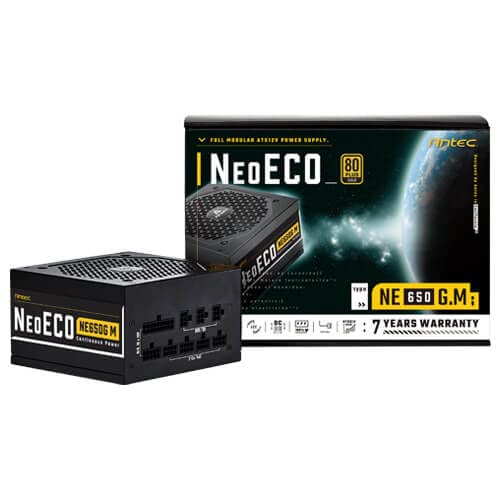
Figure 3.1: Antec NeoECO NE650G M Power Supply with its retail packaging.
4. Орнотуу жана орнотуу
Follow these steps to install your Antec NeoECO NE650G M PSU into your computer system:
- Системаңызды даярдаңыз: Компьютериңиз толугу менен өчүрүлгөнүн жана розеткадан суурулганын текшериңиз. Компьютериңиздин корпусун ачыңыз.
- Эски PSUну алып салуу (эгер бар болсо): Эски кубат булагынан бардык кабелдерди ажыратыңыз. Эски кубат булагын бурап чыгарып, корпустан чыгарыңыз.
- Жаңы PSUну орнотуу: Carefully slide the Antec NeoECO NE650G M into the PSU mounting bay of your computer case. Ensure the fan faces the correct direction (usually downwards if your case has a bottom vent, or upwards if it's a top-mounted PSU). Secure the PSU with the provided mounting screws.
- Модулдук кабелдерди туташтыруу: Identify the necessary cables for your components (motherboard, CPU, graphics card, storage drives). Connect the appropriate modular cables to the corresponding ports on the PSU. The ports are clearly labeled on the PSU.
- Компоненттерге туташуу: Route the connected modular cables neatly through your case and connect them to your motherboard (24-pin ATX, 4+4-pin CPU), graphics card(s) (6+2-pin PCIe), and storage devices (SATA, Molex). Ensure all connections are firm and secure.
- Корпусту жаап, кубаттуулукту туташтырыңыз: Once all internal connections are made, close your computer case. Connect the AC power cord to the PSU's inlet and then to a wall outlet or surge protector.
- Күйгүзүү: Кубат булагынын арткы жагындагы кубат которгучун "КҮЙҮК" абалына коюңуз. Эми компьютериңизди күйгүзө аласыз.
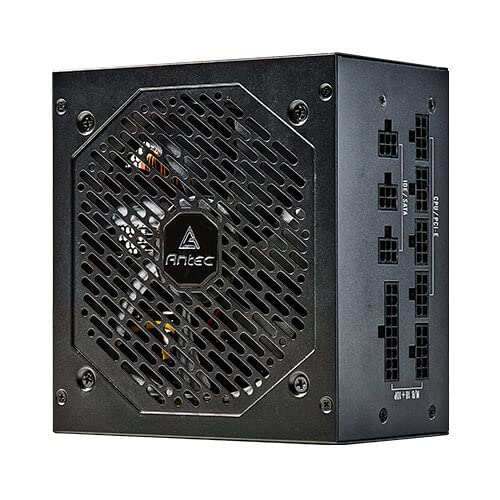
4.1-сүрөт: Каптал view of the Antec NeoECO NE650G M PSU, highlighting the modular cable connection ports.
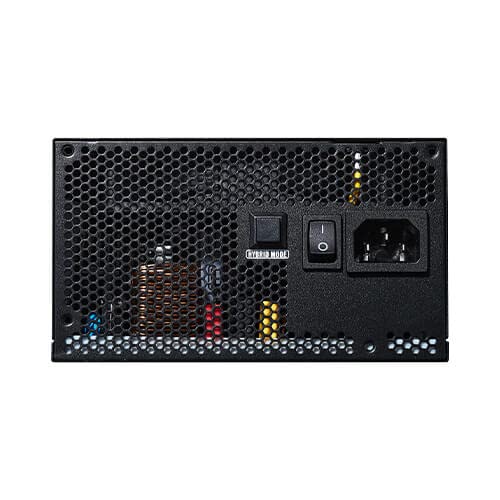
Figure 4.2: The Antec NeoECO NE650G M PSU with various modular cables attached, ready for system integration.
4.3-сүрөт: Арткы view of the Antec NeoECO NE650G M PSU, showing the main power switch and AC power inlet.
5. Иштөө нускамалары
The Antec NeoECO NE650G M PSU is designed for reliable and efficient operation. Key features include:
- 80 PLUS алтын сертификаты: Ensures high power efficiency, reducing heat generation and electricity costs.
- Толугу менен модулдук дизайн: Allows for cleaner cable management and improved airflow within your PC case by only using the necessary cables.
- Нөл RPM режими: The 120mm silent fan will remain off at low loads (typically below 30% of total wattage) to provide absolute silence. As the load increases, the fan will automatically spin up to maintain optimal temperatures. This feature helps extend the fan's lifespan and reduces noise during light usage.
- CircuitShield Protection: Incorporates industrial-grade protections including OVP (Over Voltage Protection), UVP (Тtage Protection), OCP (Over Current Protection), OPP (Over Power Protection), SCP (Short Circuit Protection), OTP (Over Temperature Protection), and NLO (No Load Operation) to safeguard your system.
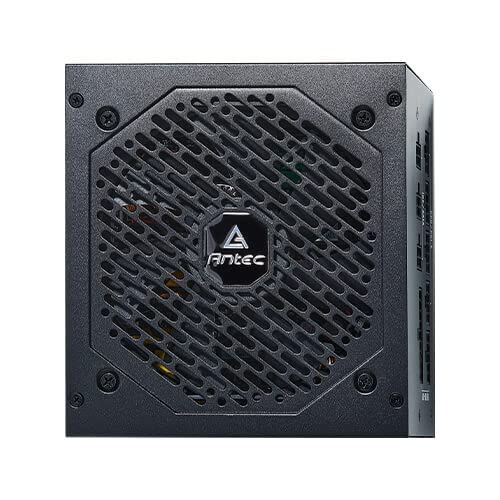
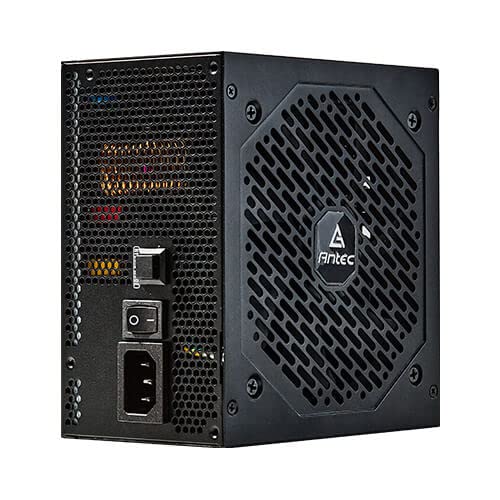
Сүрөт 5.1: Алдыңкы view of the Antec NeoECO NE650G M PSU, showcasing the 120mm silent cooling fan grill.
6. Техникалык тейлөө
Proper maintenance ensures the longevity and optimal performance of your PSU:
- Чаңды тазалоо: Periodically clean dust from the PSU's fan grill and vents using compressed air. Ensure the PSU is powered off and unplugged before cleaning.
- Кабелдик башкаруу: Кабелдердин тыкан өткөрүлүшүнө жана PC корпусунун ичиндеги аба агымына тоскоол болбогонун текшериңиз.
- Экологиялык шарттар: Сунушталган температура жана нымдуулук диапазондорунда кубат булагын иштетиңиз. Өзгөчө кырдаалдардан алыс болуңуз.
- Колдонуучунун тейлөөчү тетиктери жок: Do not attempt to open the PSU casing. There are no user-serviceable parts inside, and opening it will void the warranty.
7. Кыйынчылыктарды
If you encounter issues with your Antec NeoECO NE650G M PSU, refer to the following common problems and solutions:
| Көйгөй | Мүмкүн себеп | Чечим |
|---|---|---|
| PC күйбөйт. |
|
|
| Система күйөт, бирок дароо өчүрүлөт. |
|
|
| желдеткич айланбай жатат. |
|
|
| Электр кубатынан чыккан адаттан тыш үндөр. |
|
|
If the problem persists after attempting these solutions, please contact Antec customer support or refer to the warranty section for service information.
8. Техникалык шарттар
| Өзгөчөлүк | Деталь |
|---|---|
| Бренд | Antec |
| Модель аты | NE650G M |
| Форма фактору | ATX |
| Ватtage | 650 Ватт |
| 80 PLUS сертификаты | Алтын |
| Модулдуулук | Толугу менен модулдук |
| Fan Size | 120 мм үнсүз желдеткич |
| Нөл RPM режими | Ооба |
| Жапон конденсаторлору | Ооба |
| Өлчөмдөрү (LxWxH) | 15 x 14 x 9 см |
| Элемент Салмагы | 1.5 кг |
| Шайкеш түзмөктөр | Персоналдык компьютер |
| Туташтыргыч түрү | ATX |
| Protections (CircuitShield) | OVP, UVP, OCP, OPP, SCP, OTP, NLO |
9. Кепилдик жана колдоо
The Antec NeoECO NE650G M Power Supply Unit is backed by a 7 жылдык кепилдик сатып алынган күндөн тартып. Бул кепилдик нормалдуу колдонуудагы материалдардагы жана жасалгадагы кемчиликтерди камтыйт.
For warranty claims or technical support, please contact Antec customer service. Keep your proof of purchase for warranty validation.
For more information, visit the official Antec webсайтына кириңиз же продуктуңуздун таңгагында берилген байланыш маалыматтарын караңыз.


Antec provides a comprehensive warranty and is recognized as a top brand in PC components.


