Introduction
The SONOFF NSPanel Pro is an all-in-one smart home control panel designed to integrate various smart devices and functions into a central hub. It features a Zigbee gateway, home security capabilities, power consumption statistics, thermostat control, and call intercom functionality. This manual provides detailed instructions for setting up, operating, and maintaining your NSPanel Pro.
Important Note: The NSPanel Pro is not a wall switch. It does not contain relays, physical switch buttons, and cannot directly control devices like light bulbs by connecting to electrical circuits. It functions as a control interface and smart hub.
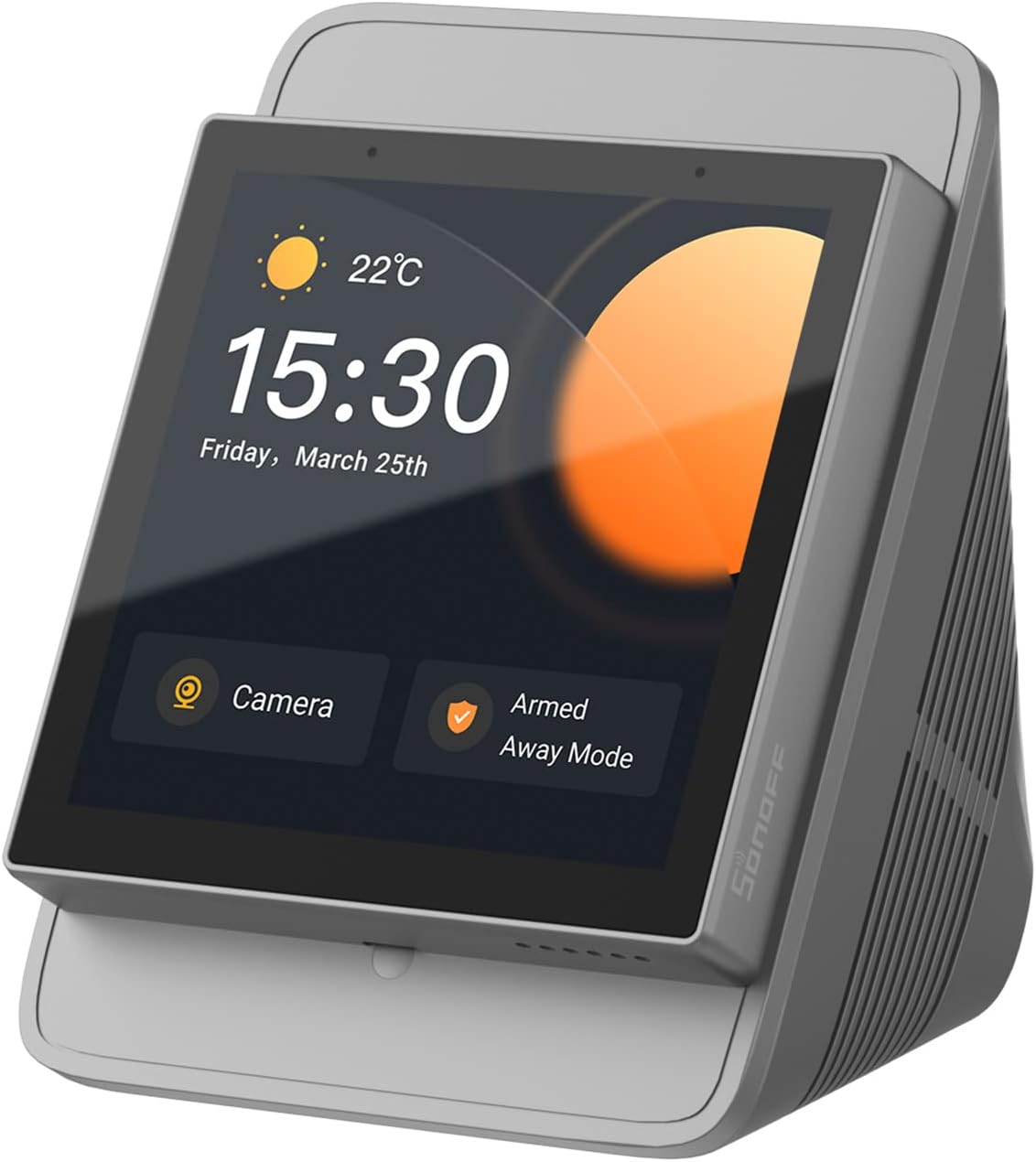
Image: The SONOFF NSPanel Pro Smart Home Control Panel in its stand, displaying time and weather.
Орнотуу жана орнотуу
Proper installation is crucial for the functionality and safety of your NSPanel Pro. Please follow these steps carefully.
1. Кутудан чыгаруу жана алгачкы текшерүү
- Бардык компоненттерди таңгактан кылдаттык менен алып салыңыз.
- Verify that all included components are present: NSPanel Pro unit, stand.
- Inspect the device for any visible damage. If damaged, do not proceed with installation and contact customer support.
2. Power Connection
The NSPanel Pro requires a stable power supply. It is designed to be powered via a wired connection, typically from a live electrical circuit. It does not include a standard AC power cord for direct wall outlet connection. Consult a qualified electrician if you are unsure about wiring procedures.
Warning: Incorrect wiring can cause damage to the device or pose electrical hazards. Ensure power is disconnected before any wiring work.

Image: The NSPanel Pro shown in both wall-mounted and desktop stand configurations, illustrating flexible placement options.
3. Тармакка кошулуу
After powering on, follow the on-screen prompts to connect your NSPanel Pro to your Wi-Fi network. A stable internet connection is required for full functionality and updates.
4. Initial Configuration and Device Pairing
- Download the eWeLink app on your smartphone.
- Катталыңыз же eWeLink каттоо эсебиңизге кириңиз.
- Add the NSPanel Pro to your account by following the app's instructions.
- Zigbee Hub Functionality: Use the NSPanel Pro screen to quickly add Zigbee devices in batches. The standard Zigbee 3.0 protocol ensures stable and wide-ranging connections. Paired sub-devices can be controlled via voice commands using Alexa or Google Home.
Иштөө нускамалары
The NSPanel Pro offers a variety of features for managing your smart home.
1. All-in-One Control
The panel allows control over an unlimited number of SONOFF devices, including smart lights, cameras, security sensors, and switches. Future SONOFF devices will also be supported.

Image: The NSPanel Pro screen showing multiple smart device controls, including lighting, temperature, and camera feeds.
2. Smart Scenes
Activate pre-configured smart scenes with a single tap. Combine different smart devices to create custom scenarios for various activities (e.g., "Home Mode," "Away Mode," "Movie Mode," "Sleep Mode").
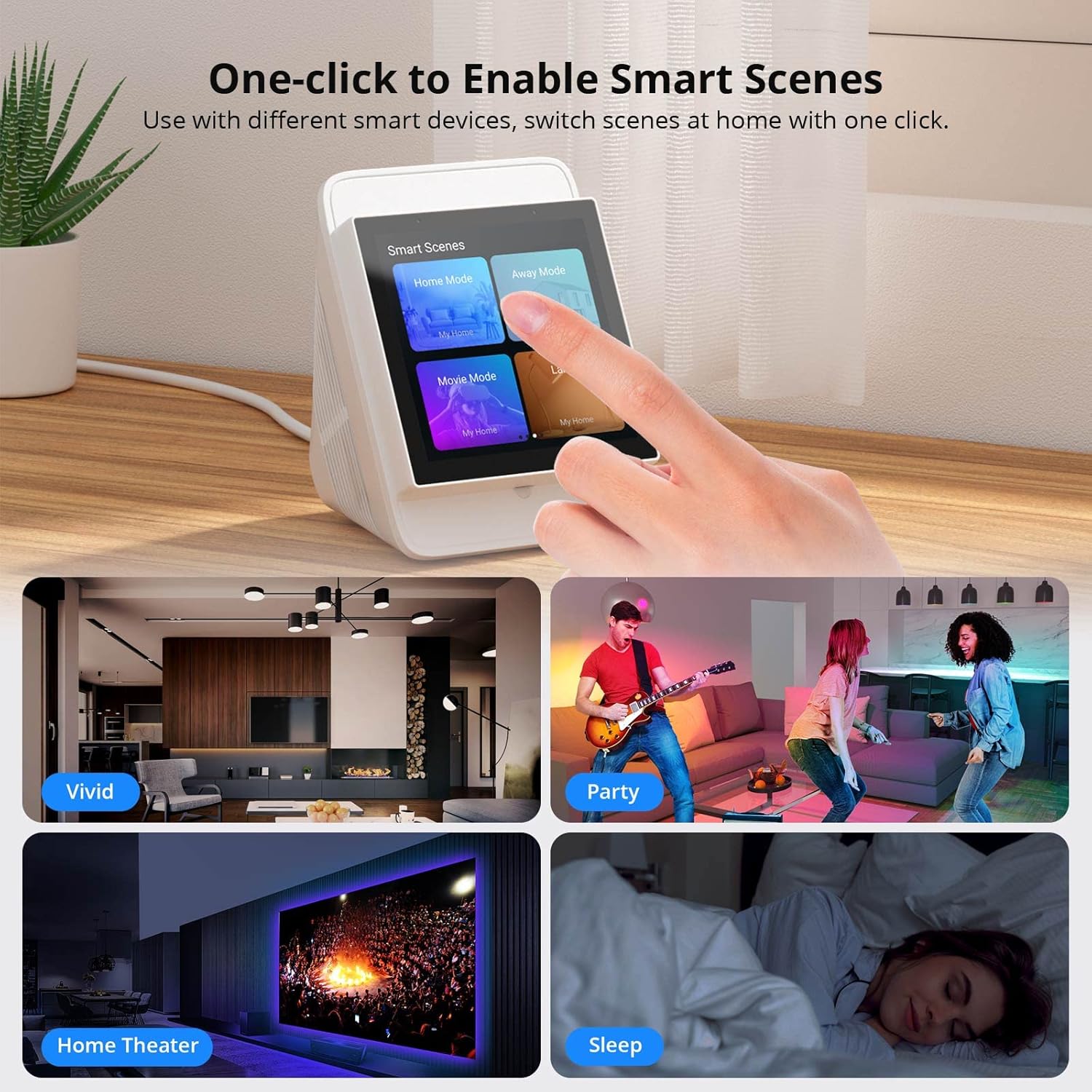
Image: A hand interacting with the NSPanel Pro screen, selecting from various smart scene options like "Home Mode" and "Away Mode."
3. Home Security Mode
Customize up to three security modes by assigning different arming devices. When armed, if a sensor is triggered, the panel will sound an alarm, and you will receive a notification on your phone.
4. Real-time Camera Monitoring
The NSPanel Pro can display live feeds from compatible cameras. It supports adding four types of cameras for real-time monitoring: SONOFF Camera (GK-200MP2-B, CAM Slim), eWeLink Camera, RTSP Camera, and ESP32 Camera. View monitoring from areas like the living room, garage, or bedroom directly on the panel.
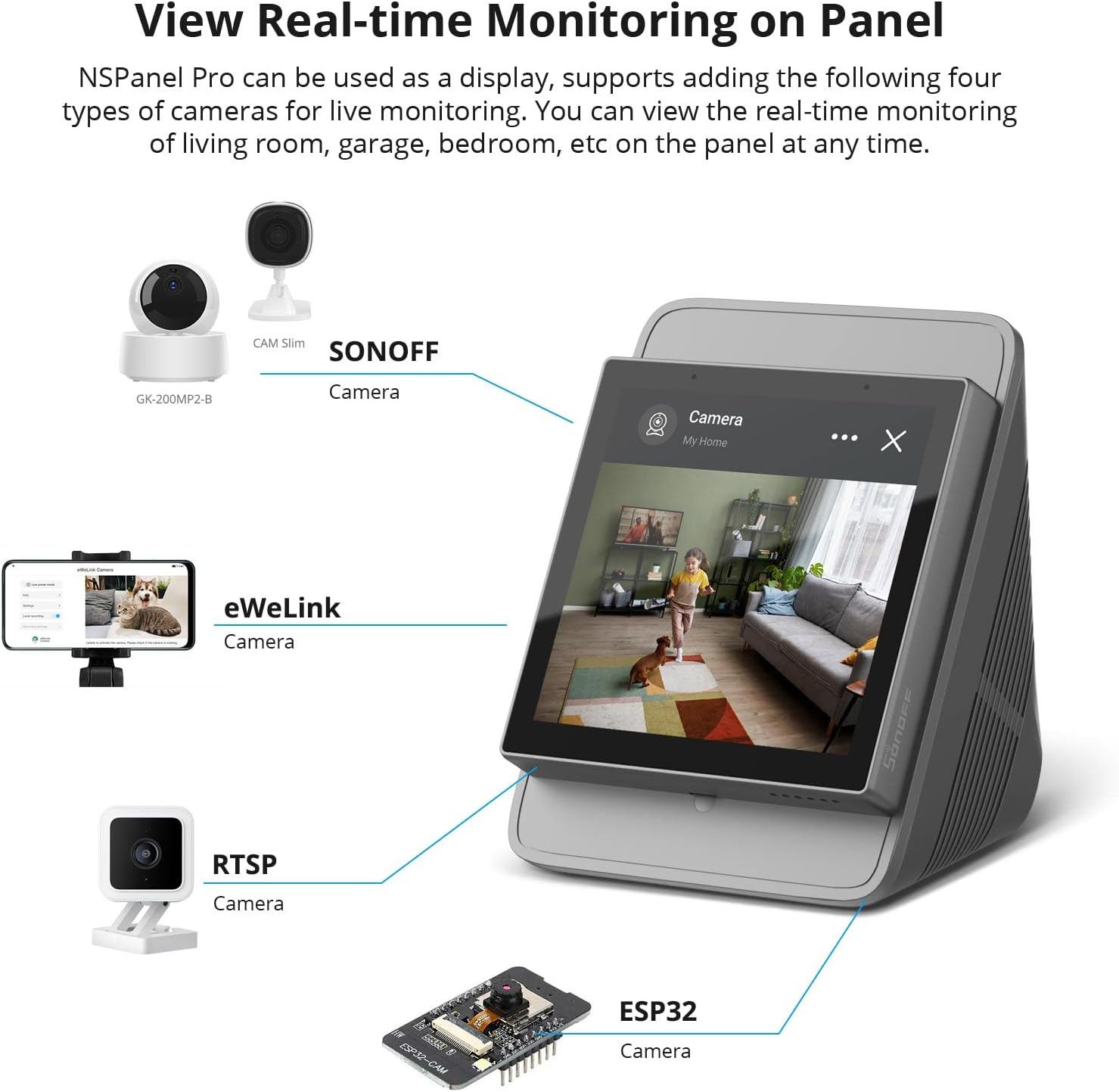
Image: The NSPanel Pro screen showing a live camera feed of a living room, with icons for various camera types supported.
5. Power Consumption Statistics
Monitor the power consumption of connected devices at any time. The smart panel provides statistics to help manage energy usage.

Image: An illustration of a house with smart devices, and the NSPanel Pro displaying a graph of power consumption statistics.
6. Термостатты башкаруу
Manage your home's temperature settings directly from the NSPanel Pro, integrating with compatible thermostat devices.
7. Call Intercom
Utilize the call intercom feature for communication within your smart home system.
8. Customization and Webбарактар
- Customize Screen Pages: Select and rearrange the order of pages displayed on the screen to suit your preferences.
- Webбеттер: Мүмкүнчүлүк web content directly from the NSPanel Pro. Save addresses to quickly launch and browse music, videos, or news.
- Обои: Choose from various pre-set wallpapers, including weather-adaptive options, or upload your own images.
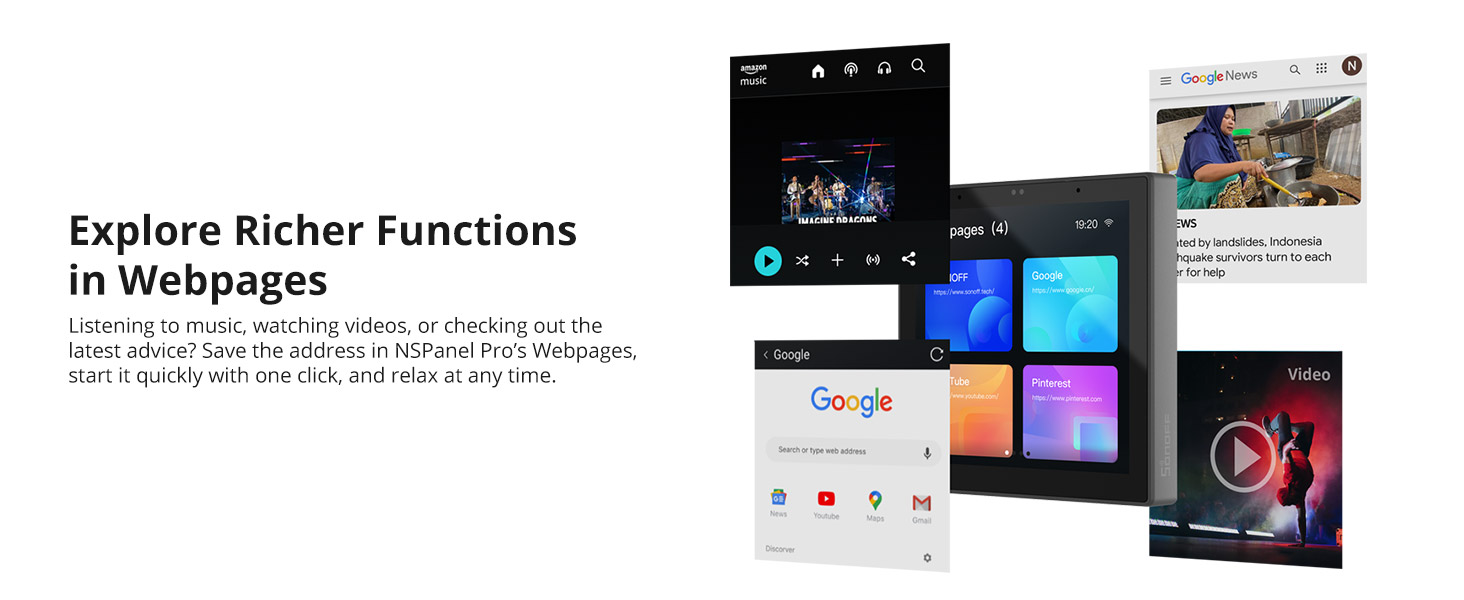
Image: The NSPanel Pro screen showing multiple open web pages, including music streaming, Google search, and news sites.

Image: A collage of NSPanel Pro screens showcasing different wallpaper designs, including weather-themed and custom images.
9. Enhanced Management and Control Permissions
- Unlock Passcode: Set individual passcodes for different pages to prevent accidental activation of features.
- Конок режими: Enable Guest Mode via the eWeLink app to restrict guest access to specific device controls, preventing changes to other settings when you are away.

Image: Two scenarios illustrating security features: a child using the panel with a passcode, and adults in a living room, implying guest mode usage.
10. eWeLink-Remote Control
The NSPanel Pro can act as an eWeLink-Remote gateway, allowing you to add R5 or S-mate devices. This enables effortless control of various devices from different locations within your home.
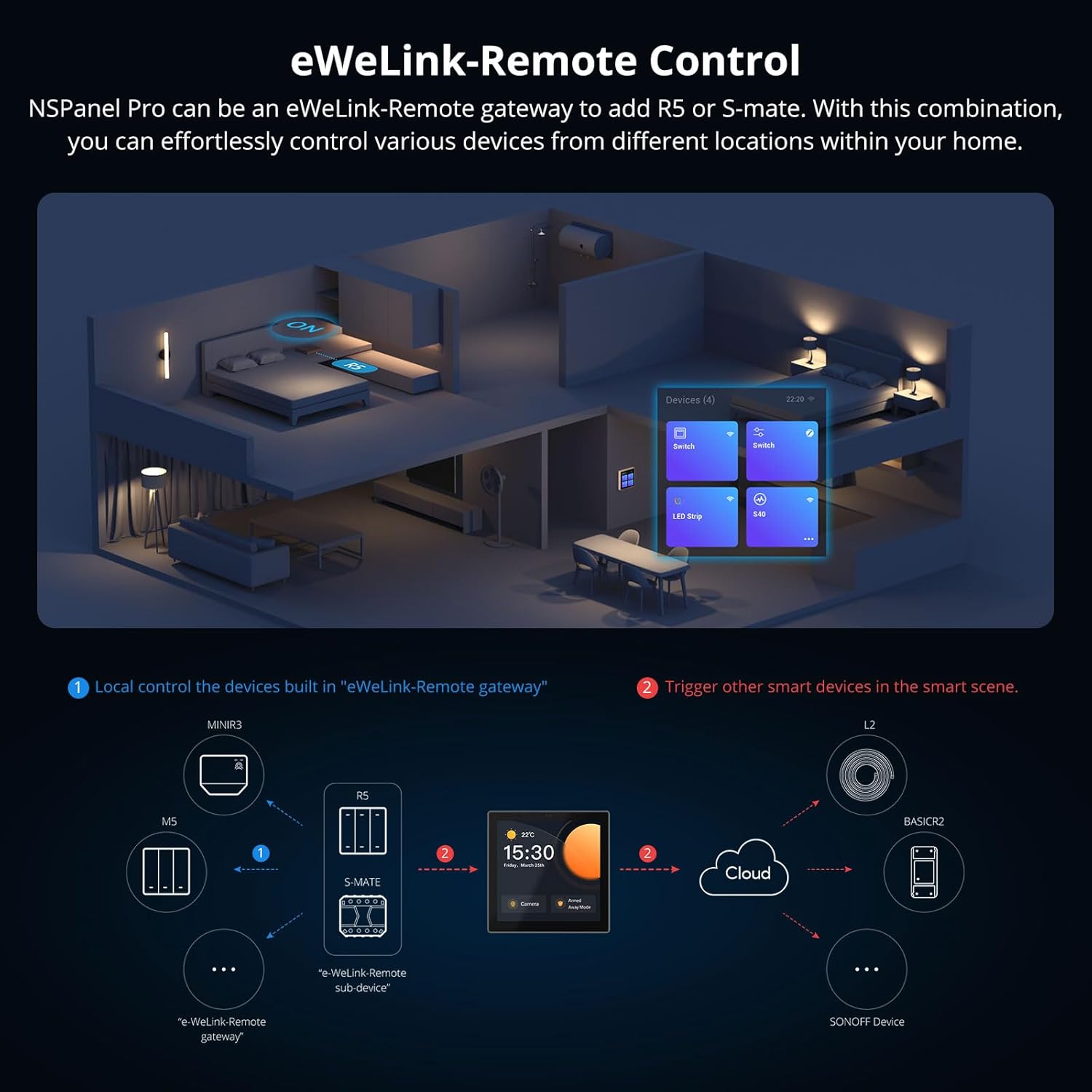
Image: A diagram illustrating how the NSPanel Pro integrates with eWeLink-Remote devices (R5, S-mate) to control other SONOFF devices via the cloud.
Техникалык тейлөө
To ensure the longevity and optimal performance of your NSPanel Pro, follow these maintenance guidelines:
- Тазалоо: Use a soft, dry, lint-free cloth to clean the screen and exterior. Avoid abrasive cleaners, solvents, or aerosol sprays, which can damage the surface.
- Программалык камсыздоо жаңыртуулары: Regularly check for and install firmware updates through the eWeLink app or directly on the device. Updates often include performance improvements and bug fixes.
- Курчап турган чөйрө: Operate the device within its specified temperature and humidity ranges. Avoid exposing it to extreme temperatures, direct sunlight, or excessive moisture.
Проблемаларды чечүү
Эгерде сиз NSPanel Pro менен көйгөйлөргө туш болсоңуз, төмөнкү кеңири таралган көйгөйлөрдү жана чечимдерди караңыз:
- Түзмөк күйбөй жатат:
- Ensure the power connection is secure and correctly wired.
- Verify that the electrical circuit supplying power is active.
- Интернет байланышы жок:
- Check your Wi-Fi router and internet service.
- Ensure the NSPanel Pro is within range of your Wi-Fi network.
- Restart the NSPanel Pro and your Wi-Fi router.
- Sluggish Performance or Unresponsive Touchscreen:
- Аппаратты кайра иштетиңиз.
- Микропрограмманын жаңыртылганын текшериңиз.
- Clear any debris or smudges from the screen.
- Devices Not Pairing or Responding:
- Ensure the devices are compatible with the NSPanel Pro's Zigbee gateway or eWeLink ecosystem.
- Check that devices are within range of the NSPanel Pro.
- Follow the specific pairing instructions for each device in the eWeLink app.
- Микропрограмманы жаңыртуу маселелери:
- Ensure a stable internet connection during updates.
- Жаңыртуу учурунда түзмөктү өчүрбөңүз.
- If an update fails, try restarting the device and attempting the update again. If issues persist, contact customer support.
For further assistance, refer to the official SONOFF support resources.
Техникалык шарттар
| Өзгөчөлүк | Деталь |
|---|---|
| Өндүрүүчү | SONOFF |
| Модель номери | NSPanel86PB |
| Элемент Салмагы | 11.7 унция |
| Продукциянын өлчөмдөрү | 4.8 x 3.7 x 4.7 дюйм |
| Түс | Боз |
| Камтылган компоненттер | 1*Stand |
| Батареялар талап кылынат | Жок |
| Дата биринчи жеткиликтүү | 14-февраль, 2023-жыл |
Кепилдик маалымат
Specific warranty details for the SONOFF NSPanel Pro are not provided in the product information. Please refer to the official SONOFF website or contact their customer support for the most up-to-date warranty policy.
Кардарларды колдоо
For technical assistance, troubleshooting, or further inquiries regarding your SONOFF NSPanel Pro, please visit the official SONOFF website or contact their customer support channels. Support contact information is typically available on the manufacturer's website or within the eWeLink application.
кире аласыз Amazon'догу SONOFF дүкөнү көбүрөөк продукт маалымат алуу үчүн.


