1. Киришүү
The Trane XL724 Thermostat is a genuine OEM (Original Equipment Manufacturer) part designed for precise control of your HVAC system. This manual provides essential information for the proper installation, operation, and maintenance of your thermostat, ensuring optimal performance and longevity.
2. Орнотуу жана орнотуу
Before beginning installation, ensure the power to your HVAC system is turned off at the circuit breaker to prevent electrical shock.
2.1 Таңгактан чыгаруу жана текшерүү
- Carefully remove the thermostat and any accessories from the packaging.
- Inspect all components for any signs of damage. If any parts are damaged, do not proceed with installation and contact your supplier.
- Verify that all included parts match the packing list. The package typically includes the thermostat unit and mounting hardware.

Figure 2.1: Trane XL724 Thermostat with mounting hardware, including screws and anchors.
2.2 Термостатты орнотуу
- Ички дубалда күндүн түз нурунан, шамалдан же температуранын көрсөткүчтөрүнө таасир этиши мүмкүн болгон жылуулук булактарынан алыс, ылайыктуу жерди тандаңыз.
- Use the provided mounting hardware to securely attach the thermostat base to the wall.
- Connect the HVAC system wiring to the appropriate terminals on the thermostat base. Refer to your HVAC system's wiring diagram for specific connections.
- Термостаттын дисплей блогун орнотулган негизге этияттык менен бекитиңиз.

2.2-сүрөт: Каптал view of the Trane XL724 Thermostat, showing its slim profile жана желдетүү тешиктери.
2.3 Баштапкы кубаттуулук
Once the thermostat is securely mounted and wired, restore power to your HVAC system at the circuit breaker. The thermostat display should illuminate, indicating successful power-up. Follow any on-screen prompts for initial setup, such as date, time, and system type configuration.
3. Иштөө нускамалары
The Trane XL724 Thermostat features an intuitive interface for easy control of your home's climate.
3.1 Негизги операция
- Режим тандоо: Use the 'Mode' button or on-screen option to switch between Heat, Cool, Auto, and Off modes.
- Температураны жөндөө: Use the Up/Down arrows or touch controls to set your desired temperature.
- Желдетүүчү башкаруу: Select 'Auto' for the fan to run only when heating or cooling, or 'On' for continuous operation.

Сүрөт 3.1: Алдыңкы view of the Trane XL724 Thermostat, displaying its screen and control interface.
3.2 Программалоо графиктери
The XL724 is a programmable thermostat, allowing you to set custom heating and cooling schedules to save energy and enhance comfort.
- Access the 'Schedule' or 'Program' menu from the main screen.
- Select the days you wish to program (e.g., weekdays, weekends, or individual days).
- Set desired temperatures for different time periods (e.g., Wake, Away, Home, Sleep).
- Save your settings. The thermostat will automatically adjust the temperature according to your programmed schedule.
4. Техникалык тейлөө
Regular maintenance ensures your Trane XL724 Thermostat operates efficiently and accurately.
4.1 Термостатты тазалоо
- Термостаттын сыртын жумшак менен сүртүңүз, гamp кездеме. Абразивдүү тазалагычтарды же эриткичтерди колдонбоңуз.
- Ички компоненттерге нымдуулуктун кирбешин камсыз кылыңыз.
4.2 Батареяны алмаштыруу (эгер бар болсо)
If your thermostat uses batteries, replace them annually or when a low battery indicator appears on the display. Refer to the battery compartment for the correct battery type and orientation.
4.3 HVAC Filter Reminder
Many thermostats, including the XL724, can be set to remind you when it's time to change your HVAC system's air filter. Regularly changing your filter is crucial for system efficiency and air quality.
5. Кыйынчылыктарды
This section addresses common issues you might encounter with your Trane XL724 Thermostat.
5.1 Термостатка кубат жок
- Check the circuit breaker for your HVAC system. Ensure it is in the 'On' position.
- Verify all wiring connections at the thermostat base are secure.
- If battery-powered, replace the batteries.
5.2 Температуранын туура эмес көрсөткүчтөрү
- Ensure the thermostat is not exposed to direct sunlight, drafts from windows, or heat sources (e.g., lampс, тиричилик техникалары).
- Термостаттын желдеткичтеринен чаңды же таштандыларды тазалаңыз.
5.3 System Not Responding to Thermostat
- Check that the system mode (Heat, Cool, Auto) is correctly selected.
- Verify that the fan setting is appropriate.
- Каалаган температура жылытуу үчүн бөлмөнүн учурдагы температурасынан жогору, же муздатуу үчүн төмөн коюлганын текшериңиз.
- If the issue persists, a professional HVAC technician may be required to diagnose the system.
6. Техникалык шарттар
| Өзгөчөлүк | Деталь |
|---|---|
| Модел | XL724 |
| Продукт түрү | Программалануучу термостат |
| Бөлүк түрү | Түпнуска жабдууларды өндүрүүчү (оригиналдуу OEM) |
| Продукциянын өлчөмдөрү | 9 x 6 x 5 дюйм |
| Элемент Салмагы | 1.0 фунт |
| Пакеттин өлчөмдөрү | 11.0L x 8.0W x 7.0H дюйм |
| Өндүрүүчү | Trane |
| ASIN | B0BW5315QR |
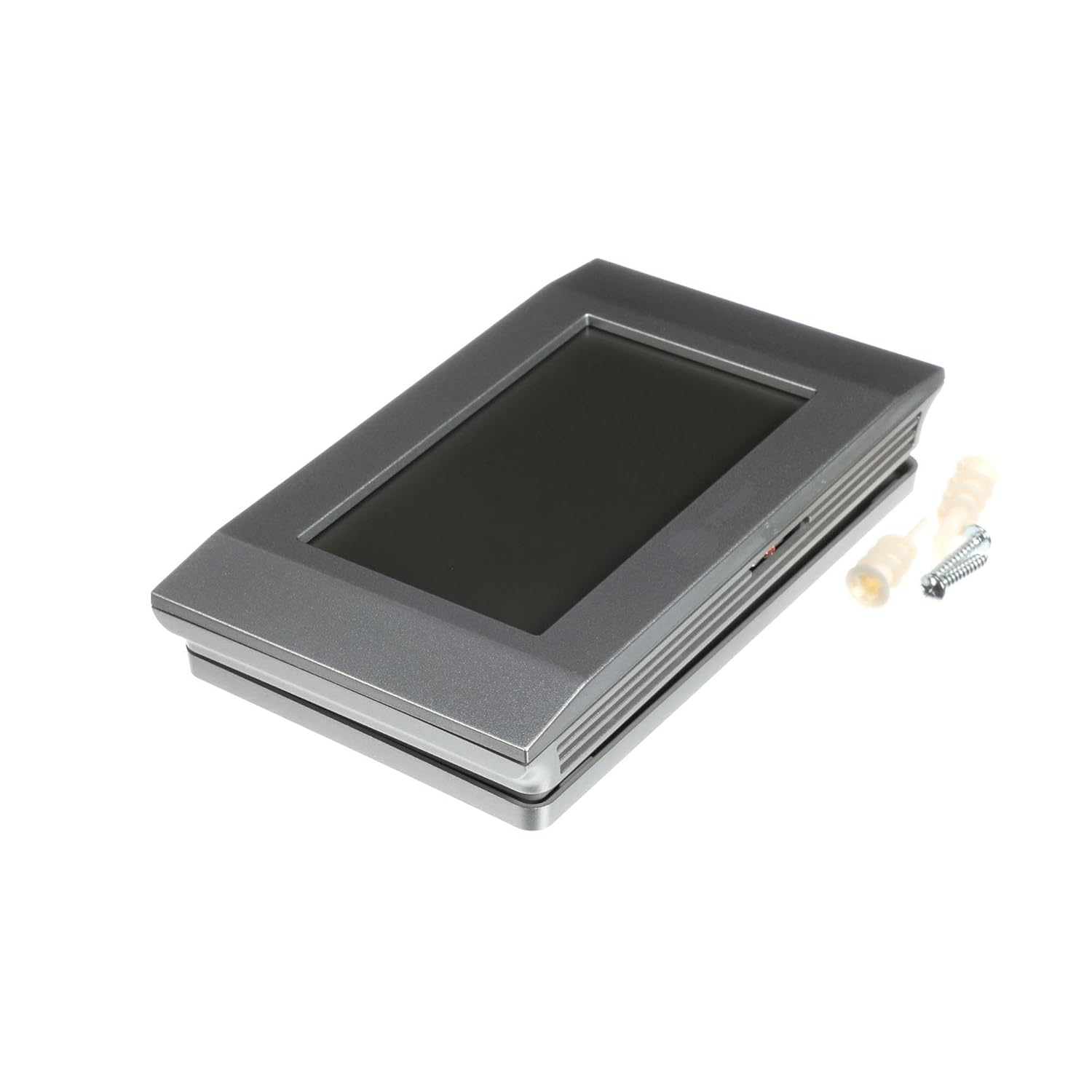
Figure 6.1: Trane XL724 Thermostat, showcasing its design and compact form factor.
7. Кепилдик маалыматы
As a genuine OEM (Original Equipment Manufacturer) part, the Trane XL724 Thermostat is covered by Trane's standard manufacturer warranty. Please refer to the warranty documentation provided with your purchase or visit the official Trane website for detailed terms and conditions regarding coverage and claims.
8. Колдоо
For technical assistance, troubleshooting beyond this manual, or warranty inquiries, please contact Trane customer support or a certified HVAC professional.
- Расмий Trane сайтына кириңиз webколдоо булактары жана байланыш маалыматы үчүн сайт.
- Consult with a qualified HVAC technician for installation or complex issues.


