1. Продукт бүтүп калдыview
Ванview 2K Security Camera W7 is a high-resolution outdoor surveillance camera designed to provide comprehensive home security. Featuring 2K (3MP) video capture, full-color night vision, two-way audio, and advanced motion detection, it offers reliable monitoring day and night. The camera is IP65 waterproof, ensuring durability in various weather conditions, and supports both local SD card storage and cloud storage options.

Figure 1.1: wansview 2K Security Camera W7 and its mobile application interface.
2. Орнотуу колдонмосу
2.1. Пакеттин мазмуну
- wansview 2K Security Camera W7
- USB кубат кабели
- Электр сайгыч
- Орнотуу боюнча колдонмо
- Mounting Screws (2 sets)
2.2. Баштапкы орнотуу
- Кубат туташуу: Connect the USB power cord to the camera and then to the power plug. Plug the power plug into a standard electrical outlet. The camera requires a wired power connection for operation.
- Колдонмону жүктөп алыңыз: Download the "Wansview Cloud" app from the Apple App Store or Google Play Store on your smartphone.
- Каттоо эсеби: Wans ачыңызview Cloud app and register for a new account or log in if you already have one.
- Түзмөк кошуу: Tap the "+" icon in the app to add a new device. Select the W7 camera model.
- Wi-Fi туташуусу: Follow the in-app instructions to connect the camera to your 2.4GHz Wi-Fi network. Ensure your Wi-Fi signal is strong at the camera's intended mounting location. You will be prompted to scan a QR code displayed on your phone screen with the camera's lens.
- Монтаждоо: Once the camera is successfully connected, choose a suitable outdoor location for mounting. Use the provided mounting screws and the installation guide to securely attach the camera to a wall. The camera is designed for wall-mounted installation.

Figure 2.1: Key features and weather resistance of the wansview W7 camera.
3. Иштөө нускамалары
3.1. Түз эфир View жана панорамалоо/кыйшайтуу башкаруусу
Access the live video feed from your camera through the Wansview Cloud app. You can remotely control the camera's viewing angle with its 350° pan and 55° tilt capabilities to monitor a wide area.
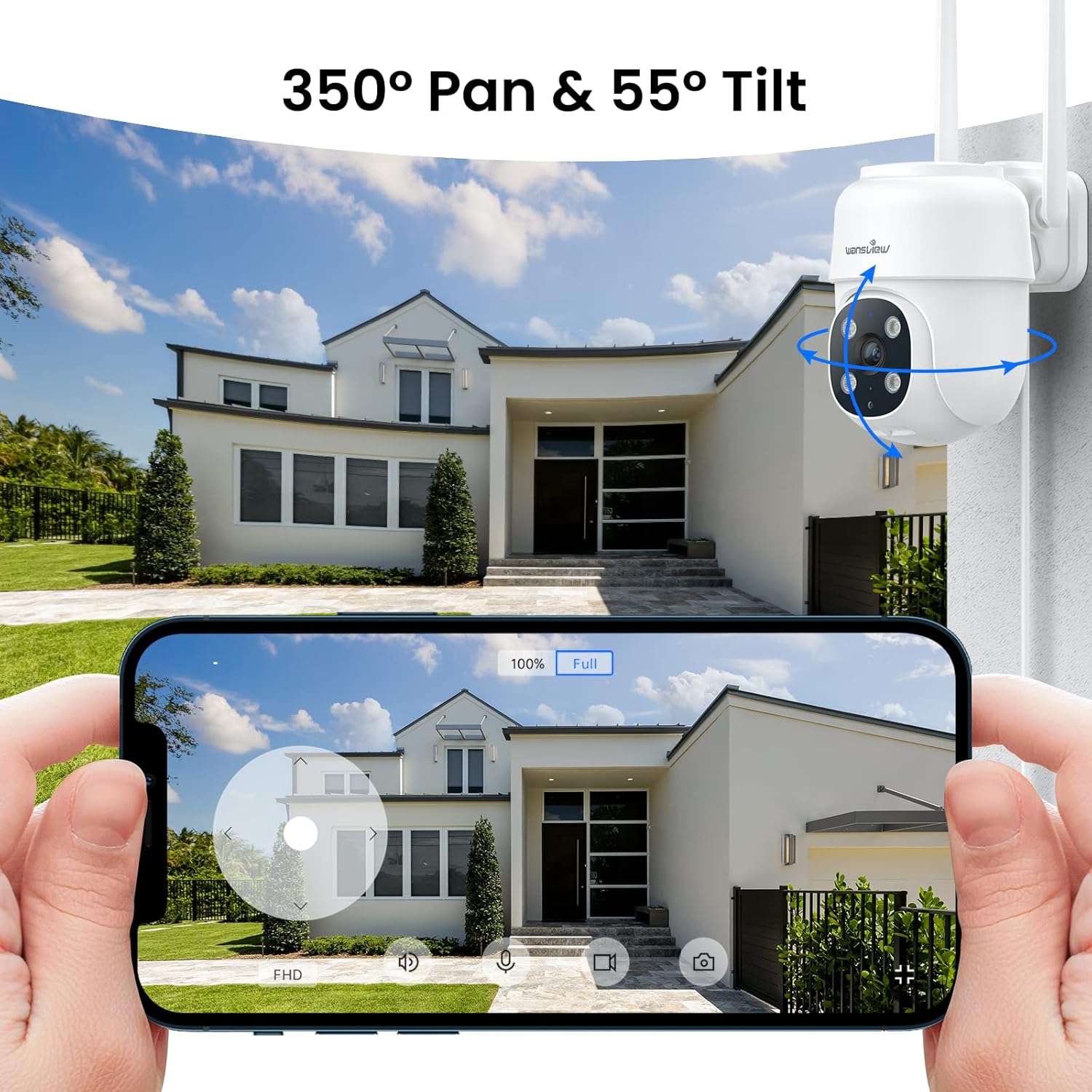
Figure 3.1: Remote pan and tilt control via the Wansview Булут колдонмосу.
3.2. Эки тараптуу аудио
The camera features a built-in microphone and speaker, enabling two-way communication. Use the app to speak to visitors or deter unwanted guests from your property.
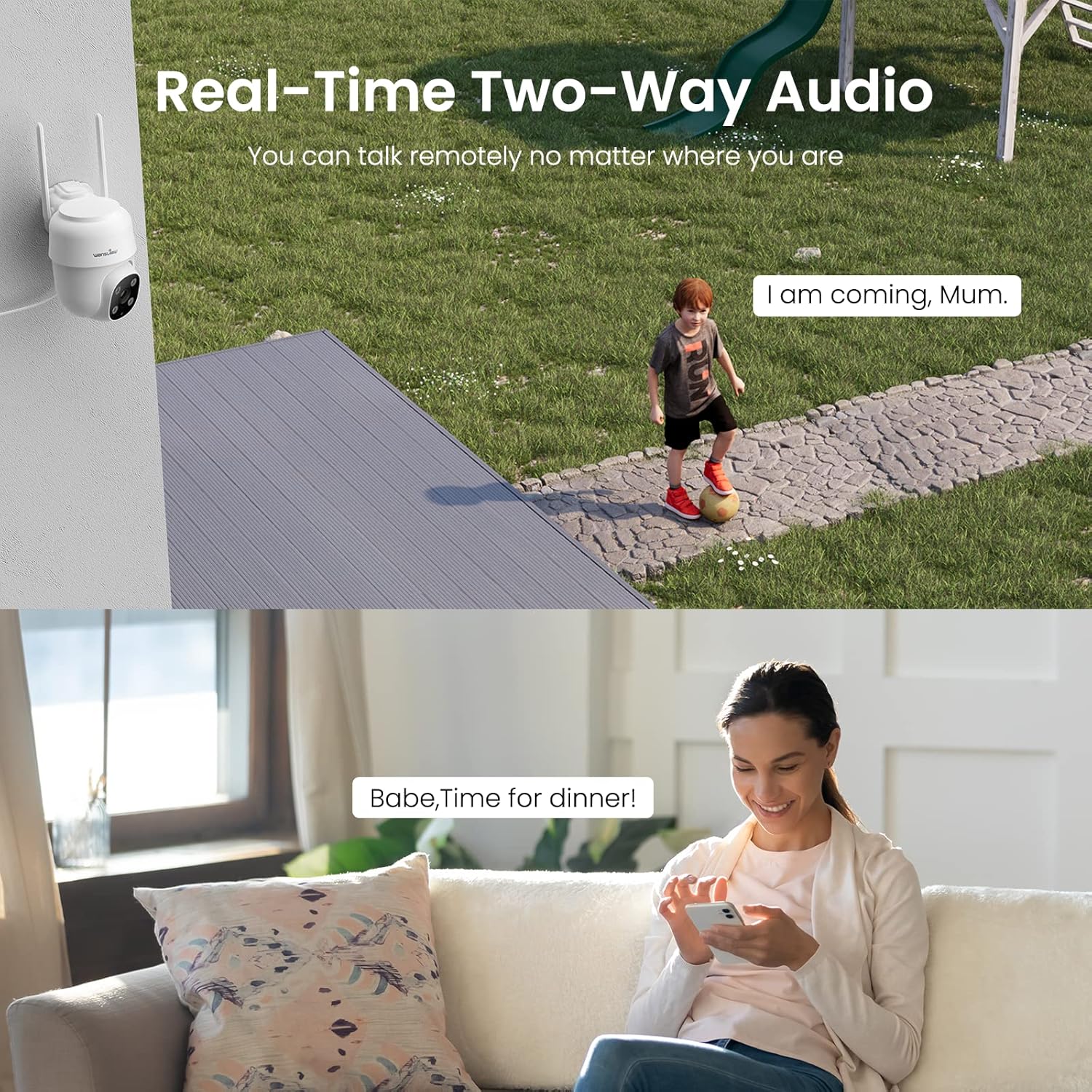
Figure 3.2: Demonstrating the real-time two-way audio functionality.
3.3. Түнкү көрүү режимдери
The W7 camera offers two night vision modes for clear visibility in low-light conditions:
- Инфракызыл түнкү көрүнүш: Толук караңгылыкта ак-кара түстөгү так сүрөттөрдү берет.
- Толук түстүү түнкү көрүнүш: Utilizes built-in white lights to display color images at night when activated.

Figure 3.3: Visual comparison of infrared and full-color night vision.
3.4. Кыймылды аныктоо жана эскертүүлөр
The camera's built-in sensor detects motion and can trigger real-time alerts to your phone. You can customize the motion detection sensitivity and define specific detection areas within the app to minimize false alarms.
- Жарык ойготкуч: The camera's white light can be set to turn on automatically or manually upon motion detection.
- Сирен сигналы: An audible siren can be activated to deter intruders.
- Эскертүү: Receive push notifications on your smartphone when motion is detected.
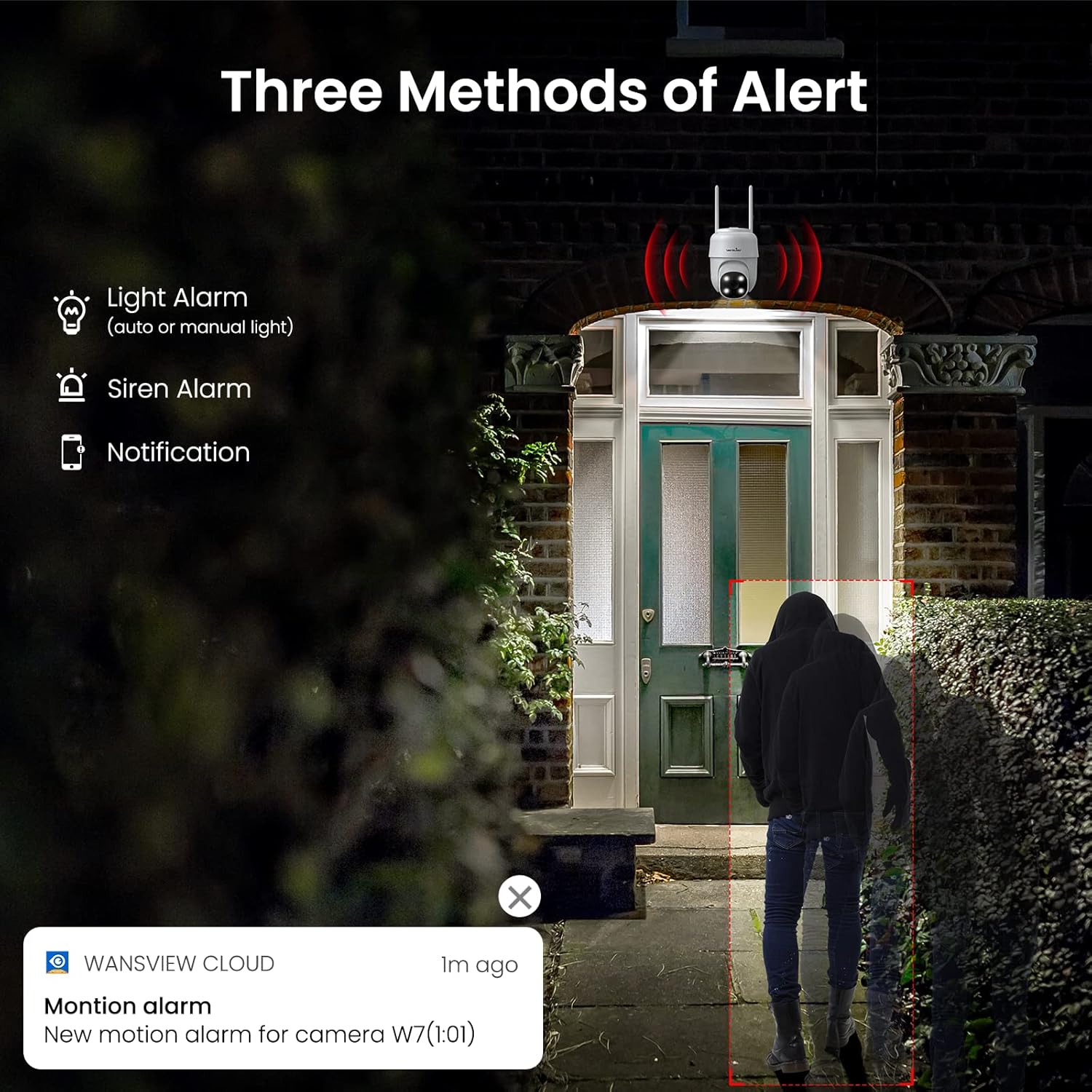
Figure 3.4: ашыкview of the three alert methods available.

Figure 3.5: Customizing the motion detection area for precise alerts.
3.5. Жаздыруу жана сактоо
The W7 camera supports continuous 24/7 recording to ensure no important moments are missed. You have two primary storage options:
- SD карта сактагычы: Insert a microSD card (up to 128GB, not included) into the camera for local storage of recordings.
- Булуттагы сактагыч: Optional cloud storage provides a secure backup for your video footage.
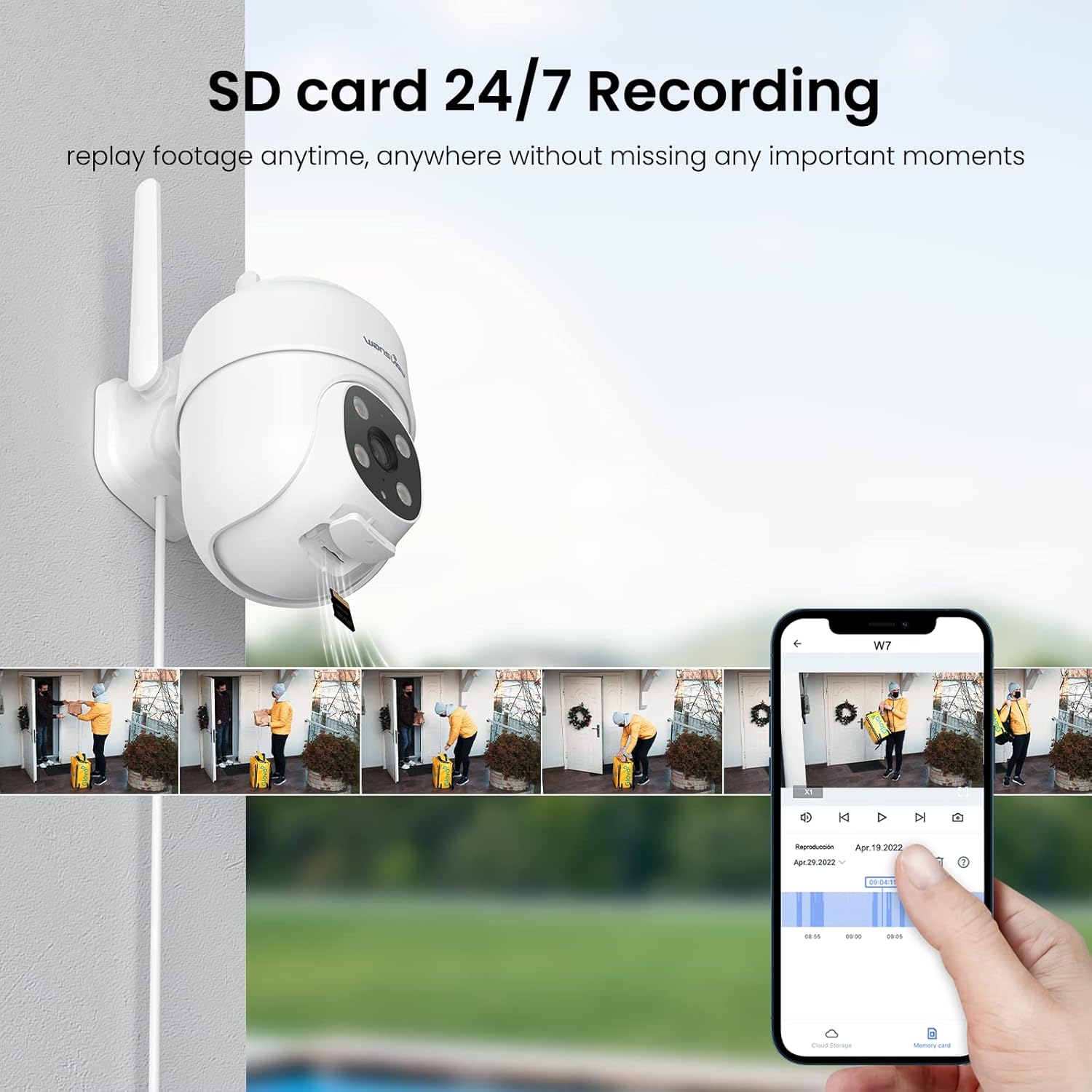
Figure 3.6: SD card storage and playback of recorded footage.
3.6. Smart Home интеграциясы
Ванview W7 camera is compatible with Amazon Alexa Echo Show and Google Home. You can use voice commands to view your camera's live feed on compatible smart displays.

Figure 3.7: Integrating the camera with smart home assistants like Alexa.
3.7. Көп колдонуучу мүмкүнчүлүгү
You can share camera access with family members or trusted individuals through the Wansview Cloud app, allowing multiple users to view түз эфир жана жаздыруулар бир убакта.

Figure 3.8: Sharing camera access with family and friends.
4. Техникалык тейлөө
- Тазалоо: Regularly clean the camera lens and body with a soft, dry cloth to ensure clear image quality. Avoid using harsh chemicals or abrasive materials.
- Кубат туташуу: Periodically check the power cord and plug for any signs of damage. Ensure the connection remains secure.
- Wi-Fi сигналы: Verify that the camera maintains a strong 2.4GHz Wi-Fi signal at its installed location for optimal performance. Consider a Wi-Fi extender if the signal is weak.
- Программалык камсыздоонун жаңыртуулары: Keep the Wansview Cloud app updated to the latest version, as this often includes firmware updates for the camera that improve performance and security.
- SD Card башкаруу: If using an SD card for storage, periodically check its status in the app. Format the SD card as needed to maintain optimal recording performance.
5. Кыйынчылыктарды
5.1. Жалпы маселелер жана чечүү жолдору
| Көйгөй | Мүмкүн себеп | Чечим |
|---|---|---|
| Камера оффлайн/Туташуу мүмкүн эмес | No power; Weak Wi-Fi signal; Incorrect Wi-Fi password; Router issues. | Check power connection. Ensure camera is within Wi-Fi range. Verify Wi-Fi password. Restart router and camera. |
| Видеонун сапаты начар | Кир линза; жетишсиз жарыктандыруу; Тармактын өткөрүү жөндөмдүүлүгү маселелери. | Clean the camera lens. Ensure adequate lighting for optimal 2K resolution. Check network speed. |
| Motion alerts are inaccurate/too frequent | Sensitivity too high; Detection area too broad. | Adjust motion detection sensitivity in the app (e.g., set to 'Normal'). Refine the detection area to focus on critical zones. |
| Night vision not clear/not activating | Obstruction in front of lens; Ambient light interference. | Ensure no objects are blocking the camera's view. Minimize external light sources that might interfere with infrared sensors. |
| Эки тараптуу аудио көйгөйлөр | Microphone/speaker blocked; App permissions; Network delay. | Check for obstructions around microphone/speaker. Ensure app has microphone permissions. Check network stability. |
| SD карта жаздырылбай жатат | SD card full/corrupted; Incorrect format; Card not inserted properly. | Format the SD card via the app. Ensure the card is correctly inserted. Replace if corrupted. |
5.2. Камераны баштапкы абалга келтирүү
If issues persist, you can reset the camera to its factory settings through the Wansview Cloud app under device management. This can resolve many software-related problems.
6. Техникалык шарттар
| Өзгөчөлүк | Деталь |
|---|---|
| Модель номери | W7 |
| Video Resolution | 2K (3 Megapixels) |
| Ички/тышкы колдонуу | Сыртта |
| Power Source | Электр зымдары (5 вольт, 5 ватт) |
| Байланыш | 2.4 ГГц Wi-Fi |
| Pan/Tilt диапазону | 350° Пан, 55° Тилт |
| Viewбурч | 95 градус |
| Түнкү көрүнүш | Full-Color Night Vision, Infrared Night Vision (up to 10 meters) |
| Суу өткөрбөйт рейтинги | IP65 |
| Иштөө температурасы | -10℃ден 50℃ге чейин (14°F менен 122°F) |
| Сактагыч параметрлери | MicroSD Card (up to 128GB, not included), Cloud Storage |
| Өлчөмдөрү (L x W x Y) | 4.5 x 3.44 x 4.8 дюйм |
| Элемент Салмагы | 13.3 унция |
| Камтылган компоненттер | Camera, USB cable, Plug, Installation guide, Mounting screws |
7. Кепилдик жана колдоо
For warranty information and technical support, please refer to the official wansview website or contact wansview customer service directly. Customer support can assist with setup, troubleshooting, and product inquiries.
Берилген маалыматтардын негизинде кыстаруу үчүн расмий продукт видеолору жеткиликтүү эмес.


