Introduction
This manual provides detailed instructions for the installation, operation, and maintenance of your JVC KD-X380BTS Digital Media Receiver and JVC CS-DF620 6.5-inch Coaxial Speakers. Please read this manual thoroughly before using the product to ensure proper usage and to prevent damage.
Орнотуу жана орнотуу
Пакеттин мазмуну
- JVC KD-X380BTS Digital Media Receiver
- JVC CS-DF620 6.5-inch Coaxial Speakers (1 Pair)
- Электр зымдары
- Монтаждоочу жабдык
- Bluetooth Hands Free Чалуу үчүн микрофон
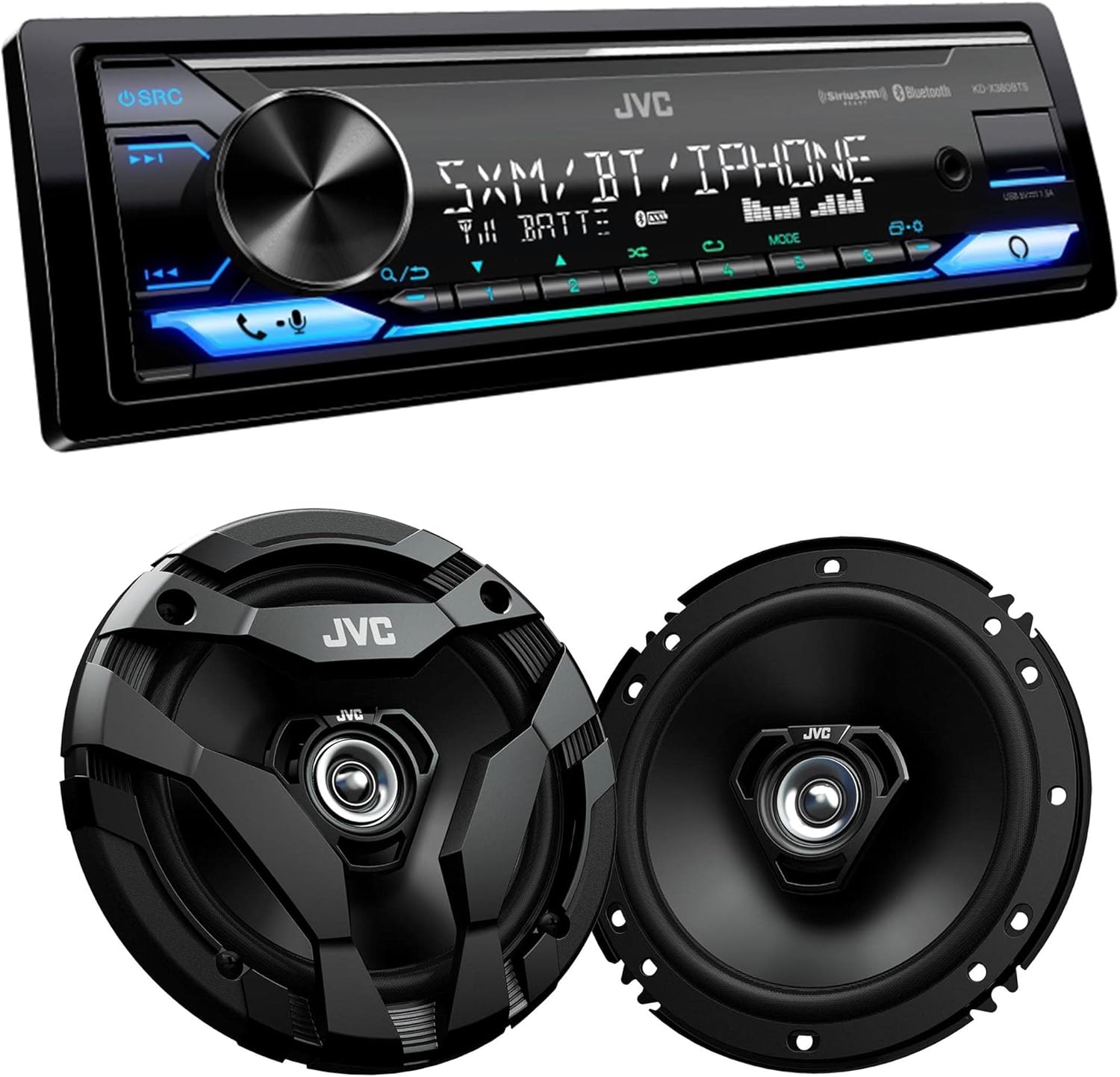
This image displays the JVC KD-X380BTS digital media receiver positioned above a pair of JVC CS-DF620 6.5-inch coaxial speakers. The receiver features a black faceplate with a central rotary knob, a display screen, and various control buttons with blue backlighting. The speakers are round, black, and show their grille design.
Алуучу зымдары
Ensure the vehicle's battery is disconnected before beginning installation. Connect the wiring harness to the receiver and then to the vehicle's corresponding wires. Pay close attention to power, ground, accessory, and speaker connections.
- Сары зым: Туруктуу 12V (батарея)
- Кызыл зым: Которуу 12V (Аксессуар)
- Кара зым: Жер
- Көк/Ак зым: Алыстан күйгүзүү
- Динамиктердин зымдары: Connect to the positive and negative terminals of each speaker.

Арткы view of the JVC KD-X380BTS digital media receiver, illustrating the various connection ports including the wiring harness connector, RCA pre-outs, antenna input, and other auxiliary inputs/outputs. This view is crucial for installation and wiring.
Динамик орнотуу
The JVC CS-DF620 speakers are designed for easy installation with a shallow mounting depth. Mount the speakers securely in the designated speaker locations in your vehicle. Ensure proper polarity when connecting speaker wires.

Жакын план view of the JVC CS-DF620 6.5-inch coaxial speaker, featuring its protective grille. The speaker has a central tweeter and a surrounding woofer cone, designed for clear audio reproduction.

This image displays the JVC CS-DF620 6.5-inch coaxial speaker without its protective grille, revealing the woofer cone and the central tweeter. This view is useful for understanding the speaker's construction and for installation purposes.
Иштөө нускамалары
Күйгүзүү/өчүрүү
басыңыз SRC аппаратты иштетүү үчүн баскыч. басып, кармап туруңуз SRC аппаратты өчүрүү үчүн баскыч.
Булак тандоо
басыңыз SRC button repeatedly to cycle through available sources: Tuner, USB, Bluetooth Audio, SiriusXM, Amazon Alexa, and AUX.
Bluetooth жупташтыруу жана туташуу
- Мобилдик түзмөгүңүздө Bluetooth'ду күйгүзүңүз.
- On the KD-X380BTS, select the Bluetooth source.
- Издөө "KD-X380BTS" on your mobile device and select it to pair.
- Эгер суралса, жупташтыруу кодун ырастаңыз.
The unit supports connecting up to 5 Bluetooth devices simultaneously for audio streaming (JVC Streaming DJ) and two phones for full-time connection for hands-free calling.
Аудио жөндөөлөр
The KD-X380BTS features a 13-Band Equalizer for precise sound customization. Press the EQ button to access equalizer settings. Use the rotary knob to adjust frequency bands and preset EQs.
Variable-Color Illumination
Customize the display and button illumination color to match your vehicle's interior or personal preference. Access the illumination settings through the menu to select from a wide range of colors.

The front panel of the JVC KD-X380BTS digital media receiver, showcasing its display and control buttons. The display shows 'SXM / BT / IPHONE' and '18 JAN 11:45AM'. The buttons and USB port are illuminated with a blue light, indicating its variable-color illumination feature.

This image shows the JVC KD-X380BTS digital media receiver's front panel, similar to the previous image, but with the control buttons and USB port illuminated in an orange and pink color scheme. This demonstrates the variable-color illumination capability of the unit.
JVC Remote колдонмосунун шайкештиги
Download the JVC Remote App on your smartphone to control the receiver directly from your device. The app allows for source selection, audio adjustments, and other functions.
Техникалык тейлөө
Агрегатты тазалоо
Wipe the receiver's faceplate with a soft, dry cloth. For stubborn dirt, use a slightly damp cloth. Avoid using harsh chemicals or abrasive cleaners, as they can damage the finish.
Программалык камсыздоо жаңыртуулары
Periodically check the official JVC website for any available firmware updates for your KD-X380BTS receiver. Updates can improve performance and add new features.
Проблемаларды чечүү
| Көйгөй | Мүмкүн себеп | Чечим |
|---|---|---|
| Күч жок | Туура эмес зымдар; Күйгүзүүчү | Check power and ground connections; Replace fuse if necessary. |
| Үн жок | туура эмес динамик зымдары; Үн өтө төмөн; Үнсүздөө иштетилди | Verify speaker connections and polarity; Increase volume; Deactivate mute function. |
| Bluetooth байланышы көйгөйлөрү | Device not in pairing mode; Interference; Out of range | Ensure device is discoverable; Move closer to the receiver; Re-pair the device. |
| Дисплей иштебейт | Dimmer setting; Unit malfunction | Adjust brightness/dimmer settings; If problem persists, consult JVC support. |
If you encounter issues not listed here or if the suggested solutions do not resolve the problem, please contact JVC customer support for further assistance.
Техникалык шарттар
JVC KD-X380BTS Digital Media Receiver
- Дисплей түрү: 2 сызыктуу VA LCD дисплейи
- Негизги түс: Өзгөрүлмө түстүү жарыктандыруу
- Bluetooth: Version 4.2 (Wired-Mic included)
- Hands Free Чалуу: HFP 1.7.1
- Bluetooth аудио агымы: A2DP, AVRCP 1.6.1
- Колдоого алынган аудио форматтары: AAC / SBC (via Bluetooth)
- USB: Front USB Input (1.5A charging)
- Мадам: 13-тилкелүү EQ
- Байланыш: Bluetooth, USB
- Контроллердин түрү: Amazon Alexa, Android
- Колдоого алынган интернет кызматтары: SiriusXM
- Башкаруу ыкмасы: Remote, JVC Remote App
JVC CS-DF620 6.5-inch Coaxial Speakers
- Өлчөмү: 16 см (6-1 / 2 дюйм)
- Woofer Diaphragm: PP injection cone
- Woofer Surround: Hybrid Surround (Rubber & Cloth)
- Вуфер магнити: Феррит
- Түрү: 2-Way Coaxial
Генерал
- Элемент Салмагы: 5.1 фунт (жалпы пакет)
- Пакеттин өлчөмдөрү: 19 x 15 x 9 дюйм
Кепилдик жана колдоо
JVC products are designed for reliability and performance. This product is covered by a limited warranty. For specific warranty terms and conditions, please refer to the warranty card included with your product or visit the official JVC webсайт.
For technical support, service, or additional product information, please visit the official JVC support webсайтка же кардарларды тейлөө бөлүмүнө кайрылыңыз.
JVC расмий Webсайт: www.jvc.com


