Introduction
This manual provides comprehensive instructions for the setup, operation, and maintenance of your Acctim Invicta Digital Alarm Clock. Please read this manual thoroughly before using the device to ensure proper function and longevity.
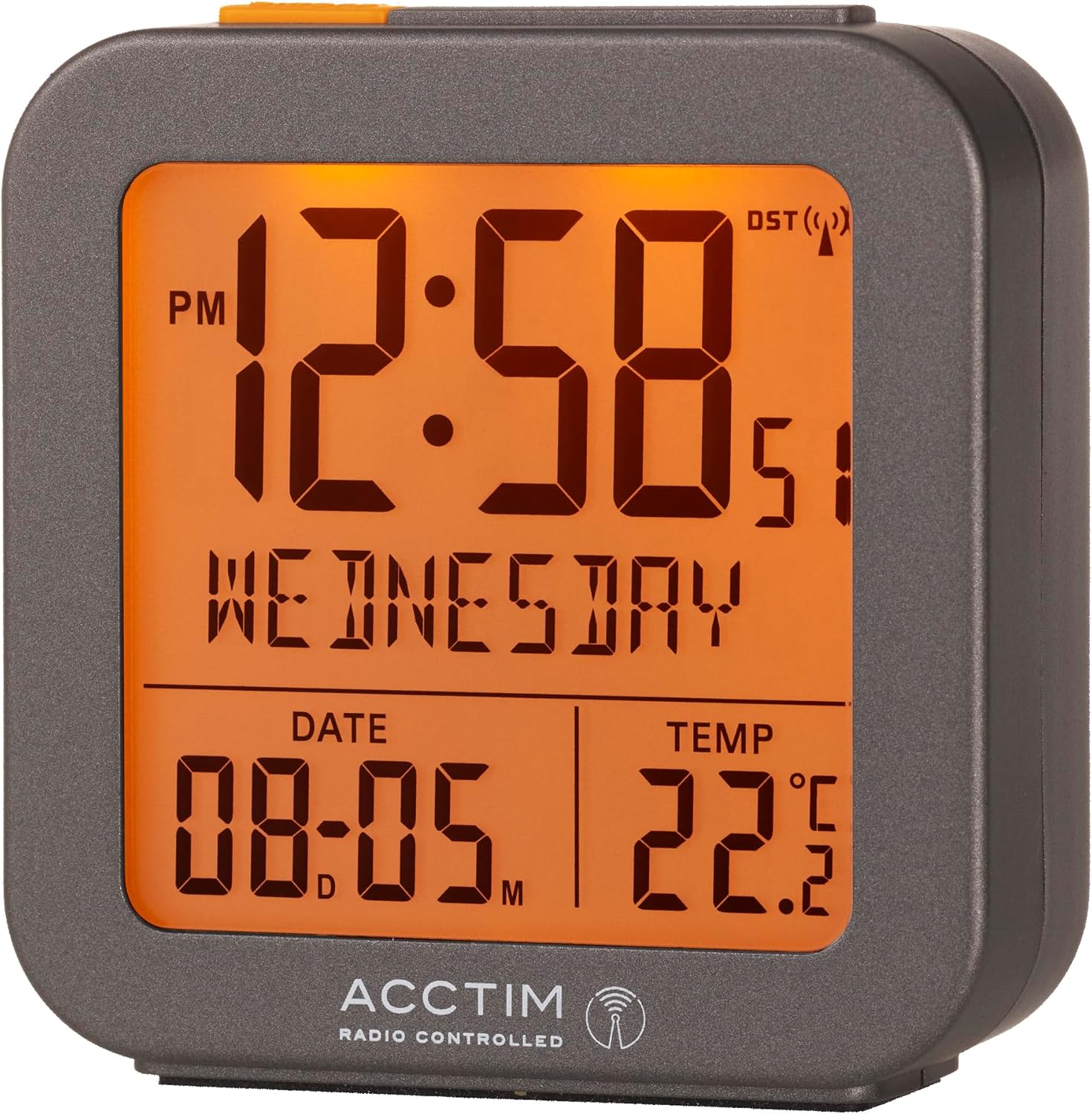
Сүрөт 1: Алдыңкы view of the Acctim Invicta Digital Alarm Clock with its illuminated display.
Коопсуздук маалыматы
- Саатты экстремалдык температурага, түз күндүн нуруна же жогорку нымдуулукка дуушар кылбаңыз.
- Саатты түшүрүүдөн же катуу соккулардан сактаныңыз.
- Use only the specified battery type (2x AAA batteries). Ensure correct polarity when inserting batteries.
- Сааттын агып кетишинин алдын алуу үчүн узак убакыт бою колдонулбаса, батареяларды алып салыңыз.
- Батареяларды балдар жетпеген жерде сактаңыз.
- Эски жана жаңы батарейкаларды же ар кандай типтеги батареяларды аралаштырбаңыз.
Пакеттин мазмуну
- Acctim Invicta Digital Alarm Clock (Model: 71937)
- Колдонуучунун Колдонмосу (бул документ)
Эскертүү: 2x AAA батарейкалары иштөө үчүн талап кылынат жана пакетке кирбейт.
Продукт өзгөчөлүктөрү
- Multifunction Digital Display
- Radio Controlled with Automatic Setup for precise timekeeping
- Crescendo Alarm for a gentle wake-up
- Тындырма функциясы
- LCD Display showing Time, Date, Day, and Indoor Temperature
- Компакт жана портативдик дизайн
Жайгашуу
1. Батареяны орнотуу
- Сааттын артындагы батарея отсегин табыңыз.
- Батарея уясынын капкагын ачыңыз.
- Бөлүмдүн ичинде көрсөтүлгөндөй, туура полярдуулукту (+ жана -) текшерип, 2 AAA батарейкасын салыңыз.
- Батарея уясынын капкагын бекем жабыңыз.

2-сүрөт: Арткы view of the clock, highlighting the battery compartment and control buttons.
2. Initial Time Synchronization (Radio Controlled)
Upon battery installation, the clock will automatically begin searching for the radio controlled time signal (DCF77 for UK/Europe). This process may take several minutes to a few hours, depending on your location and signal strength. During this time, the radio controlled signal icon (a small antenna symbol) will flash on the display.
- Сигналдарды оптималдуу кабыл алуу үчүн саатты терезенин жанына коюңуз.
- Аны тоскоолдук жаратышы мүмкүн болгон электрондук түзмөктөрдүн жанына койбоңуз.
- Once the signal is successfully received, the time and date will automatically set, and the radio controlled signal icon will become solid.
If the signal is not received within 24 hours, you may need to manually set the time (see "Manual Time Setting" in the Operating Instructions section).
Иштөө нускамалары
Баскычтар бүттүview
Refer to Figure 2 for the location of the buttons on the back of the clock:
- ALARM Button (Clock icon): Ойготкучту орнотуу режимине кирүү жана ойготкучту иштетүү/өчүрүү үчүн колдонулат.
- MINUS (-) Button: Used to decrease values during setting, or to toggle display modes.
- PLUS (+) Button: Used to increase values during setting, or to toggle display modes.
- TIME Button (Circle with arrow): Used to enter time/date setting mode.
- SNOOZE/LIGHT Bar (Top of clock): Press to activate backlight or snooze a sounding alarm.
1. Manual Time and Date Setting
While the clock is radio controlled, manual setting may be necessary if the signal is consistently weak or unavailable.
- басып, кармап туруңуз TIME button for approximately 3 seconds until the hour digits begin to flash.
- колдонуу PLUS (+) or МИНУС (-) саатты тууралоо үчүн баскычтар.
- басыңыз TIME button again to confirm the hour and move to the minute setting.
- Процессти мүнөт, жыл, ай жана күн үчүн кайталаңыз.
- басыңыз TIME button one last time to exit setting mode.
2. Ойготкучту орнотуу
- басып, кармап туруңуз АЛАРМ button for approximately 3 seconds until the alarm hour digits begin to flash.
- колдонуу PLUS (+) or МИНУС (-) ойготкуч саатын тууралоо үчүн баскычтар.
- басыңыз АЛАРМ button again to confirm the alarm hour and move to the alarm minute setting.
- колдонуу PLUS (+) or МИНУС (-) ойготкуч мүнөттү тууралоо үчүн баскычтар.
- басыңыз АЛАРМ button one last time to exit alarm setting mode.
3. Ойготкучту иштетүү/өчүрүү
Кадимки убакыт дисплейинен баскычын басыңыз АЛАРМ button once briefly to toggle the alarm on or off. An alarm icon (bell symbol) will appear on the display when the alarm is active.
4. Crescendo Alarm and Snooze Function
- Crescendo ойготкуч: When the alarm sounds, it will start softly and gradually increase in volume to gently wake you.
- Чырым: When the alarm is sounding, press the large SNOOZE / LIGHT bar on top of the clock. The alarm will pause for approximately 5 minutes and then sound again. You can repeat the snooze function multiple times.
- Ойготкучту токтотуу: To stop the alarm completely, press any button on the back of the clock (ALARM, PLUS, MINUS, TIME). The alarm will reset for the next day.
5. Backlight/Illumination
Чоңду басыңыз SNOOZE / LIGHT bar on top of the clock to briefly illuminate the display for easy viewаз жарык шарттарда.
6. Температураны чагылдыруу
The clock continuously displays the indoor temperature. The unit of temperature (Celsius or Fahrenheit) can typically be toggled by pressing the PLUS (+) or МИНУС (-) button briefly when not in setting mode, or by a dedicated switch on the back (refer to Figure 2 for any such switch, though none is explicitly visible in the provided image, this is a common feature).
Техникалык тейлөө
- Саатты жумшак, кургак чүпүрөк менен тазалаңыз. Абразивдүү тазалагычтарды же эриткичтерди колдонбоңуз.
- Avoid exposing the clock to water or other liquids.
- Replace batteries promptly when the display becomes dim or the clock stops functioning correctly.
Проблемаларды чечүү
| Көйгөй | Мүмкүн болгон себеп / Чечим |
|---|---|
| Сааттын дисплейи бош же күңүрт. | Батареялар өлүп калган же туура эмес салынган. Туура полярдуулукту камсыз кылуу менен батарейкаларды алмаштырыңыз. |
| Убакыт туура эмес же автоматтык түрдө коюлбай жатат. | Weak radio controlled signal. Move the clock closer to a window or to a different location away from electronic interference. Allow several hours for signal acquisition. If issues persist, manually set the time. |
| Ойготкуч угулбайт. | Alarm is not activated. Ensure the alarm icon (bell symbol) is visible on the display. Check if the alarm time is set correctly. |
| Тындыруу функциясы иштебей жатат. | Ensure you are pressing the large SNOOZE/LIGHT bar on top of the clock when the alarm is sounding. |
| Температураны окуу туура эмес көрүнөт. | Ensure the clock is not placed in direct sunlight, near heat sources, or in drafts, which can affect temperature readings. |
Техникалык шарттар
| Өзгөчөлүк | Деталь |
|---|---|
| Модель номери | 71937 |
| Бренд | Acctim |
| Түс | Боз |
| Продукциянын өлчөмдөрү | 6.5 x 3.81 x 7.5 см (W x D x Y) |
| Элемент Салмагы | 110 г |
| Материал | Пластик |
| Дисплей түрү | Санарип LCD |
| Power Source | 2x AAA батарейкалар (киргизилген эмес) |
| Өзгөчөлүктөр | Snooze, Illuminated Display, Temperature Display, Alarm, Calendar Display, Radio Controlled |

Figure 3: Dimensions of the Acctim Invicta Digital Alarm Clock.
Кепилдик жана колдоо
For warranty information and customer support, please refer to the official Acctim webсайтка же сатуучуга кайрылыңыз. Сатып алуу квитанциясын кепилдик дооматтары үчүн сатып алуунун далили катары сактаңыз.
For further assistance, you may visit the Acctim Store online: Acctim Store on Amazon UK


