1. Киришүү
The Phomemo M04AS Thermal Note Printer is a compact, portable, and inkless printer designed for a variety of printing needs, including notes, memos, documents, lists, and photos. Its thermal printing technology eliminates the need for ink cartridges, offering a convenient and cost-effective printing solution. This manual provides detailed instructions to help you set up, operate, and maintain your Phomemo M04AS printer.
2. Кутуда эмне бар
Сураныч, пакеттин мазмунун текшерип, бардык буюмдар бар экенин текшериңиз:
- Phomemo M04AS Printer x1
- White Adhesive Paper x1 (pre-installed or separate roll)
- Type-C кабели x1
- Колдонуу боюнча нускамалар x1 (бул колдонмо)

The image above displays the Phomemo M04AS printer along with examples of printed materials and paper rolls, illustrating the typical contents and output of the device.
3. Орнотуу колдонмосу
3.1 Алгачкы заряддоо
Before first use, fully charge the printer using the provided Type-C cable. Connect the cable to the printer's charging port and a USB power adapter (not included). The indicator light will show charging status.
3.2 Installing Paper
The Phomemo M04AS supports various paper widths (15mm, 53mm, 80mm, 110mm). To install a paper roll:
- Open the printer's cover by gently pushing the release button or sliding the cover open.
- Insert the thermal paper roll with the printing side facing the print head. Ensure the paper is aligned straight.
- Close the cover firmly until it clicks into place. A small amount of paper should protrude from the output slot.
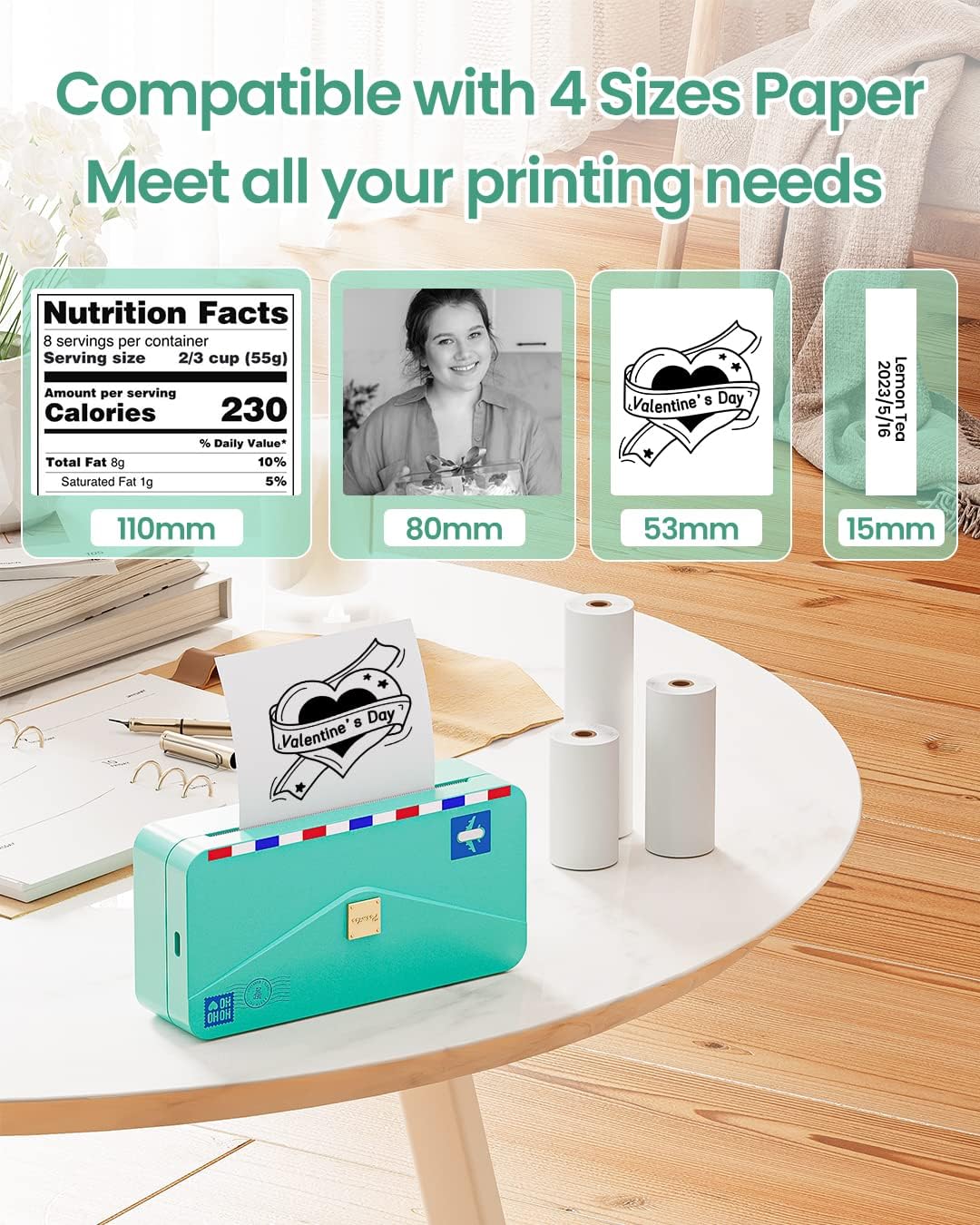
This image illustrates the versatility of the Phomemo M04AS printer, showcasing how it accommodates various paper widths to meet diverse printing requirements.
3.3 Колдонмону жүктөп алуу жана Bluetooth туташуусу
The Phomemo M04AS printer operates via the Phomemo mobile application.
- Колдонмону жүктөп алыңыз: Издөө "Phomemo" in your device's app store (Google Play Store for Android or Apple App Store for iOS) and download the official application.
- Turn On Printer: Принтердеги кубат баскычын индикатор жарыгы күйгөнгө чейин басып туруңуз.
- Bluetooth иштетүү: Смартфонуңузда же планшетиңизде Bluetooth иштетилгенин текшериңиз.
- Колдонмодо туташуу: Open the Phomemo app. The app will automatically search for nearby Phomemo devices. Select "M04AS" from the list to connect. The printer's indicator light will change to confirm a successful connection.

This image highlights the seamless integration of the Phomemo M04AS printer with its dedicated mobile application, allowing for easy editing and printing directly from your smart devices.
4. Иштөө нускамалары
4.1 Using the Phomemo App for Printing
The Phomemo app offers a wide range of functions for printing various content:
- Print Images: Select photos from your gallery to print. The app allows for basic editing like cropping and adjusting contrast.
- Документ басып чыгаруу: Print text documents, PDFs, or web pages directly from your device.
- Notes & Memos: Create and print quick notes, to-do lists, or study materials using the app's built-in editor.
- Label Workshop: Design and print custom labels for organization, shipping, or personal use.
- Калыптар: Access a library of pre-designed templates for various purposes, including decorative frames, educational materials, and more.
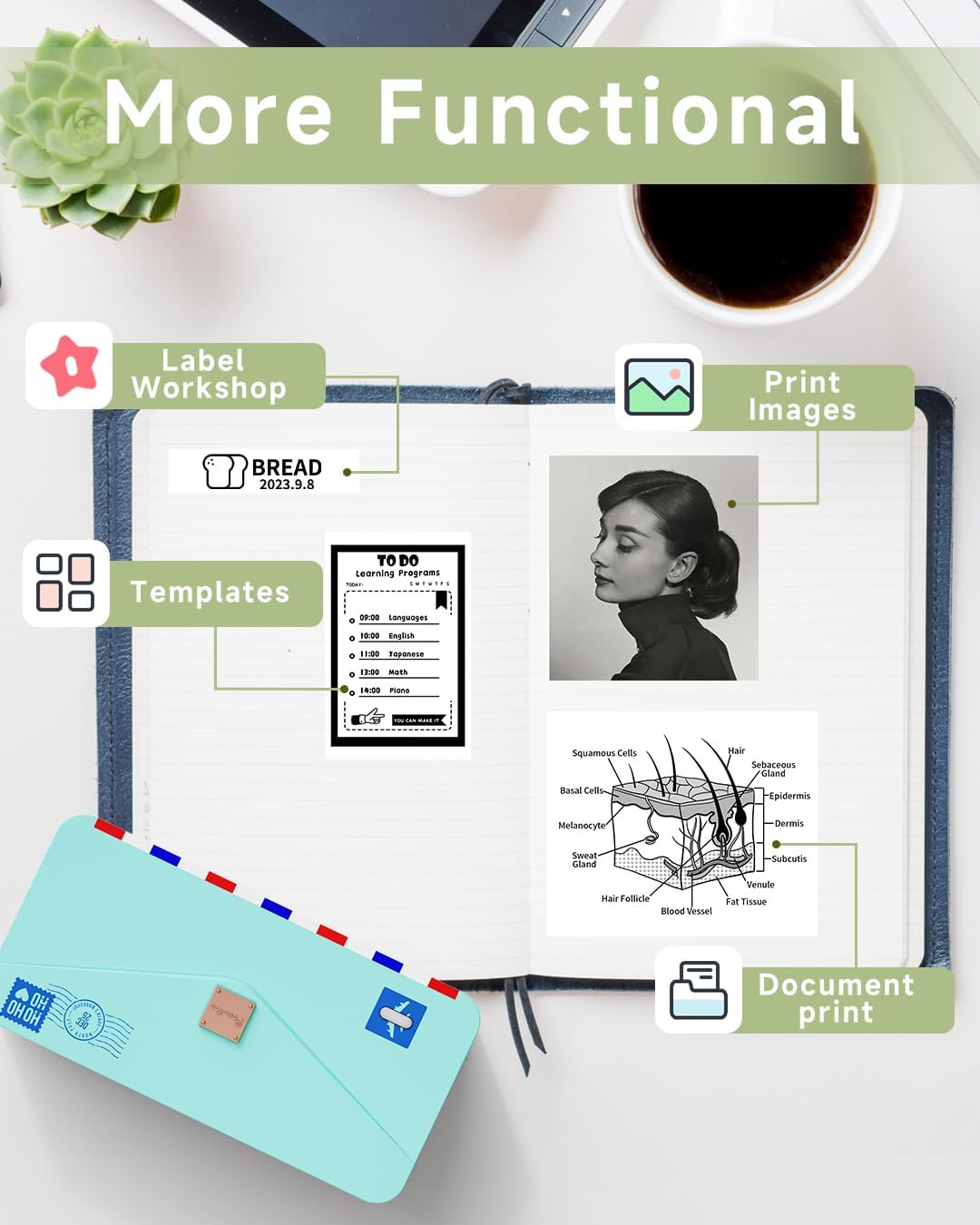
This image demonstrates the diverse applications of the Phomemo M04AS printer, highlighting its ability to produce various types of content from the mobile application.
4.2 Paper Options and Print Quality
The Phomemo M04AS is compatible with over 50 different styles of thermal paper, including white, color, transparent, semi-transparent, and shiny options, available in both sticker and non-sticker formats. This allows for extensive personalization of your prints.

This image illustrates the wide range of thermal paper types that can be used with the Phomemo M04AS, offering creative flexibility for users.
With a 300dpi resolution, the printer produces clear and high-quality prints for both text and images. For optimal print quality, ensure the paper is loaded correctly and the print head is clean.
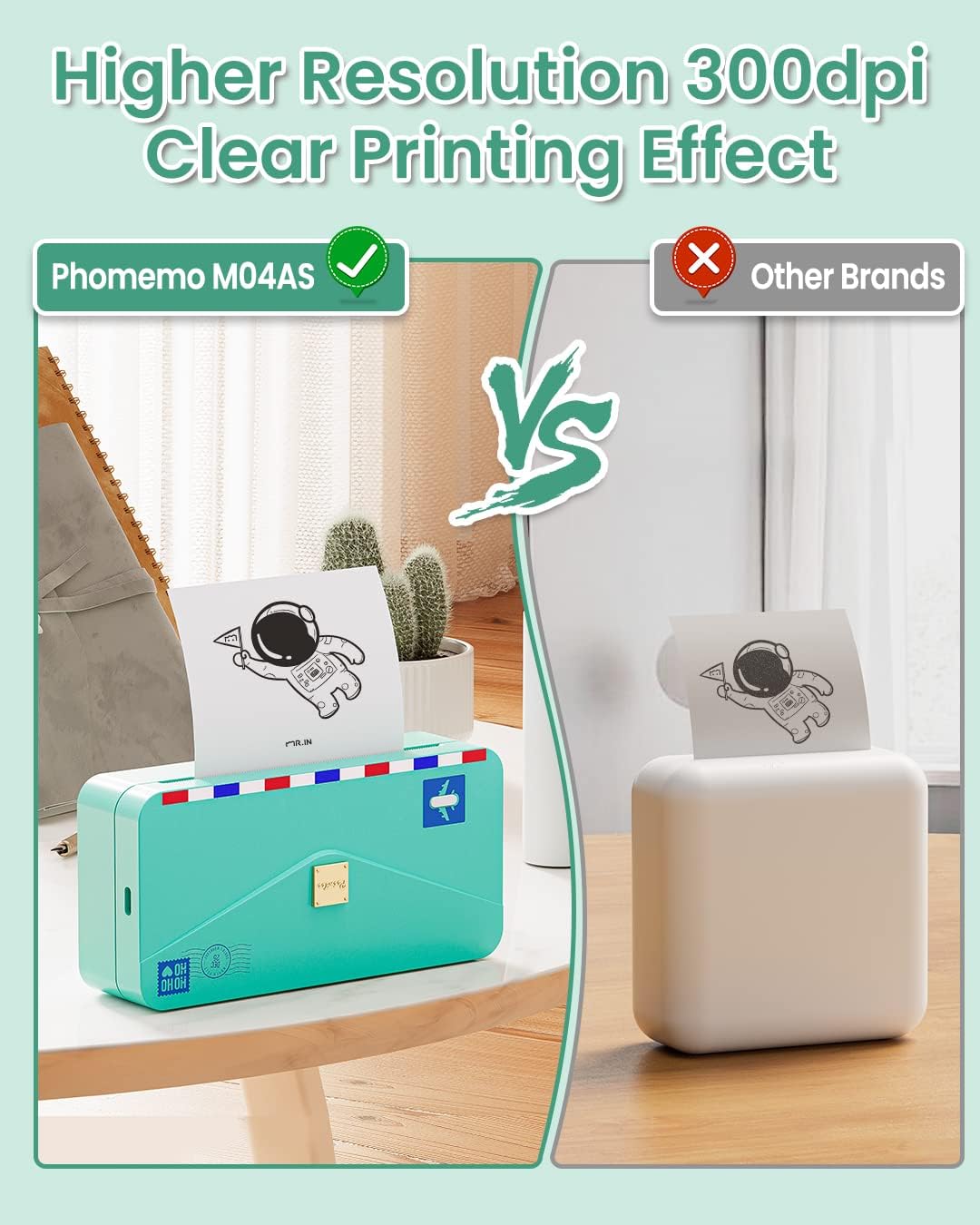
This image visually demonstrates the superior print clarity achieved by the Phomemo M04AS printer due to its 300dpi resolution, contrasting it with the output of a lower-resolution printer.
5. Техникалык тейлөө
5.1 Басып чыгаруу башын тазалоо
To ensure consistent print quality, regularly clean the print head:
- Принтерди өчүрүп, электр кабелин ажыратыңыз.
- Принтердин капкагын ачыңыз.
- Басып чыгаруучу башты кебез таякча менен акырын сүртүңүзampened with rubbing alcohol. Allow it to dry completely before closing the cover and turning the printer back on.
5.2 Paper Storage
Store thermal paper in a cool, dry place away from direct sunlight and heat to prevent fading and preserve print longevity.
6. Кыйынчылыктарды
6.1 Жалпы маселелер жана чечимдер
- Принтер туташпай жатат:
- Ensure the printer is turned on and fully charged.
- Түзмөгүңүздө Bluetooth иштетилгенин текшериңиз.
- Принтерди да, мобилдик түзмөгүңүздү да өчүрүп-күйгүзүңүз.
- Forget the device in your phone's Bluetooth settings and try pairing again through the Phomemo app.
- Poor Print Quality (Faint, Streaky, or Blank):
- Check if the thermal paper is loaded correctly with the printing side facing the print head.
- Басып чыгаруучу башты "Техникалык тейлөө" бөлүмүндө сүрөттөлгөндөй тазалаңыз.
- Түпнуска Phomemo термикалык кагазын колдонуп жатканыңызды текшериңиз.
- The paper roll might be running out. Replace with a new one.
- Кагаз тыгылышы:
- Принтерди дароо өчүрүңүз.
- Open the printer cover and carefully remove any jammed paper. Avoid tearing the paper inside the mechanism.
- Ensure the paper is loaded straight and not wrinkled before closing the cover.
- Принтер жооп бербей жатат:
- Perform a hard reset by pressing and holding the power button for 10 seconds.
- Батареянын деңгээлин текшериңиз.
For more detailed troubleshooting or issues not covered here, please refer to the Phomemo app's help section or contact customer support.
7. Техникалык шарттар
| Өзгөчөлүк | Спецификация |
|---|---|
| Продукциянын өлчөмдөрү | 7"D x 4"W x 2.8"H |
| Элемент Салмагы | 15.5 унция |
| Басма технологиясы | Термикалык |
| Принтердин сыя түрү | Сыясыз |
| Максималдуу кара жана ак басып чыгаруу чечими | 300 dpi |
| Байланыш технологиясы | Bluetooth |
| Шайкеш түзмөктөр | Смартфондор, Планшеттер (Android, iOS) |
| Максималдуу медиа өлчөмү | 4 дюйм (110мм) |
| Supported Paper Widths | 15мм, 53мм, 80мм, 110мм |
| Power Source | 1 Литий Полимердик батарейка (кошулган) |
| Башкаруу ыкмасы | Колдонмо |
8. Кепилдик жана колдоо
8.1 Чектелген Кепилдик
The Phomemo M04AS Thermal Note Printer comes with a limited warranty. Please refer to the official Phomemo website or the warranty card included in your package for specific terms and conditions.
8.2 Кардарларды колдоо
For further assistance, technical support, or inquiries, please visit the official Phomemo website or contact their customer service team. You can also refer to the comprehensive Колдонуу боюнча нускамалар (PDF) кошумча маалымат үчүн.


