Продукт бүттүview
The HyperX Pulsefire Haste 2 is a wired gaming mouse designed for high-performance gaming. It features an ultra-lightweight design, a high-precision sensor, and durable switches, optimized for speed and responsiveness.
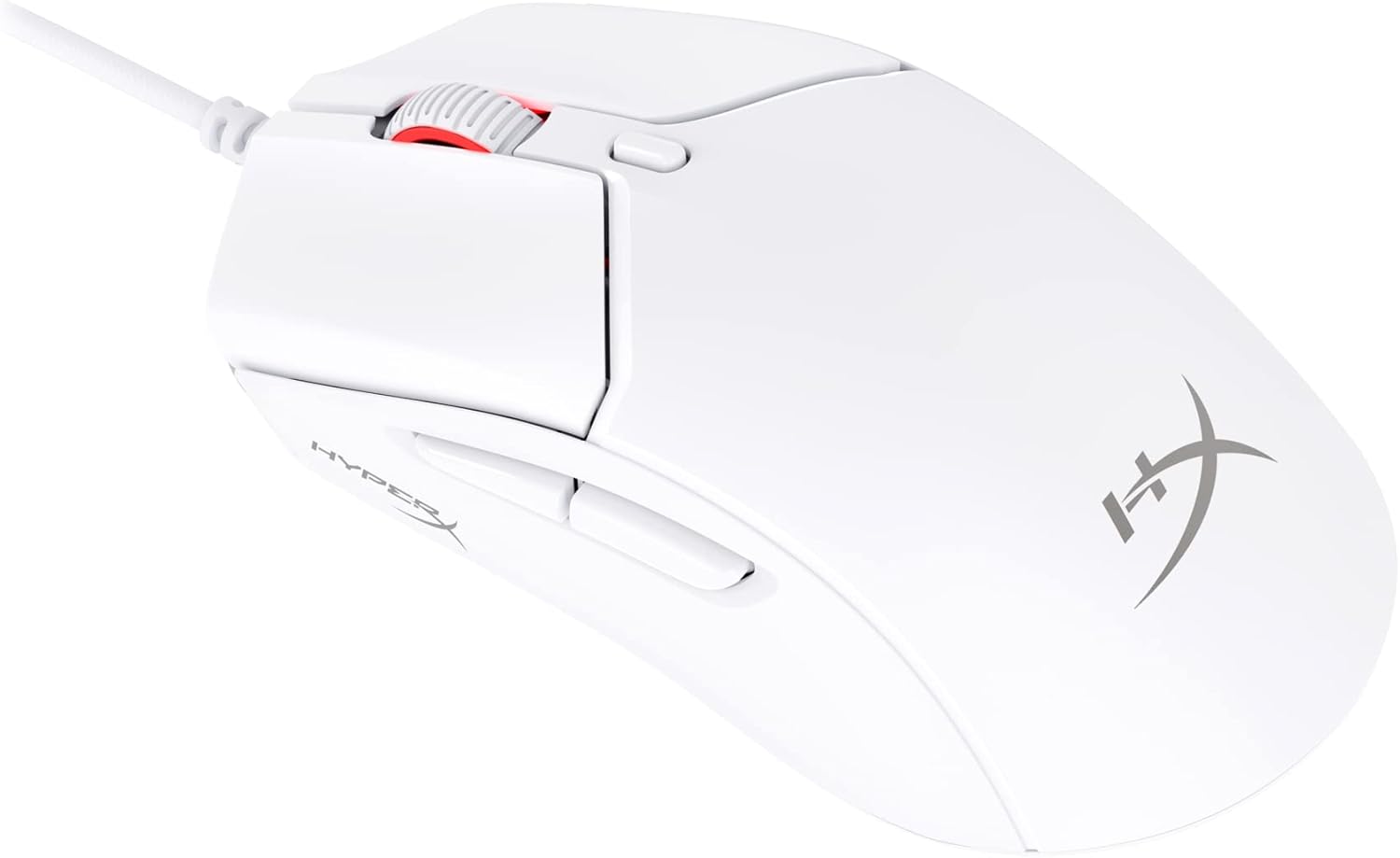
Figure 1: HyperX Pulsefire Haste 2 Wired Gaming Mouse (White)
Пакеттин мазмуну
Пакетте бардык буюмдар бар экенин текшериңиз:
- HyperX Pulsefire Haste 2 Wired Gaming Mouse
- HyperX Grips (pre-applied or in package)
- Кошумча PTFE конькилери
- Quick Start Guide (refer to the official PDF user guide for full details: Колдонуучу PDF)
Жайгашуу
Чычканды туташтыруу
- Компьютериңизден жеткиликтүү USB портун табыңыз.
- Plug the USB connector of the HyperX Pulsefire Haste 2 mouse into the USB port.
- The mouse is plug-and-play and should be recognized automatically by your operating system (Windows, macOS, Linux).
Applying Grip Tape (Optional)
The mouse includes optional grip tape for enhanced control and comfort. To apply:
- Чычкандын бети таза жана кургак экенине ынаныңыз.
- Кармагыч лента бөлүктөрүнөн арткы катмарды этияттык менен сыйрып алыңыз.
- Align and firmly press the grip tape onto the designated areas (left/right mouse buttons, left/right sides of the mouse).

Figure 2: Anti-Slip Grip Tape Application Area
Чычканды иштетүү
Негизги функциялар
The HyperX Pulsefire Haste 2 features standard mouse buttons and a scroll wheel:
- Сол чыкылдатуу: Негизги аракет.
- Оң чыкылдатуу: Кошумча аракет/контексттик меню.
- Жылдыруу дөңгөлөгү: Өйдө/төмөн сыдырыңыз, ортоңку чыкылдатыңыз.
- Каптал баскычтары: Адатта алдыга/артка багыттоо үчүн колдонулат web browsers or customizable functions.
- DPI баскычы: Located behind the scroll wheel, cycles through preset DPI (sensitivity) levels.
HyperX NGENUITY программасы
To unlock the full potential of your Pulsefire Haste 2, download and install the HyperX NGENUITY software. This software allows for:
- Customizing DPI settings (up to 26,000 DPI).
- Programming the 6 buttons with macros or custom functions.
- Personalizing RGB lighting effects.
- Adjusting polling rate (up to 8000Hz).

Figure 3: HyperX NGENUITY Software Interface
For software download and detailed instructions, visit the official HyperX webсайт.
Техникалык тейлөө
Чычканды тазалоо
- Тазалоодон мурун чычканды компьютериңизден ажыратыңыз.
- Бир аз жумшак, түксүз кездемени колдонуңуз dampбетти сүртүү үчүн суу же жумшак тазалоо эритмеси менен жабылган.
- Катуу химиялык заттарды, абразивдерди же эриткичтерди колдонуудан алыс болуңуз.
- For the sensor area, use a cotton swab or compressed air to gently remove dust and debris.
Replacing PTFE Skates
The HyperX Pulsefire Haste 2 comes with extra PTFE skates. If the original skates show significant wear, they can be replaced for optimal glide performance.
- Carefully peel off the old PTFE skates using a thin, non-abrasive tool.
- Ensure the mouse's underside is clean and free of adhesive residue.
- Peel the backing from the new PTFE skates and align them precisely with the recesses on the mouse's bottom.
- Туура адгезияны камсыз кылуу үчүн катуу басыңыз.

Figure 4: Mouse Underside with PTFE Skates
Проблемаларды чечүү
| Көйгөй | Мүмкүн себеп | Чечим |
|---|---|---|
| Чычкан жооп бербей жатат | Бош USB туташуу, туура эмес USB порт, драйвер маселеси. |
|
| Курсордун кыймылы туруксуз же секирик | Кир сенсор, жараксыз чычкандын бети. |
|
| Баскычтар же сыдырма дөңгөлөк иштебей жатат | Программалык камсыздоонун кагылышуусу, физикалык тоскоолдук. |
|
| RGB жарыктандыруу иштебейт | Software settings, power issue. |
|
Техникалык шарттар
| Өзгөчөлүк | Деталь |
|---|---|
| Модель аты | HyperX Pulsefire Haste 2 Wired Gaming Mouse |
| Модель номери | 6N0A8AA |
| Байланыш | Зымдуу USB |
| Сенсор | HyperX 26K сенсор |
| DPI | Up to 26,000 (native) |
| Көз салуу ылдамдыгы | 650 IPS чейин |
| Добуш берүү көрсөткүчү | 8000 Гц чейин |
| Buttons | 6 Программалануучу баскычтар |
| Которгучтар | HyperX Switches (100 миллион чыкылдатууга бааланган) |
| Кабель | HyperFlex 2 Cable (Paracord) |
| Коньки | Virgin PTFE Skates |
| Салмагы | Approx. 53g (mouse only) |
| Өлчөмдөрү (LxWxH) | 124 x 67 x 38 мм (4.9 x 2.6 x 1.5 дюйм) |
| Операциялык системанын шайкештиги | Windows, macOS, Linux |

Figure 5: HyperX Pulsefire Haste 2 Dimensions and Weight
Кепилдик жана колдоо
HyperX products are backed by a limited warranty. For specific warranty terms and conditions, please refer to the warranty information included with your product or visit the official HyperX webсайт.
For technical support, driver downloads, and frequently asked questions, please visit the HyperX support page:
You can also refer to the official PDF user guide for additional details: Колдонуучу PDF


