1. Киришүү
Колдонуучунун колдонмосуна кош келиңиз ViewSonic CDE9830 98" 4K UHD Wireless Presentation Display. This document provides essential information for the safe and efficient operation of your display. Please read it thoroughly before use and retain it for future reference.

Сүрөт 1.1: Алдыңкы view -ныкы ViewSonic CDE9830 display.
2. Коопсуздук маалыматы
Observe the following safety precautions to prevent damage to the display and ensure user safety:
- Ensure proper ventilation around the display. Do not block ventilation openings.
- Use only the power cord supplied with the display or an approved equivalent.
- Do not expose the display to rain or moisture to avoid fire or shock hazards.
- Дисплейди ачпаңыз casinг. Бардык тейлөөлөрдү квалификациялуу тейлөө кызматкерлерине тапшырыңыз.
- Clean the display with a soft, dry cloth. Avoid liquid cleaners or aerosol sprays.
3. Пакеттин мазмуну
Пакетте бардык буюмдар бар экенин текшериңиз:
- ViewSonic CDE9830 Display
- Электр кабели
- Алыстан башкаруу
- Алыстан башкаруу үчүн батареялар
- Quick Start Guide
- Кепилдик картасы
4. Орнотуу
4.1 Пакеттен чыгаруу жана жайгаштыруу
Carefully remove the display from its packaging. It is recommended to have at least two people for handling due to its size. Place the display on a stable, level surface or mount it securely according to VESA mounting standards. Ensure adequate space for ventilation around the display.
4.2 Түзмөктөрдү туташтыруу
Connect necessary cables to the display's input ports. The CDE9830 supports various connections including HDMI, USB-C, RJ45 for network, and RS232 for control.
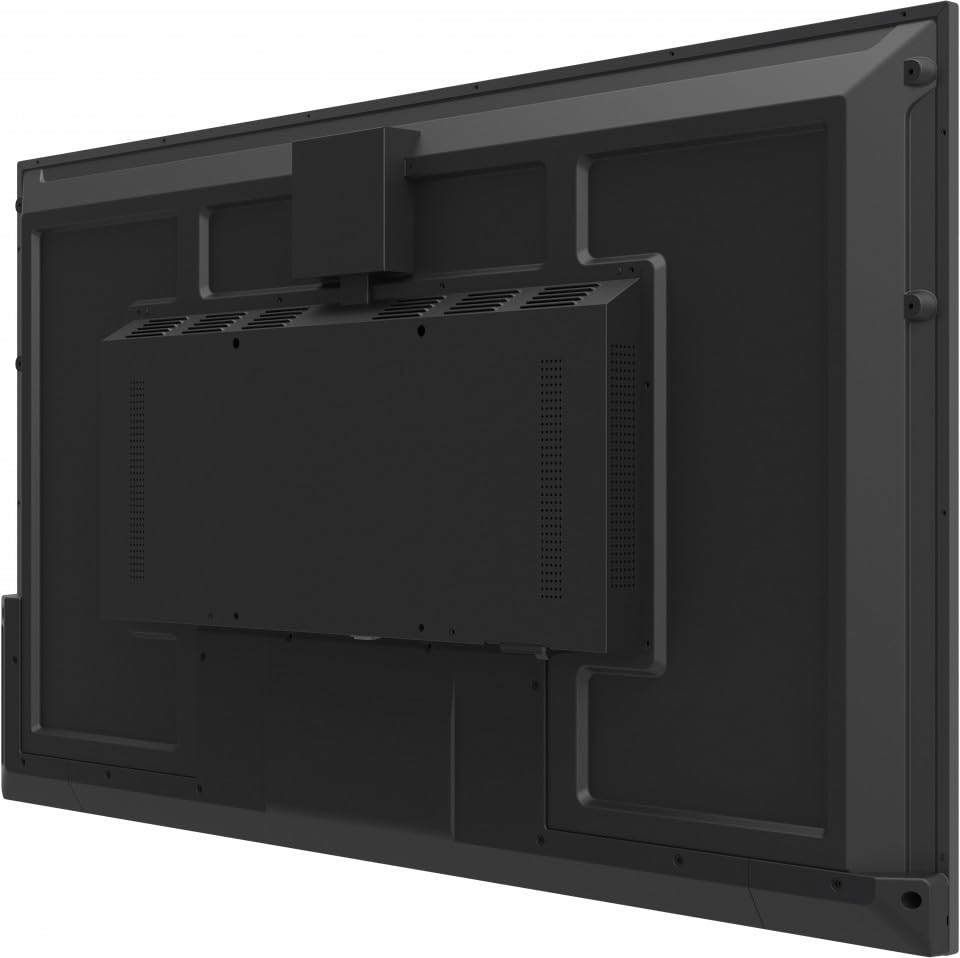
4.1-сүрөт: Арткы view of the display, illustrating the location of various ports and mounting points.
- Күч: Connect the power cable to the AC inlet on the display and then to a grounded electrical outlet.
- Видео/Аудио: Use HDMI or USB-C cables to connect external video sources.
- Тармак: Зымдуу тармакка кирүү үчүн Ethernet кабелин RJ45 портуна туташтырыңыз.
- Контролдоо: Use the RS232 port for external control systems.
4.3 Баштапкы күйгүзүү
After all connections are made, press the power button on the display or the remote control. The display will power on and may guide you through an initial setup wizard for language, time zone, and network settings.
5. Иштөө нускамалары
5.1 Күйгүзүү/өчүрүү
Press the power button on the display's control panel or the remote control to turn the display on or off.
5.2 Киргизүү булагын тандоо
Use the 'Source' button on the remote control or navigate through the on-screen display (OSD) menu to select the desired input source (e.g., HDMI 1, USB-C, Internal Player).
5.3 Wireless Presentation
The CDE9830 supports wireless presentation via Wi-Fi and Bluetooth. Access the wireless settings from the main menu to connect to a network or pair with compatible devices for screen sharing.
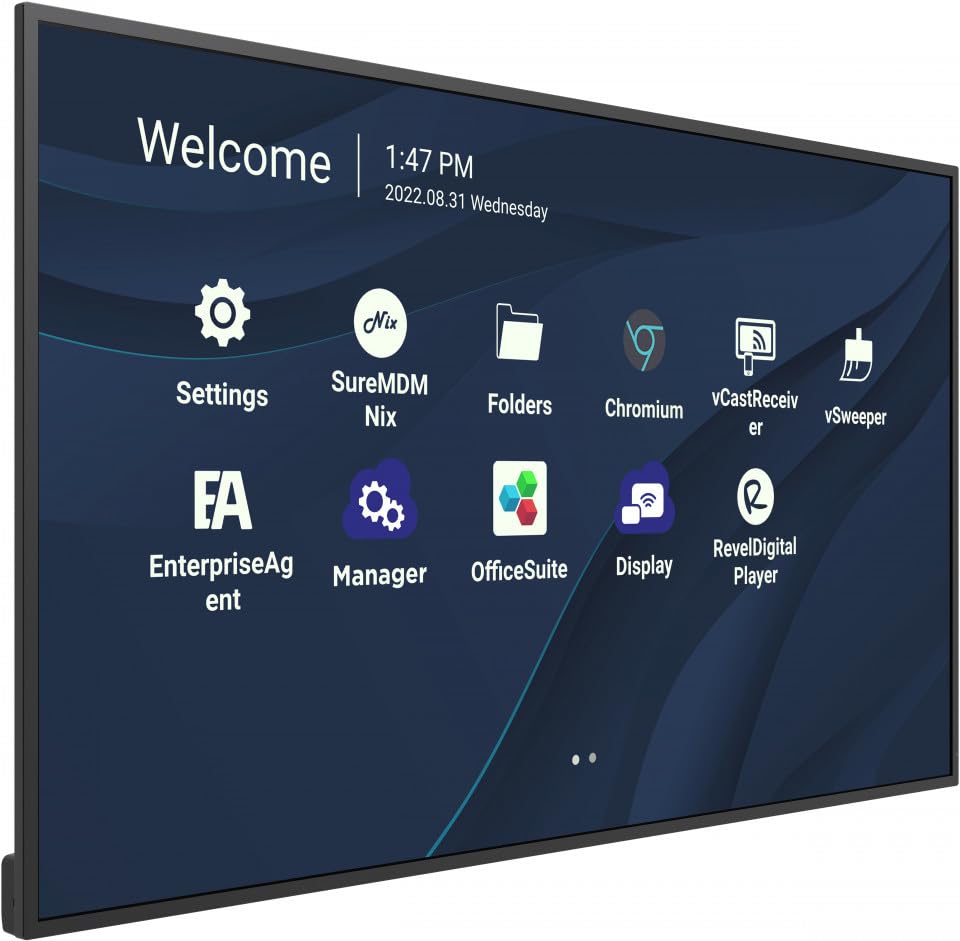
Figure 5.1: The main interface of the display, showing application icons for settings, folders, and various presentation tools.
5.4 Menu Navigation (OSD)
Use the remote control's directional buttons and 'OK' button to navigate the On-Screen Display (OSD) menu. This menu allows adjustment of picture settings, audio, network configuration, and system preferences.
5.5 Portrait/Landscape Mode
The display supports both portrait and landscape orientations. Ensure the physical mounting is appropriate for the desired orientation. The display's software can be configured to match the physical orientation in the system settings.
6. Техникалык тейлөө
6.1 Дисплейди тазалоо
Дисплейдин экранын тазалоо үчүн аны жумшак, мамыксыз чүпүрөк менен акырын сүртүңүз. Эгерде өжөр тактар болсо, бир аз сүртүңүз.ampen the cloth with water. Do not use alcohol, solvents, or abrasive cleaners, as these can damage the screen surface.
6.2 Жалпы кам көрүү
Keep the display in a clean, dry environment. Avoid exposing it to extreme temperatures or humidity. Ensure ventilation openings are clear of dust and debris.
7. Кыйынчылыктарды
Эгер дисплейиңизде көйгөйлөргө туш болсоңуз, төмөнкү жалпы көйгөйлөрдү жана чечимдерди караңыз:
- Кубат жок: Check if the power cable is securely connected to both the display and the electrical outlet. Verify the outlet is functional.
- Сигнал жок: Ensure the correct input source is selected. Check that video cables (HDMI, USB-C) are securely connected to both the display and the source device.
- Image Issues (e.g., blurry, distorted): Adjust the resolution and refresh rate settings on your source device. Ensure cables are not damaged.
- Алыстан башкаруу иштебейт: Check the batteries in the remote control and ensure there are no obstructions between the remote and the display's IR receiver.
- Тармакка туташуу маселелери: Verify the Ethernet cable connection or check Wi-Fi settings in the OSD menu.
Эгер көйгөй чечилбесе, байланышыңыз ViewКийинки жардам үчүн Sonic кардарларды колдоо.
8. Техникалык шарттар
| Модель номери | CDE9830 |
| Дисплей өлчөмү | 98 дюйм |
| Резолюция | 4K UHD (3840 x 2160) |
| Байланыш | USB-C, Wi-Fi, Bluetooth, RJ45, RS232 |
| Продукциянын өлчөмдөрү | 93 x 11 x 56 дюйм |
| Элемент Салмагы | 2.2 фунт |
| Иштөө сааттары | 24/7 Commercial Display |
| Чыгарылган күнү | 28-январь, 2023-жыл |
Note: The item weight of 2.2 pounds is as provided in the product data. Actual shipping weight may vary.
9. Кепилдик жана колдоо
Сиздин ViewSonic CDE9830 display is covered by a standard manufacturer's warranty. Please refer to the warranty card included in your package for specific terms and conditions.
For technical support, service inquiries, or to download the latest drivers and manuals, please visit the official ViewSonic колдоо webсайтка же кардарларды тейлөө бөлүмүнө кайрылыңыз.
ViewSonic Support: www.viewsonic.com/us/support


