Продукт бүттүview
This manual provides instructions for the RICHMAT Wireless Remote Control (HJH55) and Control Box (HJC18) system, designed for use with compatible adjustable beds. This system allows for wireless control of various bed functions, including head and foot elevation, massage, and other features depending on your adjustable bed model.
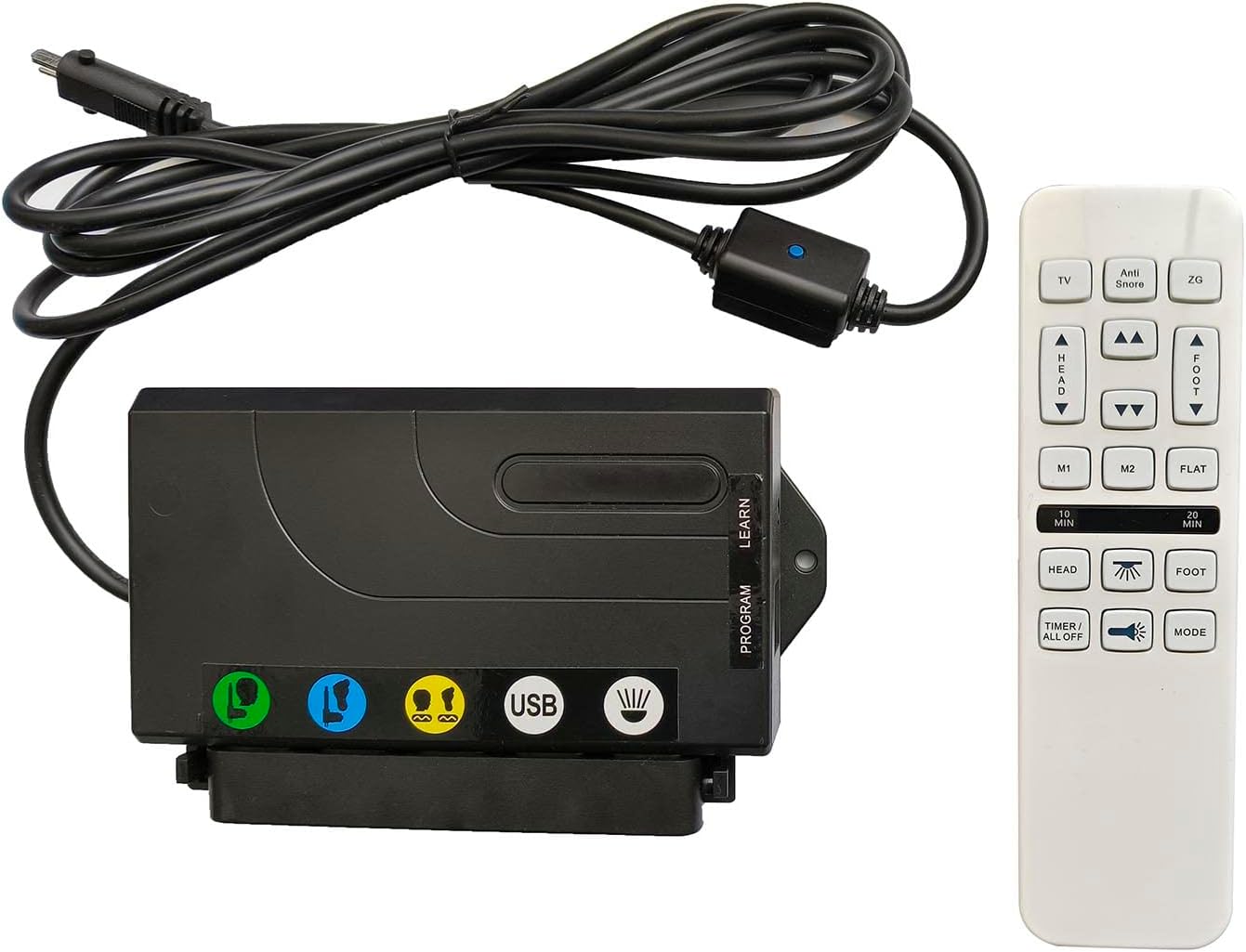
Image: The RICHMAT HJH55 wireless remote control and HJC18 control box. The control box is black with various ports and a USB charging port, connected by a cable to a power input. The remote control is white with multiple buttons for bed adjustments and functions.
Орнотуу нускамалары
1. Орнотууга чейинки текшерүү тизмеси
- Verify Motor Compatibility: Ensure your adjustable bed uses a RICHMAT brand motor.
- Check Motor Plug: Confirm the motor plug is a round metal plug containing 8 пин. This system is not compatible with 5-pin or 2-pin plugs.
- Электр камсыздоо: This product does not include a power supply. You must use your existing power supply or purchase a compatible one. The compatible power supply output is DC24V-29V менен а 2-pin (round + flat) сайгыч.
- Пульт үчүн батареялар: Алыстан башкаруу пульту талап кылат 2 x AAA батарейкалар (киргизилген эмес).
2. Орнотуу кадамдары
- Connect Control Box to Motor: Locate the motor cable from your adjustable bed. Connect it securely to the corresponding 8-pin port on the RICHMAT HJC18 Control Box.
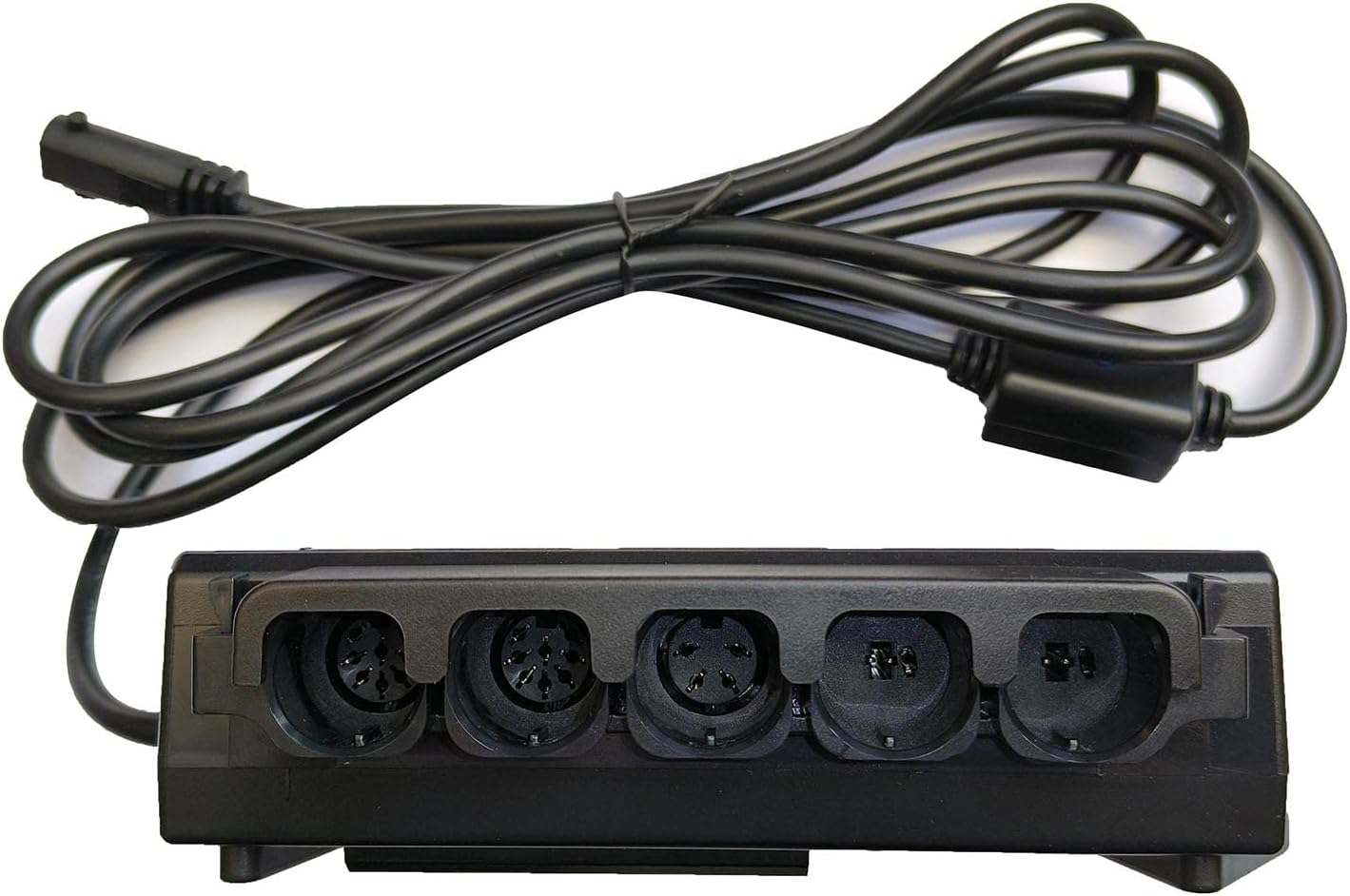
Сүрөт: Жакын план view of the RICHMAT HJC18 control box showing various input ports for motors and the USB charging port. Ensure the 8-pin motor cable is connected correctly.
- Кубат булагына туташтыруу: Plug your compatible DC24V-29V power supply into the designated power input port on the HJC18 Control Box.
- Батареяларды алыстан орнотуу: Open the battery compartment on the back of the HJH55 Remote Control. Insert 2 x AAA batteries, ensuring correct polarity (+/-). Close the compartment.

Image: The back of the RICHMAT HJH55 remote control, showing the battery compartment cover and product label with model and FCC information.
- Жупташтыруу (зарыл болсо): The remote control and receiver box are typically pre-paired. If they do not respond, a pairing process may be required.
To pair: Press and hold the "LEARN" or "PROGRAM" button on the HJC18 Control Box (refer to the label on the box) until an indicator light flashes. Then, press any button on the HJH55 Remote Control. The light on the control box should stop flashing, indicating successful pairing.
Иштөө нускамалары
Familiarize yourself with the buttons on your HJH55 remote control to operate your adjustable bed.

Image: A close-up of the RICHMAT HJH55 wireless remote control, displaying all its buttons and their labels for various bed functions.
Алыстан башкаруу функциялары:
| баскыч | Функция |
|---|---|
| TV | Adjusts the bed to a comfortable position for watching TV. |
| Anti Snore | Raises the head section slightly to help reduce snoring. |
| ZG (Nol Gravity) | Moves the bed to a "Zero Gravity" position, elevating both head and feet to promote circulation and reduce pressure. |
| БАШ ▲ / ▼ | Төшөктүн баш бөлүгүн өйдө же ылдый тууралайт. |
| ФОТ ▲ / ▼ | Төшөктүн бут бөлүгүн өйдө же ылдый тууралайт. |
| M1 / M2 | Memory preset buttons. Press to recall a saved position. To save a position, adjust the bed to your desired setting, then press and hold M1 or M2 until the remote indicates the position is saved (e.g., light flashes). |
| FLAT | Төшөктү толугу менен тегиз абалга кайтарат. |
| 10 МҮН / 20 МҮН | Activates the massage function for 10 or 20 minutes, respectively. |
| HEAD (Massage Icon) | Activates or adjusts the massage intensity for the head section. |
| FOOT (Massage Icon) | Activates or adjusts the massage intensity for the foot section. |
| ТАЙМЕР / БААРЫ ӨЧҮК | Turns off all active functions, including massage and lights. |
| Light Icon | Toggles the under-bed lighting on or off (if your bed is equipped with this feature). |
| РЕЖИМ | Cycles through different massage modes (e.g., wave, pulse, steady). |
Control Box өзгөчөлүктөрү:
- USB кубаттоо порту: The HJC18 Control Box includes a USB port for charging compatible devices.
- Мотор байланыштары: The control box supports connections for up to 2 lift motors and 2 vibrating massage motors.
Техникалык тейлөө
- Батареяны алмаштыруу: Replace the 2 x AAA batteries in the remote control when the signal weakens or the remote stops responding. Always use new batteries and dispose of old ones responsibly.
- Тазалоо: Wipe the remote control and control box with a soft, dry cloth. Do not use liquid cleaners or abrasive materials, as this may damage the electronics.
- Жалпы кам көрүү: Avoid exposing the remote control or control box to excessive moisture, extreme temperatures, or direct sunlight. Do not drop or subject the components to strong impacts.
Проблемаларды чечүү
| Көйгөй | Мүмкүн болгон себеп / Чечим |
|---|---|
| Алыстан башкаруу жооп бербей жатат. |
|
| Bed functions (head/foot lift, massage) not working. |
|
| Массаж функциясы иштебейт. |
|
| USB заряддоо порту иштебей жатат. |
|
Техникалык шарттар
| Өзгөчөлүк | Деталь |
|---|---|
| Модель номерлери | HJH55 (Remote Control), HJC18 (Control Box) |
| Продукциянын өлчөмдөрү | 7 x 7 x 2 inches (combined package) |
| Элемент Салмагы | 1.28 фунт |
| Power Supply Input | DC24V-29V (2-pin, round + flat) - Электр энергиясы камтылган эмес |
| Алыскы Батарейкалар | 2 x AAA батарейкалар (киргизилген эмес) |
| Шайкеш түзмөктөр | Adjustable beds with RICHMAT logo motors and 8-pin motor plugs |
| Max Supported Motors | 2 Lift Motors, 2 Vibrating Massage Motors |
| Түс | White (Remote), Black (Control Box) |
| Өндүрүүчү | Ричмат |
| Келип чыккан өлкө | Кытай |
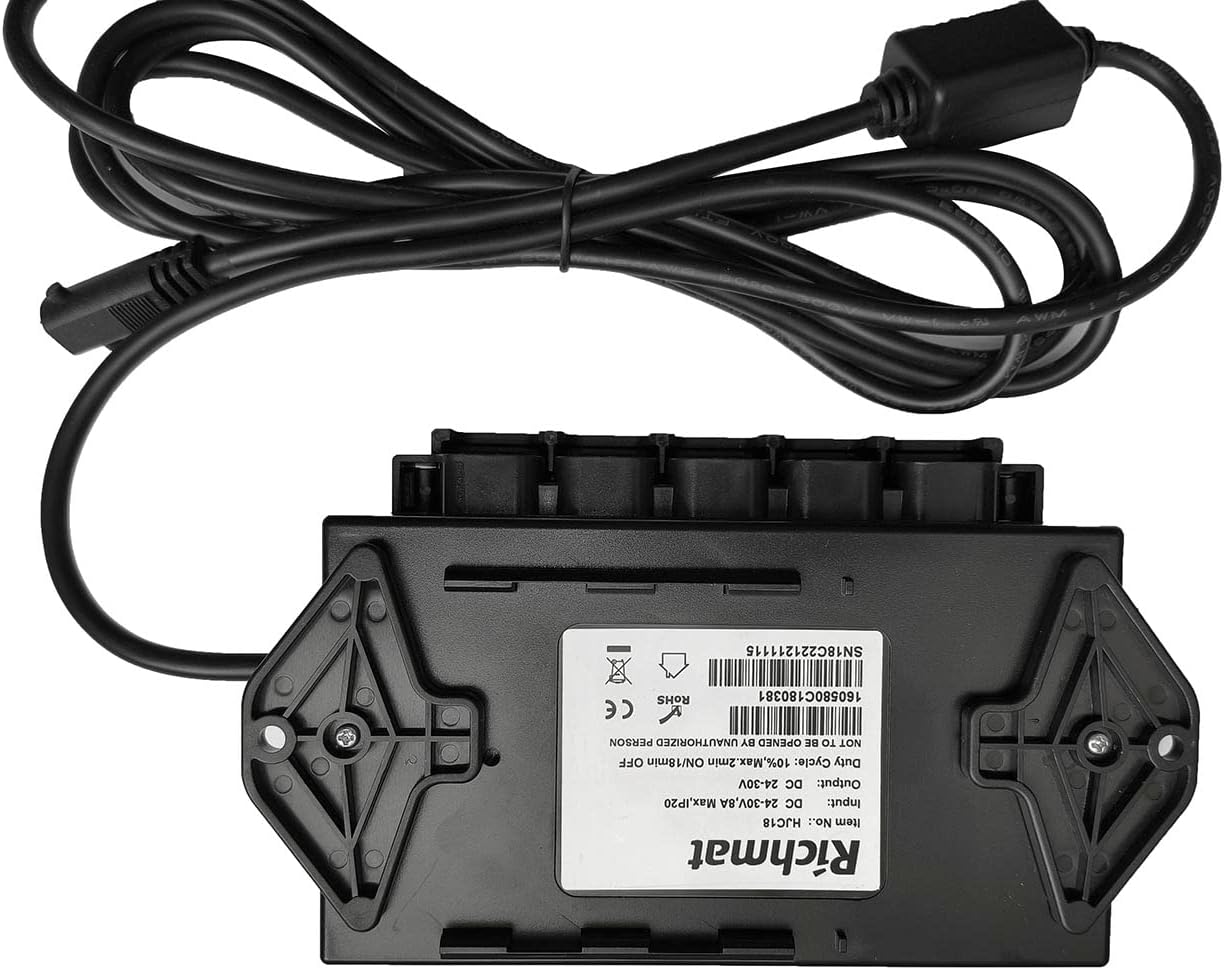
Image: The underside of the RICHMAT HJC18 control box, displaying its product label with model number, input/output voltage, duty cycle, and certifications.
Кепилдик жана колдоо
Кепилдик маалыматы:
Бул продукт менен келет 1 жылдык кепилдик from the date of purchase. This warranty covers manufacturing defects and malfunctions under normal use. It does not cover faults caused by human factors, such as water damage to the remote control, physical damage, or improper installation.
Кардарларды колдоо:
For technical assistance, troubleshooting, or warranty claims, please contact the seller or manufacturer through your purchase platform. Please have your order number and product model information ready when contacting support.
For more information, you may visit the manufacturer's website or refer to the product listing where you made your purchase.


