1. Киришүү
Thank you for choosing the Ambrane Wireless Gaming Controller OP-WLGC01. This controller is designed to provide an immersive gaming experience across multiple platforms, including PC (Windows), PS3 Console, and Android TV. Featuring 2.4GHz wireless technology, dual vibration motors, and dynamic RGB lighting, this manual will guide you through its setup, operation, and maintenance.

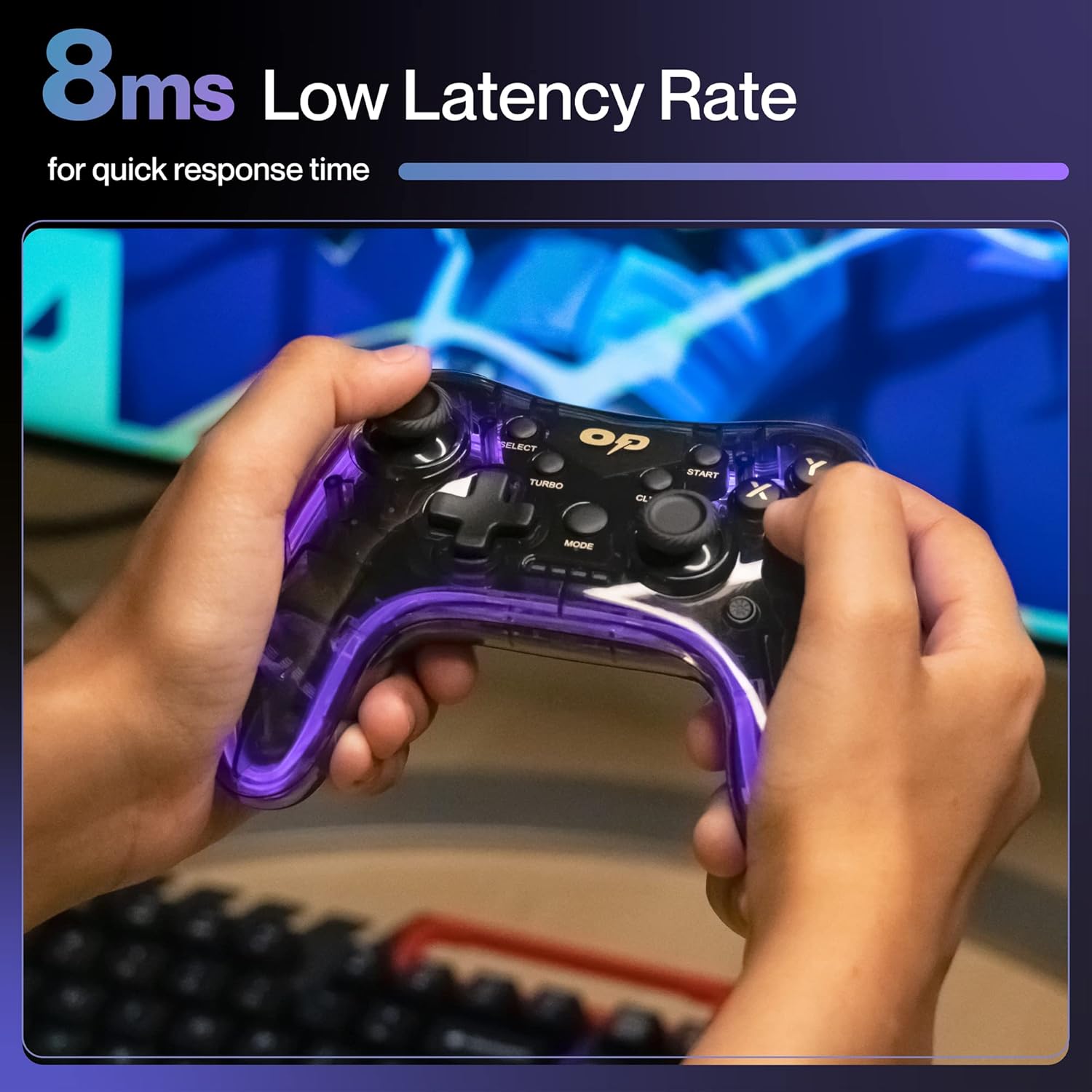
Image 1.1: The Ambrane Wireless Gaming Controller OP-WLGC01, showcasing its transparent design and illuminated elements.
2. Продукт бүтүп калдыview
The Ambrane OP-WLGC01 controller combines advanced features with a unique aesthetic. Key components and features include:
- Ачык дизайн: A visually distinct transparent casing.
- 2.4 ГГц зымсыз технология: Ensures stable and responsive connectivity.
- Integrated Dual Intensity Motor: Provides haptic feedback for an immersive gaming experience.
- Illuminated Pad (RGB Lighting): Features 16.8 million colors with breathing RGB effects.
- Эргономикалык дизайн: Easy-to-hold body for comfortable extended gaming sessions.
- Атайын функция баскычтары: Dedicated Turbo and Clear buttons for enhanced gameplay.

Image 2.1: Illustration of the dual vibrating motors providing haptic feedback.

Image 2.2: The controller displaying its dynamic 16.8 million color breathing RGB lighting effect.
3. Орнотуу
3.1 Контроллерди заряддоо
Before initial use, fully charge the controller. The integrated 800mAh battery provides up to 12 hours of gameplay on a full charge.
- Connect the provided Type-C charging cable to the charging port on the controller.
- Кабелдин экинчи учун USB кубат булагына туташтырыңыз (мисалы, компьютердин USB порту, USB дубал адаптери).
- The indicator lights on the controller will show charging status and turn off or change color when fully charged.

Image 3.1: The controller highlighting its Type-C charging port and other features.
3.2 Түзмөктөргө туташуу
The controller utilizes 2.4GHz wireless technology for connection. It is compatible with PC (Windows systems, supporting X-Input & D-Input modes), PS3 consoles, and Android TV devices.
- Insert the 2.4GHz USB receiver (dongle) into an available USB port on your PC, PS3 console, or Android TV.
- Turn on the controller by pressing the MODE button.
- The controller will automatically pair with the receiver. The indicator lights will stabilize once connected.
- For PC, ensure the correct input mode (X-Input or D-Input) is selected if prompted by your game or system.

Image 3.2: The controller demonstrating its compatibility with PS3 Console, Windows System, Android TV, and PC.
4. Иштөө нускамалары
4.1 Баскычтын жайгашуусу жана функциялары
Оптималдуу оюн процесси үчүн контроллердин баскычтарынын жайгашуусу менен таанышып алыңыз.

Image 4.1: Detailed diagram of the controller's buttons, including joysticks, directional pad, action buttons (A, B, X, Y), shoulder buttons (L1, L2, R1, R2), SELECT, START, TURBO, CLEAR, MODE, and RGB Control.
- Сол/Оң Джойстиктер: For analog movement and camera control.
- Directional Button (D-Pad): Так багыт киргизүү үчүн.
- Аракет баскычтары (A, B, X, Y): Стандарттык оюн аракеттери.
- Ийин баскычтары (L1, L2, R1, R2): Оюндагы ар кандай функциялар үчүн.
- ТАНДОО/БАШТАУ: Menu and pause functions.
- MODE баскычы: Power on/off and mode switching.
- RGB башкаруу: Button or combination for adjusting RGB lighting effects.
4.2 Турбо режими
The Turbo mode allows for rapid and continuous actions by repeatedly pressing a single button. This can be useful for certain in-game scenarios.
- Press and hold the desired action button (e.g., A, B, X, Y, L1, R1).
- Аракет баскычын кармап туруп, басыңыз TURBO баскычын бир жолу.
- Release both buttons. The selected action button will now perform rapid presses when held down.
Сүрөт 4.2: Жакын пландан view of the TURBO and CLEAR special function buttons.
4.3 Clearing Turbo Mode
To deactivate Turbo mode for a specific button:
- Press and hold the action button for which Turbo mode is active.
- Аракет баскычын кармап туруп, басыңыз CLEAR баскычын бир жолу.
- Release both buttons. Turbo mode for that button is now deactivated.
To clear all Turbo settings, press and hold the CLEAR баскычын болжол менен 3 секунд басып туруңуз.
5. Техникалык тейлөө
Туура техникалык тейлөө контроллериңиздин узак мөөнөттүү иштешин жана оптималдуу иштешин камсыз кылат.
- Тазалоо: Контроллерди сүртүү үчүн жумшак, кургак чүпүрөктү колдонуңуз. өжөр кир үчүн, бир аз гampчүпүрөктү суу менен. Катуу химиялык заттардан же абразивдүү материалдардан алыс болуңуз.
- Сактагыч: Контроллерди түз күн нурунан жана экстремалдык температурадан алыс салкын, кургак жерде сактаңыз.
- Батареяга кам көрүү: Avoid fully discharging the battery frequently. If storing for an extended period, charge the controller to about 50% to prolong battery life.
- Тамчылардан качуу: Protect the controller from physical impact, which can damage internal components.
6. Кыйынчылыктарды
| Көйгөй | Мүмкүн себеп | Чечим |
|---|---|---|
| Контроллер күйбөйт. | Батарея аз. | Charge the controller using the provided Type-C cable. |
| Контроллер түзмөккө туташпай жатат. | USB receiver not properly inserted or out of range. | Ensure the USB receiver is securely plugged in. Move closer to the receiver (within 10 meters). Re-pair by turning the controller off and on. |
| Баскычтар же джойстиктер жооп бербейт. | Software glitch or physical obstruction. | Restart the controller and the connected device. Check for any physical debris around buttons/joysticks. |
| Вибрация функциясы иштебей жатат. | Оюн титирөөнү колдобойт же функция өчүрүлгөн. | Check in-game settings for vibration options. Ensure the game supports haptic feedback. |
7. Техникалык шарттар
| Өзгөчөлүк | Деталь |
|---|---|
| Модель номери | OP-WLGC01 |
| Байланыш | 2.4GHz Зымсыз |
| Шайкештик | PC (Windows X-Input/D-Input), PS3 Console, Android TV |
| Батарея сыйымдуулугу | 800mAh литий батареясы |
| Батареянын камдык көчүрмөсү | 12 саатка чейин |
| Заряддоо порту | Type-C |
| Вибрация | Dual Intensity Motor |
| Жарыктандыруу | 16.8M Colours Breathing RGB |
| Иштөө диапазону | 10 метрге чейин |
| Өлчөмдөрү (LxWxH) | 16.9 x 15.9 x 9 см |
| Элемент Салмагы | 195 г |
8. Кепилдик жана колдоо
This Ambrane product comes with a 365-day (1 Year) brand warranty against any manufacturing-related issues.
For warranty claims, technical support, or any inquiries, please contact Ambrane customer service:
- Электрондук почта: Care@ambraneindia.com
Please retain your purchase receipt for warranty validation.


