Introduction
Thank you for choosing the Baseus Qpow2 10000mAh Power Bank. This portable charger is designed to provide reliable and fast charging for your mobile devices, featuring built-in cables for convenience and a compact design for portability. Please read this manual carefully to ensure proper use and maintenance of your device.
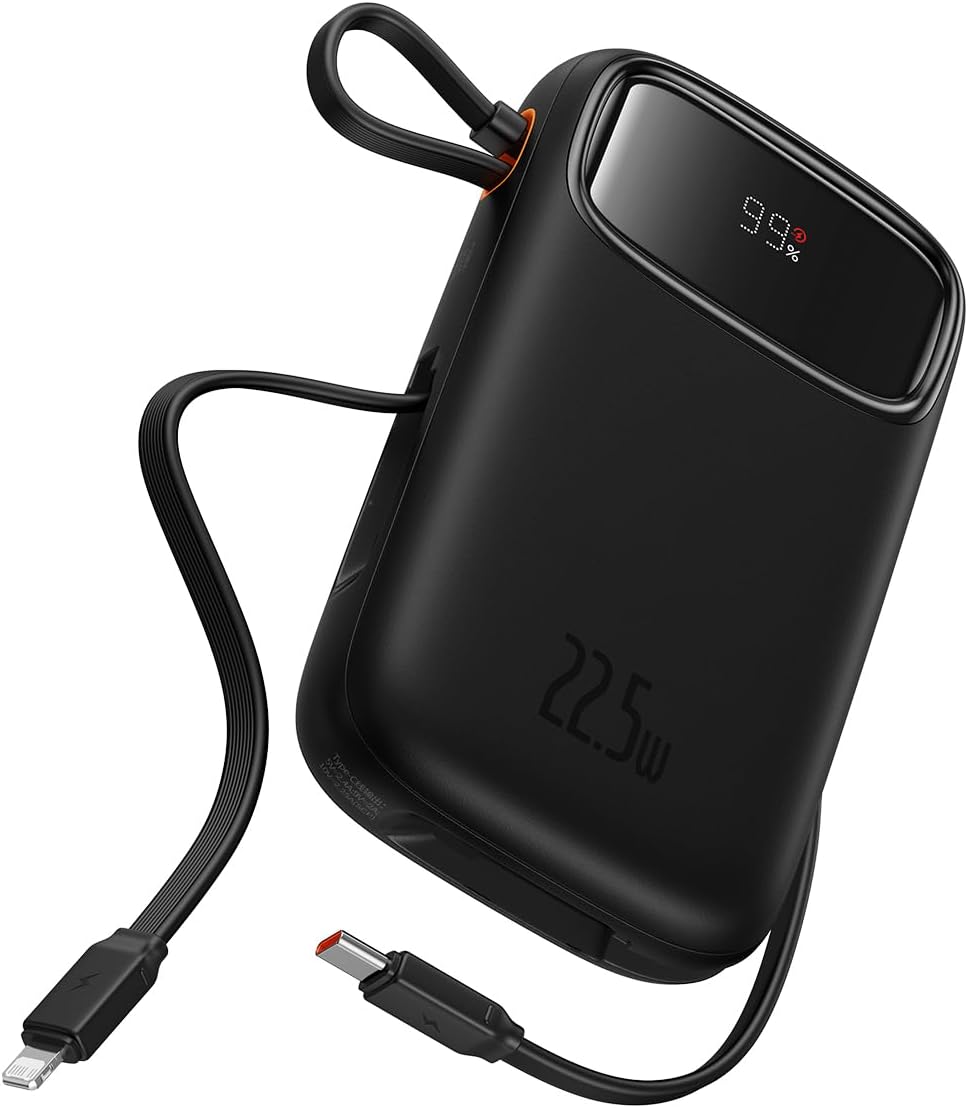
Figure 1: Baseus Qpow2 10000mAh Power Bank with built-in cables and LED display.
Продукт өзгөчөлүктөрү
- Integrated Charging Technology: Built-in 22.5W USB-C and Lightning cables for universal compatibility.
- 22.5W тез кубаттоо: Delivers rapid charging for compatible devices, such as iPhone 14 (up to 1.8 times) and Samsung S23 (up to 1.5 times) with the 10000mAh capacity.
- Көп түзмөктү колдоо: Charge up to four devices simultaneously using the built-in cables, 22.5W USB-C output, 20W Lightning output, and additional USB-C and USB-A ports.
- Өркүндөтүлгөн коопсуздук өзгөчөлүктөрү: Equipped with smart chips for protection against overcharge, over-discharge, overvoltage, electromagnetic interference, overtemperature, overcurrent, overpower, and short circuits.
- Саякатка даяр дизайн: Lightweight and slim profile (4.52 x 2.83 x 0.78 inches, 0.54 lb) for easy portability. Features an LED digital display for battery status.

Figure 2: The power bank's compact dimensions (4.52*2.83*0.78 inches) and light weight (8.5 oz) make it highly portable.

Figure 3: The integrated cable doubles as a lanyard for easy carrying and storage.
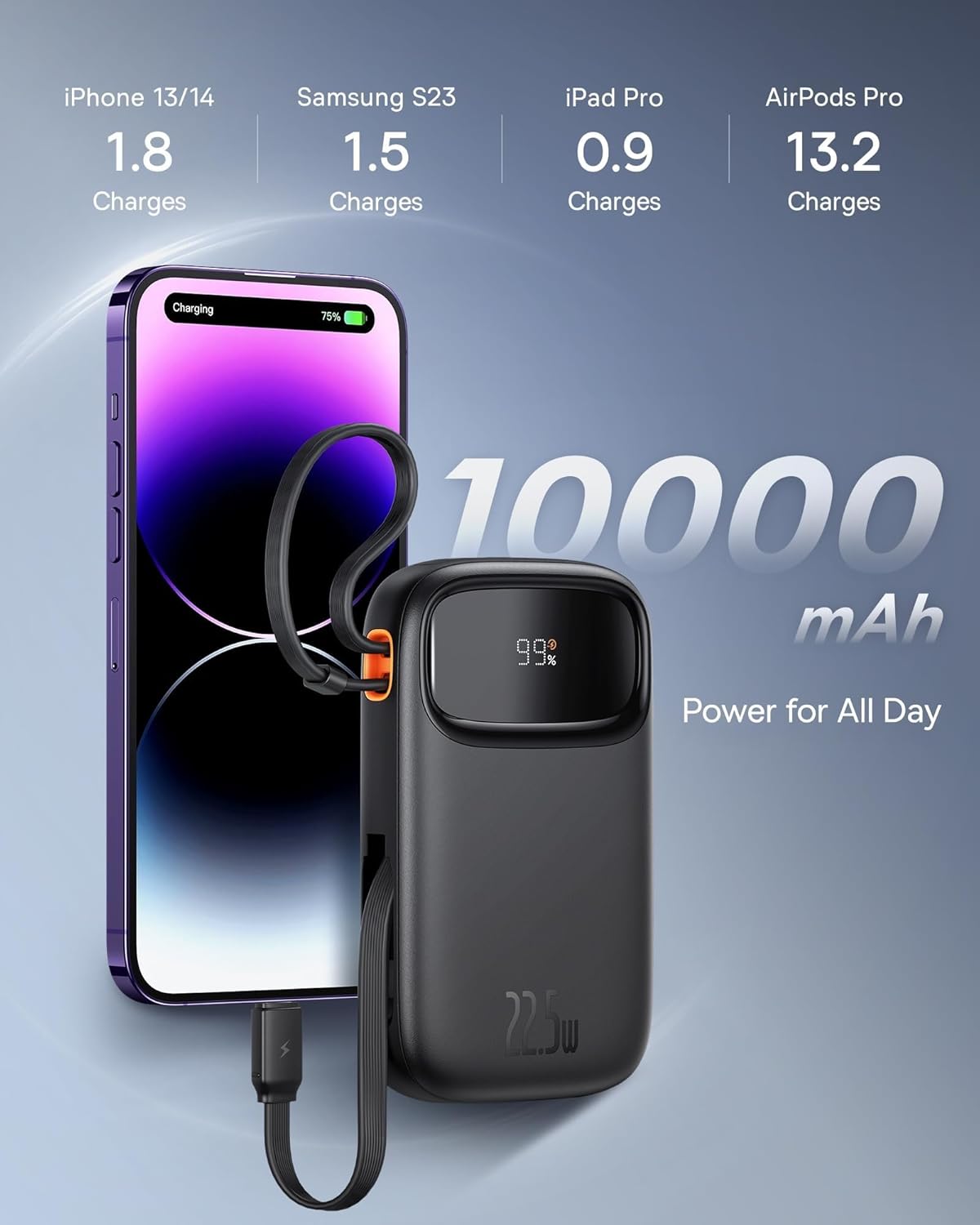
Figure 4: The 10000mAh capacity provides ample power for daily use, capable of charging an iPhone 13/14 approximately 1.8 times.
Жайгашуу
Баштапкы заряддоо
Before first use, fully charge your Baseus Qpow2 Power Bank. Connect the power bank to a power source using a compatible USB-C cable (not included for input, but the built-in USB-C cable can be used for output). The LED display will show the charging progress.
The power bank supports 18W USB-C input for recharging.

Figure 5: The USB-C port supports both 20W output and 18W input for recharging the power bank.
Иштөө нускамалары
Заряддоо түзмөктөрү
The Baseus Qpow2 Power Bank offers multiple ways to charge your devices:
- Камтылган кабелдерди колдонуу:
- USB-C кабели: Pull out the built-in USB-C cable and connect it to your USB-C compatible device.
- Lightning кабели: Pull out the built-in Lightning cable and connect it to your Apple device.
- USB портторун колдонуу:
- USB-C порту: Түзмөгүңүздүн USB-C кубаттоочу кабелин кубаттоочу банктын USB-C портуна туташтырыңыз.
- USB-A порту: Түзмөгүңүздүн USB-A кубаттоочу кабелин кубат банкынын USB-A портуна туташтырыңыз.
The power bank will automatically detect the connected device and begin charging. The LED display will show the remaining battery percentage.

Figure 6: The power bank can charge up to four devices simultaneously using its various output options.

Figure 7: The power bank features built-in Lightning and USB-C cables for convenient charging.
Техникалык тейлөө
- Powerbankты өтө жогорку температурадан, түз күн нурунан жана нымдуулуктан алыс кармаңыз.
- Түзмөктү түшүрүп албаңыз, бөлүктөргө бөлбөңүз же өзүңүз оңдоого аракет кылбаңыз.
- Бетти жумшак, кургак чүпүрөк менен тазалаңыз. Катуу химиялык заттарды же абразивдүү материалдарды колдонбоңуз.
- Узак мөөнөткө колдонулбаганда, кубат банкын салкын, кургак жерде сактаңыз. Узак мөөнөткө сактоо алдында аны болжол менен 50% кубаттуулукка чейин заряддоо сунушталат.
Проблемаларды чечүү
| Көйгөй | Мүмкүн себеп | Чечим |
|---|---|---|
| Power банк заряддалбай жатат | Charging cable or adapter faulty; power bank fully charged; power source issue. | Check charging cable and adapter. Ensure power source is active. If fully charged, LED will show 100%. |
| Түзмөк кубат банкынан кубатталбай жатат | Power bank battery low; device cable faulty; device not compatible; power bank in standby. | Check power bank battery level. Try a different charging cable. Ensure device is compatible. Press power button to activate if in standby. |
| Жай кубаттоо | Cable not supporting fast charging; device not supporting fast charging; multiple devices charging. | Use a fast-charging compatible cable. Ensure your device supports fast charging. Charging multiple devices simultaneously may reduce individual charging speeds. |
| LED дисплей иштебейт | Аппараттын бузулушу. | Contact customer support if the issue persists after trying basic troubleshooting. |
Техникалык шарттар
| Өзгөчөлүк | Деталь |
|---|---|
| Модель номери | LFZ107 |
| Батарея сыйымдуулугу | 10000 миллионamp Саат (мАч) |
| Продукциянын өлчөмдөрү | 13.8 x 3.2 x 9.6 см (5.43 x 1.26 x 3.78 дюйм) |
| Элемент Салмагы | 320 г (0.71 фунт) |
| Киргизүү (USB-C) | 18 Вт |
| Чыгаруу (орнотулган USB-C кабели) | 22.5 Вт |
| Чыгаруу (орнотулган чагылган кабели) | 20 Вт |
| Чыгаруу (USB-C порту) | 20 Вт |
| Чыгуу (USB-A порту) | 12 Вт |
| Өзгөчөлүктөр | Travel, Fast Charging, LED Display, Over Charging Protection, Short Circuit Protection, Charge 4 at Once |
| Түс | Кара |
Кепилдик жана колдоо
The Baseus Qpow2 Power Bank comes with an 18-month warranty. For warranty claims or technical support, please contact Baseus customer service through their official webсайтка же продуктуну сатып алган сатуучуга.
For more information and support, visit the official Baseus store: Baseus расмий дүкөнү


