1. Киришүү
Thank you for choosing the ENERMAX Revolution D.F. 2 1200W Full Modular Power Supply. This power supply unit (PSU) is designed to provide stable and efficient power to your high-performance computer system. It is compliant with the latest ATX 3.0 and PCIe 5.0 standards, featuring a dedicated 12VHPWR connector for modern graphics cards. This manual provides essential information for proper installation, operation, and maintenance to ensure optimal performance and longevity of your PSU.

Figure 1.1: ENERMAX Revolution D.F. 2 1200W Power Supply with included modular cables.
2. Коопсуздук маалыматы
Please read and understand all safety warnings before installing or operating the power supply. Failure to follow these instructions may result in electric shock, fire, or damage to the product and other components.
- PSUну ачпаңыз casing: Жогорку тtages are present inside, even when the system is off. There are no user-serviceable parts inside. Opening the casing кепилдикти жокко чыгарат.
- Ensure proper grounding: Ар дайым кубат булагын жерге туташтырылган розеткага туташтырыңыз.
- Туура томду колдонуңузtage: Киргизилген томtage selector (if present) is set to the correct voltage for your region before connecting to power. This unit supports 100-240V auto-sensing.
- ным качуу: Do not expose the PSU to water or high humidity. Operate in a dry environment.
- Туура желдетүү: PSU айланасында адекваттуу аба агымын камсыз кылыңыз. Вентиляция тешиктерин жаап албаңыз.
- Этияттык менен мамиле кылуу: Avoid dropping or subjecting the PSU to strong impacts.
- Электр кубатын өчүрүү: Always disconnect the AC power cord from the wall outlet before installing, removing, or cleaning the PSU or any other computer components.
3. Пакеттин мазмуну
Carefully unpack the box and ensure all items are present. If any items are missing or damaged, contact your retailer or Enermax support.
- ENERMAX Revolution D.F. 2 1200W Power Supply Unit
- Модулдук кабелдик комплект (төмөндө айтылгандай)
- AC Power Cord
- Монтаждоо бурамалар
- Колдонуучунун Колдонмосу (бул документ)
Modular Cable Types Included:

Figure 3.1: ашыкview of included modular cables.
- Motherboard 24 (20+4) pin x1
- PCIe 6+2 pin x8
- CPU 4+4 pin x2
- SATA x8
- 4P Molex x4
- FDD x1
4. Продукт бүтүп калдыview
The ENERMAX Revolution D.F. 2 1200W PSU is engineered for high performance and reliability. Key features include:
- Intel ATX 3.0 тастыкталган: Compliant with the ATX 3.0 power standard, supporting the PCIe Gen 5 platform with a 16-Pin PCIe 12VHPWR Cable.
- 200% Power Excursion: Upgraded circuit design allows its peak power wattage output to reach 200%, meaning the 1200W model can stably provide 2400W for 100µs (microseconds) to support instant power excursions.
- Semi-Fanless Mechanics: Enables the PSU fan to be static while the system load is below 20% for absolute silence.
- Dust-Free Rotation Feature: An auto-cleaning solution that enables the PSU fan to blow away dust accumulating around the fan blade and frame upon power up.
- Industrial-grade, 100% Japanese 105°C-rated Capacitors: Delivers steady, reliable power and dependable electrical performance.
Компоненттин идентификациясы:
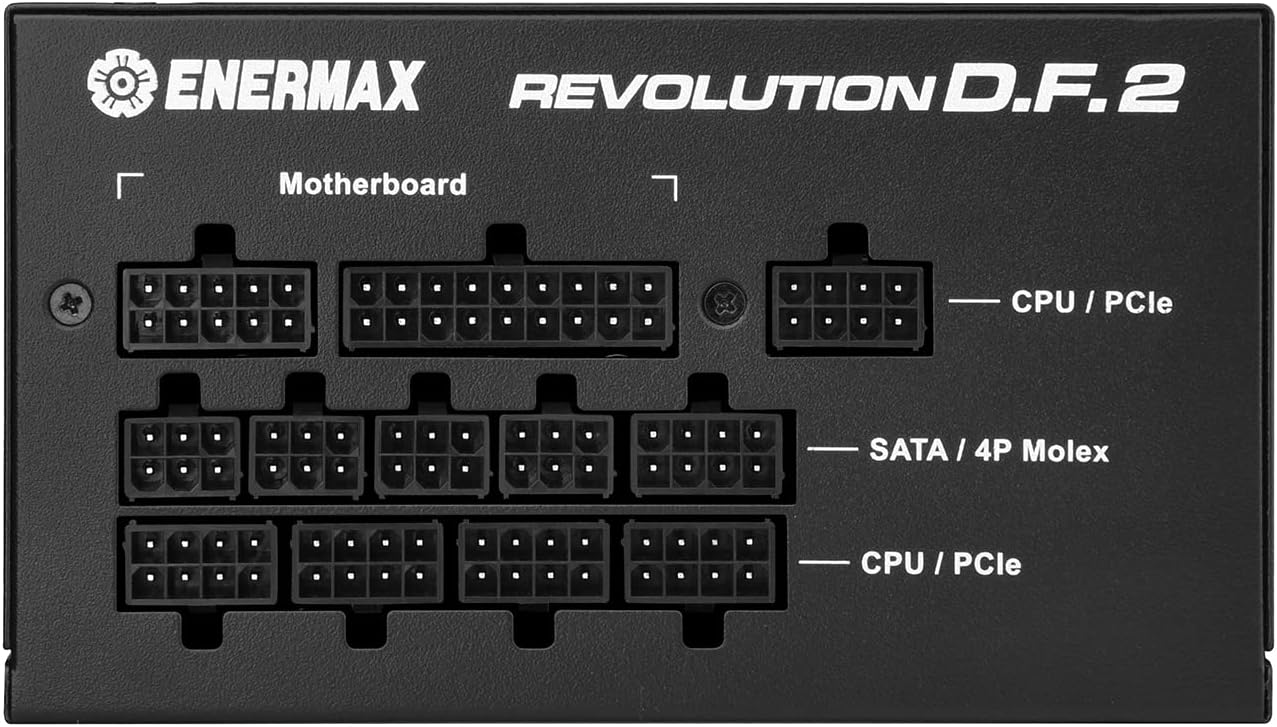
Figure 4.1: Modular Cable Ports (Motherboard, CPU/PCIe, SATA/4P Molex).

Figure 4.2: Rear Panel (AC Inlet, Power Switch).
5. Орнотуу жана орнотуу
Follow these steps to install your ENERMAX Revolution D.F. 2 1200W Power Supply into your computer system.
- Системаңызды даярдаңыз: Компьютериңиз толугу менен өчүрүлгөнүн жана розеткадан суурулганын текшериңиз. Компьютериңиздин корпусун ачыңыз.
- Эски кубат булагын алып салыңыз (эгер бар болсо): Disconnect all cables from your old power supply. Unscrew and remove the old PSU from its mounting bracket in the case.
- Жаңы кубат блогун орнотуу: Carefully slide the ENERMAX Revolution D.F. 2 PSU into the PSU mounting bay of your computer case. Secure it with the provided mounting screws. Ensure the fan is facing the correct direction for optimal airflow (typically facing down if your case has a bottom vent, or up if it's a top-mounted PSU).
- Connect essential cables:
- Connect the 24-pin ATX motherboard cable to the corresponding port on your motherboard and the PSU.
- Connect the 4+4 pin CPU power cable(s) to your motherboard's CPU power connector(s) and the PSU.
- Connect peripheral cables:
- Connect PCIe 6+2 pin cables to your graphics card(s) and the PSU. For high-power GPUs, utilize the 12VHPWR cable if applicable, ensuring it is fully seated.
- SATA электр кабелдерин SSD, HDD жана оптикалык дисктериңизге туташтырыңыз.
- Connect 4P Molex cables for any other peripherals requiring them.

5.1-сүрөт: Мисample of modular cables connected to the PSU.
- Кабелдик башкаруу: Route cables neatly to improve airflow and aesthetics within your case. Utilize cable ties or straps if necessary.
- Ишти жабуу: Бардык туташуулар коопсуз болгондон кийин, компьютериңиздин корпусун жабыңыз.
- AC кубатына туташтыруу: Plug the provided AC power cord into the PSU's AC inlet and then into a grounded wall outlet.
6. Иштөө нускамалары
Operating your ENERMAX Revolution D.F. 2 PSU is straightforward. Once installed, it will manage power delivery automatically.
- Күйгүзүү: Flip the main power switch on the back of the PSU to the 'I' (On) position. Then, press the power button on your computer case to start your system.
- Semi-Fanless Mechanics (ECO Mode): The PSU fan will remain off when the system load is below 20% to provide silent operation. As the load increases, the fan will automatically spin up to maintain optimal temperatures.
- Dust-Free Rotation: Upon system startup, the PSU fan will briefly spin in reverse to dislodge any accumulated dust before resuming normal operation. This is an automatic self-cleaning function.
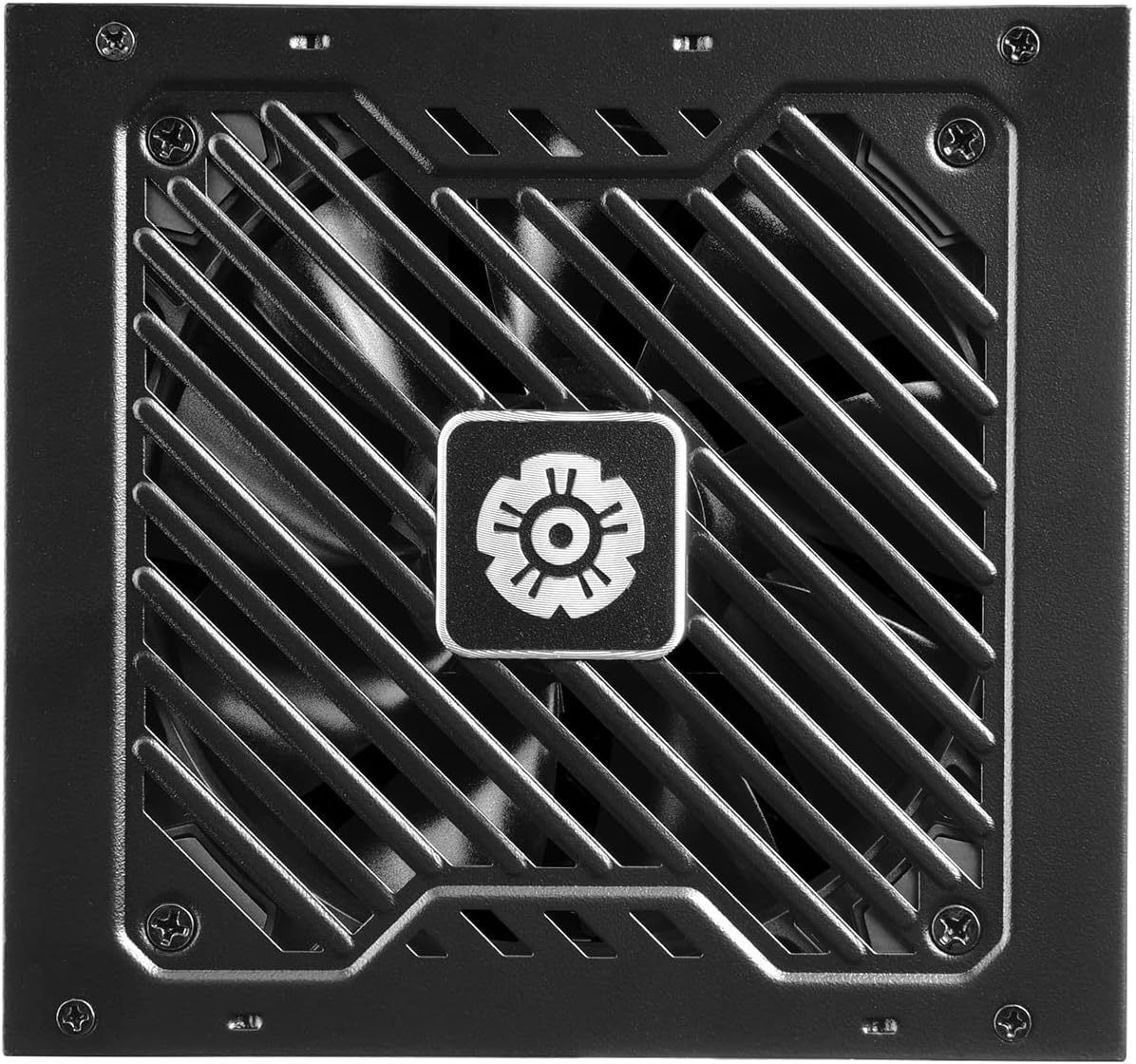
Figure 6.1: The PSU fan, featuring Dust-Free Rotation and Semi-Fanless Mechanics.
7. Техникалык тейлөө
Regular maintenance helps ensure the longevity and efficiency of your power supply.
- Чаңды тазалоо: While the PSU features Dust-Free Rotation, it is still recommended to periodically clean the exterior of the PSU and the fan grille using compressed air or a soft brush. Ensure the system is powered off and unplugged before cleaning.
- Кабелдик текшерүү: Periodically check all modular cable connections to ensure they are securely seated.
- Экологиялык шарттар: Ensure the PSU operates within recommended temperature and humidity ranges. Avoid extreme conditions.
8. Кыйынчылыктарды
If you encounter issues with your ENERMAX Revolution D.F. 2 PSU, refer to the following common troubleshooting steps:
- Кубат жок:
- AC кубат шнурунун PSUга да, розеткага да бекем сайылганын текшериңиз.
- Ensure the main power switch on the PSU is in the 'I' (On) position.
- Розетканын иштеп жатканын башка түзмөктү сайып текшериңиз.
- Check all internal cable connections (24-pin ATX, CPU, PCIe) to ensure they are fully seated.
- Системанын туруксуздугу/бузуулар:
- Системаңыздын кубаттуулук талаптары PSUнун 1200 Вт кубаттуулугунан ашпасын текшериңиз.
- Айрыкча, энелик платага жана видеокартага туташкан кабелдердин бош туташууларын текшериңиз.
- Электр менен камсыздоо блогун кошо алганда, компоненттердин ысып кетишине жол бербөө үчүн компьютериңиздин корпусунда жетиштүү желдетүүнү камсыз кылыңыз.
- желдеткич айланбай жатат:
- The PSU features Semi-Fanless Mechanics; the fan will not spin if the system load is below 20%. This is normal operation.
- If the system is under load and the fan is still not spinning, ensure no obstructions are blocking the fan.
- адаттан тыш үндөр:
- A brief reverse spin at startup is normal due to the Dust-Free Rotation feature.
- If persistent or loud noises occur, ensure the PSU is securely mounted and not vibrating against the case.
If problems persist after following these steps, please contact Enermax customer support for further assistance. Do not attempt to repair the unit yourself.
9. Техникалык шарттар
Detailed technical specifications for the ENERMAX Revolution D.F. 2 1200W Power Supply.
| Өзгөчөлүк | Спецификация |
|---|---|
| Бренд | Enermax |
| Сериялар | REVOLUTION D.F. 2 1200W |
| Модель номери | ERS1200EWT |
| Форма фактору | ATX |
| Чыгуу Wattage | 1200 Ватт |
| Натыйжалуулуктун сертификациясы | 80 Plus Алтын |
| Өлчөмдөрү (LxWxH) | 5.51 x 5.91 x 3.39 дюйм (140 x 150 x 86 мм) |
| Элемент Салмагы | 3.2 фунт (1.45 кг) |
| Муздатуу ыкмасы | Air (Semi-Fanless) |
| Туташтыргыч түрү | ATX |
| Шайкеш түзмөктөр | Персоналдык компьютер |
| Конденсаторлор | 100% Japanese 105°C-rated |
| ATX стандарты | ATX 3.0 & PCIe 5.0 Compliant |
| 12VHPWR туташтыргычы | 600 Вт |
10. Кепилдик жана колдоо
For detailed warranty information, please refer to the official Enermax website or the warranty card included with your product. Enermax provides technical support for its products.
If you require assistance, please visit the official Enermax support page or their Amazon store:
- Enermax Store on Amazon: Visit Enermax Store


