1. Киришүү
This manual provides detailed instructions for the setup, operation, maintenance, and troubleshooting of your kinstone 10.1-inch Android Tablet. Please read this manual thoroughly before using the device to ensure proper functionality and to prevent damage.
The kinstone tablet is designed for versatile use, featuring an Octa-Core processor, 6GB RAM, 128GB ROM (expandable up to 1TB), dual-band Wi-Fi (2.4G+5G), Bluetooth 5.0, Widevine L1 support, and Face ID. It offers a 10.1-inch IPS HD display with a resolution of 1280x800 pixels and eye health mode for comfortable viewing.
2. Коопсуздук маалыматы
- Планшетти экстремалдык температурага, тике күн нуруна же жогорку нымдуулукка тийгизбеңиз.
- Планшетті түшүрүп алуудан же катуу соккуга кабылтуудан алыс болуңуз.
- Use only the charger and accessories approved by kinstone.
- Планшетти өз алдынча бөлүүгө же оңдоого аракет кылбаңыз. Квалификациялуу тейлөө кызматкерлерине кайрылыңыз.
- Планшетти суудан жана башка суюктуктардан алыс кармаңыз.
- Планшетти жана анын батареясын жергиликтүү эрежелерге ылайык таштаңыз.
3. Пакеттин мазмуну
Пакетте бардык буюмдар бар экенин текшериңиз:
- kinstone 10.1" Android Tablet
- USB Type-C кабели
- Кубат адаптери (эгер камтылган болсо)
- Колдонуучунун Колдонмосу (бул документ)
4. Түзмөк бүттүview
Familiarize yourself with the tablet's physical features and ports.

Сүрөт: алдыңкы жана арткы view of the kinstone 10.1-inch Android Tablet, showcasing its blue finish and camera module.
- Алдыңкы камера: Located on the top bezel when held horizontally.
- Арткы камера: Located on the back panel, typically in the upper left corner.
- Кубат баскычы: Used to turn the tablet on/off or put it to sleep/wake.
- Үн баскычтары: Аудионун үнүн тууралоо үчүн колдонулат.
- USB Type-C порту: Заряддоо жана маалыматтарды өткөрүү үчүн.
- MicroSD картасынын уячасы: Сактагычты 1 ТБ чейин кеңейтүү үчүн.
- Баяндамачылар: Dual smart BOX speakers for audio output.
5. Орнотуу
5.1 Алгачкы заряддоо
Before first use, fully charge the tablet. Connect the USB Type-C cable to the tablet's charging port and the other end to the power adapter. Plug the adapter into a wall outlet. The battery indicator on the screen will show charging progress.

Image: The tablet connected to a charger, displaying a 100% charge indicator and highlighting its 6000mAh battery capacity.
5.2 Күйгүзүү/өчүрүү
- Күйгүзүү үчүн: Press and hold the Power button until the kinstone logo appears.
- Өчүрүү үчүн: Кубат параметрлери менюсу чыкканга чейин Кубат баскычын басып, кармап туруңуз, андан кийин "Өчүрүү" дегенди тандаңыз.
- Уйку/ойгонуу үчүн: Кубат баскычын кыскача басыңыз.
5.3 Баштапкы орнотуу устасы
Планшет биринчи жолу күйгүзүлгөндө, ал сизге баштапкы орнотуу процессин көрсөтөт. Экрандагы көрсөтмөлөрдү аткарып, төмөнкүлөрдү жасаңыз:
- Тилиңизди тандаңыз.
- Wi-Fi тармагына туташыңыз.
- Google аккаунтуңуз менен кириңиз же жаңысын түзүңүз.
- Set up screen lock (PIN, Pattern, Password, or Face ID).
- Review жана шарттарды кабыл алуу.

Image: A visual representation of the Google Certified Android 12 OS interface on the tablet, showing various app icons and the Google Play Store.
5.4 MicroSD картасын салуу (милдеттүү эмес)
To expand the tablet's storage, you can insert a MicroSD card (up to 1TB). Locate the MicroSD card slot on the side of the tablet. Gently insert the card with the gold contacts facing down until it clicks into place.

Image: The tablet displaying its memory specifications: 6GB RAM, 128GB internal storage, and the option for 1TB expandable storage via MicroSD card.
6. Планшетти иштетүү
6.1 Навигация
- Тийүү жаңсоолору: Таптоо, сүртүү, чоңойтуу үчүн чымчып басуу - бул Android'дин стандарттуу жаңсоолору.
- Башкы экран: The main interface where you can access apps and widgets.
- Колдонмо тартмасы: Үй экранынан өйдө сүрүңүз view бардык орнотулган колдонмолор.
- Эскертме панели: Эскертмелерге жана тез жөндөөлөргө жетүү үчүн экрандын өйдө жагынан ылдый сүрүңүз.
6.2 Wi-Fi жана Bluetooth байланышы
The tablet supports dual-band Wi-Fi (2.4G and 5G) and Bluetooth 5.0 for stable and fast connections.
- Wi-Fi: барыңыз Орнотуулар > Тармак жана интернет > Wi-FiWi-Fi'ды күйгүзүп, каалаган тармагыңызды тандаңыз. Суралса, сырсөздү киргизиңиз.
- Bluetooth: барыңыз Орнотуулар> Туташкан түзмөктөр> Байланыштын каалоолору> BluetoothBluetooth'ту күйгүзүп, шайкеш келген түзмөктөр менен жупташтырыңыз.
6.3 Дисплей орнотуулары
The 10.1-inch IPS HD display offers vibrant colors and a 178-degree viewing angle. The tablet includes an Eye Health Mode to reduce blue light and eye strain.

Image: The tablet screen displaying a vibrant image, emphasizing its "Eye-Pleasing" 10.1-inch 1280x800 IPS display.
- Жарыктык: Adjust in Quick Settings or Орнотуулар > Дисплей > Жарыктык деңгээли.
- Eye Health Mode: Enable or disable in Орнотуулар > Дисплей to filter blue light.
- Экранды күтүү убакыты: Set the duration before the screen turns off automatically in Орнотуулар > Дисплей > Экранды күтүү.
6.4 Аудио орнотуулары
The tablet is equipped with dual smart BOX speakers for an immersive audio experience.

Image: The tablet displaying a musical performance, highlighting its "Dual Smart BOX Speakers" for stunning sound.
- Үндү көзөмөлдөө: Use the physical volume buttons or adjust in Орнотуулар > Үн жана титирөө.
- Sound Profiles: Башка үн адистерин тандаңызfiles (e.g., Silent, Vibrate, Ring) in Орнотуулар > Үн жана титирөө.
6.5 Face ID
The tablet supports Face ID for convenient and secure unlocking.
- Setup Face ID: барыңыз Орнотуулар > Коопсуздук жана купуялык > Түзмөктүн кулпусун ачуу > Жүз менен ачуу. Follow the on-screen instructions to register your face.
- Using Face ID: Simply look at the front camera when the screen is on to unlock the tablet.
6.6 Widevine L1 колдоосу
The tablet supports Widevine L1, allowing you to stream high-definition content from platforms like Netflix.
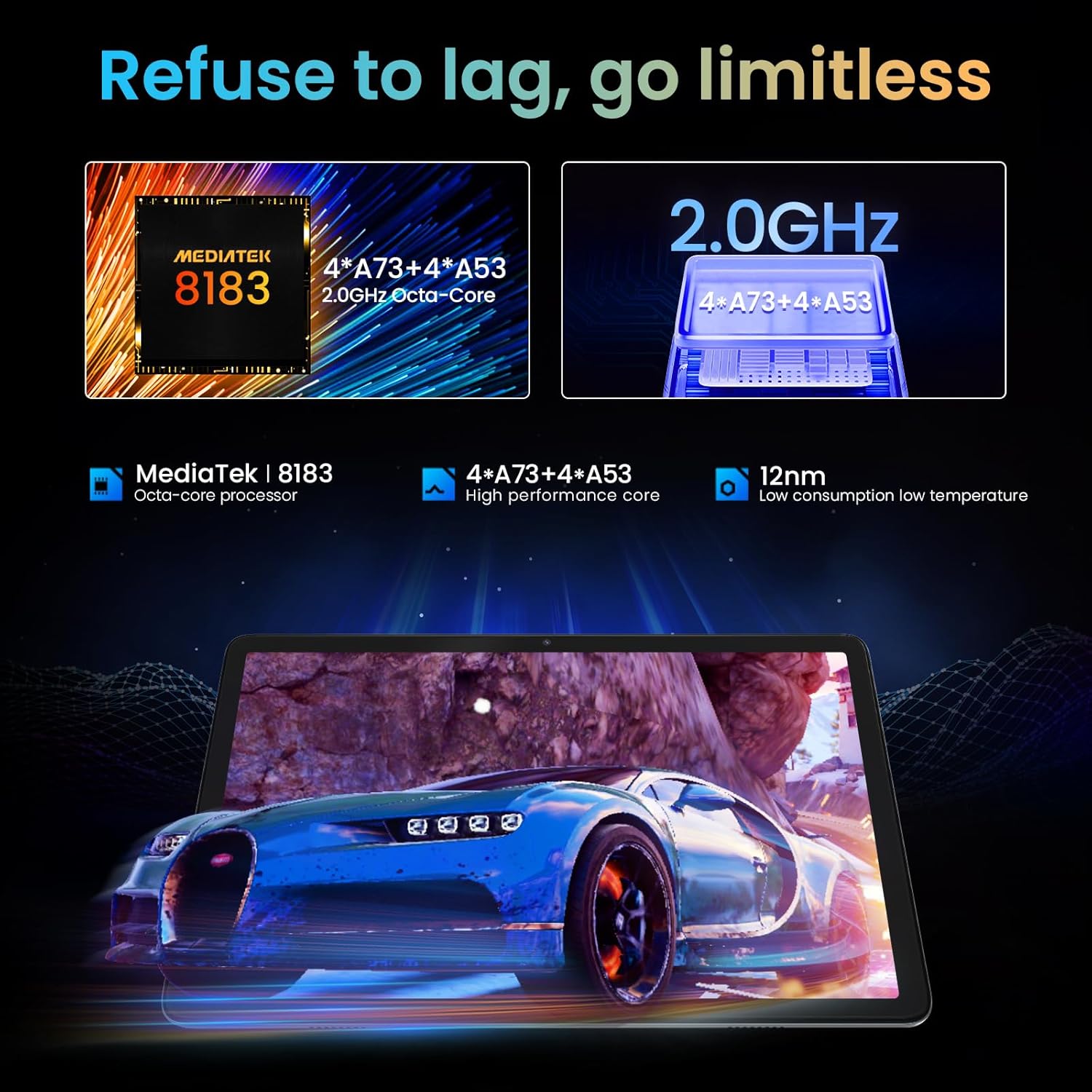
Image: A person watching a high-definition video on the tablet, illustrating its support for Netflix L1 and Widevine L1 for enhanced streaming quality.
7. Техникалык тейлөө
7.1 Планшетти тазалоо
- Планшеттин экранын жана корпусун тазалоо үчүн жумшак, түксүз чүпүрөктү колдонуңуз.
- өжөр тактар үчүн, бир аз гampчүпүрөккө суу же электроника үчүн атайын иштелип чыккан экран тазалагыч.
- Катуу химиялык заттарды, абразивдүү материалдарды же аэрозолдук спрейлерди колдонуудан алыс болуңуз.
7.2 Батареяга кам көрүү
- Батареянын иштөө мөөнөтүн узартуу үчүн, бат-баттан батарейканы толук зарядсыздандырбаңыз.
- Планшет толугу менен заряддалгандан кийин аны көпкө чейин заряддагычка туташып турган бойдон калтырбаңыз.
- Store the tablet in a cool, dry place if not used for a long time.
7.3 Программалык камсыздоо жаңыртуулары
Оптималдуу аткарууну, коопсуздукту жана жаңы функцияларга жетүүнү камсыз кылуу үчүн программалык камсыздоо жаңыртууларын дайыма текшерип, орнотуп алыңыз.
- барыңыз Орнотуулар > Система > Системаны жаңыртуу жеткиликтүү жаңыртууларды текшерүү үчүн.
- Ensure the tablet has sufficient battery and a stable Wi-Fi connection before performing an update.
8. Кыйынчылыктарды
8.1 Жалпы маселелер жана чечимдер
| Көйгөй | Мүмкүн себеп | Чечим |
|---|---|---|
| Планшет күйбөйт. | Батареянын аздыгы; программалык камсыздоонун бузулушу. | Планшетті кеминде 30 мүнөт кубаттаңыз. Күйгүзүп кайра иштетүү үчүн Күйгүзүү баскычын 10-15 секунд басып туруңуз. |
| Wi-Fi туташуу маселелери. | Туура эмес сырсөз; роутердеги көйгөй; планшеттин Wi-Fi өчүрүлгөн. | Сырсөздүн туура экенин текшериңиз. Роутерди өчүрүп-күйгүзүңүз. Планшеттеги Wi-Fi'ды өчүрүп/күйгүзүңүз. |
| Колдонмолор бузулуп же катып жатат. | Insufficient RAM; app bug; outdated app. | Фондук колдонмолорду жабуу. Колдонмонун кэшин тазалоо (Орнотуулар > Колдонмолор > [Колдонмонун аты] > Сактагыч жана кэш > Кэшти тазалоо). Update the app from Google Play Store. |
| Жай аткаруу. | Өтө көп колдонмолор иштеп жатат; аз сактоо; эскирген программалык камсыздоо. | Close unused apps. Free up storage by deleting unnecessary files. Check for system updates. |
8.2 Заводдук абалга кайтаруу
Эгер көйгөйлөр чечилбесе, аларды баштапкы абалга кайтаруу чечиши мүмкүн. Эскертүү: Бул планшетиңиздеги бардык дайындарды жок кылат. Улантуудан мурун маанилүү маалыматтардын камдык көчүрмөсүн сактаңыз.
- барыңыз Орнотуулар > Система > Параметрлерди баштапкы абалга келтирүү > Бардык дайындарды тазалоо (деск. баштапкы абалга келтирүү).
- Чечимиңизди ырастап, экрандагы көрсөтмөлөрдү аткарыңыз.
9. Техникалык шарттар
| Өзгөчөлүк | Деталь |
|---|---|
| Модель аты | KST102MF |
| Операция системасы | Android 12 |
| Процессор | Octa-Core (Unisoc, 1.98 GHz) |
| RAM | 6 ГБ |
| Ички сактагыч | 128 ГБ |
| Кеңейтүүчү сактагыч | 1 ТБ чейин (MicroSD) |
| Дисплей өлчөмү | 10.1 дюйм |
| Display Resolution | 1280 x 800 Pixels (IPS HD) |
| Графикалык чипсет | ARM Mali-G72 MP3 |
| Wi-Fi туташуусу | 802.11ac, 802.11b, 802.11g, 802.11n (2.4GHz + 5.0GHz Dual-band) |
| Bluetooth | Bluetooth 5.0 |
| Интерфейс | USB 3.1 түрү C |
| Батареянын иштөө мөөнөтү | Болжол менен 10 саат |
| Батарея түрү | Литий-полимер (кошулган) |
| Өлчөмдөрү (L x W x Y) | 30.48 x 17.78 x 3.56 см |
| Салмагы | 500 грамм |
| Өзгөчөлүктөр | Stereo Speakers, USB OTG Support, Expandable Storage, Face ID, Widevine L1 |
10. Кепилдик маалыматы
The kinstone tablet comes with a standard manufacturer's warranty. Please refer to the warranty card included in your product packaging for specific terms, conditions, and duration. Keep your purchase receipt as proof of purchase for warranty claims.
For warranty service, contact kinstone customer support or the retailer from whom you purchased the device.
11. Кардарларды колдоо кызматы
If you encounter any issues not covered in this manual or require further assistance, please contact kinstone customer support.
- Өндүрүүчү: kinstone
- Сатуучу: Kinstone-直営店 (Kinstone-Direct Store)
- For the most up-to-date support contact information, please visit the official kinstone website or the seller's page on Amazon.


