Кош келдиңиз
Thank you for choosing the Onikuma X16 (TEM-103) Professional Gaming Headset. This manual provides essential information for setting up, operating, and maintaining your headset to ensure optimal performance and longevity. Please read these instructions carefully before use.
Пакеттин мазмуну
- Onikuma X16 (TEM-103) Gaming Headset
- 3.5mm Audio Splitter Cable (for separate headphone and microphone jacks)
- USB Cable (for LED lighting power)
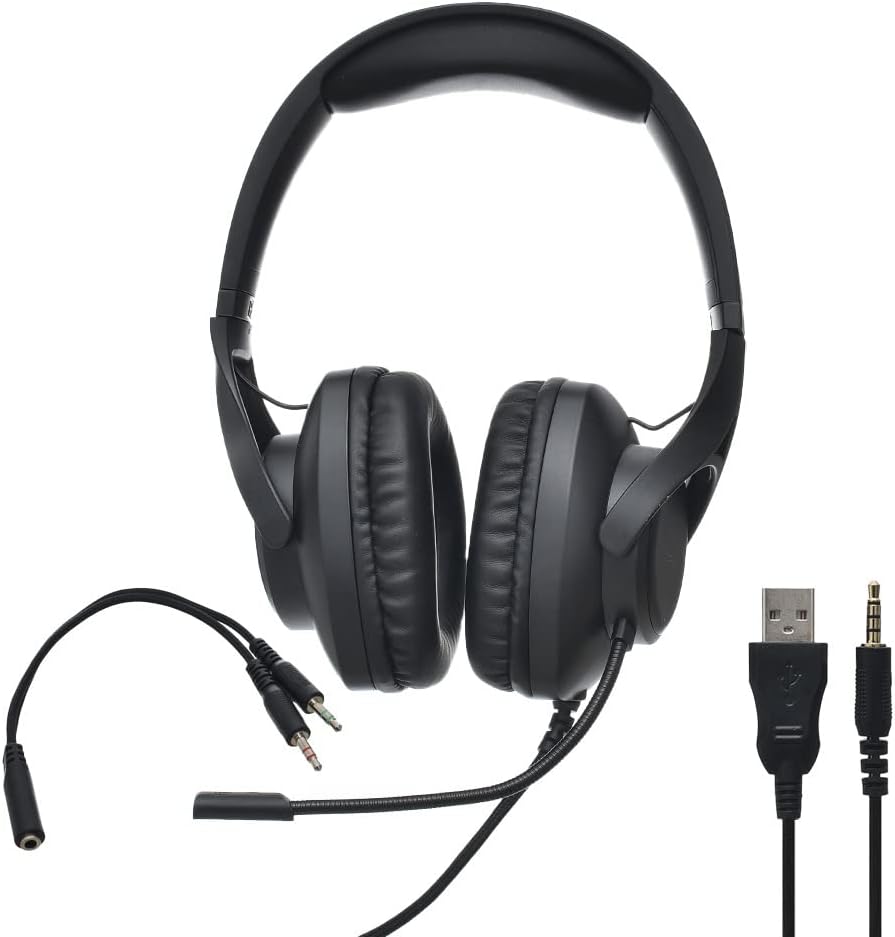
Image: Onikuma X16 Gaming Headset, showcasing the headset itself along with its integrated 3.5mm audio/microphone jacks and USB cable, and the separate 3.5mm audio splitter cable.
Продукт бүттүview
Гарнитуранын компоненттери
- Жөнгө салынуучу баш боосу: Ыңгайлуу ылайыктуу үчүн.
- Кулактын үстүнө тагылуучу кулакчындар: Узакка колдонуу учурунда ыңгайлуулук үчүн иштелип чыккан.
- Flexible Noise-Cancelling Microphone: Оптималдуу үн кабыл алуу үчүн жөнгө салынат.
- Wired Connection Cable: Integrated 3.5mm audio and microphone jacks, plus a USB plug for LED power.
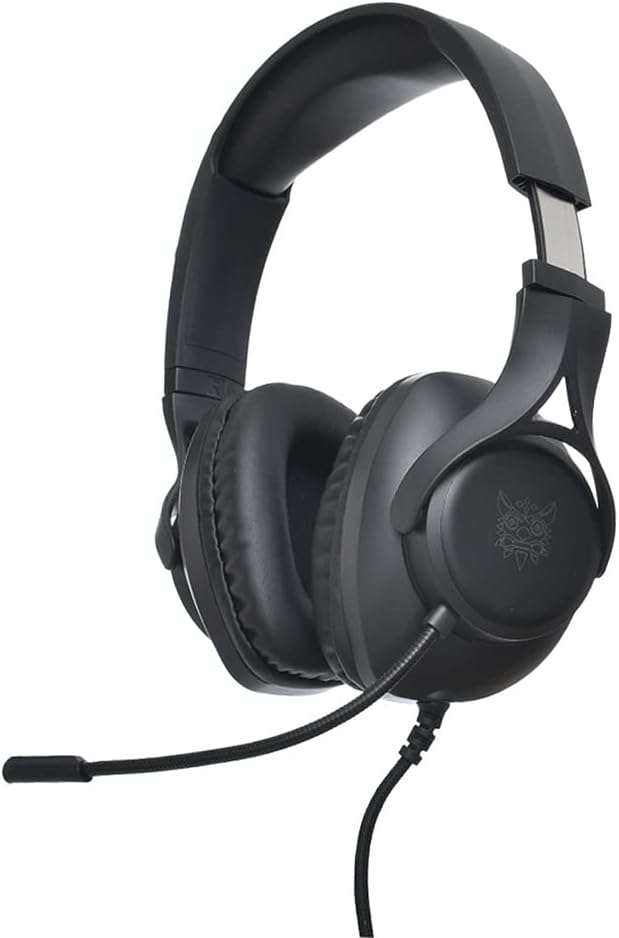
Сүрөт: каптал view of the Onikuma X16 Gaming Headset, highlighting the over-ear earcup design and the flexible microphone arm.
Орнотуу нускамалары
Connecting to a PC with Separate Audio Jacks
- Connect the headset's 3.5mm audio jack (typically green) to the headphone output port on your PC.
- Connect the headset's 3.5mm microphone jack (typically red) to the microphone input port on your PC.
- Connect the USB plug to an available USB port on your PC to power the LED lighting.
Connecting to a PC/Console with a Single Combined Audio Jack
- Connect the headset's 3.5mm audio and microphone jacks to the provided 3.5mm audio splitter cable.
- Connect the single 3.5mm plug of the splitter cable to the combined audio/microphone jack on your device.
- Connect the USB plug to an available USB port on your device to power the LED lighting.

Image: The 3.5mm audio splitter cable, used to combine separate headphone and microphone jacks into a single 3.5mm TRRS connector.
Гарнитураңызды иштетүү
Аудио башкаруу
Adjust the audio volume directly through your connected device's sound settings or operating system controls.
Микрофонду колдонуу
Position the flexible microphone approximately 2-3 cm from your mouth for optimal voice clarity. The microphone features noise cancellation technology to help reduce background noise during communication.
LED жарыктандыруу
The headset's integrated LED lighting will activate automatically when the USB cable is securely connected to a powered USB port on your device.
Техникалык тейлөө жана кам көрүү
- Clean the earcups and headband regularly with a soft, dry cloth to remove dust and debris.
- Avoid exposing the headset to extreme temperatures, high humidity, or direct sunlight.
- Do not attempt to disassemble or modify the headset, as this may void the warranty and cause damage.
- Store the headset in a clean, dry, and safe place when not in use to prevent damage.
- Handle cables gently to prevent kinks or damage to the connectors.
Проблемаларды чечүү
Гарнитурадан үн чыкпай жатат
- Ensure the 3.5mm audio jack (or splitter) is fully and correctly inserted into the audio output port of your device.
- Check your device's volume settings and confirm that the headset is selected as the primary audio output device.
- Test the headset on another device to determine if the issue is with the headset or the original device.
Микрофон иштебейт
- Verify that the 3.5mm microphone jack (or splitter) is fully and correctly inserted into the microphone input port.
- Confirm that the microphone is enabled and selected as the input device in your device's sound settings.
- Ensure the microphone is not muted in your device's software or communication application.
LED Lights Not On
- Ensure the USB cable is securely connected to a powered and functional USB port on your device.
- Try connecting the USB cable to a different USB port.
Техникалык мүнөздөмөлөр
| Бренд | ONIKUMA |
|---|---|
| Модел | X16 (TEM-103) |
| Байланыш | Wired (3.5mm Jack, USB for LED power) |
| Наушник түрү | Кулак үстүндөгү оюн гарнитурасы |
| Микрофон | Flexible, Noise-Cancelling |
| Noise Control | Активдүү ызы-чууну жокко чыгаруу (микрофон) |
| Түс | Кара |
| Материал | Пластик |
| Пакеттин өлчөмдөрү | 25 x 25 x 10 см |
| Салмагы | 200 г |
Кепилдик жана колдоо
For detailed warranty information, technical support, or service inquiries, please refer to the retailer where you purchased the product or visit the official ONIKUMA manufacturer's webсайт. Сураныч, кепилдик дооматтар үчүн сатып алуу далилиңизди сактап коюңуз.


