Poly Edge E220 IP үстөл телефону үчүн колдонуучу колдонмосу
Poly Edge E220 IP үстөл телефонуңузду орнотуу жана колдонуу боюнча колдонмо.
1. Киришүү
Poly Edge E220 – бул заманбап кеңсе чөйрөсү үчүн иштелип чыккан жана өнүккөн байланыш функцияларын сунуштаган көп функциялуу IP үстөл телефону. Ал 4 линиялуу баскычтар менен 16 линияга чейин байланышты колдойт жана уюлдук телефон менен гарнитураны үзгүлтүксүз жупташтыруу үчүн интеграцияланган Bluetooth функциясын камтыйт. Бул колдонмодо түзмөгүңүздү орнотуу, иштетүү жана техникалык тейлөө боюнча кеңири нускамалар берилген.
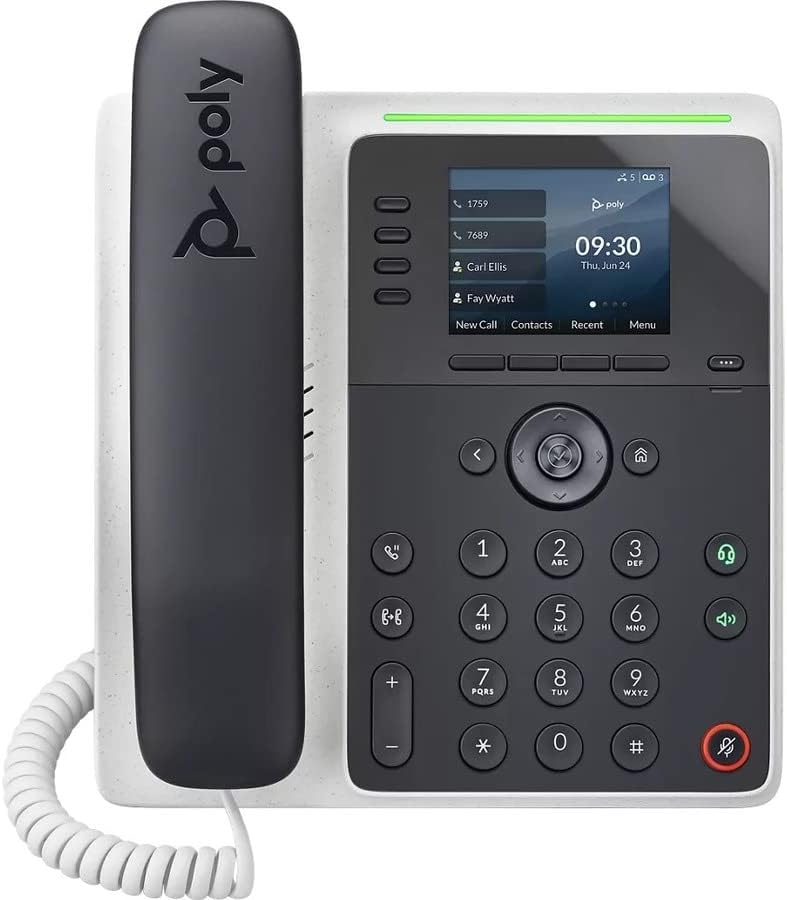
Сүрөт: алдыңкы view Poly Edge E220 IP Desk Phone'дун, көрсөтүүчүasinдисплей, баскычтоп жана телефон.
2. Кутуда эмне бар
Сиздин пакетиңизде төмөнкү компоненттердин бардыгы камтылганын текшериңиз:
- Poly Edge E220 IP үстөл телефону
- Телефон
- Телефон катушкасы
- Cat5E Ethernet кабели
- Дубалга орнотулган (алдын ала орнотулган же өзүнчө)
- Негизги стенд
Эскертүү: Бул жаңыртылган продуктуга кубат булагы кошулган эмес жана эгерде Ethernet аркылуу кубат берүү (PoE) мүмкүн болбосо, аны өзүнчө сатып алуу керек.
3. Продукциянын өзгөчөлүктөрү
- 4 саптуу баскычтар: Чалууларды ийкемдүү башкаруу үчүн 16 линияга чейин колдойт.
- Интегралдык Bluetooth: Уюлдук телефондор жана Bluetooth гарнитуралары менен үзгүлтүксүз жупташууга мүмкүндүк берет.
- Жогорку чечим дисплей: Чалуу маалыматы жана меню навигациясы үчүн так көрүнүүнү камсыз кылат.
- HD үн: Так сүйлөшүүлөр үчүн жогорку сапаттагы аудиону камсыз кылат.
- Көп линиялуу операция: Бир эле учурда бир нече активдүү чалууларды башкарыңыз.
- Конференция чалуу мүмкүнчүлүгү: 3 тараптуу конференцияларды колдойт.
4. Орнотуу жана орнотуу
4.1 Телефонду чогултуу
- Негизги стендди бекитиңиз: Негизги стенддеги өтмөктөрдү телефондун арткы жагындагы уячалар менен тегиздеңиз. Стендди бекем чыкылдаган үн чыкканга чейин ордуна жылдырыңыз.
- Телефон трубкасын туташтырыңыз: Шнурдун бир учун телефон трубкасына, экинчи учун телефондун капталындагы трубка портуна сайыңыз.
4.2 Кабелдерди туташтыруу
Телефондун арткы жана каптал жагындагы портторду табыңыз.

Сүрөт: каптал view Poly Edge E220 IP Desk Phone телефонунун ар кандай туташуу портторун жана жөнгө салынуучу стендин баса белгилеп көрсөтүүсү.
- Тармак туташуусу: Cat5E Ethernet кабелинин бир учун телефондогу LAN портуна, ал эми экинчи учун тармактык коммутаторго же роутерге туташтырыңыз. Эгерде тармагыңызда Ethernet аркылуу кубат берүү (PoE) мүмкүнчүлүгү болсо, телефон автоматтык түрдө күйөт.
- Электр энергиясына туташуу (эгер PoE жок болсо): Эгерде PoE жок болсо, тиешелүү кубат адаптерин (кошулмада жок) телефондун кубат портуна, андан кийин розеткага туташтырыңыз.
- Кошумча гарнитура туташуусу: Эгер зымдуу гарнитураны колдонсоңуз, аны атайын гарнитура портуна туташтырыңыз.
4.3 Баштапкы күйгүзүү
Туташтырылгандан кийин, телефон күйүп, жүктөө ырааттуулугун баштайт. Бул бир нече мүнөткө созулушу мүмкүн. Дисплейде Poly логотиби, андан кийин тармактын конфигурациясы жана каттоо абалы көрсөтүлөт. Суралса, тармактык маалыматыңызды киргизиңиз же орнотуу боюнча жардам алуу үчүн IT администраторуңузга кайрылыңыз.
5. Иштөө нускамалары
5.1 Чалууларды кабыл алуу жана кабыл алуу
- Чалуу үчүн: Трубканы көтөрүңүз, динамик баскычын басыңыз же линия баскычын басыңыз. Номерди терип, "Телефонду терүү" баскычын басыңыз же чалуунун байланышын күтүңүз.
- Чалууга жооп берүү үчүн: Трубканы көтөрүңүз, динамик баскычын басыңыз же жаркылдаган сызык баскычын басыңыз.
- Чалууну аяктоо үчүн: Трубканы ордуна коюңуз же "Чалууну аяктоо" баскычын басыңыз.
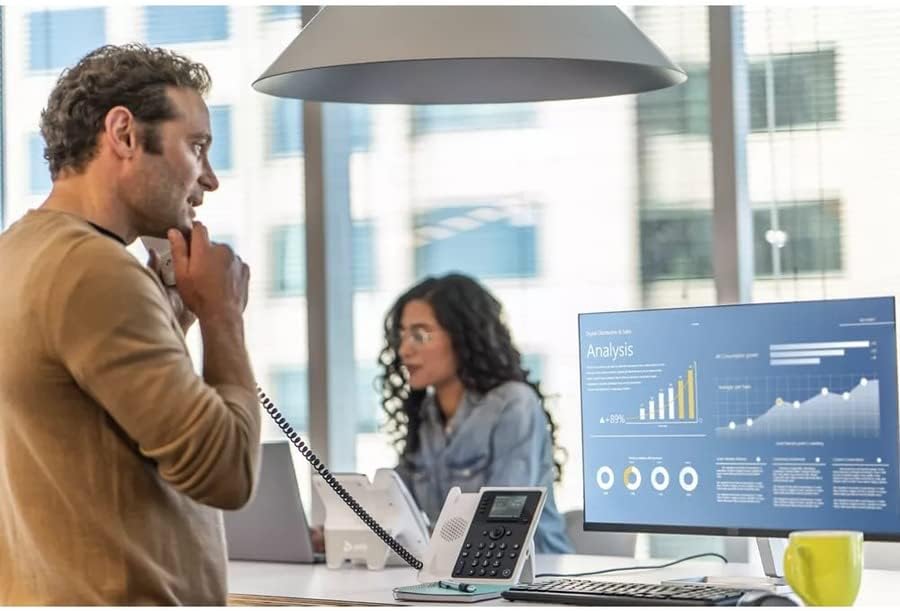
Сүрөт: Кесипкөй кеңсе чөйрөсүндө Poly Edge E220 IP Desk Phone телефонун колдонуп телефон чалып жаткан киши.
5.2 Bluetooth колдонуу
Poly Edge E220 сизге ийкемдүүлүктү жогорулатуу үчүн уюлдук телефонуңузду же Bluetooth гарнитураңызды жупташтырууга мүмкүндүк берет.
- Bluetooth иштетүү: Телефондун менюсуна өтүп, "Орнотууларды", андан кийин "Bluetooth" тандап, Bluetooth иштетилгенин текшериңиз.
- Түзмөктү жупташтыруу: Bluetooth түзмөгүңүздү (уюлдук телефон же гарнитура) жупташтыруу режимине коюңуз. Телефондо "Жаңы түзмөк кошуу" же "Түзмөктөрдү издөө" дегенди тандаңыз. Жупташтырууну аяктоо үчүн тизмеден түзмөгүңүздү тандап, экрандагы көрсөтмөлөрдү аткарыңыз.
- Туташуу: Жупташтырылгандан кийин, түзмөгүңүз жеткиликтүү аралыкта болгондо автоматтык түрдө туташышы керек. Bluetooth менюсунан кол менен туташтырып/ажырата аласыз.

Сүрөт: Столдо отурган аял Poly Edge E220 IP Desk Phone телефонун ноутбугу менен бирге колдонуп, анын заманбап жумуш мейкиндигине интеграцияланышын көрсөтүп жатат.
5.3 Өркүндөтүлгөн функциялар
- Кармап туруу: Чалуу учурунда, чалууну күтүүгө коюу үчүн "Күтүү" баскычын басыңыз. Улантуу үчүн аны кайра басыңыз.
- өткөрүүсү: Чалуу учурунда, которуу баскычын басып, жаңы номерди териңиз, андан кийин аяктоо үчүн "Которуу" баскычын кайрадан басыңыз.
- Конференция: Активдүү чалуу учурунда, Конференция баскычын басыңыз, үчүнчү тараптын номерин териңиз, андан кийин бардык тараптарга кошулуу үчүн Конференция баскычын кайрадан басыңыз.
- Үн почтасы: Үн почта билдирүүлөрүңүзгө кирүү үчүн Үн почтасы баскычын басыңыз.
6. Техникалык тейлөө
Poly Edge E220 IP Desk телефонуңуздун узак мөөнөттүү иштешин жана оптималдуу иштешин камсыз кылуу үчүн, төмөнкү техникалык тейлөө көрсөтмөлөрүн аткарыңыз:
- Тазалоо: Телефондун бетин жана дисплейин тазалоо үчүн жумшак, кургак, мамыксыз чүпүрөктү колдонуңуз. Өжөр тактар үчүн бир аз сүртүңүзampкездемени суу менен сүртүңүз. Катуу химиялык заттарды, абразивдүү тазалоочу каражаттарды же аэрозоль чачыраткычтарды колдонуудан алыс болуңуз.
- Курчап турган чөйрө: Телефонду кургак жерде, түз күн нурунан, ашыкча ысыктан жана нымдуулуктан алыс кармаңыз.
- Кабелдик башкаруу: Бардык кабелдердин тыкан уюштурулганын жана портторго же кабелдерге зыян келтирбөө үчүн чыңалуу астында эместигин текшериңиз.
- Программалык камсыздоо жаңыртуулары: Телефонуңузда эң акыркы функциялар жана коопсуздук жакшыртуулары бар экенине ынануу үчүн, мезгил-мезгили менен IT администраторуңуз менен программалык камсыздоонун жаңыртууларын текшерип туруңуз.
7. Кыйынчылыктарды
Эгерде сиз Poly Edge E220 менен көйгөйлөргө туш болсоңуз, анда кеңири таралган көйгөйлөр жана аларды чечүү жолдору үчүн төмөндөгү таблицаны караңыз.
| Көйгөй | Мүмкүн себеп | Чечим |
|---|---|---|
| Телефон күйбөйт | Электр менен камсыздоо же PoE туташуусу жок | Ethernet кабелинин PoE иштетилген портко туташтырылганын же шайкеш келген кубат адаптерин туташтырыңыз. |
| Терүү үнү жок | Тармак көйгөйү же телефон катталган эмес | Тармак кабелинин туташуусун текшериңиз. Телефондун дисплейинде тармактын абалын текшериңиз. Каттоо ишке ашпай калса, IT колдоо кызматына кайрылыңыз. |
| Чалуу адамды уга албайт / Чалуу мени уга албайт | Үнү өтө төмөн, телефондун/гарнитуранын бузук деңгээли же тармактын аудио көйгөйү | Үндү тууралаңыз. Динамик менен текшериңиз. Телефондун/гарнитуранын туташуусун текшериңиз. Телефонду өчүрүп-күйгүзүңүз. |
| Bluetooth түзмөгү жупташкан жок | Түзмөк жупташтыруу режиминде эмес же диапазондон тышкары | Bluetooth түзмөгү жупташтыруу режиминде жана анын жеткиликтүүлүк аралыгында экенин текшериңиз. Эки түзмөктү тең өчүрүп-күйгүзүңүз. |
Эгерде бул чечимдерди колдонуп көргөндөн кийин да көйгөй чечилбесе, кошумча жардам алуу үчүн IT бөлүмүңүзгө же продуктуну колдоо тобуна кайрылыңыз.
8. Техникалык шарттар
Poly Edge E220 IP Desk Phone үчүн негизги техникалык мүнөздөмөлөр:
| Өзгөчөлүк | Деталь |
|---|---|
| Продукциянын өлчөмдөрү | 12.1 x 10.3 x 3.4 дюйм |
| Элемент Салмагы | 2.55 фунт |
| Телефон түрү | Зымдуу IP телефон |
| Power Source | Зымдуу электр (Электр менен камсыздоо кошулган эмес) / Ethernet аркылуу кубаттоо (PoE) |
| Терүүчү түрү | Жалгыз баскычтоп |
| Жооп берүү системасынын түрү | Санариптик (кызмат көрсөтүүчүнүн колдоосун талап кылат) |
| Конференция чалуу мүмкүнчүлүгү | 3-жол |
| Көп линия операциясы | Ооба, 4 саптуу баскычтар менен 16 сапка чейин колдойт |
| Bluetooth | Уюлдук телефон жана гарнитураны жупташтыруу үчүн интеграцияланган |
9. Кепилдик жана колдоо
Жаңыртылган продукт катары Poly Edge E220 IP Desk Phone адатта оңдоочу же сатуучу тарабынан берилген чектелген кепилдик менен келет. Кепилдиктин конкреттүү шарттары жана эрежелери үчүн сатып алуу документтерин караңыз. Техникалык колдоо, ушул колдонмодон тышкары мүчүлүштүктөрдү оңдоо же кепилдик боюнча дооматтар үчүн сатуучуга же IT администраторуңузга кайрылыңыз.


