1. Киришүү
This manual provides essential information for the safe and efficient use of your AOC CU34P3CV 34-inch Ultrawide Quad HD LED Monitor. Please read this manual thoroughly before operating the device and retain it for future reference.
The AOC CU34P3CV is a 34-inch ultrawide curved monitor designed for productivity and immersive viewing, featuring a 3440 x 1440 Quad HD resolution, a VA panel, and a versatile USB-C docking solution.
2. Коопсуздук маалыматы
- Кубат булагы: Монитор менен кошо берилген кубат шнурын жана адаптерди гана колдонуңуз. Электр розеткасынын туура жерге туташтырылганын текшериңиз.
- Вентиляция: Вентиляция тешиктерин жаап албаңыз. Туура аба агымы үчүн монитордун айланасында жетиштүү орун калтырыңыз.
- Суюктук таасири: Мониторду суудан же башка суюктуктардан алыс кармаңыз. Жогорку нымдуу чөйрөдө иштебеңиз.
- Тазалоо: Тазалоодон мурун электр шнурын ажыратыңыз. Жумшак, кургак чүпүрөктү колдонуңуз. Суюктук же аэрозолдук тазалоочу каражаттардан качыңыз.
- Жайгашкан жери: Place the monitor on a stable, level surface. Avoid direct sunlight, heat sources, or excessive dust.
- Тейлөө: Мониторду өзүңүз тейлөөгө аракет кылбаңыз. Бардык тейлөөлөрдү квалификациялуу тейлөө кызматкерлерине тапшырыңыз.
3. Пакеттин мазмуну
Таңгактан чыгарганда таңгактын ичиндегисин текшериңиз. Эгерде кандайдыр бир буюмдар жок болсо же бузулуп калса, сатуучуга кайрылыңыз.
- AOC CU34P3CV Monitor
- Монитор стенд (негизги жана моюн)
- Электр кабели
- HDMI кабели
- DisplayPort кабели
- USB-C Cable
- Колдонуучунун Колдонмосу (бул документ)
4. Орнотуу
4.1. Стендди чогултуу
- Чийилбеш үчүн мониторду кылдаттык менен жумшак, таза бетке ылдый каратып коюңуз.
- Attach the stand neck to the back of the monitor. Secure with screws if provided.
- Attach the stand base to the stand neck. Secure with the thumb screw or screws provided.
Image: AOC CU34P3CV Monitor Front View
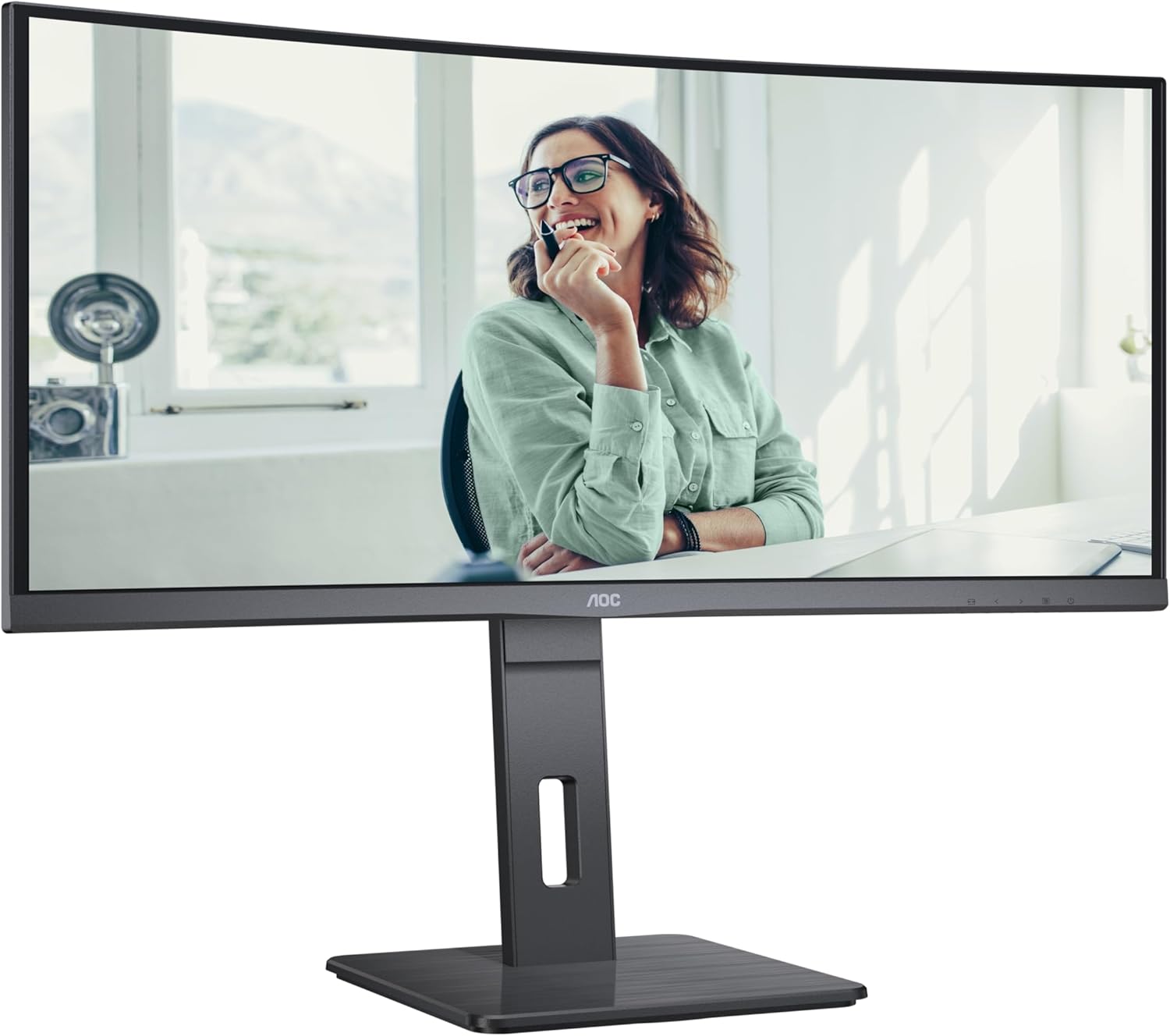
This image shows the AOC CU34P3CV monitor from the front, with its stand, displaying a vibrant image on its curved screen.
Image: AOC CU34P3CV Monitor Features Overview

This image provides a front view of the AOC CU34P3CV monitor, with graphical overlays indicating its key features such as 34-inch size, WQHD resolution, VA panel, 3-sided frameless design, adjustable stand, and curved display.
4.2. Мониторду туташтыруу
арткы жагын карагыла view порт жайгашкан сүрөттөр.

This image displays the rear of the AOC CU34P3CV monitor, detailing the arrangement of its power input, video input ports (HDMI, DisplayPort, USB-C), and USB hub ports.
- Кубат туташуу: Кубат кабелин монитордун кубат киресине, анан жерге туташтырылган электр розеткасына туташтырыңыз.
- Видео туташуу:
- USB-C: For a single-cable solution providing video, data, and power delivery (up to 65W), connect the USB-C cable from your computer to the monitor's USB-C port.
- HDMI/Дисплей порту: Connect an HDMI or DisplayPort cable from your computer's video output to the corresponding port on the monitor.
- USB хабы: Connect the upstream USB-C cable (if using USB-C for video) or a separate USB upstream cable (if using HDMI/DP) from your computer to the monitor to enable the integrated USB hub ports.
- Тармак (RJ45): If your monitor supports an integrated Ethernet port via USB-C docking, connect an Ethernet cable from your network router/modem to the RJ45 port on the monitor.
4.3. Баштапкы күйгүзүү
- Бардык кабелдер коопсуз туташтырылганын текшериңиз.
- Монитордогу кубат баскычын басыңыз.
- Turn on your computer. The monitor should automatically detect the input signal. If not, you may need to manually select the input source using the On-Screen Display (OSD) menu.
5. Иштөө нускамалары
5.1. Күйгүзүү/өчүрүү
Press the power button, usually located on the bottom right or rear of the monitor, to turn the monitor on or off.
5.2. Экрандагы дисплей (OSD) менюсу
The OSD menu allows you to adjust various monitor settings. Use the control buttons (joystick or individual buttons) typically located on the bottom or rear of the monitor to navigate the menu.
- Киргизүүнү тандоо: Choose between USB-C, HDMI, or DisplayPort inputs.
- Сүрөт жөндөөлөрү: Adjust Brightness, Contrast, Gamma, Color Temperature, and various picture modes.
- Түс орнотуусу: Fine-tune color settings.
- OSD орнотуу: OSD тилин, тунуктугун жана тайм-аутту тууралаңыз.
- Кошумча: Access information about the current resolution and refresh rate.
5.3. Adjusting the Monitor Position
The monitor stand allows for ergonomic adjustments.
- Бийиктигин тууралоо: Gently push or pull the monitor up or down to adjust its height.
- Эңкейүүнү тууралоо: Tilt the monitor screen forward or backward to find your preferred viewбурч.
- Айланууну жөндөө: Мониторду анын негизинде солго же оңго айлантыңыз.
Image: AOC CU34P3CV Monitor Side View USB порттору менен

Бул сүрөттө кошумча адис көрсөтүлгөнfile of the AOC CU34P3CV monitor, highlighting two easily accessible USB ports on the side of the display.
Image: AOC CU34P3CV Monitor Side View with Stand Adjustment

Бул сүрөттө тарабы көрсөтүлгөн view of the AOC CU34P3CV monitor, showcasing the flexibility of its stand for height and tilt adjustments.
Image: AOC CU34P3CV Monitor Top View
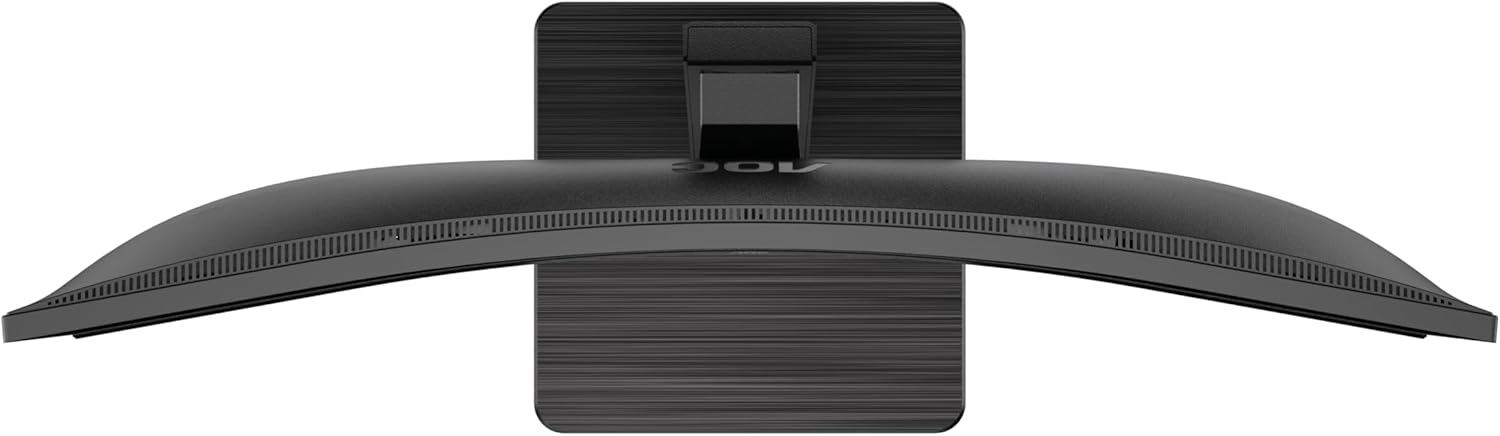
This image provides a top-down perspective of the AOC CU34P3CV monitor, clearly showing the curvature of its ultrawide screen.
6. Техникалык тейлөө
6.1. Мониторду тазалоо
- Тазалоодон мурун мониторду дайыма электр розеткасынан сууруп алыңыз.
- Экранды жана сырткы беттерди акырын сүртүү үчүн жумшак, түксүз чүпүрөктү колдонуңуз.
- өжөр белгилери үчүн, жеңил гampчүпүрөккө суу же жумшак, абразивдүү эмес экран тазалагыч. Тазалоочу каражатты түз экранга чачпаңыз.
- Бензол, суюлтуучу, аммиак негизиндеги тазалагычтарды же абразивдүү тазалоочу каражаттарды колдонуудан алыс болуңуз.
7. Кыйынчылыктарды
Мониторуңузда көйгөйлөргө туш болсоңуз, төмөнкү жалпы көйгөйлөрдү жана чечимдерди караңыз:
| Көйгөй | Мүмкүн себеп | Чечим |
|---|---|---|
| No power/No image | Power cable not connected; Monitor off | Ensure power cable is securely connected; Press the power button to turn on the monitor. |
| No signal/"No Input" message | Видео кабели туташкан эмес; Туура эмес киргизүү булагы тандалды | Check video cable connections (HDMI, DisplayPort, USB-C); Use OSD menu to select the correct input source. |
| Сүрөт өтө караңгы/жарык | Жарыктык/Контраст жөндөөлөрү туура эмес | Экрандын жарыктыгын жана контраст жөндөөлөрүн OSD менюсу аркылуу тууралаңыз. |
| Жаркылдаган сүрөт | Incorrect refresh rate; Loose cable | Ensure refresh rate is set to 60Hz in your computer's display settings; Check video cable connections. |
| USB порттору иштебейт | USB upstream cable not connected; Driver issue | Ensure the USB-C cable (for video and data) or a separate USB upstream cable is connected to your computer; Check computer's device manager for USB driver issues. |
8. Техникалык шарттар
Модел: AOC CU34P3CV
| Өзгөчөлүк | Спецификация |
|---|---|
| Screen Size | 34 дюйм (86.4 см) |
| Резолюция | 3440 x 1440 Quad HD |
| Аспект катышы | 21:9 |
| Панел түрү | VA панели |
| Жаңыртуу ылдамдыгы | 60 Гц |
| Сүрөттүн карама-катышы | 1000:1 |
| Байланыш | USB-C (with Power Delivery), HDMI, DisplayPort, USB Hub, Ethernet (RJ45) |
| Энергияны керектөө (SDR) | 32.0 Вт |
| Энергияны керектөө (HDR) | 35.0 Вт |
| Энергияны керектөө (өчүрүү режими) | 0.3 Вт |
| Энергияны керектөө (күтүү режиминде) | 0.5 Вт |
| Продукциянын өлчөмдөрү (болжол менен) | 11.81 x 11.81 x 11.81 дюйм (стенд менен) |
| Элемент Салмагы (болжол менен) | 2.2 pounds (without stand) |
| Guaranteed Software/Firmware Updates | 8 жыл |
| Guaranteed Spare Parts | 7 жыл |
| Guaranteed Product Support | 8 жыл |
Image: Product Information Sheet
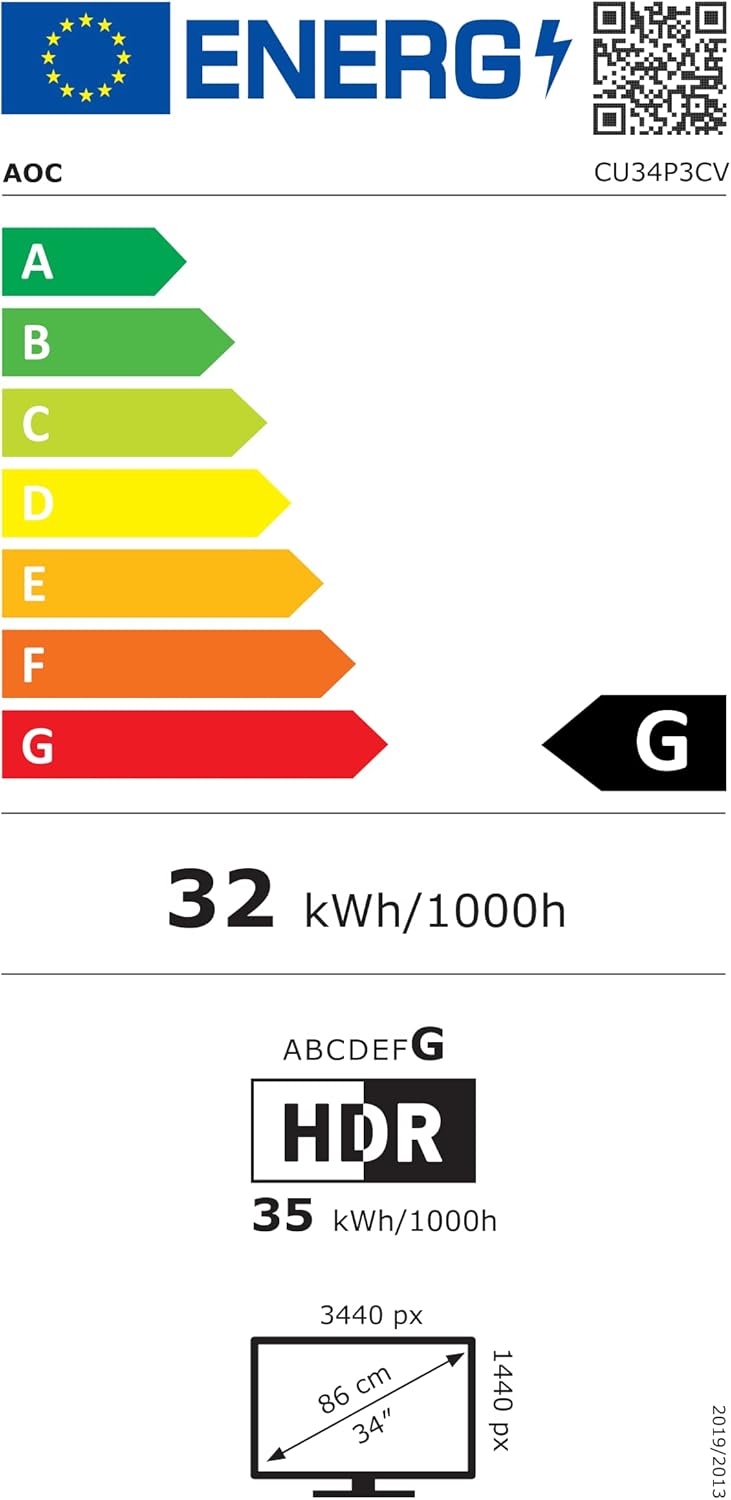
This image displays the official Product Information Sheet for the AOC CU34P3CV monitor, providing detailed technical specifications and compliance information.
Image: Energy Label
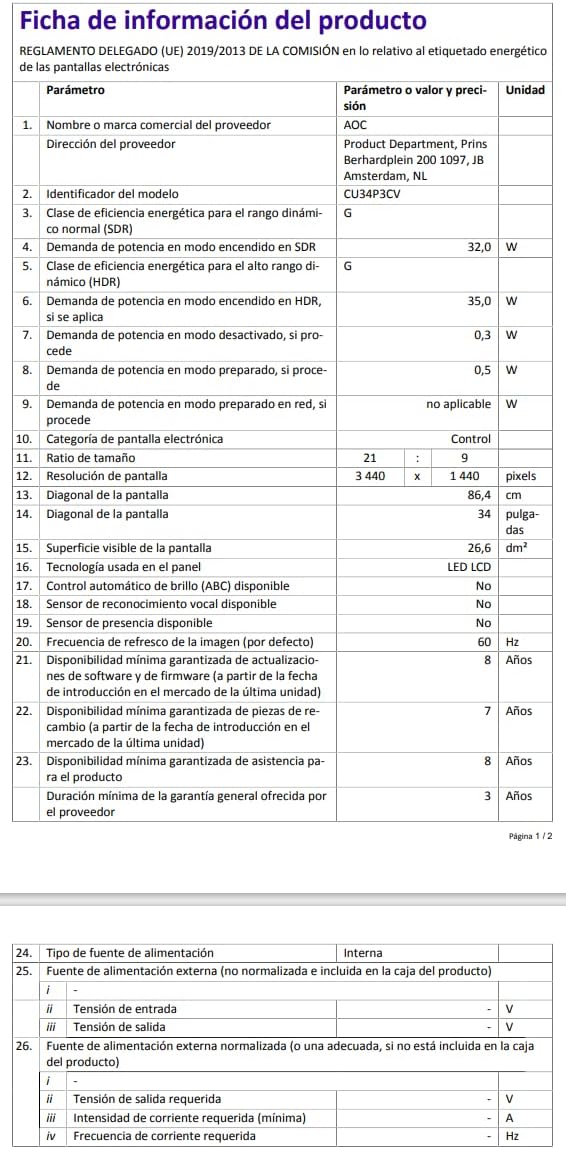
This image presents the EU Energy Label for the AOC CU34P3CV monitor, indicating its energy efficiency class and annual power consumption.
For more detailed energy information, please visit the EPREL database: https://eprel.ec.europa.eu/qr/1362085
9. Кепилдик жана колдоо
Your AOC CU34P3CV monitor comes with a minimum general guarantee of 3 жыл provided by the supplier. Additionally, AOC guarantees minimum availability of software and firmware updates for 8 years, spare parts for 7 years, and product support for 8 years from the date of end of placement on the market.
For technical support, warranty claims, or further assistance, please visit the official AOC website or contact your local AOC customer service center. Keep your purchase receipt as proof of purchase for warranty purposes.


