Introduction
Lexip PIXMINDS Steelplay Adventure Twinpad'тери шайкеш келген системаларда оюн тажрыйбаңызды жакшыртуу үчүн иштелип чыккан. Бул контроллерлер узак убакыт бою ойноо сессиялары үчүн так киргизүүнү жана ыңгайлуу башкарууну камсыз кылат. Бул колдонмо орнотуу, иштетүү, техникалык тейлөө жана мүчүлүштүктөрдү оңдоо боюнча маанилүү маалыматтарды берет.
Пакеттин мазмуну
Пакетти ачкандан кийин, бардык компоненттер бар экенин текшериңиз:
- Lexip PIXMINDS Steelplay Adventure Twinpads (Сол жана Оң контроллерлер)
- Колдонуучунун Колдонмосу (бул документ)
- Керектүү литий-иондук батареялар (алдын ала орнотулган же кошулган)

Сүрөт: Lexip PIXMINDS Steelplay Adventure Twinpads үчүн чекене таңгактоо, контроллерлер жана шайкештик жөнүндө маалымат көрсөтүлгөн.
Жайгашуу
Twinpads Nintendo Switch™ жана Nintendo Switch™ OLED моделдери менен шайкеш келет. Алар Bluetooth аркылуу зымсыз туташат.
1. Twinpad'терди кубаттоо
Twinpad'тер литий-иондук батареялар менен келет. Биринчи жолу колдонуудан мурун, алардын толук заряддалганын текшериңиз. Контроллерлердеги LED индикаторлору заряддоо абалын көрсөтөт.
2. Түзмөгүңүз менен жупташтыруу
- Nintendo Switch консолуңуз күйгүзүлүп, системанын эң акыркы программалык камсыздоосуна жаңыртылганын текшериңиз.
- БАШКЫ БЕТ менюсунан "Контроллерлер" > "Тартууну/Тартипти өзгөртүү" дегенди тандаңыз.
- Ар бир Twinpadде, капталында же артында жайгашкан кичинекей жупташтыруу баскычын ойноткучтун LED индикаторлору жаркылдай баштаганга чейин басып туруңуз.
- Светодиоддор жаркылдаганын токтотуп, туруктуу бойдон калгандан кийин, Twinpad ийгиликтүү жупташты.
- Башка Twinpad үчүн кайталаңыз.
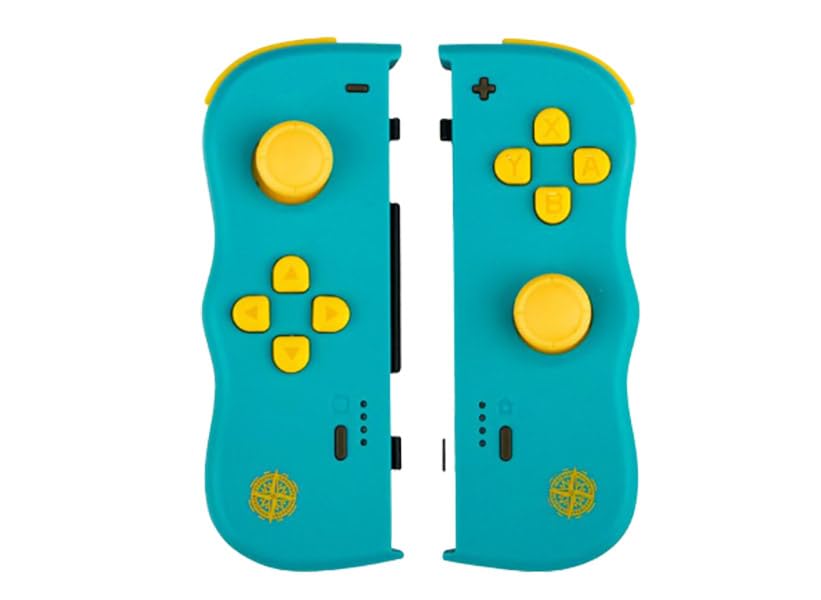
Сүрөт: алдыңкы view Lexip PIXMINDS Steelplay Adventure Twinpads, джойстиктерди, D-padди жана аракет баскычтарын көрсөтөт.
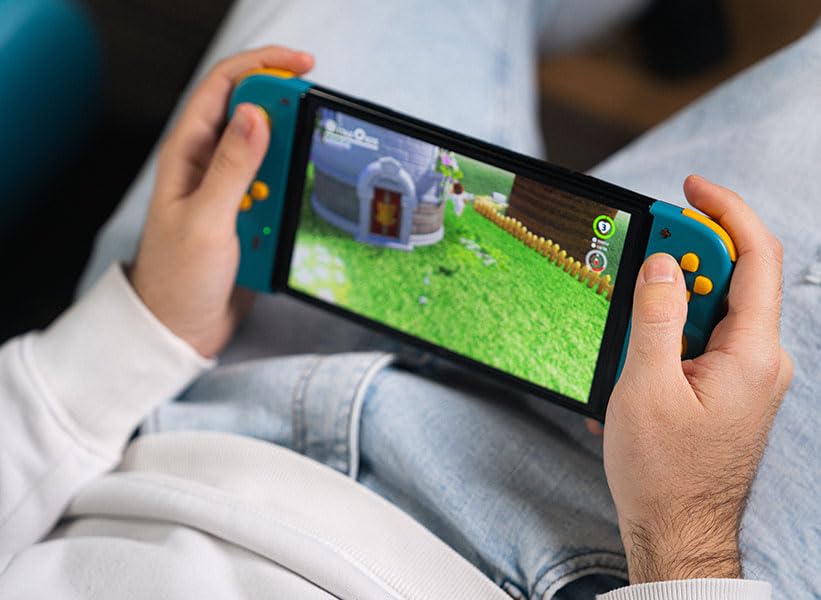
Сүрөт: каптал view Lexip PIXMINDS Steelplay Adventure Twinpads'тин, бекитүү үчүн рельсти жана жупташтыруу баскычынын жайгашкан жерин баса белгилейт.
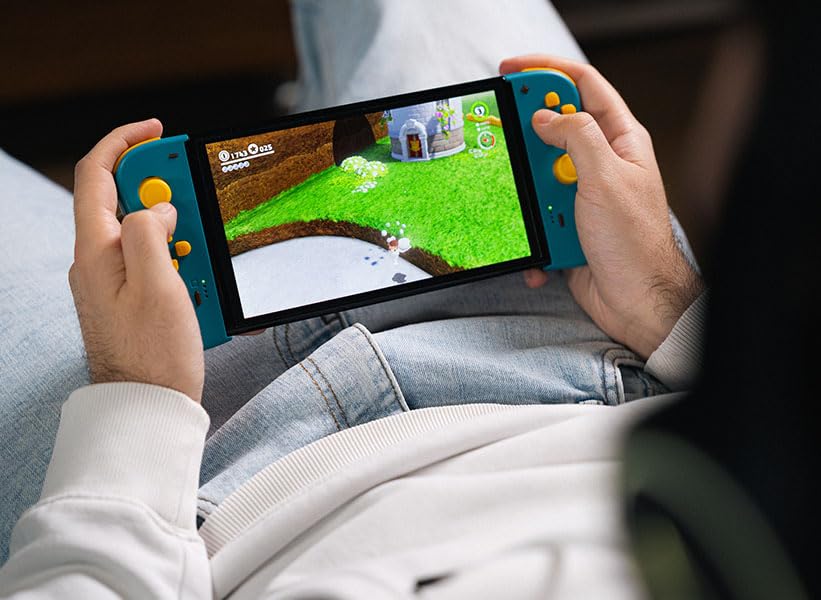
Сүрөт: Артка view эргономикалык дизайнын жана кошумча баскычтарын көрсөткөн Lexip PIXMINDS Steelplay Adventure Twinpads.
Иштөө нускамалары
Жупташтырылгандан кийин, Twinpads баштапкы Joy-Con контроллерлерине окшош көз карандысыз сол жана оң контроллерлор катары иштейт. Аларды өзүнчө контроллер ойнотууну колдогон ар кандай оюндар үчүн колдонсо болот.
Баскычтардын жайгашуусу жана функциялары
- Сол жактагы эки кабаттуу панель: Аналогдук таякча, D-pad, Минус (-) баскычы, Скриншот баскычы, SL/SR баскычтары (каптал рейкада).
- Оң жактагы эки кабаттуу такта: Аналогдук таякча, A/B/X/Y баскычтары, Plus (+) баскычы, Башкы бет баскычы, SL/SR баскычтары (каптал рейкасында).
- Эскертүү: Баскычтын белгилүү бир функциялары оюнга жараша ар кандай болушу мүмкүн.
Кайра туташуу
Эгерде Twinpad'тер ажыратылса же консольду өчүргөндөн кийин аларды кайра туташтыргыңыз келсе, жөн гана ар бир Twinpad'деги каалаган баскычты басыңыз. Алар акыркы жупташтырылган консольго автоматтык түрдө кайра туташышы керек.
Техникалык тейлөө
Туура кам көрүү Twinpads'тин иштөө мөөнөтүн узартат.
- Тазалоо: Контроллерлердин бетин жумшак, кургак чүпүрөк менен сүртүңүз. Өжөр кир үчүн, бир азampчүпүрөктү суу менен. Катуу химиялык заттарды же абразивдүү тазалагычтарды колдонуудан алыс болуңуз.
- Сактагыч: Twinpads салкын, кургак жерде, күндүн нуру түз тийбеген жана өтө жогорку температурадан алыс сактаңыз.
- Батареяга кам көрүү: Эгерде сиз узак убакытка сактасаңыз, батареялардын иштөө мөөнөтүн сактоо үчүн алардын жарым-жартылай заряддалганын (болжол менен 50%) текшериңиз. Батареяларды узак убакыт бою толугу менен зарядсыздандырбаңыз.
Проблемаларды чечүү
Эгерде сиз Twinpads менен көйгөйлөргө туш болсоңуз, төмөнкү чечимдерди колдонуп көрүңүз:
- Контроллерлер жупташпай жатат:
- Twinpad'тердин заряддалганын текшериңиз.
- Консолуңузда Bluetooth иштетилгенин текшериңиз.
- "Түзмөгүңүз менен жупташтыруу" кадамдарын аткарып, контроллерлорду кайра жупташтырып көрүңүз.
- Күчтүү Bluetooth сигналын камсыз кылуу үчүн консолго жакындаңыз.
- Nintendo Switch консолуңузду өчүрүп-күйгүзүңүз.
- Киргизүү кечигүү же ажыратуу:
- Консоль менен башкаруу элементтеринин ортосунда эч кандай тоскоолдуктар жок экенин текшериңиз.
- Башка зымсыз түзмөктөрдүн кийлигишүүсүн азайтыңыз.
- Батареянын деңгээлин текшерип, керек болсо кайра заряддаңыз.
- Баскычтар жооп бербейт:
- Бардык калдыктарды алып салуу үчүн баскычтардын айланасын тазалаңыз.
- Контроллерлердин туура жупташтырылганын жана туташтырылганын текшериңиз.
- Консолдорду башка оюнда же консолдун контроллеринин сыноо менюсунда сынап көрүңүз.
Техникалык шарттар
| Өзгөчөлүк | Деталь |
|---|---|
| Модел | JVASWI00101 |
| Бренд | Lexip, PIXMINDS, Steelplay |
| Байланыш | Bluetooth |
| Шайкештик | Nintendo Switch™, Nintendo Switch™ OLED |
| Батарея түрү | 1 литий-иондук батарейка (кошулган) |
| Элемент Салмагы | 5.6 унция (болжол менен 158.76 грамм) |
| Пакеттин өлчөмдөрү | 6.18 x 4.72 x 1.26 дюйм (болжол менен 15.7 x 12 x 3.2 см) |
| Өндүрүүчү | PIXMINDS |
| Чыгарылган күнү | 1-январь, 2023-жыл |
Кепилдик жана колдоо
Lexip PIXMINDS Steelplay Adventure Twinpads төмөнкүлөр менен келет 5 жылдык кепилдик, продуктунун таңгагында көрсөтүлгөндөй. Продукцияңызды каттоодон өткөрүү жана кепилдикти активдештирүү үчүн, расмий кепилдик каттоо барагына кириңиз:
Кепилдик үчүн продуктуңузду каттаңыз
Техникалык колдоо же кошумча суроолор боюнча, Lexipтин расмий колдоо каналдарына кайрылыңыз же сатуучуңузга кайрылыңыз.


