1. Киришүү
This manual provides detailed instructions for the safe and effective use of your TOPTRO X5 Projector. Please read this manual thoroughly before operating the device and retain it for future reference. The TOPTRO X5 Projector is designed to deliver a high-quality visual experience with advanced connectivity features.

Image 1.1: TOPTRO X5 Projector with accessories and a sample projection.
2. Негизги өзгөчөлүктөрү
- Native 1080P & 4K Support: Delivers clear, high-definition images with support for 4K video input and a 15000:1 dynamic contrast ratio.
- High Brightness & Color Range: Features 460 ANSI lumens (18000 Lumens) and 90% NTSC technology for vibrant colors.
- Ultra-fast 5G WiFi: Equipped with an advanced 5G WiFi chip for stable and smooth wireless screen mirroring.
- Bidirectional Bluetooth 5.1: Connects to external Bluetooth speakers/headphones or functions as a Bluetooth speaker for mobile devices.
- Large Screen & Keystone Correction: Supports 50-300 inch projection size with 4:3/16:9 aspect ratio and 4P/4D keystone correction for image alignment.
- Кеңири шайкештик: Connects to TV sticks, PCs, laptops, Android/iOS phones, PS4, Switch, and supports direct playback of Microsoft Office and Adobe PDF fileUSB'ден.

Сүрөт 2.1: Бүттүview of TOPTRO X5 Projector's core features.
3. Орнотуу колдонмосу
3.1 Орнотуу
Position the projector on a stable, flat surface. Ensure adequate ventilation around the device. The projection distance will determine the screen size, with support for 50 to 300 inches. For optimal image quality, project onto a smooth, light-colored surface or a dedicated projector screen.
3.2 Кубат туташтыруу
- Электр шнурун проектордун электр киргизүү портуна туташтырыңыз.
- Электр шнурунун экинчи учун ылайыктуу электр розеткасына сайыңыз.
- Аппаратты күйгүзүү үчүн проектордун же пульттун кубат баскычын басыңыз.
3.3 Фокусту тууралоо
After powering on, adjust the focus ring on the projector lens until the projected image appears sharp and clear. This may need to be re-adjusted if the projector's distance to the screen changes.
4. Байланыш
4.1 Wireless Screen Mirroring (5G WiFi)
The TOPTRO X5 supports both 2.4G and 5G WiFi for stable and fast screen mirroring from compatible devices (iOS, Android, Windows). To connect:
- Navigate to the 'Screen Mirroring' or 'WiFi Display' option in the projector's menu.
- Ensure your mobile device or computer is connected to the same WiFi network as the projector.
- On your device, activate its screen mirroring function (e.g., 'Screen Mirroring' for iOS, 'Smart View'/'Cast' for Android, 'Project' for Windows).
- Select the projector's name from the list of available devices to establish the connection.

Image 4.1: Wireless screen mirroring via 2.4G/5G dual-band WiFi.
4.2 Bidirectional Bluetooth 5.1
The projector's Bluetooth 5.1 allows for both transmitting and receiving audio.
Transmitter Mode (Connect to external audio devices):
- Go to the Bluetooth settings in the projector's menu.
- Enable Bluetooth and search for nearby devices.
- Select your Bluetooth speaker or headphones from the list to pair.
Receiver Mode (Use projector as a Bluetooth speaker):
- Activate 'Speaker Mode' in the projector's Bluetooth settings.
- On your mobile device, search for Bluetooth devices and select the projector's name (e.g., 'X5-Bluetooth-XXXX').
- Pair your device to play audio through the projector's built-in speakers.

Image 4.2: Bidirectional Bluetooth 5.1 connectivity options.
4.3 Зымдуу байланыштар
The projector features multiple ports for wired connectivity:
- HDMI: Connects to laptops, gaming consoles (PS4, Switch), TV sticks, and other HDMI-enabled devices.
- USB: Медиа ойнотуу үчүн files directly from a USB flash drive. Supports Microsoft Office (Excel, Word, PPT) and Adobe PDF files.
- AV порт: AV кабелин колдонуп, эски түзмөктөрдү туташтыруу үчүн.
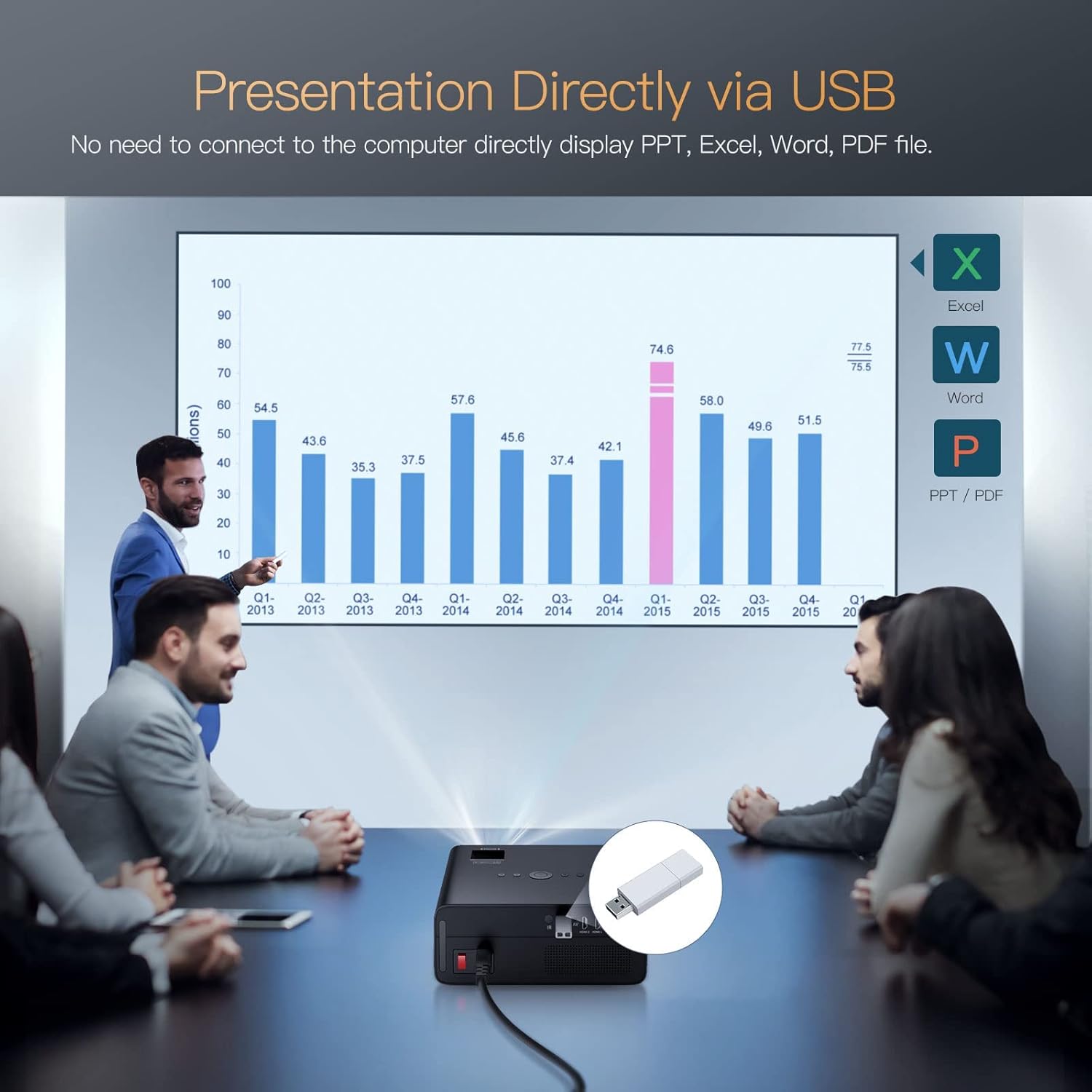
Image 4.3: Direct presentation from USB drive.
5. Операция
5.1 Негизги навигация
Use the included remote control to navigate the projector's menu, select input sources, adjust volume, and access various settings. The projector also has physical buttons for basic controls.
5.2 Image Adjustment (Keystone & Zoom)
The TOPTRO X5 features 4P/4D keystone correction to adjust the image shape and size, ensuring a rectangular projection even when the projector is not perfectly aligned with the screen. Use the remote control to access these settings and make adjustments. The projector also supports a zoom function to resize the image without moving the unit.

Image 5.1: 4D and 4P Digital Keystone Correction in action.
6. Техникалык тейлөө
6.1 Тазалоо
- Объектив: Проектордун линзасын акырын сүртүү үчүн атайын оптикалык линзалар үчүн жасалган жумшак, түксүз кездемени колдонуңуз. Абразивдүү материалдардан же катуу химиялык заттардан алыс болуңуз.
- Сырткы: Проектордун сыртын жумшак, кургак чүпүрөк менен сүртүңүз. Суюк тазалагычтарды түз эле аппаратта колдонбоңуз.
- Тешиктер: Аба агымынын туура болушун камсыз кылуу жана ысып кетүүнүн алдын алуу үчүн желдетүү тешиктерин мезгил-мезгили менен текшерип жана тазалап туруңуз. Чаңды кетирүү үчүн жумшак щетканы же кысылган абаны колдонуңуз.
6.2 Сактоо
Проекторду узак убакыт бою колдонбогон учурда, аны салкын, кургак жана чаңсыз жерде сактаңыз. Бузулуп калбашы үчүн түпнуска таңгагын же коргоочу кутучаны колдонуңуз.
7. Кыйынчылыктарды
- Кубат жок: Ensure the power cord is securely connected to both the projector and the power outlet. Check if the power outlet is functional.
- Сүрөт жок: Verify the input source is correctly selected in the projector's menu. Check all cable connections (HDMI, AV, USB) for proper seating.
- бүдөмүк сүрөт: Adjust the focus ring on the lens. Ensure the projection surface is flat and the projector is within the recommended distance. Use keystone correction if the image is distorted.
- Үн жок: Check the volume settings on both the projector and the connected source device. If using Bluetooth, ensure it's correctly paired. If using wired audio, check cable connections.
- WiFi/Bluetooth туташуу маселелери: Ensure both devices are within range. Restart the projector and the connected device. Check for any interference from other wireless devices.
- Image Discoloration or Burn-in: If you observe persistent discoloration or 'burn-in' on the projected image, this may indicate an issue with the internal components. If this occurs, please contact TOPTRO customer support for assistance.
8. Техникалык шарттар
| Өзгөчөлүк | Спецификация |
|---|---|
| Бренд | TOPTRO |
| Модел | X5 |
| Native Resolution | 1920 x 1080 (Түпнуска 1080P) |
| Колдоого алынган резолюция | Up to 3840 x 2160 Pixels (4K) |
| Жарыктык | 18000 Lumens (460 ANSI Lumens) |
| Контраст катышы | 15000:1 |
| Дисплей технологиясы | LCD |
| Сүрөттүн катышы | 16:9, 4:3 |
| Зымсыз байланыш | 2.4G & 5G Dual-band WiFi, Bluetooth 5.1 (Bidirectional) |
| Аппараттык интерфейс | AV Port, HDMI, USB (2 ports) |
| Өзгөчөлүктөр | 90% NTSC Wide Color Gamut, 4P/4D Keystone Correction, Wireless Screen Mirroring, Direct USB File Playback (Office/PDF) |
| Монтаж түрү | Алдыңкы/арткы столдо, алдыңкы/арткы шыпта |
| Продукциянын өлчөмдөрү | 26 x 22.75 x 11.2 см |
| Элемент Салмагы | 3.17 кг |
| Power Source | Зымдуу электр (220 ватт) |
| Жаңыртуу ылдамдыгы | 60 Гц |
9. Кепилдик жана колдоо
TOPTRO provides comprehensive support for your X5 Projector:
- Кайтаруу саясаты: 6-Month return period.
- Оңдоо кызматы: 3-Year repair warranty.
- Техникалык колдоо: Lifetime professional technical support.
For any inquiries or assistance, please contact TOPTRO customer service through the official channels provided at the point of purchase or on the TOPTRO webсайт.


