Blaupunkt SBW250 200W Soundbar системасы Колдонуучунун колдонмосу
Model: SBW250
Introduction
This manual provides detailed instructions for the setup, operation, and maintenance of your Blaupunkt SBW250 200W Soundbar System. Please read this manual thoroughly before using the product to ensure proper functionality and to maximize your audio experience. Keep this manual for future reference.
Маанилүү коопсуздук нускамалары
To reduce the risk of electric shock, fire, or damage to the unit, observe the following safety precautions:
- Бул шайманды жамгырга же нымга тийгизбеңиз.
- Ваза сыяктуу суюктуктар толтурулган нерселерди аппараттын үстүнө койбоңуз.
- Эч кандай желдетүүчү тешиктерди жаап албаңыз. Өндүрүүчүнүн көрсөтмөлөрүнө ылайык орнотуу.
- Радиаторлор, жылуулук регистрлери, мештер же башка аппараттар (анын ичинде) сыяктуу жылуулук булактарынын жанына орнотпоңуз ampкөтөргүчтөр) жылуулукту пайда кылуучу.
- Электр шнурунун басылып кетүүсүнөн же кысып калуудан сактаңыз, өзгөчө сайгычтарда, розеткаларда жана алар аппараттан чыга турган жеринде.
- Өндүрүүчү тарабынан көрсөтүлгөн тиркемелерди/аксессуарларды гана колдонуңуз.
- Бул аппаратты чагылгандуу бороондордо же узак убакыт бою колдонбогондо электр розеткасынан ажыратыңыз.
- Бардык тейлөөнү квалификациялуу тейлөө кызматкерлерине тапшырыңыз. Аппарат кандайдыр бир жол менен бузулганда тейлөө талап кылынат.
Пакеттин мазмуну
Таңгакта бардык компоненттер бар экенин текшериңиз:
- Blaupunkt SBW250 Soundbar
- Зымсыз сабвуфер
- Алыстан башкаруу
- Power Adapter/Cables
- Колдонуучунун Колдонмосу (бул документ)
- Wall Mount Kit (if included)
Продукт бүттүview
The Blaupunkt SBW250 system consists of a soundbar and a wireless subwoofer, designed to enhance your audio experience with powerful sound and deep bass.

Image: The Blaupunkt SBW250 soundbar, wireless subwoofer, and remote control, showcasing the complete audio system.
Soundbar өзгөчөлүктөрү
- Integrated full-range speakers for clear audio.
- Multiple connectivity options: HDMI (ARC), AUX, USB, Bluetooth.
- Front panel controls for basic functions.
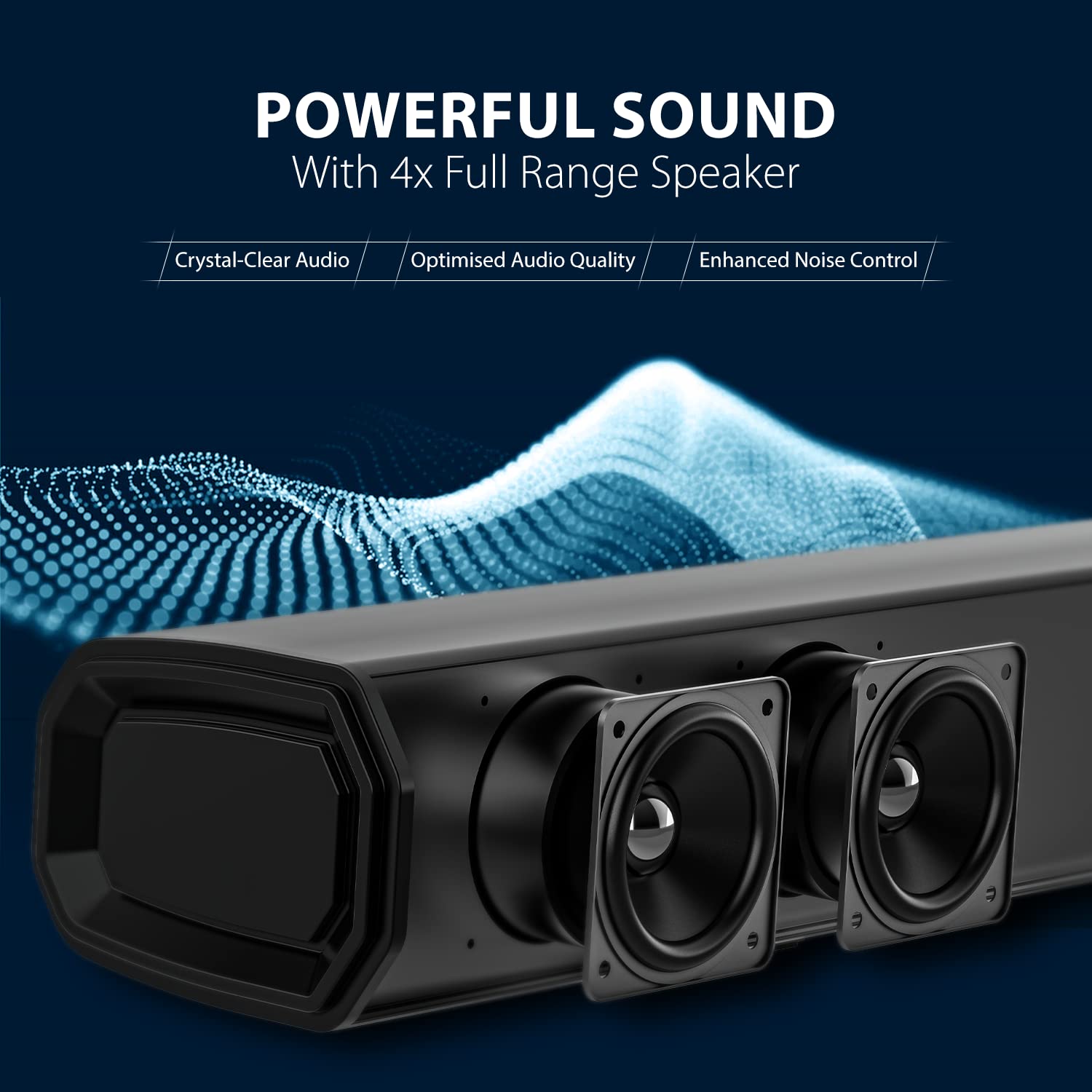
Сүрөт: жакын план view of the soundbar's internal speakers, highlighting the audio components.
Сабвуфердин өзгөчөлүктөрү
- 8-inch wireless subwoofer for deep bass.
- Automatic pairing with the soundbar.

Сүрөт: деталдуу view of the 8-inch subwoofer, illustrating its design for powerful bass output.
Алыстан башкаруу
The included remote control provides full functionality for managing your soundbar system, including power, volume, input selection, and equalizer modes.
Орнотуу колдонмосу
1. Жайгаштыруу
Оптималдуу аудио иштеши үчүн, төмөнкү жайгаштыруу көрсөтмөлөрүн карап чыгыңыз:
- Саундбар: Place the soundbar centrally below your television. Ensure there are no obstructions in front of the soundbar.
- ЛГурченко: The wireless subwoofer can be placed anywhere in the room, preferably on the floor, to achieve the best bass response. Avoid placing it in enclosed cabinets.

Image: The soundbar positioned below a television and the subwoofer placed next to a TV cabinet in a typical living room environment, demonstrating ideal placement for surround sound.
2. Байланыштар
Connect the soundbar to your audio source using one of the available methods:
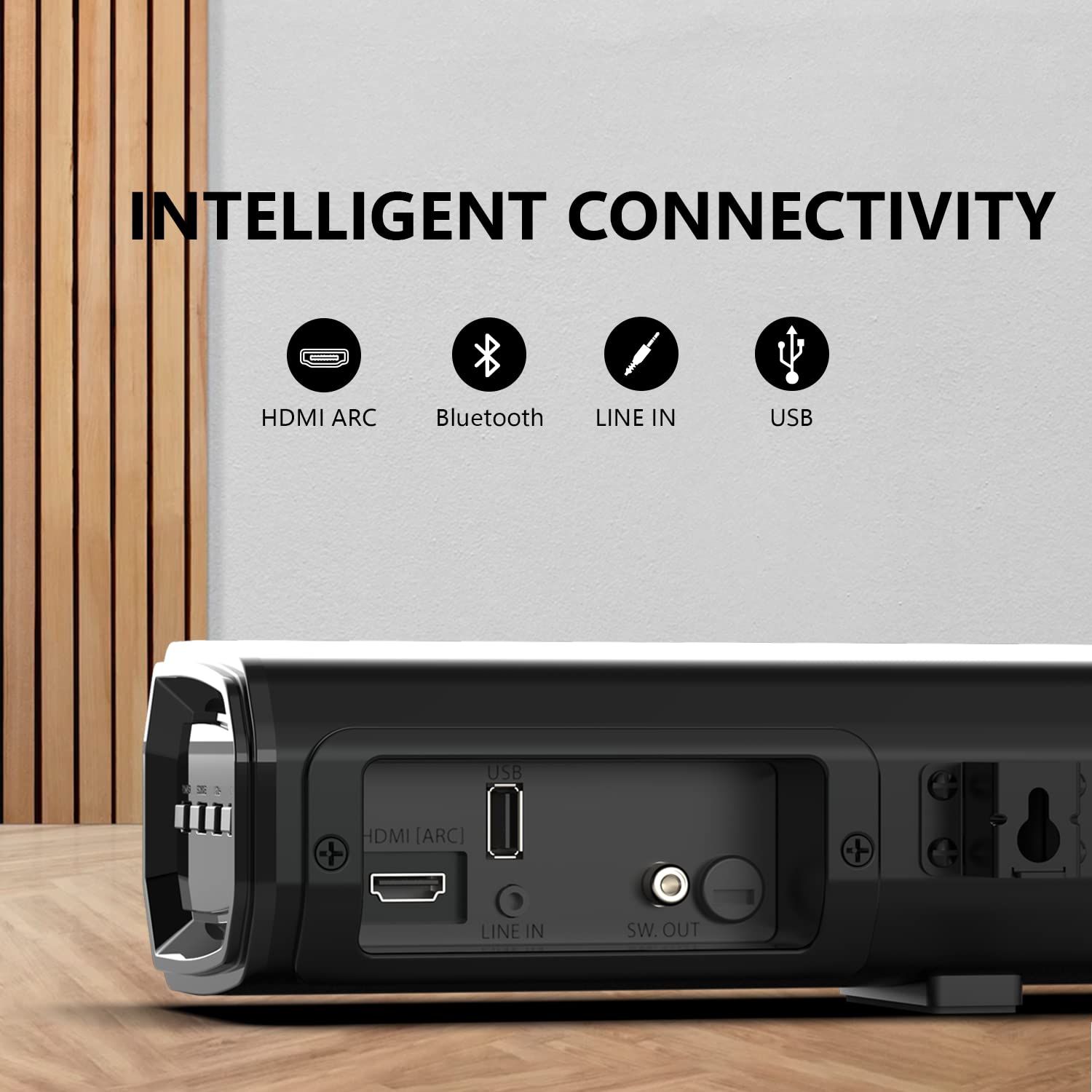
Image: A close-up of the soundbar's rear panel, showing the HDMI ARC, USB, Line In (AUX), and SW. OUT ports for various connectivity options.
- HDMI (ARC) туташуу:
Connect an HDMI cable from the HDMI (ARC) port on the soundbar to the HDMI (ARC) port on your television. This allows audio to be sent from the TV to the soundbar and enables control of the soundbar with your TV remote (if supported by your TV).
- AUX (Line In) Connection:
Use a 3.5mm audio cable to connect the AUX (Line In) port on the soundbar to the audio output (headphone jack or AUX out) of your device (e.g., TV, smartphone, MP3 player).
- USB туташуу:
Аудио камтыган USB флэш-дискти салыңыз files into the USB port on the soundbar for direct playback.
- Bluetooth байланыш:
For wireless audio streaming, refer to the "Bluetooth Pairing" section under Operating Instructions.
3. Power Connection
Connect the power cable to the soundbar and the subwoofer, then plug them into a wall outlet. The soundbar and subwoofer will automatically attempt to pair.
Иштөө нускамалары
1. Күйгүзүү/өчүрүү
- басыңыз Күч аппаратты күйгүзүү же өчүрүү үчүн саундбардагы же алыстан башкаруудагы баскычты басыңыз.
2. Киргизүүнү тандоо
- басыңыз Киргизүү or Булак button on the soundbar or remote control repeatedly to cycle through available input sources: HDMI (ARC), AUX, USB, Bluetooth.
3. Үндү башкаруу
- колдонуу Көлөм + жана Көлөмү - buttons on the soundbar or remote control to adjust the volume level.
- басыңыз Үнсүз аудиону убактылуу басуу үчүн пульттун баскычын басыңыз. Үнүн ачуу үчүн кайра басыңыз.
4. Bluetooth Жупташтыруу
- Turn on the soundbar and select the Bluetooth input mode. The indicator light will flash, indicating it is in pairing mode.
- Мобилдик түзмөгүңүздө (смартфон, планшет ж.б.) Bluetooth'ду иштетип, жеткиликтүү түзмөктөрдү издеңиз.
- тандоо "Blaupunkt SBW250" аппараттардын тизмесинен.
- Once paired, the indicator light on the soundbar will stop flashing and remain solid. You can now stream audio wirelessly.
5. Equalizer Modes
The soundbar features multiple equalizer modes to optimize audio for different content types:

Image: A visual representation of the four equalizer modes (Song, Cinema, Dialog, 3D) available on the soundbar, designed to match various entertainment types.
- басыңыз EQ жеткиликтүү режимдер аркылуу айлануу үчүн алыстан башкаруудагы баскыч: Ыр, Кино, Диалог, жана 3D.
Техникалык тейлөө
Тазалоо
- Тазалоодон мурун ар дайым саундбарды жана сабвуферди розеткадан сууруп алыңыз.
- Саундбардын жана сабвуфердин беттерин сүртүү үчүн жумшак, кургак чүпүрөктү колдонуңуз.
- Do not use liquid cleaners, abrasive cleaners, or sprays, as these may damage the finish or internal components.
Кыйынчылыктарды табуу боюнча колдонмо
If you encounter issues with your Blaupunkt SBW250 Soundbar System, refer to the following common problems and solutions:
| Көйгөй | Мүмкүн себеп | Чечим |
|---|---|---|
| Күч жок | Электр кабели туташкан эмес; Электр розеткалары активдүү эмес. | Ensure power cables are securely connected to the soundbar, subwoofer, and a working power outlet. |
| Үн жок | Incorrect input source selected; Volume too low; Cables not connected properly. | Select the correct input source. Increase the volume. Check all audio cables for secure connections. Ensure the soundbar is not muted. |
| Сабвуфер жупташкан жок | Сабвуфер саундбардан өтө алыс; тоскоолдук; жупташууда көйгөй бар. | Ensure the subwoofer is within range of the soundbar. Power cycle both the soundbar and subwoofer. Refer to the manual for manual pairing instructions if automatic pairing fails. |
| Bluetooth байланышы көйгөйлөрү | Device not in pairing mode; Interference; Device too far. | Ensure the soundbar is in Bluetooth pairing mode. Move your device closer to the soundbar. Disconnect and re-pair the device. Clear previous Bluetooth connections on your device. |
| Пульт иштебей жатат | Batteries depleted; Obstruction; Remote not pointed correctly. | Replace the batteries in the remote control. Ensure there are no obstructions between the remote and the soundbar's sensor. Point the remote directly at the soundbar. |
Техникалык шарттар
Technical specifications for the Blaupunkt SBW250 Soundbar System:
- Модель аты: SBW250
- Бренд: Blaupunkt
- Динамик түрү: 3D, Soundbar, Surround Sound
- Ватtage: 200 Ватт
- Сабвуфердин диаметри: 8 дюйм
- Tweeter диаметри: 1 дюйм
- Байланыш технологиясы: Auxiliary, Bluetooth, HDMI (ARC), USB
- Зымсыз байланыш технологиясы: Bluetooth
- Аудио чыгаруу режими: Курчап
- Башкаруу ыкмасы: Алыстан
- Материал: Металл
- Түсү: Кара
- Шайкеш түзмөктөр: Smartphone, Tablet, Television
Кепилдик жана колдоо
For warranty information and technical support, please refer to the warranty card included with your product or visit the official Blaupunkt webсайт. Сатып алуу квитанциясын кепилдик дооматтары үчүн сатып алуунун далили катары сактаңыз.
Өндүрүүчү: Envent World Wide Pvt Ltd


