1. Киришүү
This manual provides detailed instructions for the installation, operation, and maintenance of your Blaupunkt Newport Beach 7-inch Car Stereo. Please read this manual thoroughly before using the product to ensure proper function and to prevent damage.
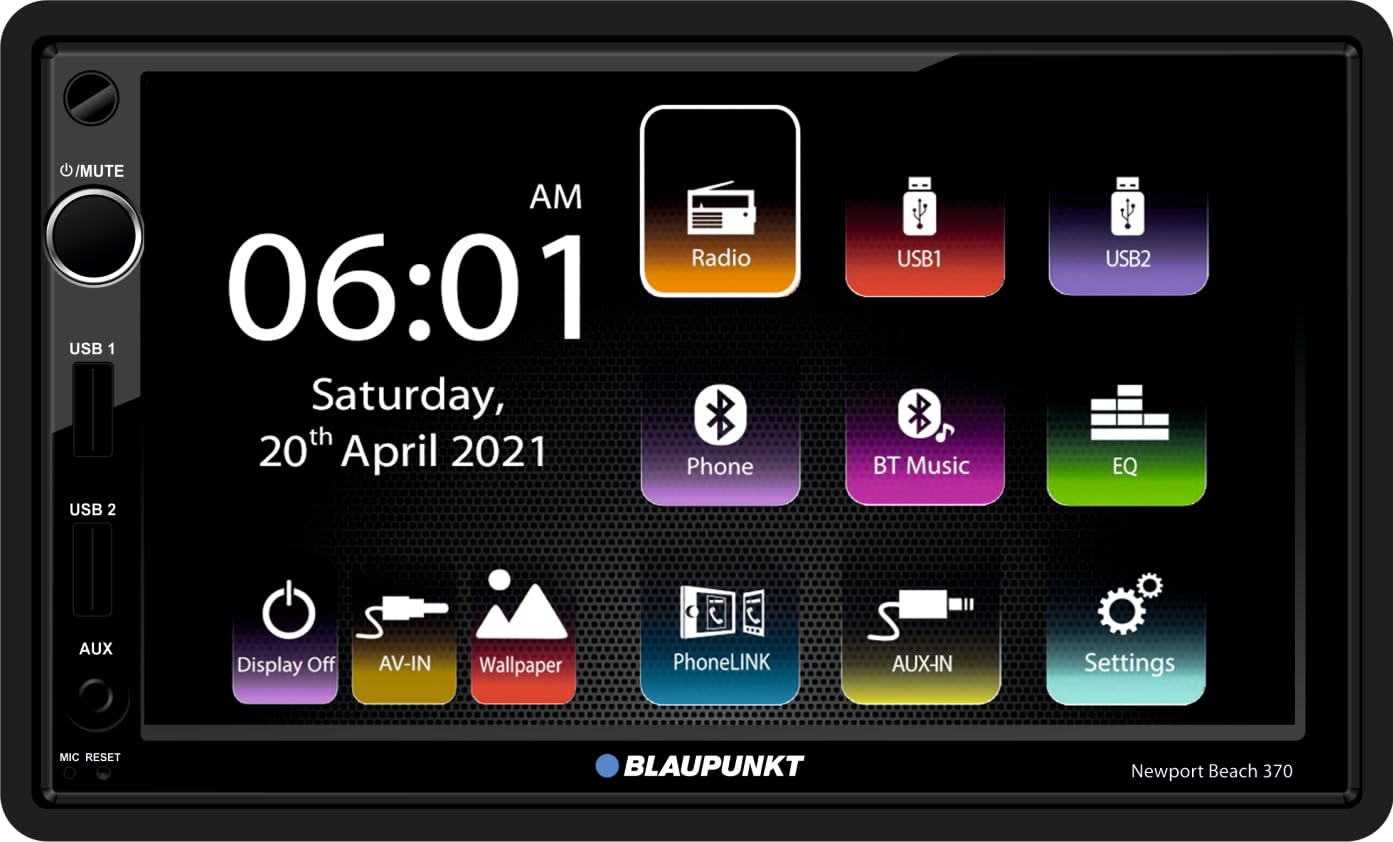
Сүрөт 1.1: Алдыңкы view of the Blaupunkt Newport Beach 7-inch Car Stereo with its main user interface.
2. Коопсуздук маалыматы
Observe the following safety guidelines to ensure safe operation and prevent damage to the unit or vehicle:
- Always consult a professional for installation to avoid electrical damage or improper wiring.
- Агрегатты айдоодон алаксыта тургандай иштетпеңиз.
- Ensure all wiring is correctly connected before powering on the unit.
- Аппаратты экстремалдык температурага, түз күн нуруна узак убакытка же ашыкча нымдуулукка дуушар кылуудан алыс болуңуз.
- Агрегатты ажыратууга же өзгөртүүгө аракет кылбаңыз. Бул кепилдикти жокко чыгарып, зыян келтириши мүмкүн.
3. Пакеттин мазмуну
Пакетте бардык буюмдар бар экенин текшериңиз:
- 1x Blaupunkt Newport Beach 7-inch Car Stereo Unit
- 3x Connector Cables
- 1x Hand Remote Control
- 1x Колдонуучунун колдонмосу (бул документ)
- 1x Кепилдик картасы
4. Продукциянын өзгөчөлүктөрү
The Blaupunkt Newport Beach 7-inch Car Stereo offers a range of advanced features:
- Large 17.78 cm (7 inches) Capacitive High Brightness Touch panel (1240x600 pixels)
- 2 pairs pre-outs (2V)
- 7-band Equalizer (EQ)
- High-end Tuner for FM radio
- PhoneLINK equipped for smartphone mirroring
- Dual front USB (Type A) ports
- AV-IN киргизүү
- Rear video out
- Steering Wheel Control compatible
- Bluetooth v5.0 for hands-free calling and audio streaming
5. Орнотуу
5.1 Орнотуу
Due to the complexity of car audio systems and vehicle electrical wiring, professional installation is highly recommended. Incorrect installation can lead to damage to the unit, vehicle, or personal injury. Ensure the unit is securely mounted in the dashboard opening.
5.2 Электр өткөргүч схемасы
Refer to the included wiring diagram for detailed connection instructions. Ensure all power, ground, speaker, and auxiliary connections are made correctly. The unit features dedicated ports for USB, AV-IN, and rear view камера киргизүү.

Сүрөт 5.1: Туташуу порттору бар арткы панель.

5.2-сүрөт: Каптал view illustrating mounting points.
6. Иштөө нускамалары
6.1 Негизги башкаруу каражаттары
The unit features a volume knob on the front panel. Pressing the knob typically mutes the audio. A small reset button is also available, usually requiring a pointed object to press.
6.2 Сенсордук экран интерфейси
The 7-inch capacitive touchscreen allows intuitive control of all functions. Tap icons to select applications or settings. Swipe gestures may be used for navigation in certain menus.
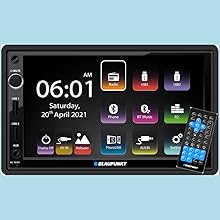
6.1-сүрөт: Негизги колдонуучу интерфейси.
6.3 Радио менен иштөө
Select the 'Radio' icon from the main menu. Use the touchscreen to tune to desired frequencies, scan for stations, and save presets.

Figure 6.2: Radio Interface.
6.4 Bluetooth байланышы
To pair your smartphone, navigate to the 'Bluetooth' settings. Enable Bluetooth on your phone and search for available devices. Select 'Blaupunkt Newport Beach' (or similar name) from the list and confirm pairing. Once connected, you can make hands-free calls and stream audio.
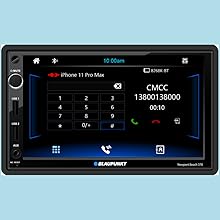
Figure 6.3: Bluetooth Call Interface.
6.5 PhoneLINK/Mirror-Link
The PhoneLINK feature allows you to mirror your smartphone's screen onto the car stereo display. Connect your smartphone via USB and follow the on-screen prompts or refer to your phone's mirroring instructions. This enables access to compatible apps directly from the stereo.
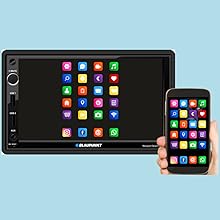
Figure 6.4: PhoneLINK/Mirror-Link Functionality.
6.6 USB ойнотуу
Insert a USB drive into one of the dual front USB ports. The unit will automatically detect the drive and display playable media files. Use the touchscreen to navigate folders and select audio or video fileойнотуу үчүн.
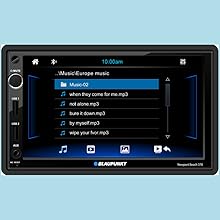
Figure 6.5: USB Music Playback Interface.
6.7 AV-IN Function
Connect external audio/video sources to the AV-IN port using appropriate cables. Select the 'AV-IN' option from the main menu to display content from the connected device.
6.8 Эквалайзер (EQ) орнотуулары
Access the 'EQ' settings from the main menu to customize audio output. Adjust frequency bands to suit your listening preferences or select from various preset equalizer modes (e.g., Pop, Rock, Jazz).
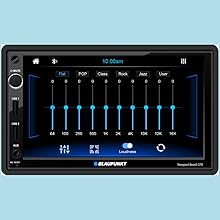
Figure 6.6: Equalizer Settings.
6.9 Рулду башкаруу
If your vehicle supports steering wheel controls, the unit is compatible. Professional installation may be required to connect and configure these controls. Access the settings menu to map functions to your steering wheel buttons.
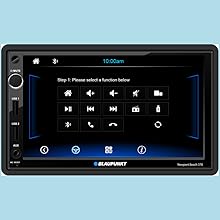
Figure 6.7: Steering Wheel Control Settings.
6.10 Арткы View Камера
Бирдик арткы жагын колдойт view camera input. When a compatible camera is connected and the vehicle is in reverse gear, the display will automatically switch to the camera feed, assisting with parking and maneuvering.
7. Техникалык тейлөө
Унааңыздын стереосистемасын жана анын иштешин жана көрүнүшүн сактоо үчүн:
- Экранды тазалоо: Сенсордук экранды акырын сүртүү үчүн жумшак, түксүз чүпүрөктү колдонуңуз. өжөр тактар үчүн, бир аз гampчүпүрөккө суу же экранды тазалоочу каражат. Катуу химиялык заттардан же абразивдүү материалдардан алыс болуңуз.
- Жалпы тазалоо: Wipe the unit's exterior with a dry, soft cloth.
- Суюктуктардан алыс болуңуз: Do not spray liquids directly onto the unit.
8. Кыйынчылыктарды
If you encounter issues with your car stereo, refer to the table below for common problems and solutions:
| Көйгөй | Мүмкүн себеп | Чечим |
|---|---|---|
| Күч жок | Incorrect wiring; Blown fuse; Vehicle battery issue | Check power and ground connections; Inspect vehicle fuses; Consult a professional. |
| Үн жок | Динамик зымдары ажыратылган; Үнү өтө төмөн; Үнсүз режим функциясы иштеп турат; Туура эмес аудио булагы тандалган. | Verify speaker connections; Increase volume; Deactivate mute; Select correct audio source. |
| Bluetooth бат-баттан ажыратылат | Interference; Device too far; Outdated phone software. | Ensure phone is close to the unit; Avoid other Bluetooth devices nearby; Update phone OS. |
| Сенсордук экран жооп бербейт | Системанын иштебей калышы; программалык камсыздоонун иштебей калышы. | Perform a soft reset using the reset button; Power cycle the vehicle. |
| PhoneLINK not working | Туура эмес USB кабели; Телефон орнотуулары; Колдонмонун шайкештиги. | Use a high-quality USB data cable; Check phone's USB debugging/mirroring settings; Ensure app compatibility. |
9. Техникалык шарттар
| Өзгөчөлүк | Спецификация |
|---|---|
| Бренд | Blaupunkt |
| Модель аты | Newport Beach 7 inches (Internal Model: BlaupunktCar) |
| Продукциянын өлчөмдөрү | 17.5 x 9.5 x 10 см |
| Элемент Салмагы | 690 г |
| Дисплей | 7-inch Capacitive Touch Panel (1240x600 Pixels) |
| Аудио чыгаруу режими | Стерео |
| Аудио Wattage | 200 Ватт |
| Динамиктин айланасындагы үн каналынын конфигурациясы | 4.0 |
| Pre-outs | 2 pairs (2V) |
| Эквалайзер | 7 Band EQ |
| Байланыш технологиясы | USB, Bluetooth 5.0 |
| Туташтыргыч түрү | Dual Front USB (Type A), AV-IN, 3.5mm Jack |
| Шайкеш түзмөктөр | Смартфон |
| Өзгөчөлүктөр | Built-In Bluetooth, FM Tuner, PhoneLINK/Mirror-Link, Rear Video Out, Steering Wheel Control Compatible |
| Монтаж түрү | Панел орнотуу |
| Power Source | Vehicle Electrical System (No Batteries Required) |
10. Кепилдик жана колдоо
10.1 Кепилдик маалыматы
Your Blaupunkt Newport Beach 7-inch Car Stereo comes with a warranty. Please refer to the included Warranty Card for specific terms, conditions, and duration of the warranty. Keep your purchase receipt as proof of purchase.
10.2 Кардарларды колдоо
For technical assistance, troubleshooting not covered in this manual, or warranty claims, please contact Blaupunkt customer support:
- Кардарларды тейлөө номери: 18002096820
- Электрондук почта: info@blaupunktcar.in
- Импорттоочунун дареги: BPIN Pvt. Ltd. - 47, Atlanta Society, Jamnalal Bajaj Marg, Nariman Point, Mumbai - 400021, Maharashtra, India


