1. Киришүү
Сатып алганыңыз үчүн рахматasing the KOORUI 27-inch IPS Full HD Monitor, Model 27N1FHD. This manual provides essential information for the proper installation, operation, and maintenance of your monitor. Please read this manual thoroughly before using the product and retain it for future reference.
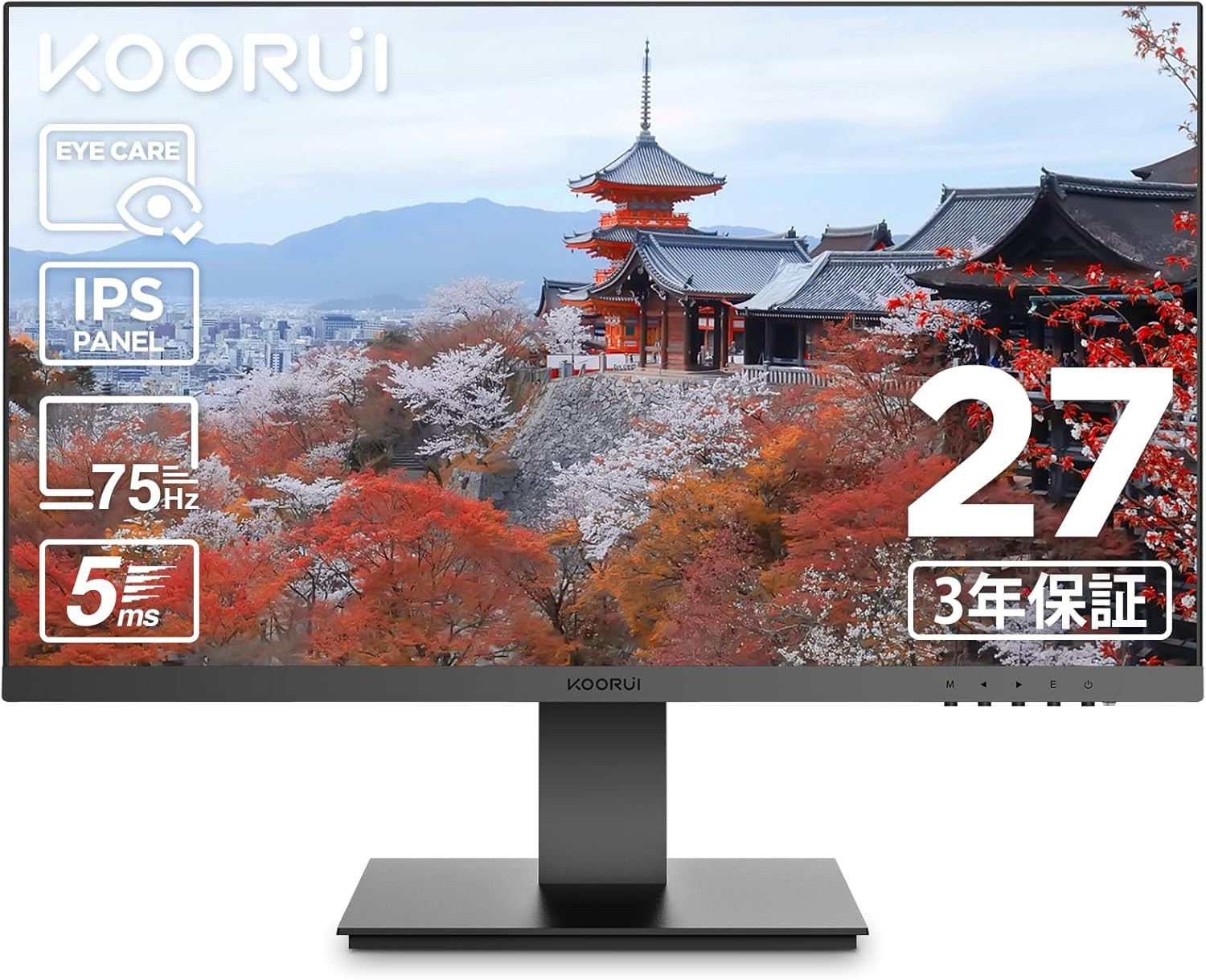
Сүрөт 1.1: Алдыңкы view of the KOORUI 27-inch IPS Full HD Monitor.
2. Коопсуздук маалыматы
Коопсуз эксплуатацияны камсыз кылуу жана зыян келтирбөө үчүн төмөнкү коопсуздук чараларын сактаңыз:
- Мониторду жамгырдын, нымдуулуктун же экстремалдык температуранын таасирине тийгизбеңиз.
- Мониторду күн тийген жерге же жылуулук булактарынын жанына коюудан алыс болуңуз.
- Монитордун айланасында туура желдетүүнү камсыз кылыңыз. Вентиляция тешиктерин жаап албаңыз.
- Монитор менен кошо берилген кубат адаптерин гана колдонуңуз.
- Чагылган бороондо же узак убакыт бою колдонулбаганда электр кабелин розеткадан ажыратыңыз.
- Мониторду ачууга аракет кылбаңызasinг. Бардык тейлөөлөрдү квалификациялуу кызматкерлерге тапшырыңыз.
- Мониторду күчтүү магнит талаасынан алыс кармаңыз.
3. Пакеттин мазмуну
Пакетиңизде бардык буюмдар бар экенин текшериңиз:
- KOORUI 27-inch IPS Full HD Monitor (Model 27N1FHD)
- HDMI кабели (1.5 м)
- Кубаттуу адаптер
- Колдонуучунун колдонмосу (бул колдонмо)
- Монитордун негизи
- Monitor Stand Column

Сүрөт 3.1: Алдыңкы жана арткы view of the KOORUI 27N1FHD monitor, showing ports and VESA mounting points.
4. Орнотуу нускамалары
4.1 Стендди чогултуу
- Чийип кетпеши үчүн мониторду жумшак, таза бетке ылдый каратып кой.
- Attach the stand column to the back of the monitor until it clicks into place or is secured with screws (if provided).
- Attach the stand base to the bottom of the stand column and secure it with the thumb screw or screws.
- Carefully lift the monitor and place it on a stable, flat surface.
4.2 Мониторду туташтыруу
The monitor supports HDMI and VGA connections.
- Кубат туташуу: Connect the power adapter to the monitor's power input and then plug the adapter into a power outlet.
- Видео туташуу (HDMI): Connect one end of the provided HDMI cable to the HDMI port on your computer and the other end to the HDMI port on the monitor.
- Видео туташуу (VGA): Connect a VGA cable (not included) to the VGA port on your computer and the other end to the VGA port on the monitor.

Сүрөт 4.1: Арткы view of the monitor showing VESA mount (75x75mm) and tilt adjustment range (-5° to +15°).
4.3 VESA орнотуу
This monitor is compatible with VESA 75x75mm mounting standards, allowing for alternative mounting solutions such as wall mounts or monitor arms (sold separately).
- Remove the stand column from the monitor.
- VESA менен шайкеш келген бекиткичиңизди монитордун арткы жагындагы төрт бурама тешиктерине бекитиңиз.
- Ensure the screws are tightened securely.

Сүрөт 4.2: Мисample of the monitor mounted on a VESA-compatible arm.
5. Иштөө нускамалары
5.1 Күйгүзүү/өчүрүү
Мониторду күйгүзүү же өчүрүү үчүн анын төмөнкү оң жагында жайгашкан кубат баскычын басыңыз.
5.2 Экрандагы дисплей (OSD) менюсу
The OSD menu allows you to adjust various display settings. Use the control buttons (usually located on the bottom right or rear of the monitor) to navigate the menu.
- Меню баскычы: OSD менюсун ачат.
- Чабыттоо баскычтары: Used to move through menu options (Up/Down or Left/Right).
- Тандоо/кирүү баскычы: Тандоону ырастайт же кошумча менюга кирет.
- Чыгуу баскычы: Учурдагы менюдан же OSDден чыгат.
5.3 Жалпы OSD орнотуулары
- Жарыктык/Контраст: Adjusts the overall luminance and contrast of the display.
- Түс жөндөөлөрү: Түс температурасын, гамманы жана жеке RGB деңгээлдерин тууралоого мүмкүндүк берет.
- Киргизүүнү тандоо: HDMI жана VGA киргизүү булактарынын ортосунда кол менен которулуңуз.
- Сүрөт режими: Pre-set display modes for different content types (e.g., Standard, Game, Movie, Text).
- Көзгө кам көрүү режими: Activates or adjusts the blue light filter.
- Тил: OSD меню тилин тандайт.
- Кайтаруу: Бардык OSD жөндөөлөрүн заводдук демейки абалдарына кайтарат.
6. Негизги өзгөчөлүктөрү
6.1 Көзгө кам көрүү технологиясы
The KOORUI 27N1FHD monitor incorporates advanced eye care features to enhance user comfort during prolonged use:
- Flicker-Free (DC Dimming): Utilizes DC dimming technology to eliminate screen flickering, which can cause eye strain and fatigue.
- Төмөн көк жарык чыпкасы: Reduces the emission of harmful high-energy short-wave blue light, protecting your eyes and promoting better sleep patterns.

Image 6.1: Visual representation of blue light reduction and flicker-free technology for eye comfort.
6.2 IPS Panel with Full HD Resolution
Experience vibrant colors and sharp details with the IPS (In-Plane Switching) panel and Full HD (1920x1080p) resolution.
- IPS технологиясы: Provides consistent and accurate colors from wide viewing angles (178° horizontal and vertical).
- Full HD (1920x1080p): Delivers crisp and clear images for work, entertainment, and general computing.
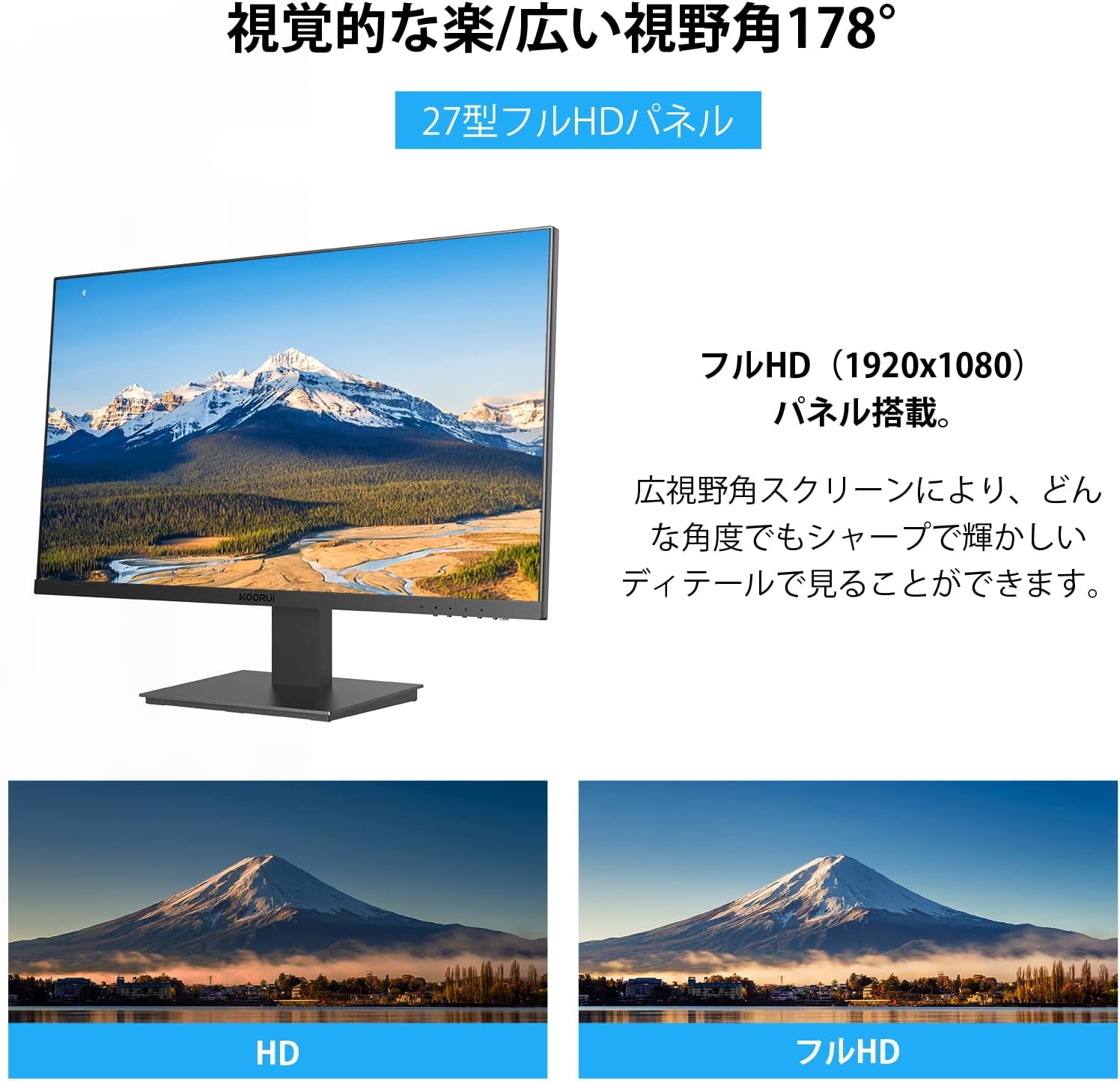
Image 6.2: Illustration of the 178° wide viewing angle and comparison between HD and Full HD image quality.

Image 6.3: Demonstrates the wide 178° viewing angle, allowing multiple viewers to see clear images.
6.3 Ultra-Slim Bezel Design
The monitor features a 3-sided ultra-slim bezel, also known as a "zero-frame design," which maximizes screen space and is ideal for multi-monitor setups.

Сүрөт 6.4: Мисample of a multi-monitor setup showcasing the ultra-slim bezel design.

Сүрөт 6.5: Башка view of a multi-screen setup, highlighting the seamless visual experience.
6.4 Байланыш жана иштөө
- Бир нече интерфейстер: Equipped with HDMI and VGA ports for versatile connectivity with various devices like PCs, laptops, and gaming consoles.
- 75Hz жаңыртуу ылдамдыгы: Provides smoother visuals compared to standard 60Hz monitors, beneficial for everyday use and casual gaming.
- 5ms жооп берүү убактысы: Reduces motion blur and ghosting, ensuring a clear image during fast-paced scenes.

Image 6.6: The monitor is suitable for diverse applications including office work, graphic design, gaming, and movie watching.
7. Техникалык тейлөө
Туура тейлөө мониторуңуздун узак мөөнөттүү жана оптималдуу иштешин камсыз кылат.
- Экранды тазалоо: Экранды жумшак, түксүз чүпүрөк менен акырын сүртүңүз. өжөр белгилер үчүн, гampen the cloth with a small amount of screen cleaner specifically designed for LCD/LED displays. Do not spray cleaner directly onto the screen.
- Тазалоо Casing: Мониторду сүртүү үчүн жумшак, кургак чүпүрөктү колдонуңуз casinг. Абразивдүү тазалагычтарды же эриткичтерди колдонуудан алыс болуңуз.
- Колдонулбаганда өчүрүү: Энергияны үнөмдөө жана анын иштөө мөөнөтүн узартуу үчүн мониторду узак убакытка колдонбогондо өчүрүңүз.
8. Кыйынчылыктарды
Мониторуңузда көйгөйлөргө туш болсоңуз, төмөнкү жалпы көйгөйлөрдү жана чечимдерди караңыз:
| Көйгөй | Мүмкүн себеп | Чечим |
|---|---|---|
| Экранда сүрөт жок |
|
|
| Сүрөт бүдөмүк же бурмаланган |
|
|
| Экран жылтылдайт |
|
|
| No sound (Note: This monitor does not have built-in speakers) |
|
|
If the problem persists after trying these solutions, please contact KOORUI customer support.
9. Техникалык шарттар
| Өзгөчөлүк | Деталь |
|---|---|
| Бренд | KOORUI |
| Модел | 27N1FHD |
| Screen Size | 27 дюйм |
| Панел түрү | IPS |
| Резолюция | 1920x1080 (Full HD) |
| Жаңыртуу ылдамдыгы | 75 Гц |
| Жооп убактысы | 5ms |
| Аспект катышы | 16:9 |
| Viewбурч | 178° (H) / 178° (V) |
| Surface Treatment | Non-Glare / Anti-Glare |
| Байланыш | Сапаттуу, VGA |
| VESA шайкештиги | 75мм x 75мм |
| Тилтти тууралоо | -5°тан +15°ка чейин |
| Камтылган динамиктер | Жок |
| Көзгө кам көрүү өзгөчөлүктөрү | Flicker-Free (DC Dimming), Low Blue Light Filter |

Image 9.1: Key specifications of the KOORUI 27-inch monitor, including IPS panel, Full HD resolution, 99% sRGB color gamut, and 5ms response time.
10. Кепилдик жана колдоо
KOORUI provides a 3-year free exchange warranty for this product. If you encounter any issues or have questions regarding your monitor, please do not hesitate to contact our customer support team.
For support, please refer to the contact information provided on the KOORUI official webсайт же сатып алуу документтери.


