Introduction
Thank you for choosing the Hama MW-500 Recharge Optical 6-Button Wireless Mouse. This manual provides essential information for the safe and efficient operation of your device. The MW-500 mouse features a high-precision BlueWave optical sensor, 2.4 GHz wireless connectivity, and a built-in rechargeable Li-ion battery for extended use.
Жайгашуу
1. Пакеттин мазмуну
- Hama MW-500 Wireless Mouse
- USB кабыл алгыч
- Заряддоо кабели
- Бул Колдонуучунун колдонмосу
2. USB кабылдагычты туташтыруу
Locate the ultra-small USB receiver, typically stored in a compartment on the underside of the mouse. Remove the receiver and plug it into an available USB port on your notebook or PC. The Smart-Link technology ensures easy and automatic connection.
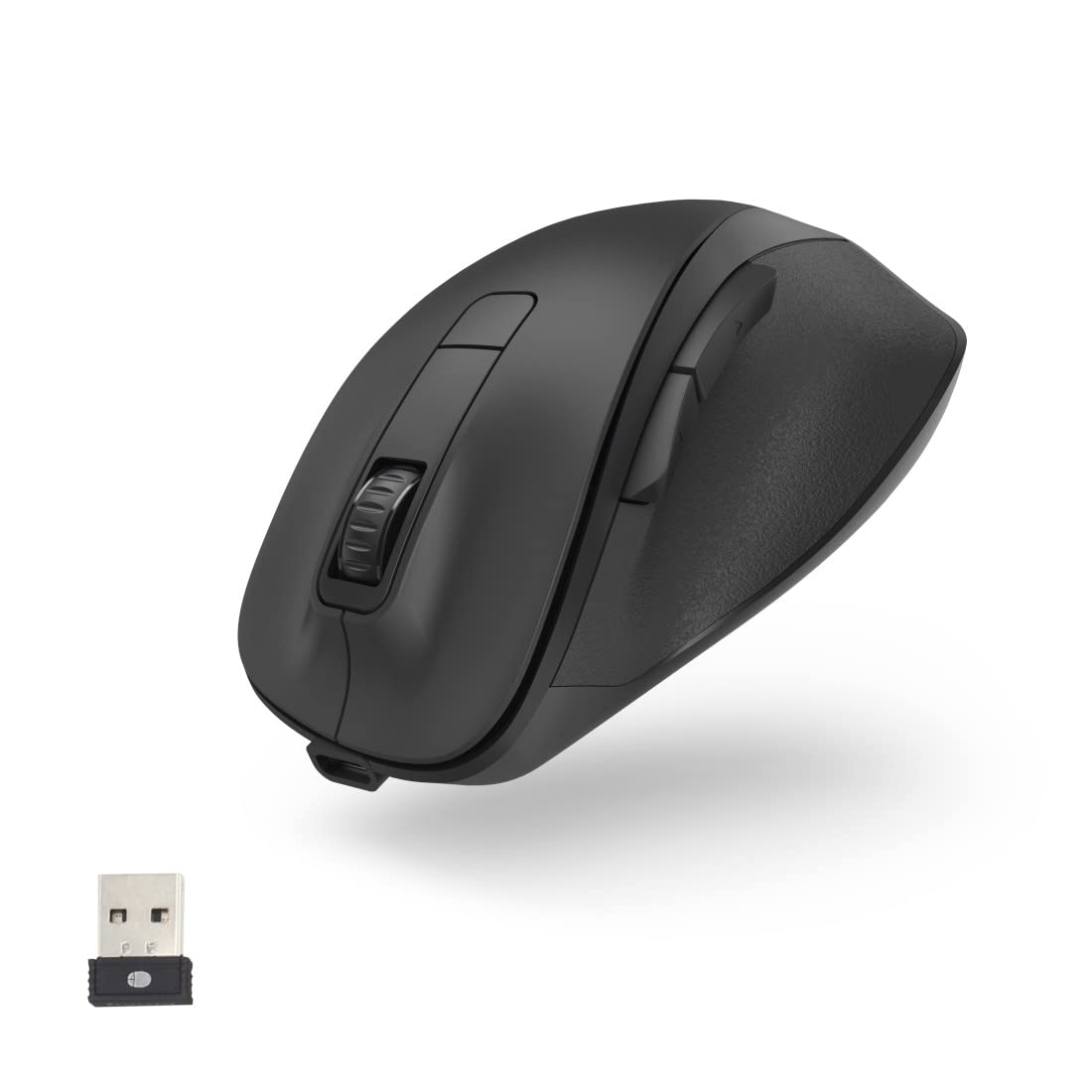
3. Чычканды заряддоо
The MW-500 mouse features a built-in rechargeable Li-ion battery. Before first use, or when the battery is low, connect the provided charging cable to the USB-C port on the front of the mouse and to a USB power source (e.g., computer USB port, USB wall adapter). A full charge provides approximately 75 days of everyday use. The mouse can be used while charging.


4. Күйгүзүү/өчүрүү
Locate the power switch on the underside of the mouse. Slide the switch to the 'ON' position to power on the mouse. Slide it to 'OFF' when not in use to conserve battery life.
Иштеп жатат
1. Баскыч функциялары
The Hama MW-500 is a 6-button mouse, providing enhanced functionality:
- Сол чыкылдатуу: Standard primary button.
- Оң чыкылдатуу: Standard secondary button.
- Жылдыруу дөңгөлөгү: For vertical scrolling. Can also be clicked for middle-click functionality.
- DPI баскычы: Located behind the scroll wheel, used to adjust cursor sensitivity.
- Алдыга/Артка баскычтары: Капталында жайгашкан, адатта багыттоо үчүн колдонулат web браузерлер же file изилдөөчүлөр.
2. DPI тууралоо
Press the DPI button to cycle through the available sensitivity settings: 800, 1200, and 1600 DPI. This allows you to adjust the cursor speed to suit your preference and task requirements.
3. Энергияны үнөмдөө режими
The mouse is equipped with an automatic power-saving mode. If the mouse is inactive for a period, it will enter a low-power state to conserve battery. Move the mouse or click any button to wake it up.

Техникалык тейлөө
1. Тазалоо
To clean your mouse, use a soft, dry, lint-free cloth. For stubborn dirt, slightly dampen the cloth with water or a mild cleaning solution. Avoid using harsh chemicals, abrasive cleaners, or solvents, as these can damage the surface of the mouse.
2. Батареяга кам көрүү
The integrated Li-ion battery is designed for long life. To maximize battery lifespan:
- Батареяны бат-баттан толук кубаттап калуудан алыс болуңуз.
- Чычканды узак убакыт бою колдонбосо, салкын, кургак жерде сактаңыз.
- Чычканды өтө жогорку температурага дуушар кылбаңыз.
Проблемаларды чечүү
Чычкан жооп бербейт
- Чычкан күйгүзүлгөнүн текшериңиз.
- USB кабыл алгычтын иштеген USB портуна бекем сайылганын текшериңиз.
- Verify the mouse battery has sufficient charge. Recharge if necessary.
- USB ресиверди башка USB портуна сайып көрүңүз.
- Компьютериңизди өчүрүп күйгүзүңүз.
Көрсөткүчтүн туура эмес кыймылы
- Чычкан сенсорунун таза жана тоскоолдуксуз экенин текшериңиз.
- Use the mouse on a suitable surface (e.g., a mouse pad). Highly reflective or uneven surfaces can affect tracking.
- Башка зымсыз аппараттардын кийлигишүүсүн текшериңиз.
Заряддоо маселелери
- Ensure the charging cable is properly connected to both the mouse and the power source.
- Башка USB портун же кубаттоо адаптерин колдонуп көрүңүз.
- Кубаттоочу кабелдин бузулбагандыгын текшериңиз.
Техникалык шарттар
| Бренд | Хама |
| Модель номери | 00173032 |
| Байланыш технологиясы | 2.4 ГГц зымсыз (USB кабыл алуучу) |
| Кыймылды аныктоо технологиясы | Optical (BlueWave) |
| DPI сезгичтиги | Switchable: 800, 1200, 1600 dpi |
| баскычтардын саны | 6 |
| Батарея түрү | Кайра заряддалуучу литий полимери |
| Батареянын орточо иштөө мөөнөтү | Approx. 75 days (with everyday use) |
| Продукциянын өлчөмдөрү (LxWxH) | 12 x 8.5 x 4.2 см |
| Элемент Салмагы | 114 г |

Кепилдик жана колдоо
For warranty information and technical support, please refer to the documentation provided with your purchase or contact Hama customer service directly. The manufacturer is Hama GmbH & Co. KG, Germany.


