1. Киришүү
The Nextorage NX-P2SE series portable SSD offers high-speed data transfer and a compact design, ideal for various data storage needs. This manual provides essential information for setting up, operating, maintaining, and troubleshooting your device.
Key features include a maximum read speed of 1,050 MB/s and a maximum write speed of 1,000 MB/s, ensuring efficient handling of large files.

Image 1.1: Nextorage NX-P2SE Portable SSD.

Image 1.2: Stress-free, ultra-fast data transfer capabilities of the SSD, showing maximum read and write speeds.

Image 1.3: Ultra-compact design of the SSD, illustrating its small size and light weight (0.7 oz).
2. Орнотуу
The Nextorage NX-P2SE SSD is designed for plug-and-play convenience. It comes pre-formatted in exFAT, making it ready for immediate use with various operating systems and devices.
2.1 Пакеттин мазмуну
Пакетиңизде төмөнкү заттар бар экенин текшериңиз:
- Nextorage NX-P2SE Portable SSD
- USB Type-C to Type-C cable (approximately 10 7/8 inches / 30 cm)
- USB Type-C to USB Type-A cable (approximately 10 7/8 inches / 30 cm)
2.2 SSD туташтыруу
To connect the SSD to your device:
- Select the appropriate USB cable (Type-C to C or Type-C to A) for your host device.
- Connect one end of the cable to the USB Type-C port on the SSD.
- Connect the other end of the cable to an available USB port on your computer (Windows PC, Mac), PlayStation 5, or compatible iPhone.
- SSD сиздин операциялык системаңыз тарабынан автоматтык түрдө таанылышы керек.

Image 2.1: The NX-P2SE SSD connected to various devices, demonstrating its plug-and-play compatibility.
3. Иштөө нускамалары
3.1 Маалыматтарды өткөрүү
Once connected, the SSD will appear as an external drive on your computer. You can drag and drop files to and from the SSD, or use your operating system's copy/paste functions for data transfer. The USB 3.2 Gen2 interface supports high-speed data transfer, significantly reducing transfer times for large files.

Image 3.1: High-speed data transfer performance of the SSD, showing sequential read and write speeds compared to a standard HDD.
3.2 Direct ProRes Video Recording (iPhone)
The NX-P2SE SSD supports direct ProRes video recording on compatible iPhones (e.g., iPhone 15 Pro/Pro Max, iPhone 16 Pro/Pro Max series). With an appropriate rig setup, this allows for extended recording durations without relying solely on the iPhone's internal storage.

Image 3.2: The NX-P2SE SSD used for direct ProRes video recording with an iPhone, supporting 4K 120fps.
3.3 Продукт Видео
Video 3.1: An official Nextorage video showcasing the product's use in creative workflows, including filming and data transfer scenarios.
4. Техникалык тейлөө
To ensure the longevity and performance of your Nextorage SSD, follow these maintenance guidelines:
- Физикалык коргоо: The SSD includes a carrying pouch for protection against scratches and minor impacts during transport. Always use the pouch when carrying the device.
- Тазалоо: Use a soft, dry cloth to clean the exterior of the SSD. Avoid using liquid cleaners or abrasive materials.
- Температура: Store and operate the SSD within recommended temperature ranges to prevent damage. Avoid extreme heat or cold.
- Коопсуз чыгаруу: Always safely eject the SSD from your computer before disconnecting it to prevent data corruption.

Image 4.1: The NX-P2SE SSD shown with its included carrying pouch, designed for easy and secure portability.
5. Кыйынчылыктарды
If you encounter issues with your Nextorage NX-P2SE SSD, consider the following common troubleshooting steps:
- Түзмөк таанылган жок: Ensure the USB cable is securely connected to both the SSD and the host device. Try a different USB port or cable. Verify that your device's operating system is up to date and supports external storage.
- Жай өткөрүү ылдамдыгы: Confirm that your host device's USB port supports USB 3.2 Gen2 (or at least USB 3.0/3.1) for optimal performance. Older USB 2.0 ports will result in significantly slower speeds. Ensure no other demanding tasks are running in the background.
- Маалыматтын бузулушу: Always safely eject the SSD before disconnecting it. Unexpected disconnections can lead to data loss or corruption.
- Ашыкча ысып кетүү: While designed for efficient heat dissipation, prolonged heavy use in confined spaces may cause the device to warm up. Ensure adequate airflow around the SSD.
If problems persist, refer to the Nextorage support webсайтка же кошумча жардам алуу үчүн кардарларды тейлөөгө кайрылыңыз.
6. Техникалык шарттар
| Өзгөчөлүк | Спецификация |
|---|---|
| Модель номери | NX-P2SE2TB/ENET |
| Санариптик сактоо сыйымдуулугу | 2 ТБ |
| Катуу диск интерфейси | USB 3.0 (USB 3.2 Gen2 compatible) |
| Байланыш технологиясы | USB |
| Максималдуу окуу ылдамдыгы | 1,050 Мб/сек |
| Максималдуу жазуу ылдамдыгы | 1,000 Мб/сек |
| Элемент Салмагы | 0.564 унция (болжол менен 16 г) |
| Продукциянын өлчөмдөрү (LxWxH) | 2.6 x 1.57 x 0.35 дюйм (болжол менен 66 x 40 x 9 мм) |
| Түс | Кара |
| Шайкеш түзмөктөр | Desktop, Laptop, PlayStation 5, iPhone (ProRes recording) |
| Pre-formatted File Система | exFAT |
7. Кепилдик жана колдоо
Nextorage provides comprehensive support for its products.
7.1 Кепилдик маалыматы
The Nextorage NX-P2SE SSD comes with a 3-year warranty, providing peace of mind regarding product defects and performance.
7.2 Маалыматтарды калыбына келтирүү программасы
Included with your purchase is access to Memory Card File Rescue data recovery software. This software can assist in recovering lost or accidentally deleted data. Note: This software does not support recovery of copyright-protected data and does not guarantee data recovery in all circumstances.
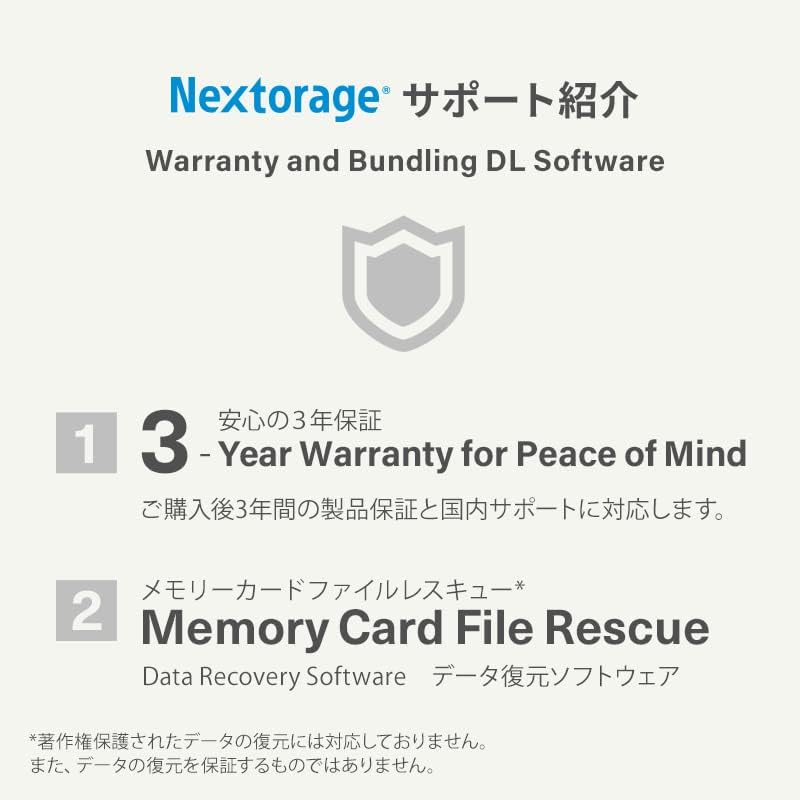
Сүрөт 7.1: Бүттүview of Nextorage support, including 3-year warranty and Memory Card File Rescue software.


