1. Продукт бүтүп калдыview
The Taiahiro Low Profile Mechanical Keyboard is an ultra-slim 87-key keyboard designed specifically for Mac users, offering a compact 80% layout. It features ultra-low profile brown switches for a tactile and responsive typing experience. This wired keyboard provides full support for Mac function keys and customizable white backlighting.
Негизги өзгөчөлүктөрү
- Төмөн Проfile Brown Switches for tactile feedback.
- 87-key (TKL) compact design.
- Full Mac Function Keys Support.
- Detachable Type-C connection.
- 18-Modes LED White Backlighting with 4 adjustable brightness levels.
- Durable Aluminum Alloy Panel construction.
- Double Shot Injection Keycaps for comfortable typing.
- Ergonomic design for comfortable angle.
Пакеттин мазмуну
- Taiahiro Low Profile Механикалык клавиатура
- USB-C - USB-A кабели
- User Manual
Продукт диаграммасы

Figure 1: ашыкview of the Taiahiro Low Profile Mechanical Keyboard, highlighting its compact design and key layout.
2. Орнотуу колдонмосу
Баскычтопту туташтыруу
- Locate the USB-C port on the back of the keyboard.
- Берилген USB-C кабелинин бир учун клавиатуранын USB-C портуна туташтырыңыз.
- Connect the other end of the USB-C cable to an available USB-A port on your computer (MacBook Pro/Air, iMac, Mac Mini, or PC).
- Баскычтоп плагин жана ойнотуу болуп саналат жана операциялык тутумуңуз тарабынан автоматтык түрдө таанылышы керек.
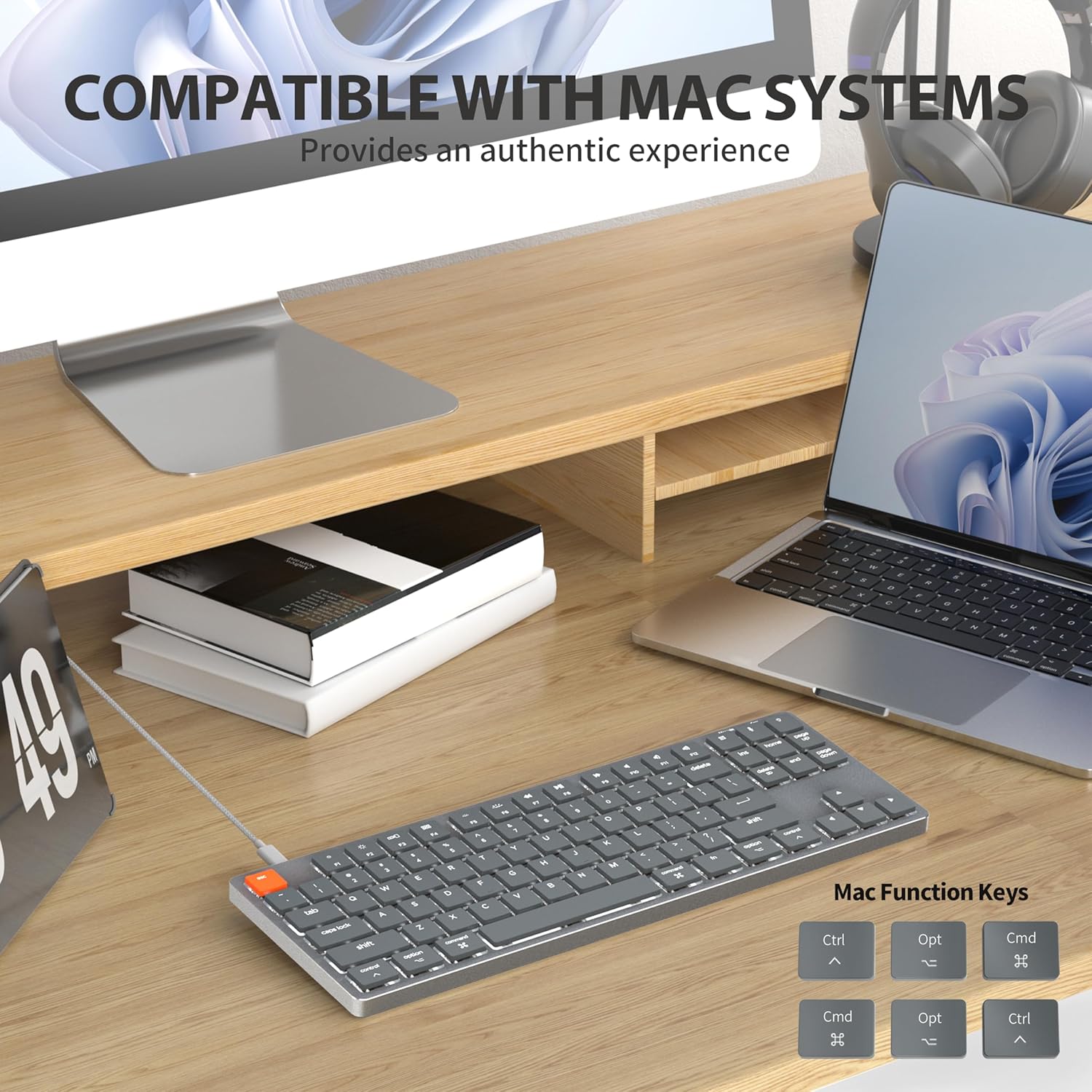
Figure 2: Connecting the detachable Type-C cable to the keyboard for convenience and efficiency.
Системанын шайкештиги
This keyboard is designed for full compatibility with Mac OS and Windows operating systems. It supports Mac Mini, MacBook Air, MacBook Pro, PC, and iMac devices.

Figure 3: The keyboard seamlessly integrated with a Mac system, providing an authentic user experience.
3. Иштөө нускамалары
Негизги терүү
Төмөн профессионалfile brown switches provide a quiet yet responsive typing experience with satisfying tactile feedback. The ultra-thin design and high-quality keycaps enhance fingertip comfort during extended use.
Арткы жарыкты башкаруу
The keyboard features 18 distinct LED white backlighting modes. You can cycle through these modes and adjust brightness levels using the dedicated function keys. Refer to the keyboard's layout for specific key combinations, typically involving the 'Fn' key combined with other keys (e.g., Fn + F1/F2 for brightness, Fn + arrow keys for modes).

Figure 4: The keyboard's 18-modes LED white backlighting, offering customizable illumination.
Mac Function Keys Support
The keyboard is specifically designed to support Mac function keys, allowing you to easily control system functions such as screen brightness, volume, and media playback directly from the keyboard. These functions are typically accessed by pressing the 'Fn' key in combination with the corresponding F-keys (F1-F12).
Жарлык баскычтары
The keyboard includes multifunctional shortcut keys for enhanced productivity. These keys provide quick access to various commands, including multimedia controls. Consult the keycap legends for specific shortcut functions.

Figure 5: The keyboard's multifunctional shortcut keys, providing 100% fully loaded functionality.
4. Техникалык тейлөө жана кам көрүү
Баскычтопту тазалоо
- Тазалоодон мурун клавиатураны компьютерден ажыратыңыз.
- Бир аз жумшак, түксүз кездемени колдонуңуз dampклавиатураны жана бетти сүртүү үчүн суу же жумшак тазалоо эритмеси менен жабыңыз.
- Ачкычтардын ортосундагы чаң жана таштанды үчүн кысылган абаны же кичинекей щетканы колдонуңуз.
- Катуу химиялык заттарды, абразивдүү тазалагычтарды же ашыкча нымдуулукту колдонуудан алыс болуңуз.
Сактагыч
When not in use for extended periods, store the keyboard in a cool, dry place away from direct sunlight and extreme temperatures to prevent damage.
5. Кыйынчылыктарды
Баскычтоп жооп бербейт
- Байланышты текшерүү: USB-C кабели клавиатурага жана компьютериңизге коопсуз туташканын текшериңиз.
- Башка портту колдонуп көрүңүз: Plug the keyboard into a different USB port on your computer.
- Компьютерди кайра иштетүү: Кээде жөнөкөй системаны өчүрүп күйгүзүү байланыш маселелерин чечиши мүмкүн.
- Кабелди текшерүү: If possible, try using a different USB-C cable to rule out a faulty cable.
Арткы жарык көйгөйлөрү
- Enable Backlight: Ensure the backlight is not turned off. Use the designated function keys (e.g., Fn + backlight key) to toggle it on/off.
- Жарыктыкты жөндөө: Cycle through brightness levels using the appropriate function keys (e.g., Fn + F1/F2) to ensure it's not set to the lowest level.
- Режимди өзгөртүү: Try cycling through different backlight modes to see if the issue persists across all modes.
Mac Compatibility Concerns
- Операциялык системанын версиясы: Ensure your Mac OS is up to date or meets the minimum requirements for peripheral compatibility.
- Процессордун түрү: While designed for Mac, some specific processor architectures (e.g., M2/ARM) might require updated drivers or system settings. Check Taiahiro's official support page for any specific driver downloads or compatibility notes.
- Баскычтоп режими: If your keyboard has a physical switch or key combination to toggle between Mac/Windows mode, ensure it is set to Mac mode.
6. Техникалык шарттар
| Өзгөчөлүк | Деталь |
|---|---|
| Модель номери | 201 |
| Бренд | Taiahiro |
| Баскычтоптун түрү | Төмөн Проfile Механикалык клавиатура |
| Которуу түрү | Brown Switch |
| Ачкычтардын саны | 87 |
| Байланыш | Зымдуу (USB-C) |
| Арткы жарыктандыруу | 18-Modes LED White Backlighting |
| Материал | Aluminum Alloy Panel |
| Түс | Black-Gray |
| Продукциянын өлчөмдөрү | 12.5 x 1.8 x 34.59 см (4.92 x 0.71 x 13.62 дюйм) |
| Элемент Салмагы | 971 г |
| Шайкеш OS | Mac OS, Windows |
Dimensions and Profile

Figure 6: Detailed dimensions of the 87-key ultra-thin mechanical keyboard, illustrating its compact and slim profile.
Switch Technology

Figure 7: Comparison of Ultra Low Profile Brown Switch with standard mechanical switches, highlighting shorter actuation point for faster and more precise input.
Keycap Design

Figure 8: The ultra-thin double shot injection keycaps, designed for comfortable and durable typing.
Эргономика
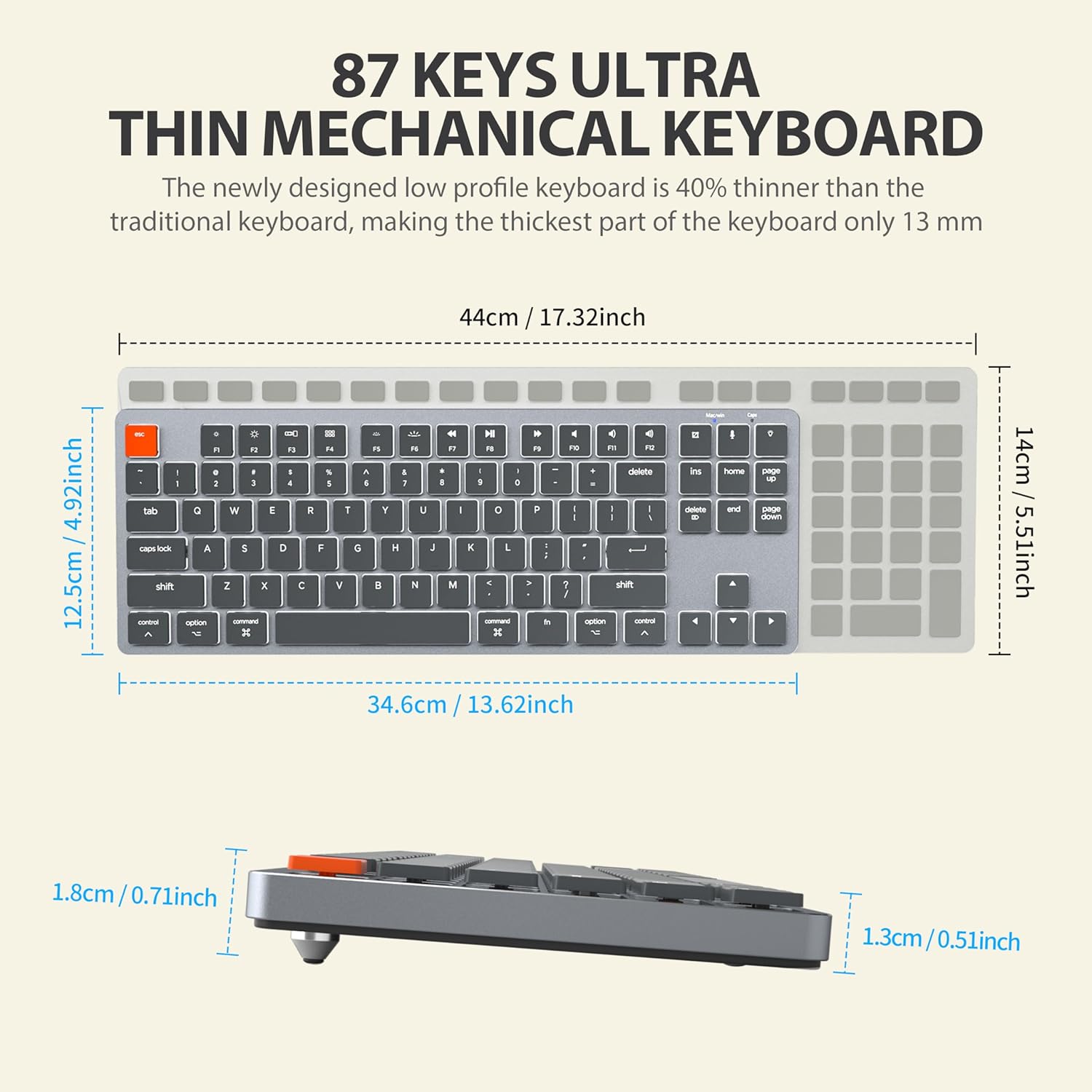
Figure 9: The ergonomic design of the keyboard, providing a comfortable angle for extended typing sessions.
7. Кепилдик жана колдоо
Кепилдик маалымат
This Taiahiro product comes with a standard manufacturer's warranty. Please refer to the product packaging or the official Taiahiro website for specific warranty terms and conditions, including coverage period and claim procedures.
Кардарларды колдоо
For technical assistance, troubleshooting, or any product-related inquiries, please visit the official Taiahiro webсайтка же кардарларды тейлөө бөлүмүнө кайрылыңыз. Байланыш маалыматын адатта продукт таңгагынан же бренддин расмий онлайн катышуусунан тапса болот.


