Introduction
Welcome to the user manual for your Spigen ArcPack 30W 10000mAh Super-Compact USB C Power Bank. This manual provides essential information for setting up, operating, and maintaining your device to ensure optimal performance and longevity. Please read this manual carefully before using the product.
Эмне камтылган
Your Spigen ArcPack Power Bank package includes the following items:
- Spigen ArcPack USB C Power Bank
- 3.3ft USB-C to USB-C Cable
- Сактоочу баштык
- Колдонуучунун Колдонмосу (бул документ)

Image: The Spigen ArcPack Power Bank shown alongside its included USB-C to USB-C cable, highlighting the complete package contents.
Негизги өзгөчөлүктөрү
The Spigen ArcPack Power Bank is designed with advanced features for efficient and reliable charging:
- Compact Powerhouse: Boasts a generous 10000mAh capacity in a super-compact form factor, making it easy to carry.
- Чагылгандай тез кубаттоо: Experience PD PPS 30W high-speed charging and recharging capabilities. The Type C port supports 30W Power Delivery 3.0 and 25W PPS.
- Саркеч жана саркеч дизайн: Its sleek edges and premium materials enhance durability and portability, perfect for travel and daily use.
- Жалпы шайкештик: Compatible with a wide range of devices including iPhone, Galaxy, Apple Vision Pro, Steam Deck, Nintendo Switch, and more.

Image: A hand placing the compact Spigen ArcPack Power Bank into a handbag, illustrating its excellent portability for on-the-go use.

Image: The Spigen ArcPack Power Bank positioned centrally with a smartphone, tablet, and wireless earbuds around it, showcasing its broad compatibility with different electronic devices.
Жайгашуу
Before first use, it is recommended to fully charge your Spigen ArcPack Power Bank.
Power Bank заряддоо
- Connect the included USB-C to USB-C cable to the power bank's USB-C port.
- Connect the other end of the cable to a compatible USB Power Delivery (PD) wall charger. For the fastest charging, a 30W or higher PD charger is recommended.
- The LED indicators on the power bank will illuminate to show the charging progress. All four LEDs will be solid when the power bank is fully charged.
A full charge takes approximately 1.8 hours when using a 30W PD charger.

Image: The Spigen ArcPack Power Bank connected to a wall adapter on a nightstand, with its indicator lights showing a full 100% charge, ready for use.
Иштөө нускамалары
Using your Spigen ArcPack Power Bank to charge your devices is simple and efficient.
Түзмөктөрүңүздү заряддоо
- Connect your device to the power bank's USB-C port using a compatible USB-C cable.
- Power банк түзмөгүңүздү автоматтык түрдө кубаттай баштайт.
- Powerbank'тагы LED индикаторлору батареянын калган деңгээлин көрсөтөт.
The power bank supports Power Delivery (PD 3.0) up to 30W and Programmable Power Supply (PPS) up to 25W, delivering rapid power replenishment for compatible devices.
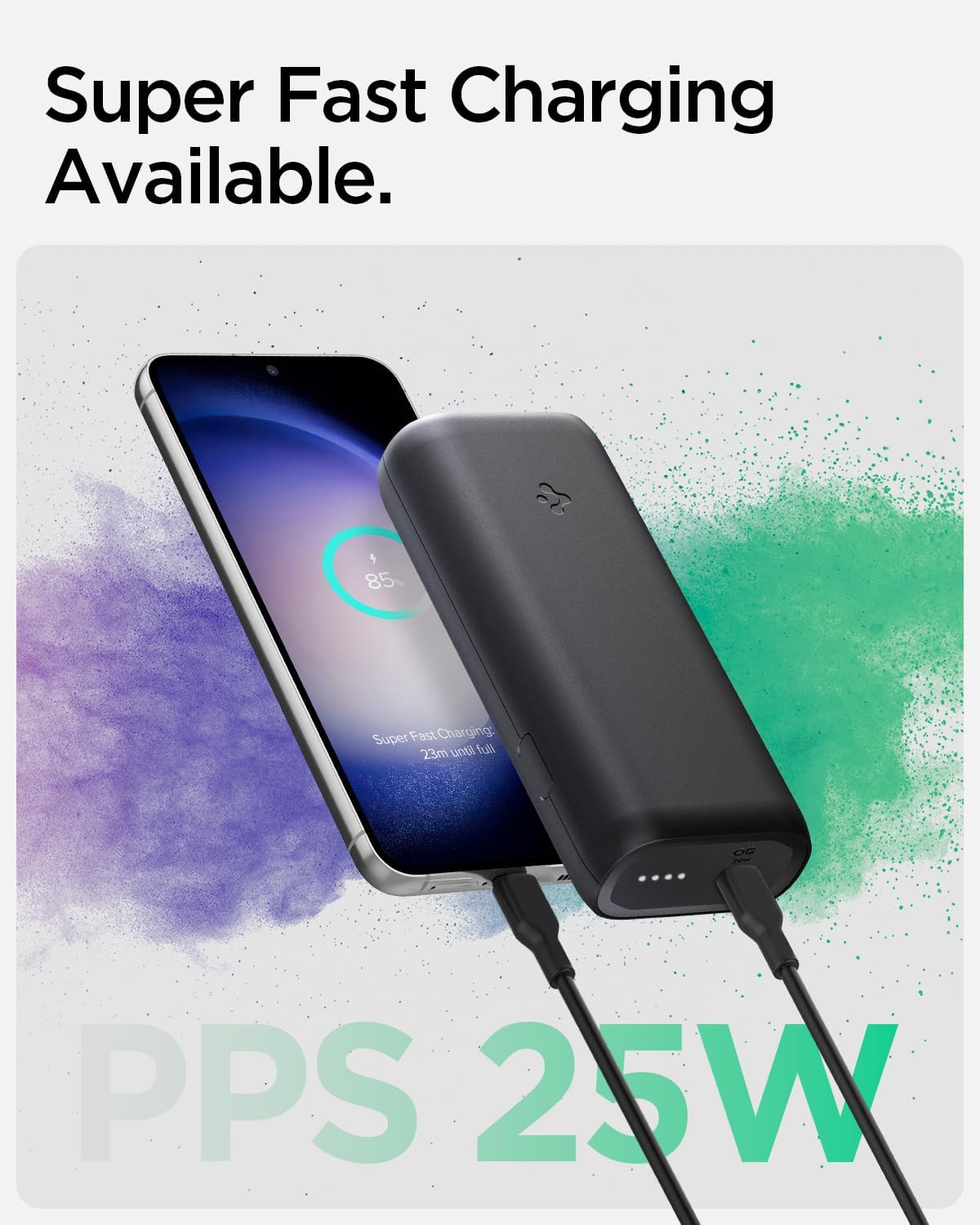
Image: The Spigen ArcPack Power Bank actively charging a smartphone, with the phone's display indicating 'Super Fast Charging' and 'PPS 25W', demonstrating its fast charging capability.

Image: The Spigen ArcPack Power Bank displayed with a variety of popular electronic devices including an iPhone, Samsung Galaxy phone, iPad, and AirPods, emphasizing its broad universal compatibility.
Техникалык шарттар
| Өзгөчөлүк | Деталь |
|---|---|
| Продукциянын өлчөмдөрү | 4.1 x 1.9 x 0.9 дюйм |
| Элемент Салмагы | 7.4 унция |
| Элемент моделинин номери | PA2100 |
| Батареялар | 1 литий-иондук батарейкалар талап кылынат (кошулган) |
| Туташтыргыч түрү | USB түрү C |
| Бренд | Spigen |
| Батарея сыйымдуулугу | 10000 миллионamp Саат |
| Өзгөчө өзгөчөлүк | Көчмө заряддагыч түзүлүш |
| Тtage | 20 вольт |
| Өндүрүүчү | Spigen Korea Co., Ltd |
| Дата биринчи жеткиликтүү | 24-апрель, 2023-жыл |
Техникалык тейлөө
To ensure the longevity and optimal performance of your Spigen ArcPack Power Bank, follow these maintenance guidelines:
- Power банкты күн тийбеген жана экстремалдык температурадан алыс, салкын, кургак жерде сактаңыз.
- Power банкты кулап же катуу таасирлерге дуушар кылуудан качыңыз.
- Сыртын жумшак, кургак чүпүрөк менен тазалаңыз. Катуу химиялык заттарды же абразивдүү материалдарды колдонбоңуз.
- If not in regular use, charge the power bank at least once every three months to maintain battery health.
Проблемаларды чечүү
If you encounter any issues with your Spigen ArcPack Power Bank, please refer to the following common problems and solutions:
Power Bank заряддалбай жатат
- Заряддоо кабели кубат банкына жана дубал адаптерине тең туташтырылганын текшериңиз.
- Verify that the wall adapter is functioning correctly and provides sufficient power (30W PD recommended for optimal charging).
- Try using a different USB-C cable or wall adapter to rule out cable/adapter issues.
Түзмөк Power Bankтан кубатталбай жатат
- Ensure the power bank has sufficient charge. Check the LED indicators for remaining battery level.
- Verify the charging cable connecting your device to the power bank is not damaged and is securely connected at both ends.
- Some devices may require specific charging protocols. The Spigen ArcPack supports PD 3.0 and PPS. Ensure your device is compatible.
- If your device is a high-power consumption device (e.g., certain gaming handhelds like ROG Ally), it might draw more power than the power bank can supply during active use, leading to slow charging or even draining. Ensure the device is in a low-power state or off for effective charging.
Жай заряддоо
- Ensure both the power bank and the device support fast charging protocols (PD/PPS).
- Төмөнкү ват колдонууtage wall adapter to charge the power bank will result in slower recharge times.
- Charging speed can be affected by various factors such as network conditions, background applications, device usage during charging, and device-specific software optimizations (e.g., Apple's iOS optimizations).
Power Bank Getting Warm During Use
- It is normal for the power bank to become warm during high-speed charging or discharging, especially when delivering maximum power.
- If the power bank becomes excessively hot to the touch, disconnect it immediately from all devices and power sources and allow it to cool down. If the issue persists, contact customer support.
Коопсуздук маалыматы
Өндүрүмгө зыян келтирбөө же өзүңүзгө зыян келтирбөө үчүн төмөнкү коопсуздук чараларын сактаңыз:
- Do not expose the power bank to water, fire, or extreme temperatures (above 45°C / 113°F or below 0°C / 32°F).
- Do not disassemble, puncture, or modify the power bank. This may cause damage, fire, or explosion.
- Балдар жетпеген жерде сактаңыз.
- Dispose of the power bank responsibly according to local regulations for electronic waste. Do not dispose of it in household trash.
- Avoid using damaged cables or adapters, as this can lead to overheating or malfunction.
Кепилдик жана колдоо
For detailed warranty information and customer support, please refer to the official Spigen webсайтка же түздөн-түз кардарларды тейлөөгө кайрылыңыз. Кепилдик дооматтар үчүн сатып алуу дүмүрчөгүңүздү сактаңыз.
Бул колдонуучу колдонмосунун санариптик версиясын жүктөп алууга болот:
Spigen ArcPack User Manual (PDF)
You can also visit the official Spigen Store on Amazon for more products and information:


