1. Продукт бүтүп калдыview
The TECLAST P80T is an 8-inch Android 12 tablet designed for versatile use, from entertainment to educational purposes. It features a vibrant 1280x800 IPS display, a powerful 1.8GHz Quad-Core processor, and supports Wi-Fi 6 for fast and stable internet connectivity. With 8GB (4GB + 4GB Virtual) RAM and 64GB of internal storage, expandable up to 1TB via Micro SD card, the P80T offers ample space for your apps, photos, and videos. Its lightweight and ultra-thin design make it highly portable.

Figure 1.1: TECLAST P80T Tablet Overview. This image shows the front and back of the tablet, emphasizing its compact design and key software features like Android 12 and Wi-Fi 6.
2. Компоненттер жана башкаруу элементтери
Familiarize yourself with the physical components and controls of your TECLAST P80T tablet:
- Алдыңкы камера: Экрандын үстүндө жайгашкан, видео чалуулар жана селфилер үчүн колдонулат.
- Арткы камера: Арткы жагында жайгашкан, сүрөткө жана видеого тартуу үчүн колдонулат.
- Кубат баскычы: Планшетті күйгүзүү/өчүрүү же аны уктоо/ойготуу үчүн колдонулат.
- Үн баскычтары: Аудионун үнүн тууралоо үчүн колдонулат.
- Пин тешигин баштапкы абалга келтирүү: A small hole requiring a pin to force a restart if the tablet becomes unresponsive.
- Тип-C Port: Планшетті кубаттоо жана компьютерге туташтыруу үчүн.
- 3.5 мм гарнитура уячасы: Зымдуу кулакчындарды туташтыруу үчүн.
- Микро SD карта слоту: Сактоо көлөмүн кеңейтүү үчүн.
- Баяндамачылар: Аудио чыгаруу үчүн.

Figure 2.1: TECLAST P80T Components Layout. This diagram clearly labels the front and rear cameras, power and volume buttons, reset pinhole, speakers, headphone jack, Micro SD slot, and Type-C port.
3. Баштапкы орнотуу
3.1 Планшетти заряддоо
Before first use, it is recommended to fully charge your TECLAST P80T tablet for at least 30 minutes. Connect the provided USB Type-C cable to the tablet's Type-C port and the other end to a compatible USB power adapter (not included) or a computer's USB port.
3.2 Күйгүзүү/өчүрүү
- Күйгүзүү үчүн: Press and hold the Power button until the TECLAST logo appears on the screen.
- Өчүрүү үчүн: Өчүрүү менюсу пайда болгонго чейин Күйгүзүү баскычын басып, кармап туруңуз. "Өчүрүү" дегенди тандап, ырастаңыз.
- Уйку/ойгонуу үчүн: Briefly press the Power button to put the tablet into sleep mode or wake it up.
3.3 Микро SD картаны салуу
The TECLAST P80T supports storage expansion up to 1TB using a Micro SD card. Locate the Micro SD card slot on the side of the tablet. Gently insert the Micro SD card into the slot until it clicks into place. Ensure the card is oriented correctly as indicated by the slot's icon.

Figure 3.1: Storage Expansion. This image highlights the tablet's 8GB (4+4GB) RAM, 64GB ROM, and the ability to expand storage up to 1TB with a Micro SD card.
4. Operating Your TECLAST P80T Tablet
4.1 Негизги навигация
The TECLAST P80T runs on Android 12, offering an intuitive user experience. Navigate the interface using standard touchscreen gestures:
- таптаңыз: Бир нерсени тандоо же колдонмону ачуу.
- Серпүү: To scroll through pages or menus.
- Чымчып-кичирейтүү: Сүрөттөрдү чоңойтуу же кичирейтүү үчүн же web барактар.
- Узак басуу: Контексттик менюларга же сүрөтчөлөрдү жылдыруу үчүн.

Figure 4.1: Android 12 Interface. This image displays the tablet's home screen with various popular applications, highlighting the Android 12 operating system and the efficient Allwinner A133 4-core processor.
4.2 Wi-Fiга туташуу
To access the internet, connect your tablet to a Wi-Fi network:
- барыңыз Орнотуулар > Тармак жана интернет > Интернет.
- Күйгүзүү Wi-Fi.
- Тизмеден каалаган Wi-Fi тармагын тандаңыз.
- Эгер суралса, сырсөздү киргизип, таптаңыз Туташуу.
The TECLAST P80T supports Wi-Fi 6 (802.11ax) for faster speeds and improved performance.

Figure 4.2: Wi-Fi 6 and Bluetooth 5.0. This image illustrates the tablet's advanced wireless capabilities, showing a child using the tablet with wireless headphones, benefiting from Bluetooth 5.0 and Wi-Fi 6.
4.3 Bluetooth байланышы
Pair your tablet with Bluetooth devices like headphones, speakers, or keyboards:
- барыңыз Орнотуулар > Туташкан түзмөктөр > Туташуу артыкчылыктары > Bluetooth.
- Күйгүзүү Bluetooth.
- Bluetooth түзмөгүңүз жупташтыруу режиминде экенин текшериңиз.
- Select your device from the list of available devices and follow any on-screen prompts.
4.4 Камераларды колдонуу
The tablet is equipped with dual cameras for capturing moments:
- ачыңыз Камера app from the home screen or app drawer.
- Камера сүрөтчөсүн колдонуп, алдыңкы жана арткы камералардын ортосунда которуштуруу.
- Сүрөткө тартуу же видео жазууну баштоо/токтоо үчүн жапкычты таптаңыз.

Figure 4.3: Dual Camera Functionality. This image highlights the tablet's slim profile and its dual camera system, showing a child using the tablet to take a picture.
4.5 Дисплей орнотуулары
Сиздин жекелештирүү viewтажрыйбасы:
- барыңыз Орнотуулар > Дисплей.
- Тууралоо Жарыктык деңгээли.
- коюу Караңгы тема or Night Light ыңгайлуу үчүн viewжарыктын ар кандай шарттарында.
- өзгөртүү Арип өлчөмү жана Дисплей өлчөмү жакшыраак окуу үчүн.
The 8-inch HD IPS screen provides a 1280x800 resolution with wide viewing angles for visual enjoyment.
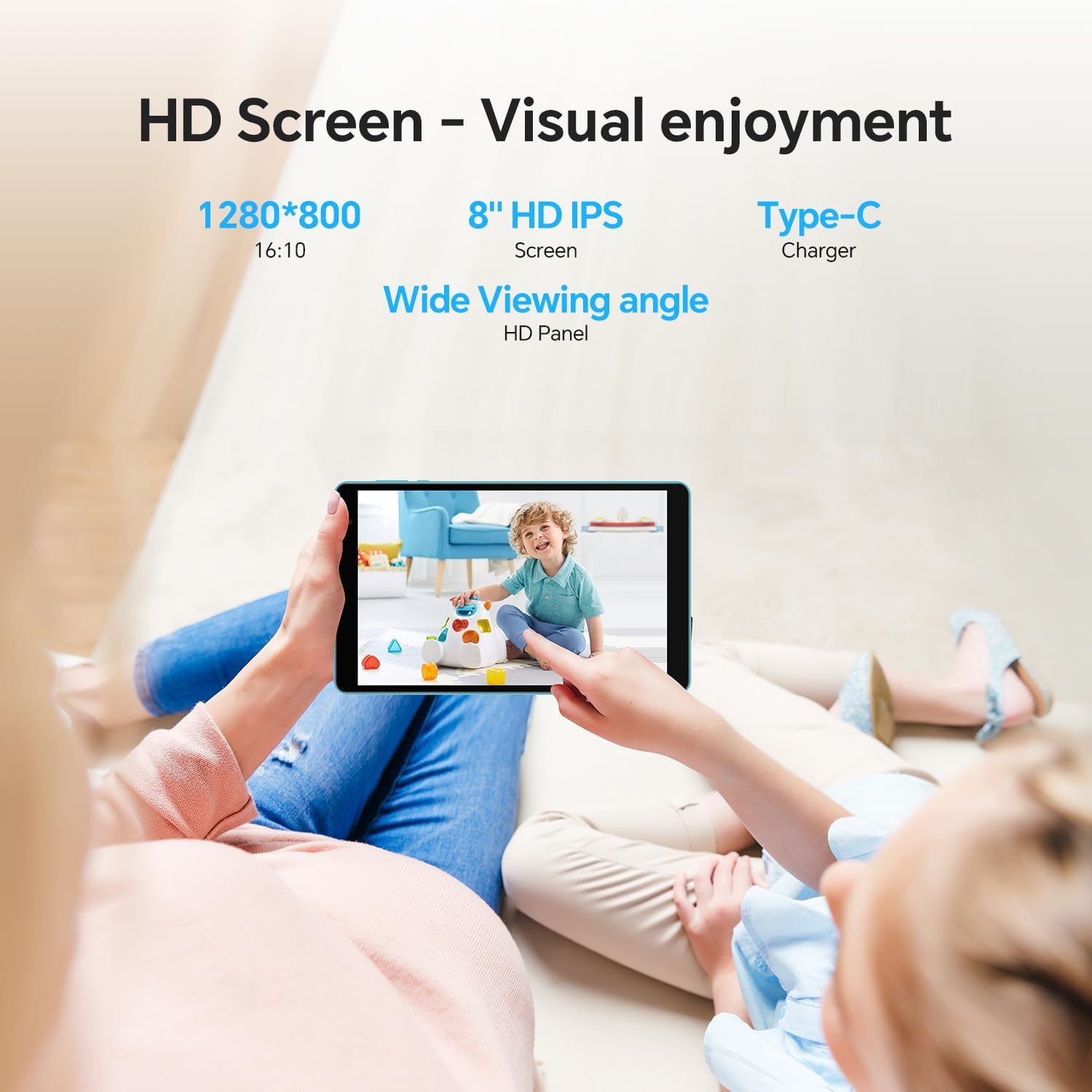
Figure 4.4: HD Screen Visuals. This image demonstrates the tablet's 8-inch HD IPS screen with 1280x800 resolution, providing a clear and enjoyable visual experience for users.
5. Техникалык тейлөө жана кам көрүү
- Тазалоо: Экранды жана корпусту тазалоо үчүн жумшак, мамыксыз чүпүрөктү колдонуңуз. Абразивдүү тазалоочу каражаттарды же эриткичтерди колдонбоңуз.
- Сактагыч: Планшетти күн нурунан жана экстремалдык температурадан алыс салкын, кургак жерде сактаңыз.
- Батареяга кам көрүү: To prolong battery life, avoid fully discharging the battery frequently. Charge it regularly, and if storing for a long period, ensure it has about 50% charge.
- Программалык камсыздоо жаңыртуулары: Оптималдуу аткарууну жана коопсуздукту камсыз кылуу үчүн системанын жаңыртууларын дайыма текшерип, орнотуңуз. барыңыз Орнотуулар > Система > Системаны жаңыртуу.
- Тамчылардан жана таасирлерден качыңыз: Protect your tablet from physical damage by using a protective case and handling it with care.
6. Жалпы көйгөйлөрдү чечүү
| Көйгөй | Чечим |
|---|---|
| Планшет күйбөйт. | Ensure the tablet is charged. Connect it to a power source for at least 30 minutes. If still unresponsive, press and hold the Power button for 10-15 seconds to force a restart. If that fails, use a pin to press the reset pinhole. |
| Wi-Fi туташуу маселелери. | Check if Wi-Fi is enabled in Settings. Restart your Wi-Fi router. Forget the network and reconnect. Ensure you are within range of the Wi-Fi signal. |
| Планшет жай иштеп жатат. | Close unused apps running in the background. Clear cache for frequently used apps. Uninstall unnecessary apps. Restart the tablet. Consider a factory reset if performance issues persist (back up data first). |
| Apps are crashing. | Ensure apps are updated to their latest versions. Clear the app's cache and data (Settings > Apps > [App Name] > Storage & cache). Reinstall the app if necessary. |
| Экран жооп бербей жатат. | Restart the tablet by holding the Power button. If the screen is completely frozen, use the reset pinhole. |
7. Техникалык шарттар
| Өзгөчөлүк | Спецификация |
|---|---|
| Модел | П80Т |
| Операция системасы | Android 12 |
| Дисплей өлчөмү | 8 дюйм |
| Display Resolution | 1280 x 800 pixels IPS |
| Процессор | Allwinner A133 1.8GHz Quad-Core |
| RAM | 8GB (4GB + 4GB Virtual) |
| Ички сактагыч | 64 ГБ |
| Кеңейтүүчү сактагыч | Up to 1TB via Micro SD Card |
| Зымсыз байланыш | Wi-Fi 6 (802.11ax), Dual-Band |
| Bluetooth | Bluetooth 5.0 |
| Камералар | Rear: 2 MP, Front: (Specification not explicitly provided, assuming standard for video calls) |
| Батарея сыйымдуулугу | 4000mAh |
| Порттар | Type-C, 3.5mm Headphone Jack, Micro SD Card Slot |
| Өлчөмдөрү (LxWxH) | 10.1 x 6 x 0.36 дюйм |
| Элемент Салмагы | 1.43 фунт |
8. Кепилдик жана Кардарларды колдоо
TECLAST provides a 1 жылдык кепилдик for this tablet, valid immediately after purchase. We are committed to providing professional service before and after sales. Any questions will be answered within 1 working day, and we offer a 1-year unconditional replacement service for qualifying issues.
For further assistance, please visit the official TECLAST store or contact customer support through the platform where you purchased the product.


