Introduction
The WEEFUN Kids Instant Print Camera (Model IKSC03) is designed for young photographers, offering a fun and safe way to capture and instantly print memories. This digital camera features inkless thermal printing technology, an 8MP lens for HD photos and 1080P video recording, and a variety of creative options like filters, stickers, and DIY coloring. It also includes educational games and an MP3 player for added entertainment.
This manual provides detailed instructions on how to set up, operate, and maintain your WEEFUN Kids Instant Print Camera, ensuring a delightful and creative experience for your child.
Кутуда эмне бар
Пакетти ачканда, төмөнкү нерселердин бардыгы бар экенин текшериңиз:
- WEEFUN Kids Instant Print Camera (Model IKSC03)
- USB заряддоо кабели
- Lanyard
- 32GB TF (Micro SD) Card
- 3 Rolls of Thermal Printing Paper

WEEFUN Kids Instant Print Camera and included accessories: camera, charging cable, lanyard, 32GB SD card, and three rolls of thermal paper.
Продукт өзгөчөлүктөрү
- Safe Instant Printing: Utilizes inkless thermal printing technology, ensuring no ink is needed and the thermal paper is BPA-free for your child's safety. Each roll can print approximately 75 photos.
- High-Quality Photo & Video Capture: Equipped with an 8MP lens for clear photos and supports 1080P HD video recording. Features include 16x digital zoom, continuous shooting, and time-lapse functions.
- Personalized & Creative Fun: Offers 15 fun scene filters and 16 cool stickers for photo customization. Children can also use color pens to add their own drawings to the black and white prints.
- Educational & Entertaining: Designed with a simple, kid-friendly interface and large buttons. Includes educational games and an MP3 player for additional enjoyment and skill development.
- Long Battery Life & AmpСактагыч: Features a 1000mAh rechargeable battery providing 3-5 hours of continuous use. The included 32GB TF card can store thousands of photos and hundreds of videos, easily downloadable via USB.

Infographic showing various features of the camera: Print Photo, 1080P Video, Filter Effects, Game, Time-lapse, Type-C Charging, Selfie, MP3, Playback.

Children playing outdoors, illustrating the camera's ability to capture photos and videos. The camera screen shows a video playback.
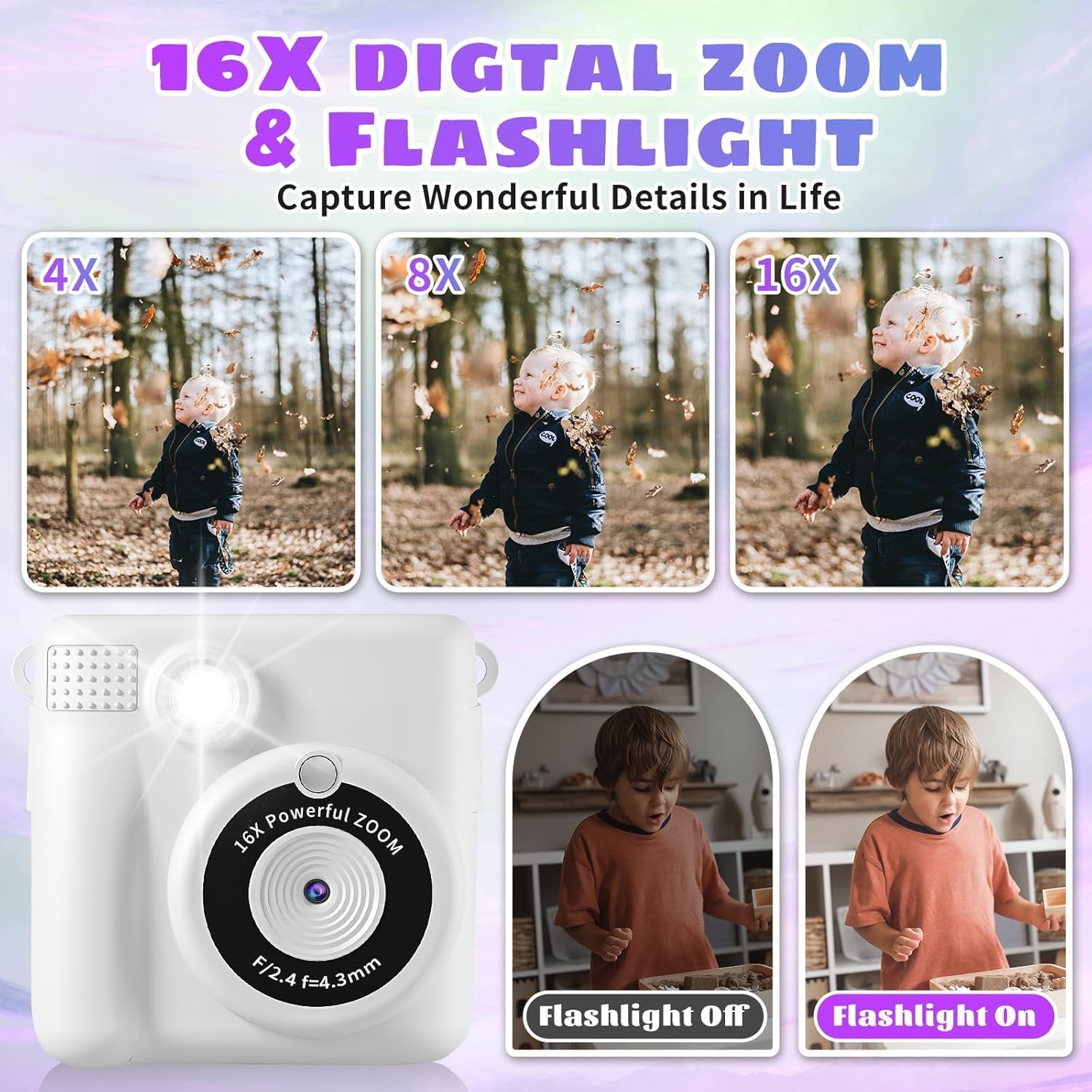
Demonstration of the camera's 16x digital zoom with images at 4x, 8x, and 16x magnification, and a comparison of flashlight off versus on.

Examples of customizable photo frames and stickers available on the camera, with a child drawing on a printed photo.

Children coloring black and white instant prints, highlighting the DIY graffiti feature of the camera.
Жайгашуу
- Камераны заряддоо: Connect the camera to a power source (e.g., computer USB port or USB wall adapter) using the provided USB cable. The charging indicator light will illuminate during charging and turn off when fully charged.
- Inserting the SD Card: Locate the SD card slot on the side of the camera. Gently insert the included 32GB TF card with the gold contacts facing down until it clicks into place. To remove, push the card in slightly until it springs out.
- Loading Print Paper: Open the paper compartment cover on the camera. Insert a roll of thermal printing paper, ensuring the paper feeds out from the top of the roll and is aligned correctly. Close the cover firmly.

Comparison of two storage options: SD card storage for digital files and direct printing for instant physical copies.
Иштөө нускамалары
- Күйгүзүү/өчүрүү: Press and hold the power button (usually marked with a power symbol) for a few seconds to turn the camera on or off.
- Сүрөткө тартуу:
- Switch to photo mode using the mode button.
- Frame your shot using the 2.4-inch display screen.
- Сүрөткө тартуу үчүн жапкычты басыңыз.
- If instant print mode is enabled, the photo will print automatically.
- Видеолорду жаздыруу:
- Switch to video recording mode using the mode button.
- Press the record button to start recording. Press it again to stop.
- Digital Zoom колдонуу: While in photo or video mode, use the zoom in/out buttons (often marked with '+' and '-') to adjust the 16x digital zoom.
- Applying Filters and Stickers: Navigate through the camera's menu using the directional buttons to find options for scene filters and stickers. Select your desired effect before or after taking a photo (depending on the camera model's features).
- Playing Games and MP3: Access the built-in educational games and MP3 player through the main menu. Use the directional buttons to select and play.
- Өткөрүлүүдө Files: Connect the camera to a computer using the USB cable. The camera will appear as a removable disk, allowing you to copy photos and videos from the SD card to your computer.
Техникалык тейлөө
- Камераны тазалоо: Use a soft, dry, lint-free cloth to gently wipe the camera body and lens. Avoid using liquid cleaners, solvents, or abrasive materials, as they can damage the camera's surface or internal components.
- Replacing Thermal Paper: When the print quality diminishes or the paper runs out, replace the thermal paper roll as described in the 'Loading Print Paper' section. Ensure the new roll is inserted correctly to prevent paper jams.
- Батареяга кам көрүү: To prolong battery life, avoid fully discharging the battery frequently. Charge the camera regularly, even if not in use for extended periods. Store the camera in a cool, dry place away from extreme temperatures.
- SD картага кам көрүү: Handle the TF card carefully. Avoid bending or scratching it. Always safely eject the card from the camera or computer before removing it.
Проблемаларды чечүү
| Көйгөй | Мүмкүн себеп | Чечим |
|---|---|---|
| Камера күйбөйт. | Батарея түгөнүп калды. | Камераны берилген USB кабели менен заряддаңыз. |
| Cannot print photos. | Thermal paper is not loaded correctly or has run out. | Check paper loading and ensure the compartment cover is closed. Replace paper if empty. |
| Poor print quality (faint/streaky). | Print density setting is too low; old or damaged paper. | Adjust print density in settings. Try a new roll of thermal paper. |
| SD карта катасы жөнүндө билдирүү. | SD card is not inserted correctly or is corrupted. | Remove and reinsert the SD card. If the issue persists, try formatting the card (this will erase all data). |
| Камера катып калат же жооп бербей калат. | Программанын катасы. | Кайра иштетүүгө мажбурлоо үчүн кубат баскычын 10-15 секунд басып туруңуз. |
Техникалык шарттар
| Өзгөчөлүк | Деталь |
|---|---|
| Модель номери | IKSC03 |
| Продукциянын өлчөмдөрү | 7.48 x 4.33 x 2.36 дюйм |
| Элемент Салмагы | 12.3 унция (0.35 килограмм) |
| Батарея | 1 Литий Полимердик батарейка (кошулган) |
| Өзгөчө өзгөчөлүк | Time Lapse |
| Фильм форматынын түрү | Instant (Thermal Print) |
| Тасманын түсү | КАРА ЖАНА АК |
| Экспозицияны башкаруу түрү | Автоматтык |
| Өндүрүүчү | WEEFUN |
| Келип чыккан өлкө | Кытай |
Кепилдик жана колдоо
For any product inquiries, technical support, or warranty information, please contact WEEFUN customer service or visit the official WEEFUN store online.
Official WEEFUN Store: WEEFUN Store on Amazon
Эскертүү: Бул колдонмодо камтыла турган маалыматтарда сатуучудан расмий продукт видеолору болгон эмес.


