1. Киришүү
This manual provides comprehensive instructions for the setup, operation, maintenance, and troubleshooting of your Havit MS951GT Wireless Mouse. Please read this manual carefully before using the product to ensure optimal performance and longevity.
2. Пакеттин мазмуну
Пакетиңизде бардык буюмдар бар экенин текшериңиз:
- Havit MS951GT Wireless Mouse
- USB кабыл алгыч
- Колдонуучунун Колдонмосу (бул документ)
Note: An AA battery is typically not included and must be purchased separately.
3. Продукт бүтүп калдыview
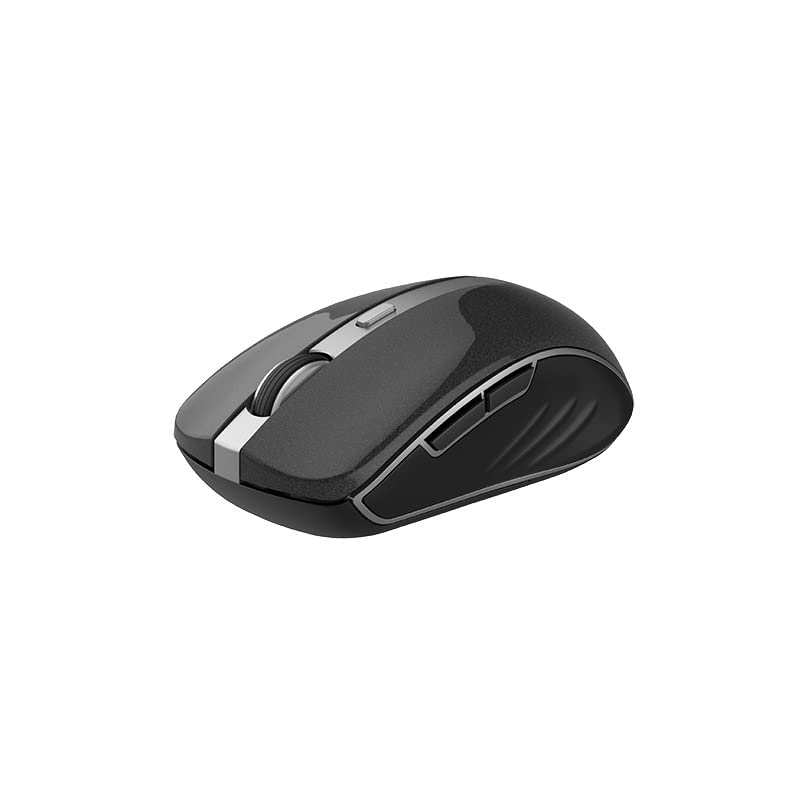
The Havit MS951GT is a wireless optical mouse designed for comfortable and precise control. It features symmetrical ergonomics, making it suitable for both left and right-handed users, and includes multi-level DPI adjustment for varied sensitivity needs.

Сүрөт 3.1: Havit MS951GT Wireless Mouse highlighting key features such as DPI adjustment and side buttons.
Негизги компоненттер:
- Сол/оң баскычтары: Standard mouse functionality.
- Жылдыруу дөңгөлөгү: Тик жылдыруу жана ортоңку чыкылдатуу функциялары үчүн.
- DPI жөндөө баскычы: Cycles through sensitivity settings (800-1200-1600 DPI).
- Каптал баскычтары: Multi-functional, typically used for forward/backward page navigation.
- Батарея бөлүмү: Чычкандын астыңкы бетинде жайгашкан.
- USB кабылдагычтын сактагычы: A dedicated slot on the underside for the USB receiver when not in use.
4. Орнотуу
4.1. Батареяны орнотуу
- Turn the mouse over to access the underside.
- Locate the battery compartment cover and gently slide or lift it off.
- Insert one AA battery into the compartment, ensuring the polarity (+/-) matches the indicators inside.
- Батарея бөлүкчөсүнүн капкагын бекем чыккыча ордуна коюңуз.
4.2. USB кабылдагычты туташтыруу
- Locate the USB receiver, which is typically stored in a slot on the underside of the mouse or within the packaging.
- USB ресиверди компьютериңиздеги жеткиликтүү USB портуна сайыңыз.
- Your computer should automatically detect and install the necessary drivers. This is a plug-and-play device, so no additional software installation is usually required.
Сүрөт 4.1: The underside of the Havit MS951GT mouse, illustrating the battery compartment and the storage slot for the USB receiver.
5. Иштөө нускамалары
5.1. Чычкандын негизги функциялары
- Сол чыкылдатуу: Select items, open files, activate links.
- Оң чыкылдатуу: Контексттик менюларга кирүү.
- Жылдыруу дөңгөлөгү: Документтерди өйдө же ылдый сыдырыңыз жана web pages. Pressing the scroll wheel often acts as a middle-click.
5.2. DPI тууралоо
The DPI (Dots Per Inch) button, located behind the scroll wheel, allows you to adjust the mouse's sensitivity. Pressing this button will cycle through the available DPI settings:
- 800н/д: Lower sensitivity for precise tasks.
- 1200н/д: Жалпы колдонуу үчүн стандарттуу сезгичтик.
- 1600н/д: Курсорду тезирээк жылдыруу үчүн жогорку сезгичтик.
Choose the DPI setting that best suits your preference and task requirements.
5.3. Каптал баскычтар
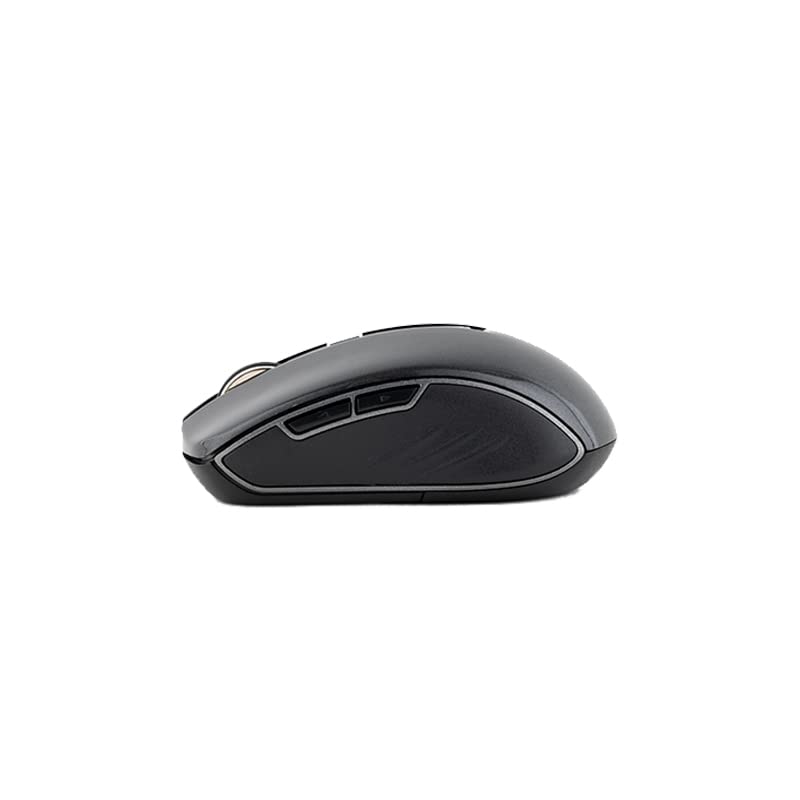
The Havit MS951GT features multi-function side buttons, typically located on the left side of the mouse. By default, these buttons are configured for:
- Алга баскычы: Алга карай жылдырат web браузерлер же file изилдөөчүлөр.
- Артка баскычы: Артка карай багыт алат web браузерлер же file изилдөөчүлөр.
Сүрөт 5.1: Side view of the Havit MS951GT mouse, illustrating the position of the multi-function side buttons.
6. Техникалык тейлөө
6.1. Тазалоо
Оптималдуу аткарууну жана гигиенаны сактоо үчүн чычканыңызды дайыма тазалап туруңуз:
- USB кабыл алгычты компьютериңизден ажыратыңыз.
- Бир аз жумшак, түксүз кездемени колдонуңуз dampчычкандын бетин сүртүү үчүн суу же жумшак тазалоо эритмеси менен иштетилген.
- Катуу химиялык заттарды же абразивдүү материалдарды колдонуудан алыс болуңуз.
- Use a cotton swab or compressed air to clean around the scroll wheel and optical sensor.
6.2. Батареяны алмаштыруу
When the mouse performance degrades or it stops responding, it is likely time to replace the AA battery. Refer to Section 4.1 for battery installation instructions.
6.3. Сактоо
When not in use for an extended period, the mouse features a built-in auto-sleep function to conserve battery life. For transport or long-term storage, it is recommended to:
- Remove the AA battery to prevent leakage.
- Store the USB receiver in its dedicated slot on the underside of the mouse to prevent loss.
7. Кыйынчылыктарды
If you encounter issues with your Havit MS951GT Wireless Mouse, please refer to the following common solutions:
7.1. Чычкан жооп бербейт
- Батареяны текшерүү: Ensure the AA battery is correctly inserted and has sufficient charge. Replace if necessary.
- USB кабылдагычты текшерүү: USB кабыл алгыч компьютериңиздеги иштеп жаткан USB портуна бекем сайылып турганын текшериңиз. Башка USB портун колдонуп көрүңүз.
- Power Cycle: Turn off the mouse (if it has a power switch), remove the battery, wait a few seconds, then reinsert the battery and turn it back on.
7.2. Курсордун туруксуз кыймылы
- Таза оптикалык сенсор: Dust or debris on the optical sensor can cause erratic movement. Clean the sensor on the underside of the mouse with a soft, dry cloth or compressed air.
- Текшерүү бети: Чычканды таза, чагылдырылбаган жана бирдей бетке колдонуп жатканыңызды текшериңиз. Айнек же өтө чагылдыруучу беттерден качыңыз.
7.3. Connection Issues / Lag
- Интерференцияны азайтуу: Move the mouse closer to the USB receiver. Avoid placing the receiver near other wireless devices (e.g., Wi-Fi routers, cordless phones) that might cause interference.
- Re-plug Receiver: USB кабыл алгычты сууруп, кайра туташтырыңыз.
8. Техникалык шарттар
| Өзгөчөлүк | Спецификация |
|---|---|
| Бренд | Хавит |
| Модел | MS951GT |
| Зымсыз технология | 2.4 ГГц |
| Зымсыз аралык | 10 м |
| DPI деңгээли | 800-1200-1600 DPI |
| Ачкыч саны | 6 (Left, Right, Scroll, DPI, 2 Side Buttons) |
| Электр камсыздоо | 1 * AA Battery |
| Өлчөмдөрү (LxWxH) | 50 x 50 x 50 мм (болжолдуу) |
| Элемент Салмагы | 100 г |
| Операциялык системанын шайкештиги | Windows XP and above (PC, Laptop) |
| Материал | Пластик |
| Колдун багыты | Эки тараптуу |
9. Кепилдик жана колдоо
Havit products are designed for reliability and performance. For information regarding warranty coverage, please refer to the warranty card included with your product or visit the official Havit website. If you require technical assistance or have questions not covered in this manual, please contact Havit customer support through their official channels.
Кепилдик дооматтары үчүн сатып алганыңыздын далилин сактап коюңуз.


