1. Киришүү
This manual provides essential information for the proper use and maintenance of your CUPEISI Android 15 Tablet. Please read this guide thoroughly before operating the device to ensure optimal performance and longevity. Keep this manual for future reference.
2. Пакеттин мазмуну
Төмөндө тизмеленген нерселердин баары сиздин продукт таңгагыңызда бар экенин текшериңиз:
- CUPEISI Android 15 Tablet
- Зымсыз клавиатура
- Bluetooth чычкан
- Foldable Protective Cover
- Стилус
- Type-C кабели

Image 2.1: CUPEISI Android 15 Tablet and its complete accessory kit.
3. Продукциянын компоненттери
Familiarize yourself with the main components of your tablet:
- 10.1 дюймдук IPS HD экраны: Main display area with 1280x800 resolution.
- Алдыңкы камера: Located above the screen, typically 2MP.
- Арткы камера: Located on the back of the tablet, typically 8MP.
- Кубат баскычы: Планшетти күйгүзүү/өчүрүү же уктатуу үчүн колдонулат.
- Үн баскычтары: Аудио деңгээлин тууралоо.
- Тип-C Port: Заряддоо жана маалыматтарды өткөрүү үчүн.
- Динамик торлору: Аудио чыгаруу үчүн.
- MicroSD картасынын уячасы: For memory expansion up to 1TB.

Сүрөт 3.1: Арткы view of the tablet showing the camera.

Image 3.2: Tablet screen showcasing its 1280x800 resolution.
4. Орнотуу
4.1 Баштапкы күйгүзүү
- Экран күйгөнгө чейин Кубат баскычын басып, кармап туруңуз.
- Тилиңизди тандоо, Wi-Fi тармагына туташуу жана Google аккаунтуңузду орнотуу үчүн экрандагы көрсөтмөлөрдү аткарыңыз.
4.2 Аксессуарларды туташтыруу
Your tablet comes with a wireless keyboard, Bluetooth mouse, and stylus for enhanced productivity.
4.2.1 Зымсыз баскычтоп
- Баскычтоп кубатталып, күйгүзүлгөнүн текшериңиз.
- Планшетиңизден төмөнкүгө өтүңүз Орнотуулар > Туташкан түзмөктөр > Bluetooth.
- Enable Bluetooth and scan for available devices.
- Select the keyboard from the list and follow any pairing instructions.
4.2.2 Bluetooth Mouse
- Ensure the mouse has batteries and is powered on.
- Repeat steps 2-4 from the Wireless Keyboard instructions to pair the mouse.
4.2.3 Стилус
The stylus is typically passive and does not require pairing. Simply use it directly on the tablet screen for navigation or writing.
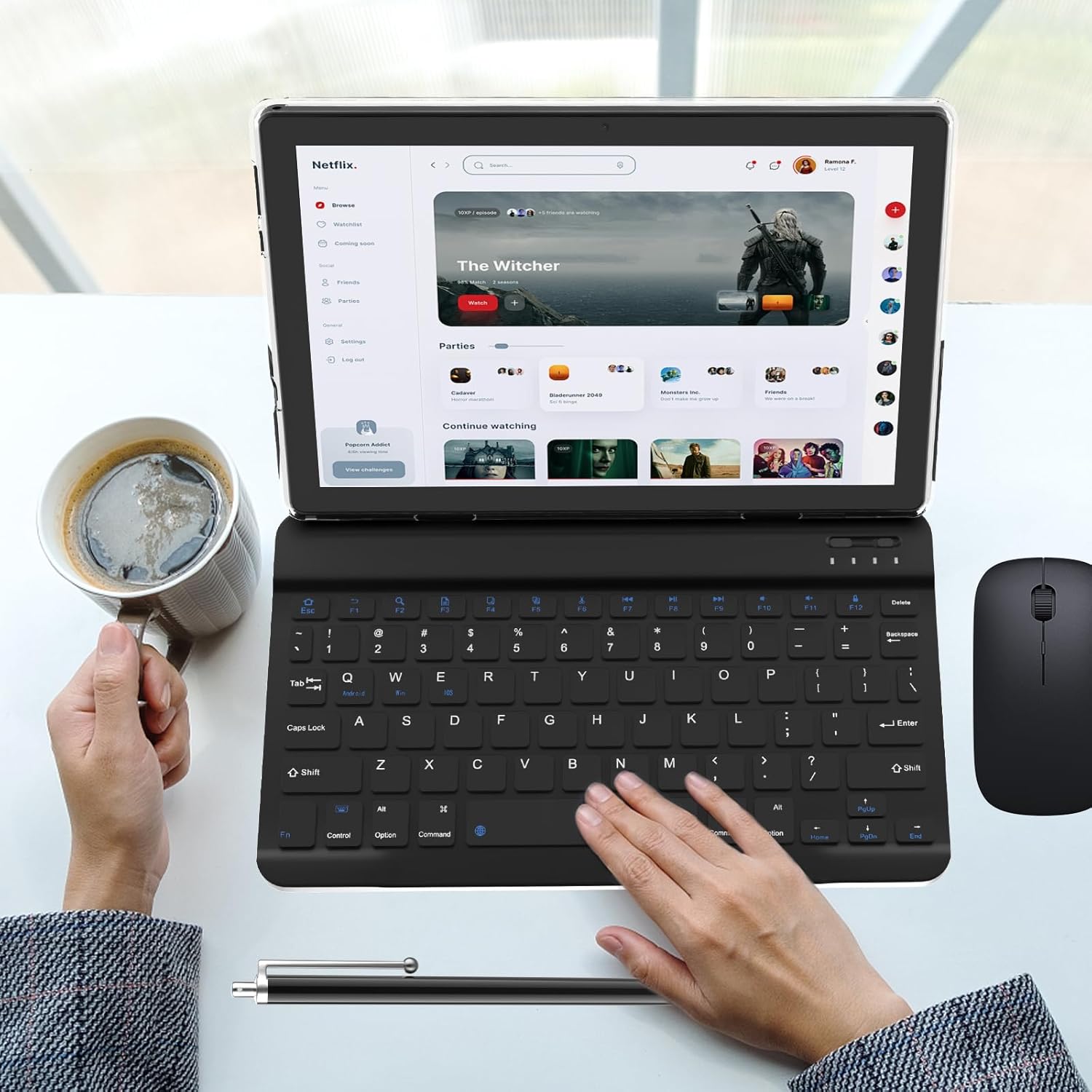
Image 4.1: Tablet with connected keyboard, mouse, and stylus.
5. Иштөө нускамалары
5.1 Негизги навигация
- Тийүү жаңсоолору: Тандоо үчүн таптаңыз, сыдыруу үчүн серпиңиз, чоңойтуу үчүн чымчыңыз.
- Башкы экран: Колдонмолорго, виджеттерге жана эскертмелерге кирүү.
- Эскертме панели: Экрандын өйдө жагынан төмөн карай сүрүңүз view эскертмелер жана тез орнотуулар.
5.2 Using Keyboard and Mouse
Once paired, the keyboard and mouse function similarly to a desktop computer. The keyboard allows for efficient typing, and the mouse provides precise cursor control for navigation and interaction with applications.

Image 5.1: User operating the tablet with the keyboard.

Image 5.2: User interacting with the tablet in its protective case.
6. Байланыш
6.1 Wi-Fi туташуусу
The tablet supports dual-band Wi-Fi (2.4GHz and 5GHz) for stable internet access.
- барыңыз Орнотуулар > Тармак жана интернет > Wi-Fi.
- Wi-Fi күйгүзүү/күйгүзүү.
- Тизмеден каалаган тармакты тандап, суралса сырсөздү киргизиңиз.
6.2 Bluetooth байланышы
Bluetooth 5.0 allows connection to various peripherals like headphones, speakers, and the included mouse and keyboard.
- барыңыз Орнотуулар > Туташкан түзмөктөр > Bluetooth.
- Bluetooth күйгүзүү.
- Ensure the device you wish to connect is in pairing mode.
- Select the device from the list and confirm pairing.

Image 6.1: Tablet highlighting its connectivity features.
7. Батареяны башкаруу
The tablet is equipped with a 6000mAh battery.
- Заряддоо: Use the provided Type-C cable and a 5V2A charger. Connect the cable to the tablet's Type-C port and the charger to a power outlet.
- Батареянын иштөө мөөнөтү: The tablet offers approximately 6-8 hours of continuous use and up to 360 hours of standby time, depending on usage patterns.
- Оптималдаштыруу: To extend battery life, reduce screen brightness, disable unused connectivity features (Wi-Fi, Bluetooth), and close background applications.
8. Техникалык тейлөө жана кам көрүү
- Тазалоо: Экранды жана корпусту тазалоо үчүн жумшак, мамыксыз чүпүрөктү колдонуңуз. Абразивдүү тазалоочу каражаттарды же эриткичтерди колдонбоңуз.
- Сактагыч: Планшетти күн нурунан жана экстремалдык температурадан алыс салкын, кургак жерде сактаңыз.
- Коргоо: Use the provided protective cover to guard against scratches and minor impacts.
- Суу таасири: This tablet is not waterproof. Avoid exposure to liquids.
9. Кыйынчылыктарды
Бул бөлүм сиз кабылышы мүмкүн болгон жалпы көйгөйлөрдү карайт.
9.1 Планшет күйбөй жатат
- Ensure the battery is charged. Connect the tablet to its charger for at least 30 minutes before attempting to power it on again.
- Press and hold the Power Button for 10-15 seconds to perform a forced restart.
9.2 Slow Performance or Apps Crashing
- Колдонулбаган фон колдонмолорун жабуу.
- Көйгөйлүү колдонмолор үчүн кэшти тазалоо (Орнотуулар > Колдонмолор > [Колдонмонун аты] > Сактагыч жана кэш > Кэшти тазалоо).
- Жетиштүү сактоочу жай бар экенин текшериңиз. Керексизин өчүрүңүз files or move them to an external SD card.
- Планшетти кайра иштетиңиз.
9.3 Заряддоо маселелери
- Verify that the Type-C cable is securely connected to both the tablet and the power adapter.
- Ensure the power adapter is functioning correctly and the outlet has power.
- Try using a different compatible Type-C cable and 5V2A charger.
- Заряддоо портун сынык же бузулуу бар-жоктугун текшериңиз.
9.4 Wi-Fi же Bluetooth туташуу көйгөйлөрү
- Toggle Wi-Fi or Bluetooth off and then on again.
- Туташууга аракет кылып жаткан Wi-Fi роутериңизди же Bluetooth түзмөгүңүздү өчүрүп-күйгүзүңүз.
- Forget the network/device in tablet settings and attempt to reconnect.
10. Техникалык шарттар
Detailed specifications for the CUPEISI Android 15 Tablet:

Image 10.1: Visual summary of tablet specifications.
| Өзгөчөлүк | Спецификация |
|---|---|
| Модель аты | CP20PRO |
| Операция системасы | Android 15 |
| Screen Size | 10.1 дюйм |
| Screen Resolution | 1280 x 800 IPS HD |
| Процессор | 1.8 ГГц төрт ядролуу |
| RAM | 4GB Physical + 8GB Virtual (12GB Total) |
| Ички сактагыч (ROM) | 64 ГБ |
| Кеңейтүүчү сактагыч | MicroSD картасы аркылуу 1 ТБ чейин |
| Арткы камера | 8 депутат |
| Алдыңкы камера | 2 депутат |
| Батарея сыйымдуулугу | 6000mAh |
| Батареянын орточо иштөө мөөнөтү | 6-8 саат (үзгүлтүксүз колдонуу) |
| Зымсыз байланыш | 5G/2.4G Wi-Fi (802.11n), Bluetooth 5.0 |
| Заряддоо порту | Type-C (5V2A) |
| Өлчөмдөрү (LxWxH) | 9.7 x 6.3 x 0.32 дюйм |
| Элемент Салмагы | 2.66 фунт |
11. Кепилдик жана колдоо
Кепилдик жөнүндө маалымат жана кардарларды колдоо кызматы үчүн, сатып алуу учурунда берилген документтерди караңыз же сатуучуга түз кайрылыңыз. Кепилдик боюнча дооматтар үчүн сатып алууну тастыктаган документти сактап коюңуз.
For further assistance, you may also visit the CUPEISI official webсайтка же кардарларды тейлөө бөлүмүнө кайрылыңыз.
