Introduction
Сатып алганыңыз үчүн рахматasing the Kisonli G12A Classic Retro Wooden Wireless Bluetooth Speaker. This manual provides essential information for the safe and efficient operation of your device. Please read it thoroughly before use and retain it for future reference.
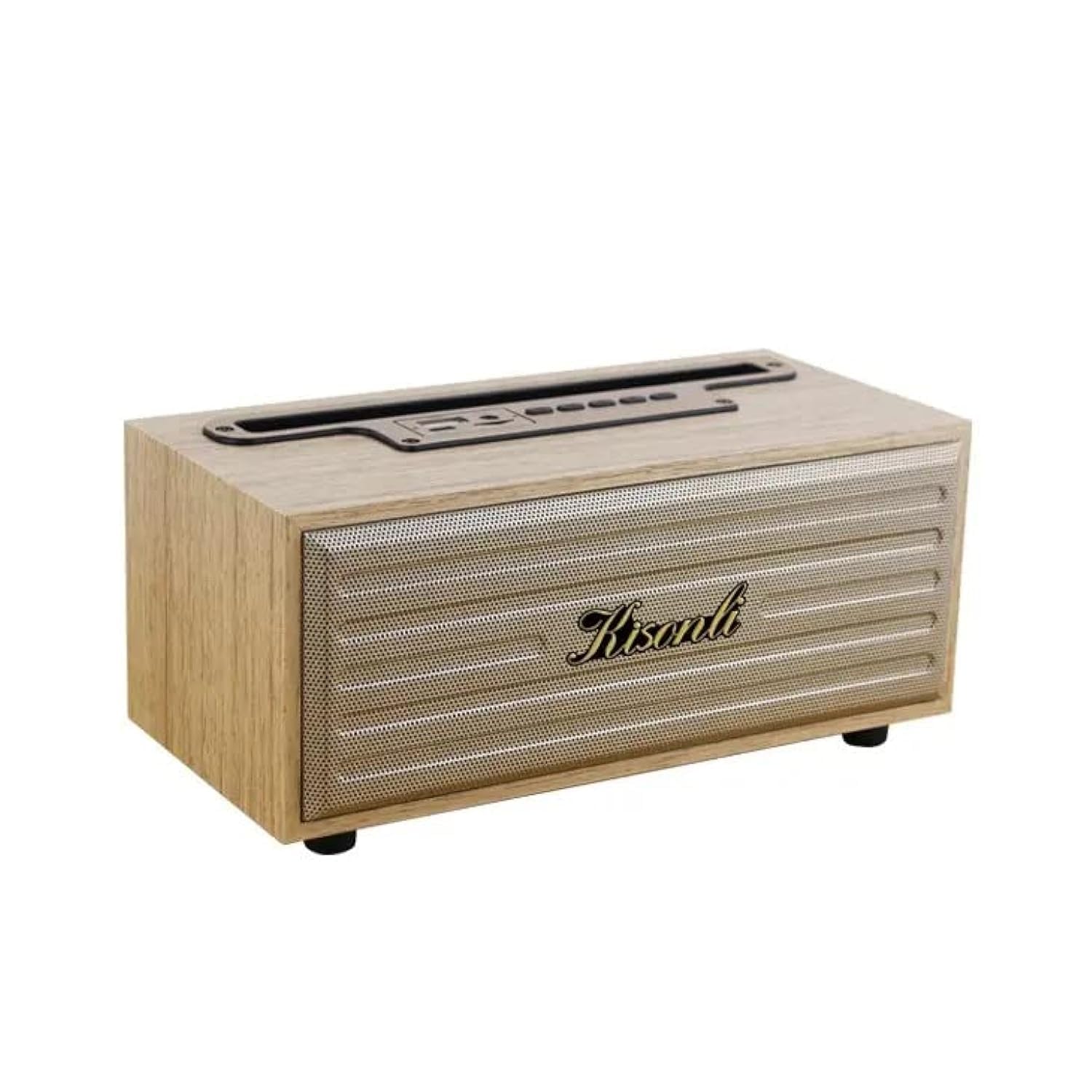
Image: The Kisonli G12A speaker, showcasing its wooden finish and retro design, with a smartphone placed in its integrated holder.
Коопсуздук маалыматы
- Динамикти экстремалдык температурага, түз күндүн нуруна же жогорку нымдуулукка дуушар кылбаңыз.
- Спикерди түшүрүүдөн же катуу таасирлерге дуушар кылуудан качыңыз.
- Динамикти өз алдынча бөлүктөргө бөлбөңүз же оңдоого аракет кылбаңыз. Квалификациялуу тейлөө кызматкерлерине кайрылыңыз.
- Keep the speaker away from water and other liquids, despite its water-resistant rating, to prevent damage.
- Көрсөтүлгөн кубаттоо көлөмүн гана колдонуңузtage (DC 5V) to prevent damage to the battery and speaker.
Пакеттин мазмуну
Сураныч, пакетте төмөнкү нерселерди текшериңиз:
- Kisonli G12A Bluetooth Speaker
- USB заряддоо кабели
- AUX кабели
- Колдонуучунун Колдонмосу (бул документ)

Image: The retail packaging box for the Kisonli G12A speaker, showing the product image and brand logo.
Продукт бүттүview
Familiarize yourself with the various parts and controls of your Kisonli G12A speaker.

Сүрөт: деталдуу view of the speaker's top panel, highlighting the control buttons and ports including USB, AUX, ON/OFF, volume controls, play/pause, mode switch, TF card slot, and DC 5V charging port.
Башкаруу панели жана порттор:
- USB порт: USB дискти ойнотуу үчүн.
- AUX порту: Зымдуу аудио киргизүү үчүн.
- ON/OFF которуу: Динамикти күйгүзөт же өчүрөт.
- Үндү төмөндөтүү / Мурунку трек: Мурунку трек үчүн кыска басыңыз, үндү азайтуу үчүн көпкө басыңыз.
- Ойнотуу/тындыруу: Аудио ойнотууну көзөмөлдөйт.
- Көлөмү / Кийинки трек: Кийинки трек үчүн кыска басыңыз, үнүн катуулатуу үчүн көпкө басыңыз.
- Режим которуу: Cycles through Bluetooth, TF Card, USB, and AUX modes.
- TF карта уячасы: TF (MicroSD) картасын ойнотуу үчүн.
- DC 5V порт: Динамикти заряддоо үчүн.
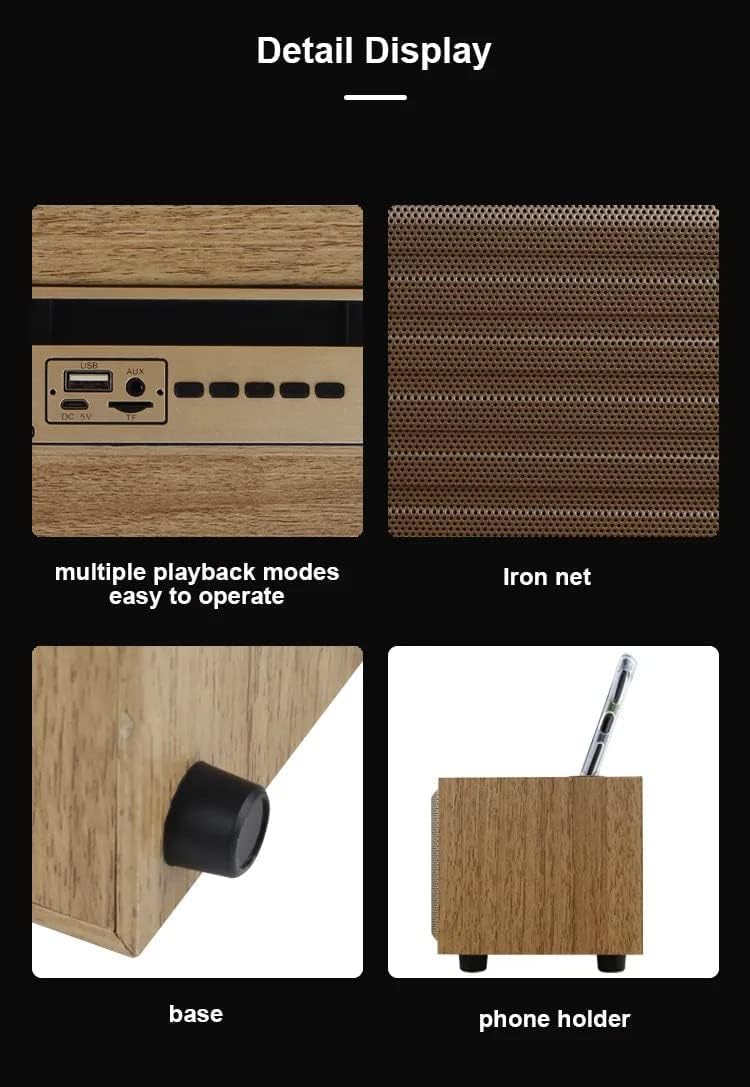
Image: A composite image showing close-ups of the speaker's features: the control panel with multiple playback modes, the metallic iron net grille, the anti-slip base, and the integrated phone holder slot.
Жайгашуу
1. Динамикти кубаттоо
- Берилген USB кубаттоо кабелин динамиктеги DC 5V портуна туташтырыңыз.
- Connect the other end of the USB cable to a compatible USB power adapter (DC 5V, not included) or a computer's USB port.
- The LED indicator will illuminate to show charging status. Once fully charged, the indicator may change color or turn off.
- A full charge typically takes a few hours and provides 2-10 hours of playtime, depending on volume and usage.
2. Күйгүзүү / Өчүрүү
- To power on, slide the ON/OFF switch to the 'ON' position. You will hear an audible prompt.
- Өчүрүү үчүн, КҮЙГҮЗҮҮ/ӨЧҮРҮҮ которгучун "ӨЧҮРҮҮ" абалына жылдырыңыз.
Иштөө нускамалары
1. Bluetooth Жупташтыруу
- Ensure the speaker is powered on and in Bluetooth mode. If not, press the 'Mode Switch' button until you hear the Bluetooth mode prompt. The LED indicator will flash, indicating it's ready for pairing.
- Мобилдик түзмөгүңүздө (смартфон, планшет, ноутбук) Bluetooth иштетиңиз жана жеткиликтүү түзмөктөрдү издеңиз.
- Select "Kisonli G12A" from the list of devices.
- Once paired, the speaker will confirm with an audible prompt, and the LED indicator will stop flashing and remain solid.
- Эми сиз түзмөгүңүздөн аудиону динамик аркылуу ойной аласыз.

Image: The Kisonli G12A speaker in a home setting, demonstrating its phone holder functionality with a device docked, and illustrating wireless Bluetooth playback from another smartphone up to 10 meters away.
2. TF картасын / USB дискти ойнотуу
- Insert a TF (MicroSD) card or a USB disk into the corresponding slot/port on the speaker.
- The speaker will automatically switch to TF Card or USB Disk mode and begin playing audio files. If not, press the 'Mode Switch' button to select the correct mode.
3. AUX режими
- Connect one end of the provided AUX cable to the AUX port on the speaker.
- Connect the other end of the AUX cable to the audio output jack of your external device (e.g., MP3 player, computer).
- Press the 'Mode Switch' button until you hear the AUX mode prompt.
- Эми аудио туташкан түзмөгүңүздөгү динамик аркылуу ойнотулат.
4. Hands Free Чалуу
- When connected via Bluetooth to a smartphone, incoming calls will be routed through the speaker.
- Press the 'Play/Pause' button to answer an incoming call.
- Чалууну аяктоо үчүн "Ойнотуу/Тынытуу" баскычын кайрадан басыңыз.
5. Чыныгы зымсыз стерео (TWS) функциясы
The TWS function allows you to pair two Kisonli G12A speakers together for a stereo sound experience. (Requires two G12A speakers).
- Ensure both speakers are powered on and in Bluetooth pairing mode (LED flashing).
- On one of the speakers, long press the 'Mode Switch' button until you hear a pairing tone. The two speakers will attempt to connect to each other.
- Once successfully paired, you will hear a confirmation tone, and the LED on one speaker will remain solid while the other continues to flash (or both become solid, depending on the specific model's indicator behavior).
- Эми мобилдик түзмөгүңүздү 1-кадамда сүрөттөлгөндөй Bluetooth аркылуу негизги динамикке туташтырыңыз. Эки динамик тең аудиону стерео форматта ойнойт.
Техникалык тейлөө
- Динамикти жумшак, кургак чүпүрөк менен тазалаңыз. Абразивдүү тазалагычтарды же эриткичтерди колдонбоңуз.
- Avoid blocking the speaker grille to ensure proper airflow and sound quality.
- Динамикти узак убакытка колдонбогондо салкын, кургак жерде сактаңыз.
Проблемаларды чечүү
| Көйгөй | Мүмкүн чечим |
|---|---|
| Динамик күйбөйт. | Батареянын заряддалганын текшериңиз. Динамикти USB кабели аркылуу кубат булагына туташтырыңыз. |
| Bluetooth аркылуу жупташтыруу мүмкүн эмес. | Ensure the speaker is in Bluetooth pairing mode (flashing LED). Turn off and on Bluetooth on your device. Move the speaker closer to your device. |
| Динамиктен үн жок. | Check volume levels on both the speaker and your connected device. Ensure the correct mode (Bluetooth, AUX, TF, USB) is selected. |
| Үн сапаты начар. | Ensure the speaker is within Bluetooth range. Check for interference from other wireless devices. For AUX mode, ensure the cable is fully inserted and not damaged. |
Техникалык шарттар
| Өзгөчөлүк | Деталь |
|---|---|
| Бренд | Кисонли |
| Модель номери | G12A |
| Bluetooth версиясы | 5.0 |
| Оюн убактысы | 2-10 саат |
| Заряддоо Voltage | DC 5V |
| Батарея сыйымдуулугу | 1200 мАч |
| Жыштык диапазону | 20 Гц - 20 КГц |
| Чыгуу күчү | 5 Ватт |
| Продукт Салмагы | 415 грамм (болжол менен 1.32 фунт) |
| Продукциянын өлчөмдөрү (D x W x Y) | 10 см х 20 см х 9 см |
| Материал | Жыгач |
| Түс | Жыгач (Күрөң) |
| Байланыш технологиясы | Bluetooth, USB, көмөкчү |
| Башкаруу ыкмасы | Buttons |
| Сууга чыдамдуу | Ооба |
| Шайкеш түзмөктөр | Tablet, Laptop, Smartphone |
| Аудио чыгаруу режими | Стерео |
| Монтаж түрү | Стол үстү |

Image: The Kisonli G12A speaker with its physical dimensions clearly marked: 9cm height, 10cm depth, and 20cm width.
Кепилдик жана колдоо
This product comes with a standard manufacturer's warranty. For detailed warranty information, please refer to the warranty card included in your package or contact Kisonli customer support. If you encounter any issues or have questions not covered in this manual, please reach out to the retailer or Kisonli customer service for assistance.


