1. Киришүү
This manual provides essential information for the proper setup, operation, and maintenance of your Bushnell LPX350 Walkie Talkie Radios. Designed for clear and reliable two-way communication, these radios are built to withstand various outdoor conditions.
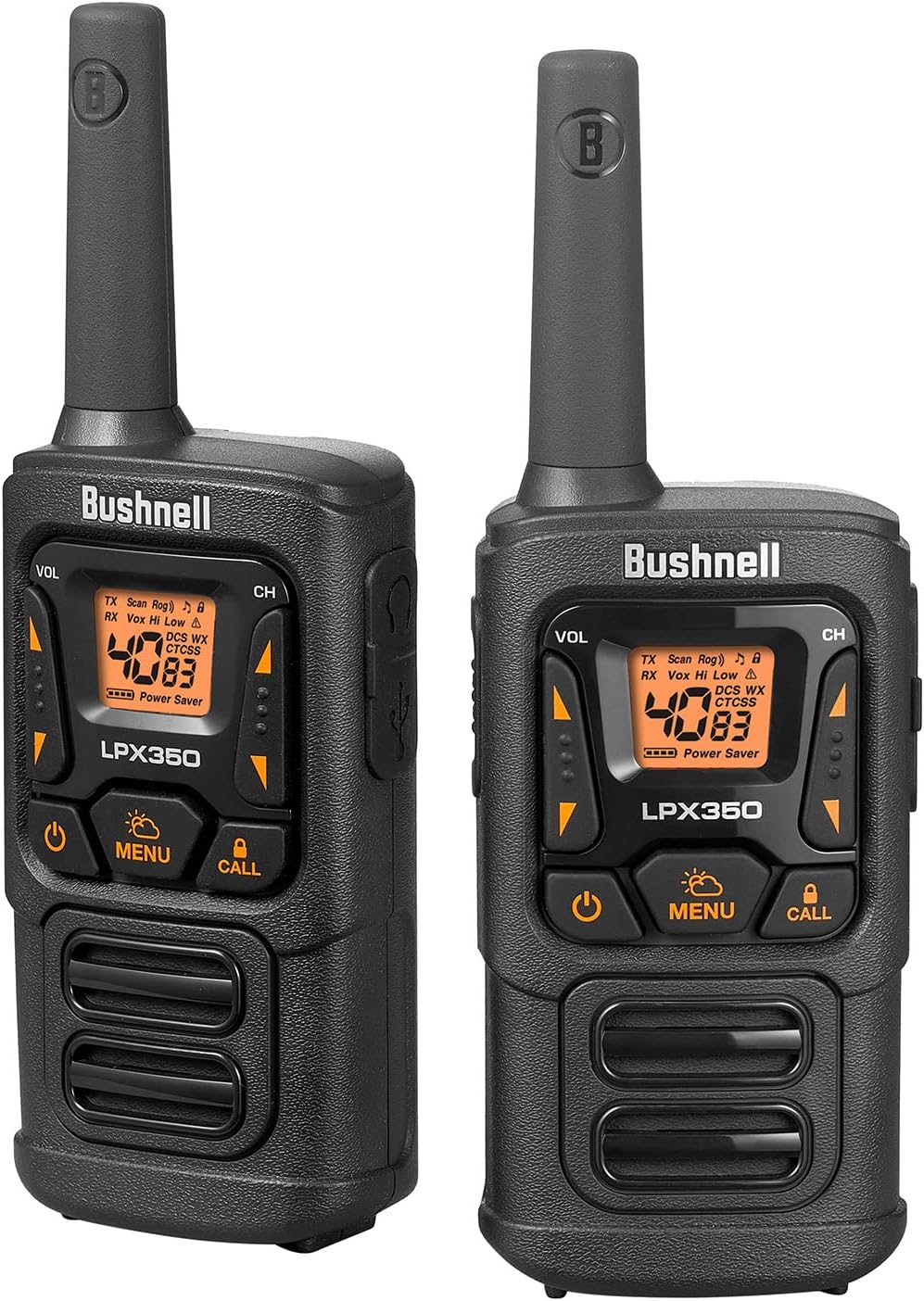
Figure 1: Bushnell LPX350 Walkie Talkie Radios
A pair of black and orange Bushnell LPX350 walkie talkie radios, showcasing their compact and rugged design.
2. Кутуда эмне бар
Сиздин Bushnell LPX350 топтомуңузга төмөнкү нерселер кирет:
- 2x LPX350 рациялык эки тараптуу радиолор
- 6x 650mAH NiMH Rechargeable Batteries
- 2x кайыш клиптер
- 1x USB-C заряддоо кабели
- 1x Колдонуучунун колдонмосу (бул документ)
Note: Radios can also be used with 3 AA alkaline batteries (not included) per radio.

2-сүрөт: Пакеттин мазмуну
The image displays the two LPX350 radios, rechargeable batteries, belt clips, and a USB-C charging cable, laid out on a surface.
3. Продукциянын өзгөчөлүктөрү
The Bushnell LPX350 radios offer a range of features designed for optimal performance:
- Ultra Clear Long Distance Reception: 1 Watt of power provides clear communication up to 36 miles (57 kilometers) in optimal conditions.
- Privacy with Preset Channels: Features 40 channels and 121 privacy codes to minimize interference.
- Rugged Water-Resistant Construction: Built to withstand the elements with an IPX2 rating, offering protection against splashing water.
- Hands-Free Operation (VOX): Allows for voice-activated transmission without pressing the PTT button.
- Сокко туруктуу: Designed to endure impacts up to 1.5 meters.
- USB-C заряддоо: Ыңгайлуу жана заманбап кубаттоо чечими.
- Roger Beep Tone: Audible tone indicates when transmission is complete.
- Ачкыч кулпусу: Орнотууларды кокусунан өзгөртүүгө жол бербейт.
- Энергияны үнөмдөө режими: Extends battery life during periods of inactivity.
- Авто өчүрүү: Automatically mutes weak transmissions and unwanted noise.
- Speaker / Microphone Jack: Тышкы аудио аксессуарларды туташтыруу үчүн.
- Шайкештик: Works with other FRS Walkie Talkies.
- NOAA аба ырайы радиосу: Provides 24/7 access to 10 different NOAA weather channels for emergency alerts and updates.
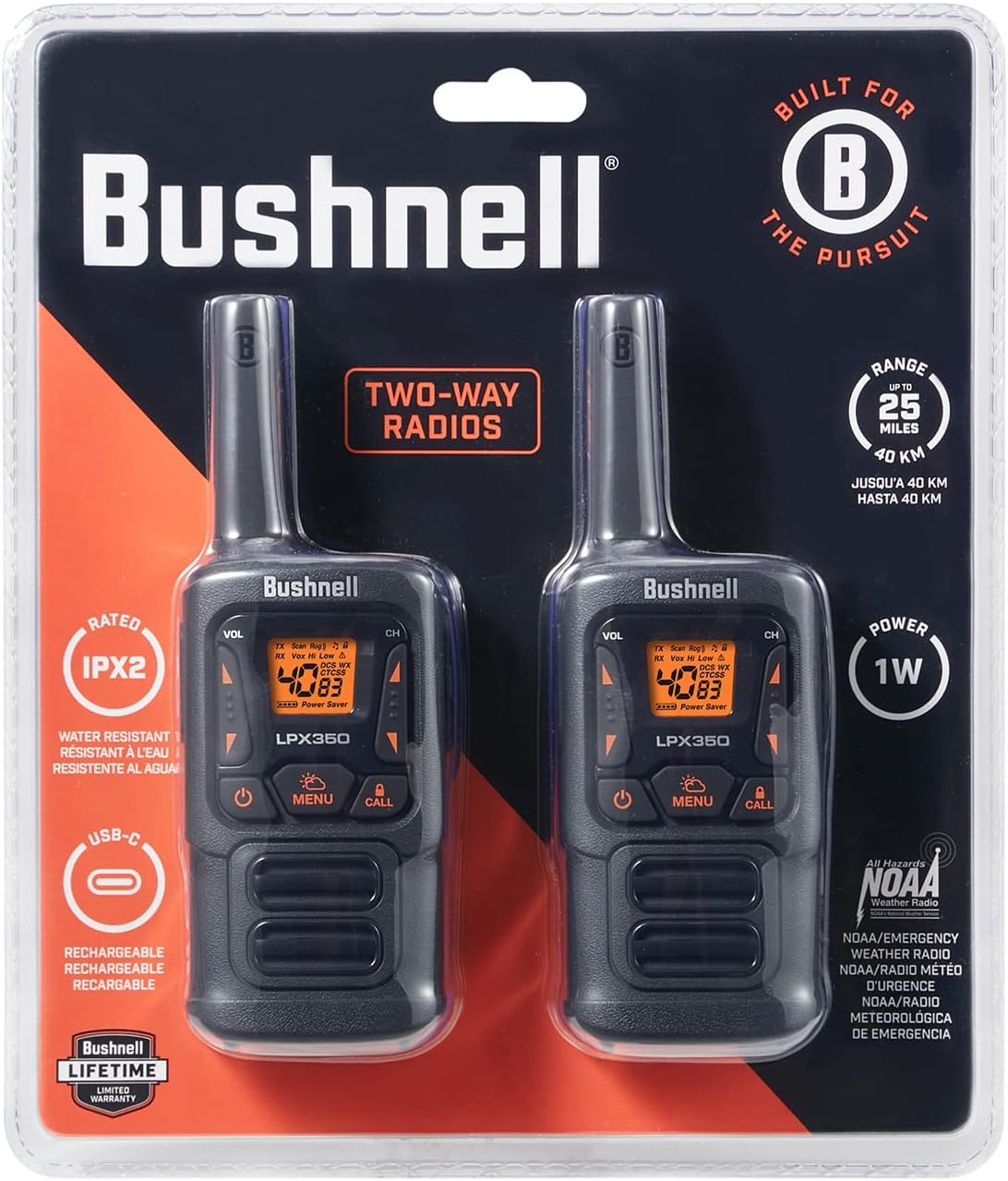
Figure 3: Radio Front Panel
А деталдуу view of the LPX350's front panel, showing the display, volume, channel, menu, call, and power buttons.

Figure 4: Radio Side View
The side of the LPX350 radio, highlighting the Push-to-Talk (PTT) button and the attached belt clip.
Видео 1: Продукт бүттүview
Бул видео жалпы маалымат беретview of the Bushnell LPX350 Walkie Talkie Radio, demonstrating its key features and design.
4. Орнотуу
4.1 Батареяны орнотуу
- Радио өчүрүлгөнүн текшериңиз.
- Радионун артындагы батарея бөлүкчөсүнүн капкагын табыңыз.
- Аны алып салуу үчүн өтмөктү басып, капкакты ылдый жылдырыңыз.
- Insert the 3 included NiMH rechargeable batteries into the compartment, observing the polarity markings (+/-). Alternatively, you may insert 3 AA alkaline batteries (not included).
- Replace the battery compartment cover by sliding it upwards until it clicks securely into place.
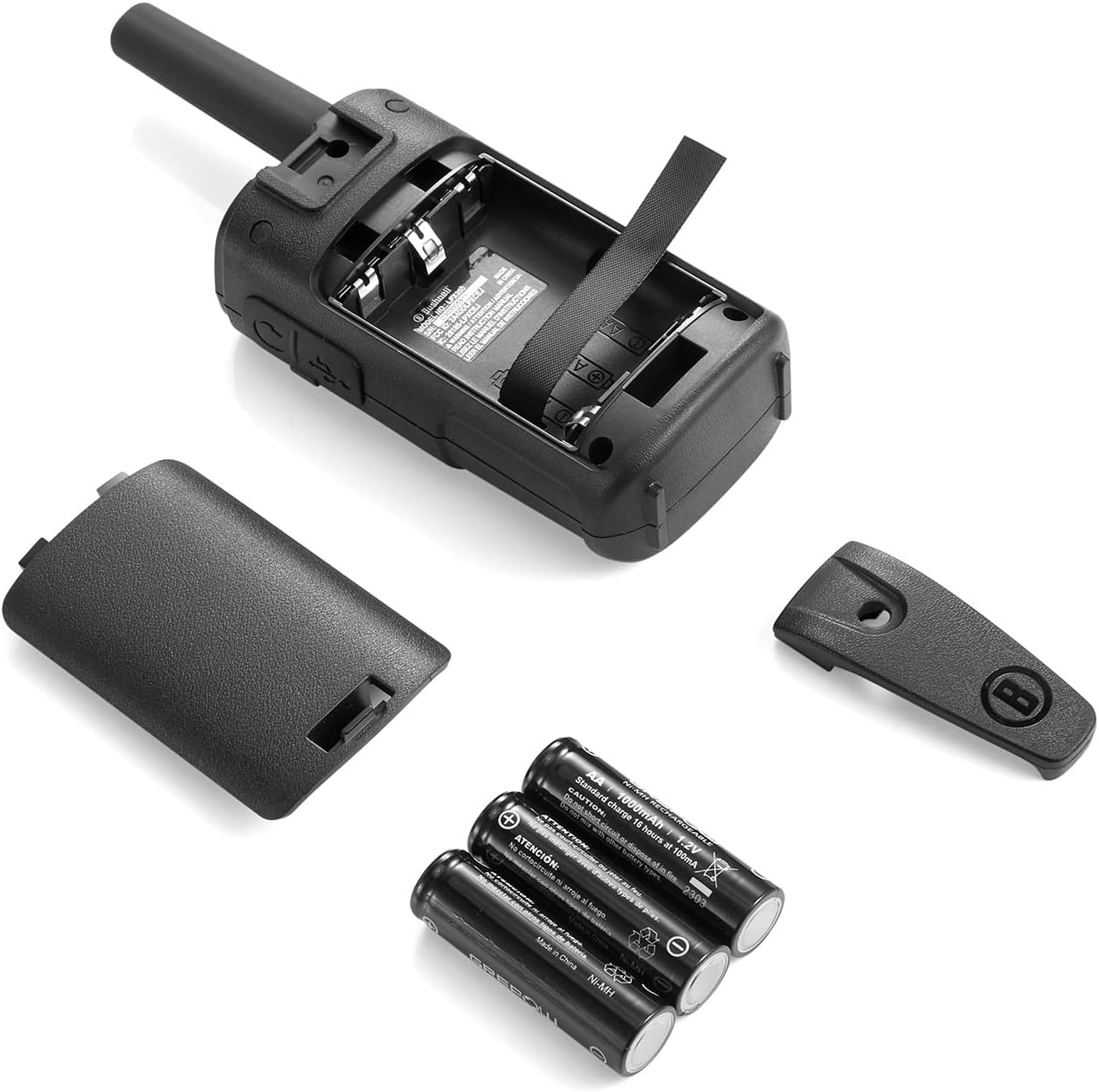
Сүрөт 5: Батареяны орнотуу
The image shows the back of the LPX350 radio with the battery compartment open, revealing the slots for three AA-sized batteries.
4.2 Батареяларды заряддоо
- Connect the USB-C charging cable to the USB-C port on the side of the radio.
- USB-C кабелинин экинчи учун туура келген USB кубат булагына туташтырыңыз (мисалы, дубал адаптери, компьютердин USB порту).
- Радио дисплейдеги батареянын индикатору заряддоо абалын көрсөтөт.
- Charging typically takes several hours. Disconnect the cable once charging is complete.

6-сүрөт: USB-C заряддоо порту
A close-up of the side of the LPX350 radio, showing the USB-C charging port and the speaker/microphone jack, both protected by a rubber flap.
4.3 Кур кыстыргычты бекитүү
- Кур кыскычын радионун арткы жагындагы оюктар менен тегиздеңиз.
- Slide the belt clip upwards until it locks securely into place.
- To remove, push the release tab on the belt clip and slide it downwards.

Figure 7: Belt Clip Attachment
The back of the LPX350 radio with the belt clip securely attached, ready for hands-free carrying.
5. Иштөө нускамалары
5.1 Күйгүзүү/өчүрүү
басып, кармап туруңуз Күч button (usually located at the bottom center of the front panel) until the display lights up or turns off.
5.2 Канал тандоо
- басыңыз Меню баскычын бир жолу. Дисплейде каналдын номери күйөт.
- колдонуу Up or Төмөн arrow buttons to select your desired channel (1-40).
- басыңыз Меню каналды тандоону ырастоо үчүн кайра басыңыз.
5.3 Купуялык коддору
To set a privacy code (CTCSS/DCS):
- Каналды тандагандан кийин, басыңыз Меню баскычын эки жолу басыңыз. Купуялык коду жарк этет.
- колдонуу Up or Төмөн arrow buttons to select a privacy code (1-121).
- басыңыз Меню button again to confirm. Both radios must be on the same channel and privacy code to communicate privately.
5.4 Үндү тууралоо
колдонуу VOL Up or VOL Down buttons on the side of the radio to adjust the listening volume.
5.5 Берүү жана кабыл алуу
Өткөрүш үчүн басып, кармап туруңуз Push-to-Talk (PTT) button on the side of the radio and speak clearly into the microphone. Release the PTT button to receive.
5.6 Call Alert
басыңыз Чалуу button to send an audible alert tone to other radios on the same channel and privacy code.
5.7 Key Lock
To activate/deactivate the Key Lock feature, press and hold the Кулпу button (often integrated with the Call button) until the lock icon appears/disappears on the display.
5.8 NOAA Weather Radio
To access NOAA Weather Channels, press the WX button. Use the arrow buttons to cycle through the 10 available weather channels. Press WX кайра чыгуу үчүн.
Video 2: Bushnell LPX350 Basic Operation
This video demonstrates the basic functions of the Bushnell LPX350, including power on/off, channel selection, and call alert.
6. Техникалык тейлөө
- Тазалоо: жумшак колдонуу, damp радионун сыртын тазалоо үчүн чүпүрөк. Катуу химиялык заттарды же абразивдүү тазалагычтарды колдонбоңуз.
- Сактагыч: If storing the radios for an extended period, remove the batteries to prevent leakage. Store in a cool, dry place.
- Батареяга кам көрүү: Always use the recommended NiMH rechargeable batteries or high-quality AA alkaline batteries. Avoid overcharging.
7. Кыйынчылыктарды
| Көйгөй | Мүмкүн чечим |
|---|---|
| Күч жок | Батареянын орнотулушун жана заряд деңгээлин текшериңиз. Зарыл болсо, батареяларды алмаштырыңыз. |
| Берүү/кабыл алуу мүмкүн эмес | Ensure both radios are on the same channel and privacy code. Check volume levels. Verify PTT button is functioning. |
| Начар аудио сапаты | Check for obstructions between radios. Move to a higher elevation. Ensure microphone/speaker are clear of debris. |
| Баскычтоп кулпуланган | Press and hold the Key Lock button to unlock. |
8. Техникалык шарттар
| Өзгөчөлүк | Деталь |
|---|---|
| Модель номери | LPX350 |
| Өлчөмдөрү (H x W x D) | 6.93" x 2.32" x 1.38" |
| Салмагы | 5.8 унция (0.36 фунт) |
| Power Output | 1 Ватт |
| Жыштык диапазону | 400-470 МГц |
| Каналдардын саны | 40 (including FRS channels) |
| Купуялык коддору | 121 |
| Максималдуу сүйлөшүү диапазону | Up to 36 Miles (under ideal conditions) |
| Сууга туруктуулук деңгээли | IPX2 (Сууга туруктуу) |
| Сокку каршылык | 1.5 миллионго чейин |
| Батарея түрү | 650mAH NiMH Rechargeable (3 per radio, included) or 3 AA Alkaline (not included) |
| Иштөө убактысы | Approx. 10 Hours (90% Standby, 10% Talk/Listen) |
| Заряддоо порту | USB-C |
| Түс | Кара/кызгылт сары |
| Өндүрүүчү | Shineflex US ЖЧКсы |
9. Кепилдик жана колдоо
Your Bushnell LPX350 Walkie Talkie Radios are backed by a Bushnell Lifetime Limited Warranty, ensuring quality and reliability. The included NiMH rechargeable batteries have a 180-day warranty.
For further assistance or warranty claims, please refer to the contact information provided in your product packaging or visit the official Bushnell webсайт.


