1. Киришүү
Thank you for choosing the BOBLOV M7 Pro 4K GPS Body Camera. This device is designed for professional and personal use, offering high-resolution video recording, robust battery life, and integrated GPS functionality. Please read this manual carefully to ensure proper use and optimal performance of your camera.

Сүрөт 1.1: Алдыңкы жана арткы view of the BOBLOV M7 Pro Body Camera, showing the main lens, screen, and control buttons.
2. Продукциянын өзгөчөлүктөрү
- 4K Video Resolution & 180° Rotatable Lens: Capture flexible and sharp footage with the unique 180-degree rotatable lens, supporting 4K video resolution (3840x2160P) and 40MP photos.

Image 2.1: The BOBLOV M7 Pro camera demonstrating its 180-degree rotatable lens, allowing for flexible recording angles.

Image 2.2: Visual representation of the M7 Pro's Ultra 4K video recording (3840x2160P) and 40MP photo capture capabilities.
- Multi-functional Video Recorder with Audio: The portable 4K video camera can be attached to shoulder, chest, or waist belts using the included clips. It can also be fixed to a windshield with a body mount (suction cup mount not included).
- Чоң 4000 мАч Батарея: Equipped with a 4000mAh battery, providing up to 14 hours of video recording time and supporting fast charging.
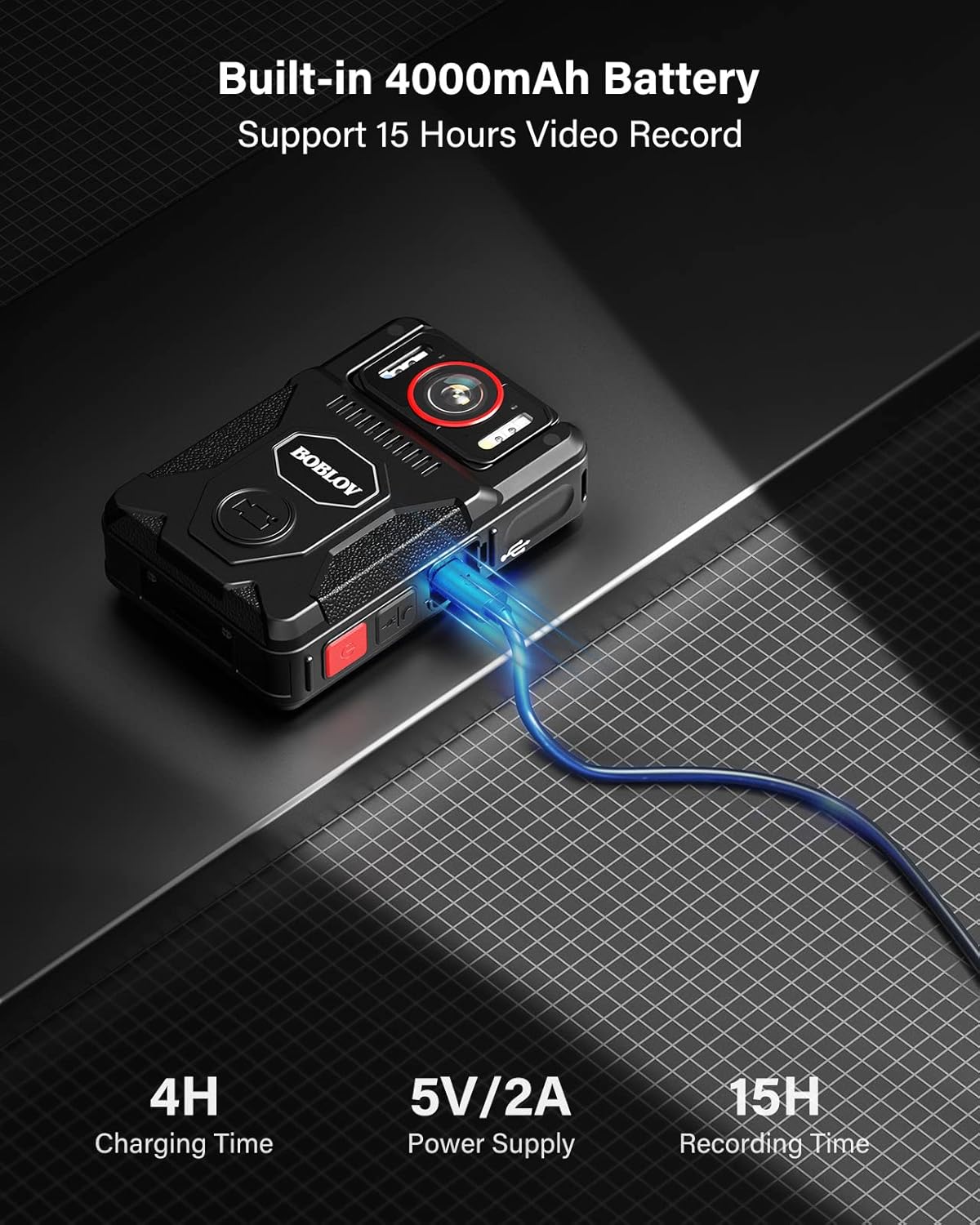
Image 2.3: The BOBLOV M7 Pro connected to a charger, illustrating its 4000mAh battery capacity and charging time.
- Infrared Night Vision & GPS Functionality: Features 4 infrared lights for clear recording in dark conditions. The GPS function allows tracking of driving/movement routes via the provided GPS player software.
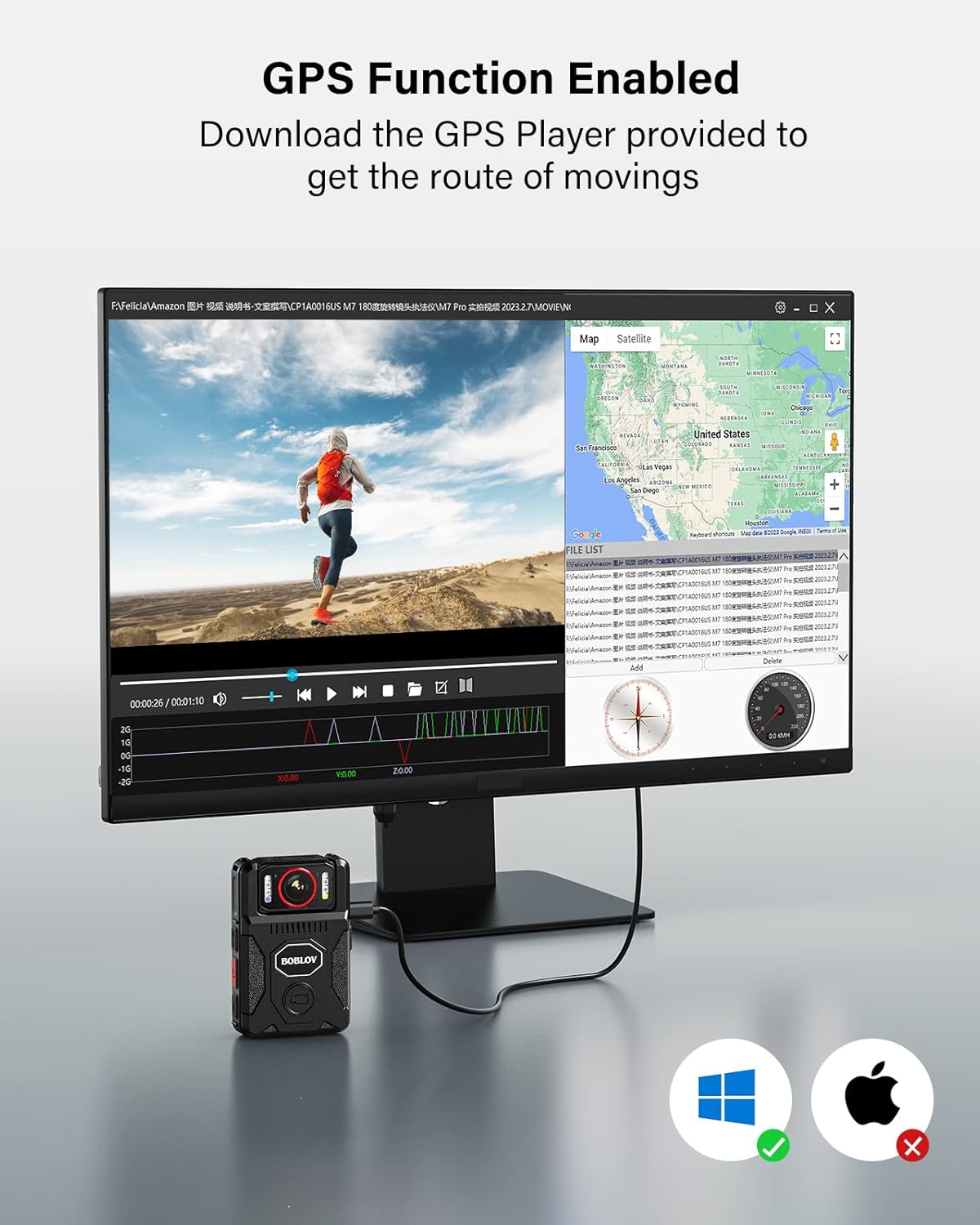
Image 2.4: A display showing the GPS tracking feature of the BOBLOV M7 Pro, with a map interface and route playback.
- 128GB Internal Memory & Loop Recording: Comes with 128GB of built-in memory. Supports loop recording with video durations configurable to 5, 10 (default), or 15 minutes.
- M7 Pro vs. M7 Comparison: The M7 Pro offers higher resolution (4K/2160P), auto-adjusted image direction with its rotating lens, and obvious red buttons for video and boot, compared to the M7 model.

Image 2.5: A side-by-side comparison highlighting the differences between the BOBLOV M7 Pro and the standard M7 model, including resolution and design.
3. Пакеттин мазмуну
Кутучаны ачканда, төмөндө көрсөтүлгөн бардык буюмдар бар экенин жана жакшы абалда экенин текшериңиз:
- 1 x BOBLOV M7 Pro Body Worn Camera (128GB)
- 1 x USB-C кабели
- 1 x Fast Charging Reservoir (Power Adapter)
- 1 x Кыска 360° айлануучу клип
- 1 x Узун 360° айлануучу клип
- 1 x User Manual

Image 3.1: All components included in the BOBLOV M7 Pro package, laid out for easy identification.
4. Орнотуу
4.1 Аппаратты заряддоо
Before first use, fully charge the camera. The 4000mAh battery typically takes 4-5 hours to fully charge using the provided fast charger.
- USB-C кабелин камеранын кубаттоо портуна туташтырыңыз.
- Connect the other end of the USB-C cable to the fast charging reservoir (power adapter).
- Кубат адаптерин розеткага сайыңыз.
- The charging indicator light on the camera will show charging status (refer to camera display for exact indication).
4.2 Баштапкы күйгүзүү
- Press and hold the Power button (usually a red button) for a few seconds until the screen lights up.
- Follow any on-screen prompts for initial setup, such as setting date and time.
4.3 Камераны тиркөө
Use the provided 360° rotating clips to attach the camera securely:
- Choose either the short or long clip based on your preference and attachment point (e.g., uniform, belt, backpack strap).
- Slide the clip into the designated slot on the back of the camera until it clicks into place.
- Rotate the clip to adjust the camera's angle as needed.
5. Иштөө нускамалары
5.1 Видео жаздыруу
- Камера күйгүзүлгөнүн текшериңиз.
- Press the dedicated Video Record button (often a red button) once to start recording. A recording indicator (e.g., red dot, flashing light) will appear on the screen.
- Видео жаздырууну токтотуу үчүн кайрадан "Видео жаздыруу" баскычын басыңыз. file автоматтык түрдө сакталат.
5.2 Сүрөткө тартуу
- From standby mode, press the Photo button (if available, or refer to the specific button layout in your manual) to take a still picture.
- The camera will briefly display a capture confirmation.
5.3 GPS функциясы
The M7 Pro features built-in GPS to log location data with your recordings.
- Ensure GPS is enabled in the camera settings (refer to the camera's on-screen menu).
- When recording, the camera will automatically embed GPS coordinates into the video file.
- үчүн view the route, connect the camera to a computer and use the provided GPS player software.
5.4 Түнкү көрүү режими
The camera's 4 infrared lights enable clear recording in low-light or dark environments.
- Night vision can typically be activated manually via a dedicated button or through the camera's menu settings.
- In night vision mode, recordings will be in black and white.
5.5 Цикл жаздыруу
Loop recording allows the camera to continuously record by overwriting the oldest fileэс толгондо с.
- Access the camera's settings menu to configure loop recording duration (5, 10, or 15 minutes).
- Демейки жөндөө 10 мүнөт.
6. Техникалык тейлөө
- Тазалоо: Use a soft, dry cloth to clean the camera body. For the lens, use a specialized lens cleaning cloth and solution. Do not use harsh chemicals or abrasive materials.
- Сактагыч: Камераны салкын, кургак, күн нуру түз тийбеген жана өтө жогорку температурадан алыс жерде сактаңыз. Эгер узак убакытка сактасаңыз, батареянын иштөө мөөнөтүн узартуу үчүн анын жарым-жартылай заряддалганын (болжол менен 50%) текшериңиз.
- Батареяга кам көрүү: Avoid fully discharging the battery frequently. Charge the camera regularly, even if not in active use, to maintain battery health.
- Программалык камсыздоонун жаңыртуулары: Расмий BOBLOVду текшериңиз webОптималдуу иштөөнү жана жаңы функцияларга жетүүнү камсыз кылуу үчүн мезгил-мезгили менен сайттагы микропрограммалык камсыздоонун бардык жеткиликтүү жаңыртууларын карап туруңуз.
7. Кыйынчылыктарды
| Көйгөй | Мүмкүн себеп | Чечим |
|---|---|---|
| Камера күйбөйт. | Батареянын аздыгы; аппарат катып калган. | Charge the camera fully. Perform a hard reset (refer to manual for specific button combination, usually holding power button for 10+ seconds). |
| Видеонун сапаты начар/бүдөмүк. | Кир линза; туура эмес чечим орнотуулары; жетишсиз жарыктандыруу. | Clean the lens. Check video resolution settings in the menu. Activate night vision in low light. |
| GPS not tracking. | GPS function disabled; poor satellite signal. | Ensure GPS is enabled in settings. Move to an open area with clear sky view. |
| Батарея бат эле түгөнөт. | Continuous recording; frequent use of power-intensive features (e.g., night vision, Wi-Fi if applicable). | Reduce continuous recording time. Disable unnecessary features. Ensure full charge before use. |
| Кирүү мүмкүн эмес fileкомпьютерде. | Туура эмес USB туташуу режими; драйвер көйгөйлөрү. | Ensure camera is in mass storage mode when connected. Try a different USB port or cable. Install necessary drivers if prompted. |
8. Техникалык шарттар
| Өзгөчөлүк | Деталь |
|---|---|
| Бренд | БОБЛОВ |
| Модель аты | BOBLOV M7 PRO |
| Video Resolution | 4K (3840x2160P) |
| Сүрөттүн резолюциясы | 40 мегапиксел |
| Объективдин айлануусу | 180° |
| Батарея сыйымдуулугу | 4000 мАч литий полимери |
| Жазуу убактысы | 14-15 саатка чейин |
| Заряддоо убактысы | 4-5 hours (with fast charger) |
| Ички эс тутум | 128 ГБ |
| Байланыш технологиясы | USB |
| Колдоого алынган форматтар | Video: MOV; Audio: AAC, MP3 |
| Өзгөчөлүктөр | Lightweight, GPS, Infrared Night Vision, Loop Recording |
| Image Stabilization | Жок |
| Суу өткөрбөйт деңгээл | Суу өткөрбөйт |
| Фокус түрү | Автофокус |
| Камтылган компоненттер | 1 piece (camera, USB-C cable, fast charger, 2 clips, user manual) |
9. Кепилдик жана колдоо
БОБЛОВ сунуштайт эки жылдык кепилдик for high-quality products, ensuring peace of mind regarding after-sales support.
For technical support, warranty claims, or any inquiries regarding your BOBLOV M7 Pro camera, please contact BOBLOV customer service through their official webсайт же продукт таңгагында көрсөтүлгөн байланыш маалыматы.
Сураныч, кепилдик максаттары үчүн сатып алганыңыздын далилин сактап коюңуз.


