1. Киришүү
Welcome to your EPOS Impact 1061T ANC Headset. This manual provides detailed instructions for setting up, operating, and maintaining your headset to ensure optimal performance in open office environments. The EPOS Impact 1061T ANC is designed for clear communication and concentration, featuring Hybrid Adaptive ANC, AI microphone technology, and multipoint Bluetooth connectivity.
2. Кутуда эмне бар
Carefully unpack your EPOS Impact 1061T ANC Headset and verify that all components are present:
- EPOS Impact 1061T ANC Headset
- Зымсыз кубаттоочу стенд
- Bluetooth® USB Dongle
- USB-C Cable
- Soft Carry Pouch
- Safety & Compliance Sheet
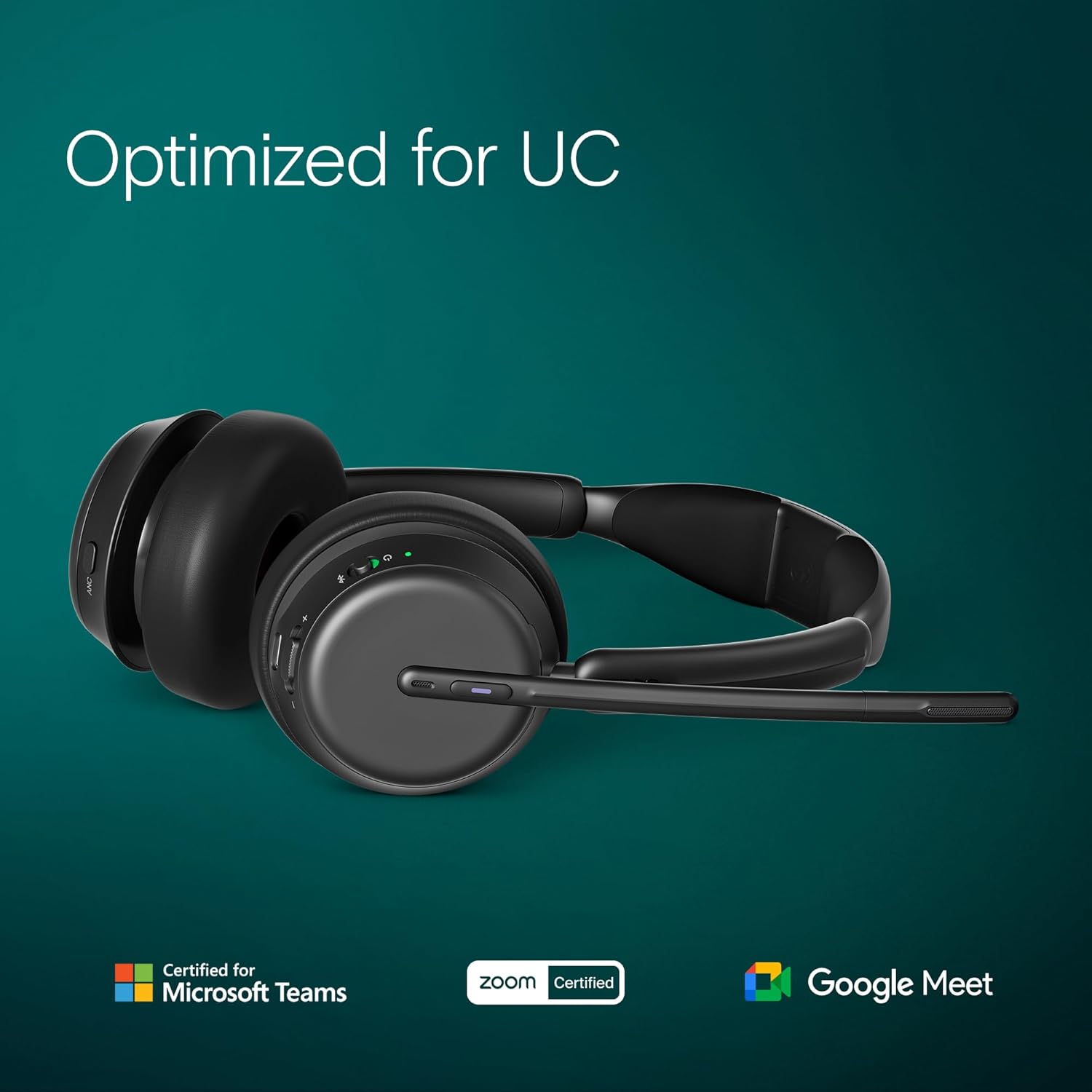
Image: All components included with the EPOS Impact 1061T ANC Headset.
3. Негизги өзгөчөлүктөрү
The EPOS Impact 1061T ANC Headset incorporates advanced technologies for a superior communication experience:
- Adaptive Active Noise Cancelling (ANC) Technology: Dynamically adjusts to ambient noise, providing undisturbed concentration in noisy environments.
- EPOS AI Voice Optimization: Advanced algorithms enhance speech intelligibility by suppressing background noise and highlighting the speaker's voice.
- BrainAdapt Comfort Design: Ergonomically designed for all-day use, reducing pressure points for prolonged wearing comfort.
- Super Wideband Audio Quality: Offers exceptional sound quality for calls and music with a wide frequency range for natural and clear sound reproduction.
- Durable and Long-Lasting Construction: Built with robust materials for daily professional use.
- Көп чекиттүү байланыш: Connects wirelessly to up to three devices simultaneously.
- Microsoft командалары тастыкталган: Optimized for seamless integration and performance with Microsoft Teams.
- Зымсыз кубаттоо: Convenient charging via the included charging stand.
Сүрөт: бүттүview of the headset's design and functional benefits.
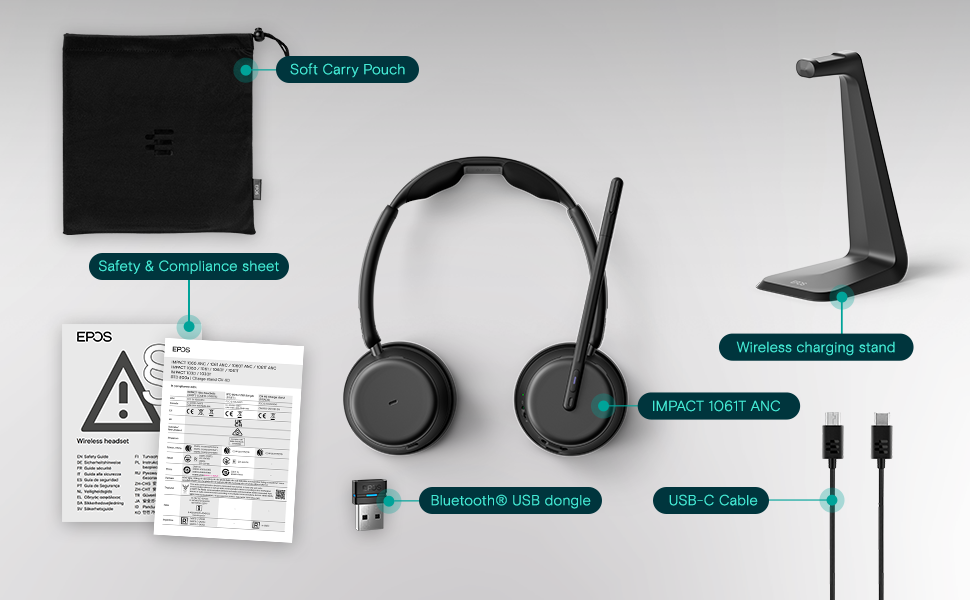
Image: The headset's compatibility and certifications for Unified Communications platforms.
4. Орнотуу
4.1. Гарнитураны заряддоо
Before first use, fully charge your headset. Place the headset onto the wireless charging stand. The LED indicator on the headset will show the charging status. A full charge typically takes approximately 2 hours.

Image: Headset correctly placed on the charging stand.
4.2. Алгачкы жупташтыруу (Bluetooth)
- Гарнитура өчүрүлгөнүн текшериңиз.
- Press and hold the power button for 5 seconds until the LED indicator flashes blue and red, indicating pairing mode.
- On your device (desktop, laptop, smartphone), navigate to Bluetooth settings and search for new devices.
- Select "EPOS Impact 1061T ANC" from the list of available devices to connect.
- The LED will turn solid blue when successfully paired.
4.3. Using the USB Dongle
For optimal performance and stability with computers, use the included Bluetooth® USB dongle:
- Insert the Bluetooth® USB dongle into an available USB port on your computer.
- Гарнитураңызды күйгүзүңүз.
- The headset will automatically connect to the dongle. The LED on the dongle will turn solid blue when connected.
- Ensure the EPOS headset is selected as the default audio input and output device in your computer's sound settings and communication applications.
5. Иштөө нускамалары
5.1. Күйгүзүү/өчүрүү
To power on the headset, press and hold the power button for 2 seconds. To power off, press and hold the power button for 3 seconds.
5.2. Үндү башкаруу
Use the dedicated volume up (+) and volume down (-) buttons located on the right earcup to adjust the listening volume.
5.3. Активдүү ызы-чууну жокко чыгаруу (ANC)
The ANC feature helps reduce ambient noise. Press the ANC button on the left earcup to toggle Active Noise Cancellation on or off. The LED indicator will confirm the ANC status.
5.4. Microphone Usage and Mute Function
The flexible microphone boom can be positioned for optimal voice pickup. To mute the microphone, simply lift the microphone boom upwards. Lowering the boom will unmute the microphone. A voice prompt or LED indicator may confirm the mute status.

Image: Headset with microphone in active position.
5.5. Көп чекиттүү байланыш
Your headset can be connected to multiple Bluetooth devices simultaneously. It will intelligently switch between devices for calls and audio playback. To manually switch, pause audio on one device and start playback on another.
5.6. Microsoft Teams Integration
For Microsoft Teams certified models, a dedicated Teams button on the earcup allows for quick access to Teams functions, such as answering/ending calls, joining meetings, and raising your hand.

Image: Demonstrating EPOS Voice™ technology for clear communication in a busy office.

Image: Illustrating the headset's wireless range for flexible movement.
6. Техникалык тейлөө
Тийиштүү кам көрүү гарнитураңыздын узак мөөнөттүү иштешин жана иштешин камсыз кылат:
- Тазалоо: Gently wipe the ear cushions and headband with a soft, dry, lint-free cloth. Do not use liquid cleaners or abrasive materials.
- Сактагыч: When not in use, store the headset on its charging stand or in the provided soft carry pouch to protect it from dust and damage.
- Экологиялык шарттар: Avoid exposing the headset to extreme temperatures, direct sunlight, high humidity, or liquids.
7. Кыйынчылыктарды
Гарнитураңызга байланыштуу көйгөйлөргө туш болсоңуз, төмөнкү жалпы чечимдерди караңыз:
7.1. Аудио жок же аудио сапаты начар
- Гарнитуранын кубатталганын жана батареясынын кубаттуулугу жетиштүү экенин текшериңиз.
- Verify that the headset is successfully paired and connected to your device via Bluetooth or the USB dongle.
- Check the audio output settings on your computer or smartphone to ensure the EPOS headset is selected.
- Adjust the volume levels on both the headset and your connected device.
7.2. Микрофон иштебей жатат
- Ensure the microphone boom is lowered and not in the muted (upright) position.
- Check the microphone input settings on your computer or smartphone.
- Confirm that the EPOS headset is selected as the input device in your communication application (e.g., Microsoft Teams, Zoom).
7.3. Active Noise Cancellation (ANC) Not Effective
- Ensure the ANC feature is activated using its dedicated button.
- Adjust the headset's fit to ensure a good seal around your ears, as this is crucial for ANC performance.
7.4. Headset Not Charging
- Ensure the headset is correctly seated on the charging stand.
- Verify that the charging stand is properly connected to a power source.
- Check the USB-C cable for any damage and try a different USB port or power adapter if available.
8. Техникалык шарттар
| Өзгөчөлүк | Деталь |
|---|---|
| Модель аты | IMPACT 1061T ANC |
| Noise Control | Ыңгайлаштырылган ызы-чууну жокко чыгаруу |
| Байланыш технологиясы | Зымсыз (Bluetooth) |
| Зымсыз байланыш технологиясы | Bluetooth 5.0 |
| Камтылган компоненттер | Кубаттоочу станция |
| Шайкеш түзмөктөр | Desktops, Laptops, Smartphones |
| Элемент Салмагы | 181 грамм (6.4 унция) |
| Жыштык диапазону | 20 Гц - 20 000 Гц |
| Башкаруу ыкмасы | тийүү |
| Аудио драйвер түрү | Ыңгайлаштырылган драйвер |
| Наушник формасы | On Ear |
| Өзгөчөлүктөр | Adjustable Headband, Lightweight, Noise Cancellation, Volume Control, Wireless Charging |
| Өндүрүүчү | Demant Sound Epos Audio A/S |
| Продукциянын өлчөмдөрү | 19.69 x 19.69 x 11.02 дюйм |
| Батареялар | 1 литий-иондук батарейка (кошулган) |
| Дата биринчи жеткиликтүү | 18-июль, 2023-жыл |
| Материал | Leather or Synthetic material (ear cushions) |
| Импеданс | 20 Ом |
9. Кепилдик жана колдоо
For detailed warranty information, technical support, and frequently asked questions, please visit the official EPOS support webсайт. Ар кандай кепилдик дооматтары үчүн сатып алганыңыздын далилин сактап калуу сунушталат.
EPOS колдоо Webсайт: https://www.eposaudio.com/en/us/support


