1. Киришүү
Thank you for choosing the Rraycom BW4N Wireless Home/Outdoor Security Camera system. This manual provides comprehensive instructions for setting up, operating, and maintaining your security cameras to ensure optimal performance and peace of mind. The Rraycom BW4N offers 5MP resolution, AI motion detection, color night vision, two-way talk, and flexible storage options, designed for both indoor and outdoor surveillance.

Image 1.1: Four Rraycom BW4N wireless security cameras included in the pack.
2. Продукт бүтүп калдыview
2.1 Негизги өзгөчөлүктөрү
- 5MP 2.7K Resolution: Так жана деталдуу видео foo камсыз кылатtage.
- Кыймылды аныктоо: Жасалма интеллект Utilizes infrared sensor technology and cloud image analysis for real-time motion detection and alerts, with customizable detection zones.
- Түнкү көрүнүш: Offers full-color night vision and infrared night vision modes with a visible range of up to 33ft.
- Эки тараптуу сүйлөшүү: Камера аркылуу реалдуу убакыт байланышын иштетет.
- Wireless & Battery Powered: Equipped with a 5200mAh rechargeable battery, offering 1 to 6 months of operation on a full charge depending on usage.
- IP66 Суу өткөрбөйт: Designed for outdoor use, resistant to harsh weather conditions.
- Ийкемдүү сактагыч: 3 күндүк акысыз булут сактагычын жана Micro SD карта аркылуу жергиликтүү сактагычты колдойт (256 ГБ чейин, кошулган эмес).
- Alexa менен иштейт: Үн менен башкаруу жана түз эфир үчүн Amazon Alexa менен шайкеш келет view.

Сүрөт 2.1: Бүттүview of Rraycom BW4N camera features.
2.2 Пакеттин мазмуну
The Rraycom BW4N-B-4pack includes:
- 4 x Rraycom BW4N Wireless Security Cameras
- 4 х Монтаждык кашаа
- Монтаждоо бурамалар жана дубал сайгычтар
- USB заряддоо кабели
- User Manual
3. Орнотуу
3.1 Камераны заряддоо
Before initial use, fully charge the camera's 5200mAh battery. Connect the camera to a 5V/2A USB power adapter (not included) using the provided USB charging cable. The charging indicator light will show the charging status. A full charge can take several hours.
Note: Battery life varies based on device settings, actual usage, and environmental factors.
3.2 App Installation and Account Setup
- жүктөп алыңыз [O-KAM] APP App Store'дон (iOS) же Google Play Store'дон (Android).
- Open the O-KAM app and follow the on-screen instructions to create a new account or log in if you already have one.

Image 3.1: Download the O-KAM app from your device's app store.
3.3 Камераны тиркемеге кошуу
- In the O-KAM app, tap the "+" icon to add a new device.
- Select your camera model (BW4N) from the list.
- Камераны телефонуңузга туташтыруу үчүн колдонмодогу нускамаларды аткарыңыз 2.4 ГГц WiFi тармагы. (5GHz WiFi is not supported).
- Телефонуңуздун экранында көрсөтүлгөн QR кодун камеранын линзасы менен сканерлеңиз.
- Туташтырылгандан кийин, камераңызга ат коюп, орнотуу процессин аягына чыгарыңыз.
3.4 Camera Placement and Installation
The Rraycom BW4N camera can be installed almost anywhere, including shops, offices, homes, garages, yards, and both outdoor and indoor locations. It is designed for easy setup, typically taking about 5 minutes.
- Каалаган жерди камсыз кылган жерди тандаңыз viewing angle and is within range of your 2.4GHz WiFi network.
- Use the included mounting bracket and screws to securely attach the camera to a wall or other suitable surface.
- Ensure the camera is positioned to capture the area of interest, considering the 120-degree viewбурч.

Сүрөт 3.2: Мисample of camera placement on a home exterior.
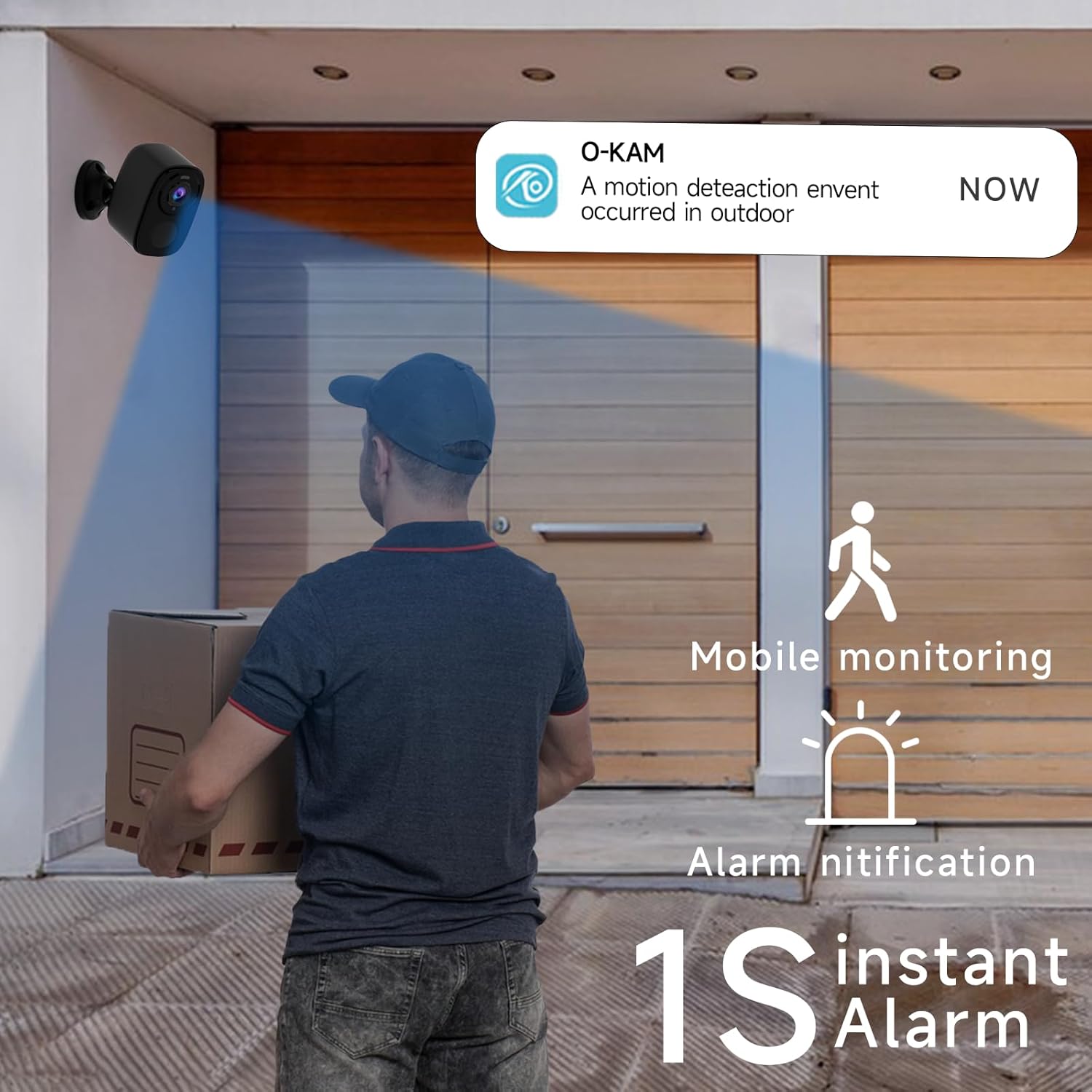
Image 3.3: The camera provides mobile monitoring and instant alarm notifications upon motion detection.
4. Камераны иштетүү
4.1 Live View жана Жаздыруу
Access live video streams from your camera anytime through the O-KAM app. You can view real-time monitoring from every corner of your property.

Image 4.1: House security overview in the O-KAM app, allowing real-time monitoring from various locations.
4.2 Motion Detection and AI Recognition
The camera uses advanced PIR motion detection and AI recognition to differentiate between people and objects, reducing false alarms. You will receive instant alerts to your smartphone when motion is detected.
- Ыңгайлаштырылган аныктоо зоналары: Камералардын ичиндеги белгилүү бир аймактарды коюңуз view where you want motion to be detected, ensuring you only receive notifications for relevant events.
- Human Filtering: The AI system helps filter out non-human movements, focusing on important activity.

Image 4.2: AI Motion Detection identifies human activity.

Image 4.3: Customize monitoring areas to reduce false alerts.
4.3 Эки тараптуу аудио
The built-in microphone and speaker allow for two-way communication. You can speak to visitors or deter intruders directly through the camera using the O-KAM app.
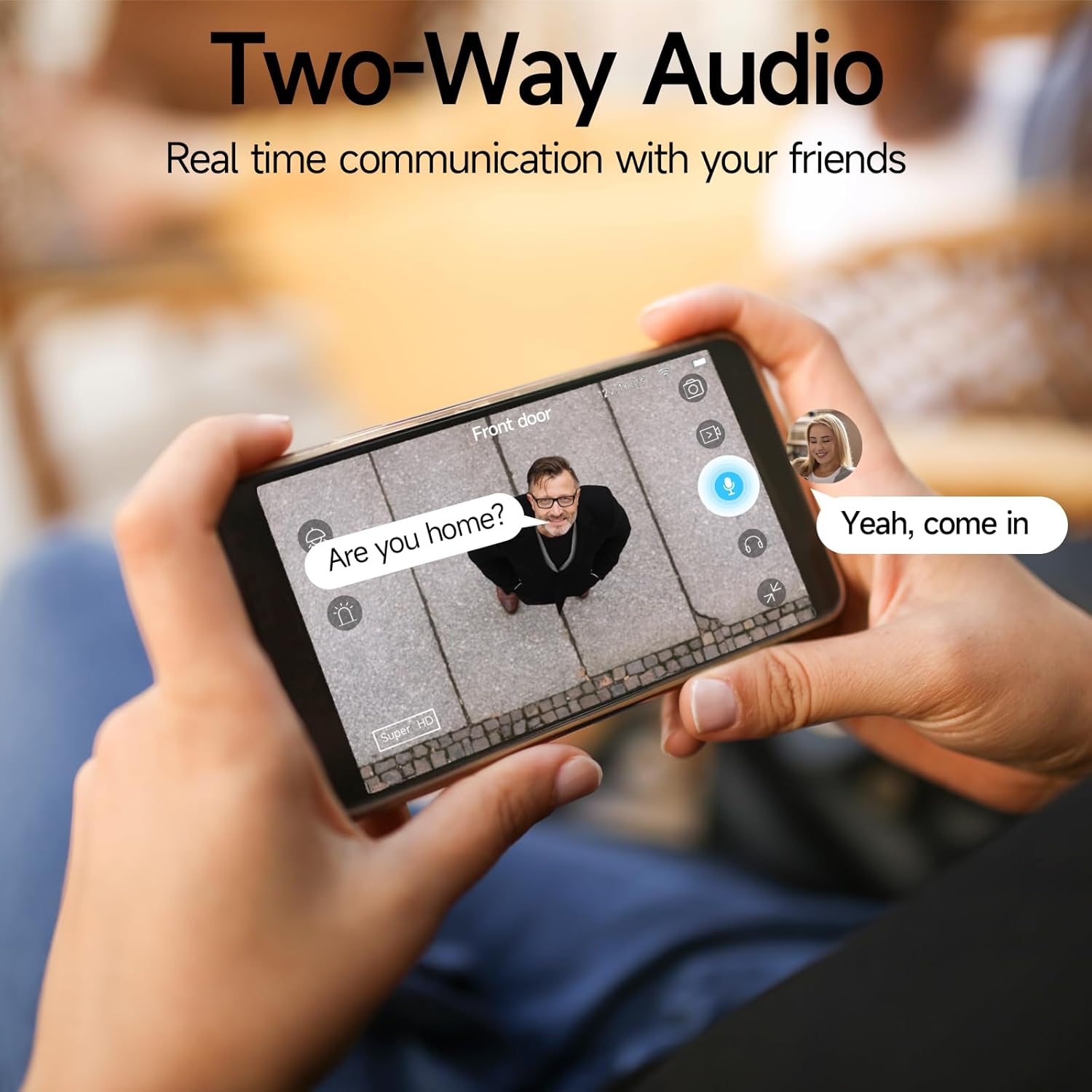
Image 4.4: Engage in real-time communication with two-way audio.

Image 4.5: Multiple users can share and watch the camera feed simultaneously, enabling interactive communication.
4.4 Түнкү көрүү режимдери
The camera offers two night vision modes to ensure clear visibility in low light conditions:
- Толук түстүү түнкү көрүнүш: Provides vivid, color images even in the dark, utilizing the camera's spotlight.
- Инфракызыл түнкү көрүнүш: Offers clear black-and-white footagтолук караңгылыкта.

Image 4.6: Compare 5MP Color Night Vision and Infrared Night Vision for optimal nighttime surveillance.

Image 4.7: The camera supports motion detection, color night vision, and infrared night vision.
4.5 Siren Alarm and Spotlight Warning
The camera features a built-in siren and spotlight that can be activated manually or automatically upon motion detection to deter unwanted visitors.

Image 4.8: Deter intruders with siren and spotlight warnings.
4.6 Сактоо параметрлери
Your Rraycom camera offers versatile storage solutions:
- Акысыз булуттагы сактагыч: Enjoy free 3-day rolling cloud storage for life, with no subscription needed.
- Микро SD карта сактагычы: Insert a Micro SD card (up to 256GB, not included) for local video storage.

Image 4.9: Save important moments to cloud or SD card.

Image 4.10: Cloud and local storage options for your recordings.
4.7 Alexa интеграциясы
The Rraycom BW4N camera is compatible with Amazon Alexa, allowing you to view live feeds using voice commands on compatible Alexa-enabled devices.
- Link your O-KAM account with your Alexa account through the Alexa app.
- Use commands like "Alexa, show me the front door camera" or "Alexa, show me the backyard camera" to view жандуу тоюттар.

Image 4.11: Seamless integration with Amazon Alexa for convenient monitoring.
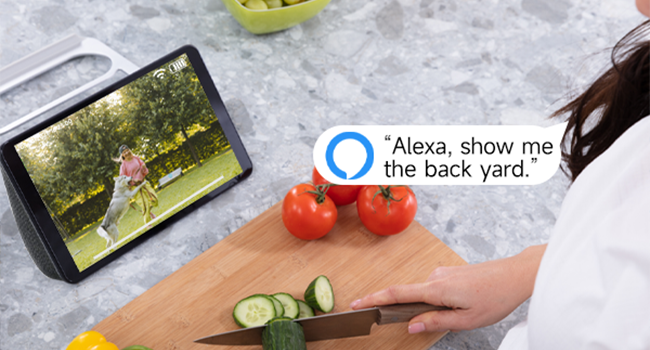
Сүрөт 4.12: View your camera feed on Alexa-enabled devices.
4.8 Видео көрсөтүү
Video 4.1: A demonstration of the Rraycom BW4N wire-free camera's features, including its 5MP resolution, waterproof design, ease of mounting, night vision capabilities, activity zone setup, two-way audio, multi-user sharing, human filtering, Alexa compatibility, and cloud/local storage options.
5. Техникалык тейлөө
5.1 Батареяны башкаруу
- Monitor battery levels regularly through the O-KAM app.
- Recharge the camera promptly when the battery is low to ensure continuous operation.
- For optimal battery life, avoid extreme temperatures during charging and operation.
5.2 Камераны тазалоо
- Gently wipe the camera lens and body with a soft, dry cloth to remove dust and smudges.
- Суюк тазалагычтарды же абразивдүү материалдарды колдонбоңуз, алар камерага зыян келтириши мүмкүн.
5.3 Микропрограмма жаңыртуулары
Periodically check the O-KAM app for available firmware updates. Keeping your camera's firmware up-to-date ensures you have the latest features and security enhancements.
6. Кыйынчылыктарды
| Көйгөй | Мүмкүн себеп | Чечим |
|---|---|---|
| Камера Wi-Fi'га туташпай жатат | Туура эмес Wi-Fi сырсөзү; Камера роутерден өтө алыс; 5 ГГц Wi-Fi гана жеткиликтүү. | Ensure correct password. Move camera closer to router. Confirm your Wi-Fi is 2.4GHz. |
| Тез-тез жалган сигналдар | Detection zone too wide; Environmental factors (e.g., moving branches, shadows). | Adjust detection zones in the app. Enable human filtering if available. |
| Түнкү көрүү сапаты начар | Obstructions in front of lens; Insufficient ambient light for color night vision. | Clear any obstructions. Ensure adequate lighting for color night vision or switch to infrared mode. |
| Эки тараптуу аудио көйгөйлөр | Microphone/speaker blocked; App volume too low; Network latency. | Check for obstructions. Adjust volume settings in app. Ensure stable network connection. |
| Батарея бат эле түгөнөт | Frequent motion detection; Live view usage; Extreme temperatures. | Reduce motion detection sensitivity/frequency. Limit live view. Operate within recommended temperature range. |
7. Техникалык шарттар
| Өзгөчөлүк | Деталь |
|---|---|
| Модель аты | BW4N |
| Видео тартуунун резолюциясы | 5 МП (2560*1920P) |
| Байланыш технологиясы | Зымсыз (2.4 ГГц Wi-Fi гана) |
| Power Source | Батарея менен иштейт (5200 мАч кайра заряддалуучу батарея) |
| Ички/тышкы колдонуу | Тышкы, ички |
| Суу өткөрбөйт рейтинги | IP66 |
| Viewбурч | 120 градус |
| Түнкү көрүү диапазону | 33 фут чейин |
| Сактагыч параметрлери | Micro SD Card (up to 256GB, not included), Free 3-day Cloud Storage |
| Шайкеш түзмөктөр | Android & iOS (O-KAM App), Amazon Alexa |
| Материал | Акрилонитрил бутадиен стирол (ABS) |
| Элемент Салмагы | 2.68 фунт (4 пакет үчүн) |
| Пакеттин өлчөмдөрү | 10.47 x 9.17 x 2.95 дюйм |
8. Кепилдик жана колдоо
8.1 Кепилдик маалыматы
Rraycom products come with a standard manufacturer's warranty. Please refer to the warranty card included in your package or visit the official Rraycom webдеталдуу кепилдик шарттары жана шарттары үчүн сайт.
8.2 Кардарларды тейлөө
If you have any questions, encounter issues, or require technical assistance with your Rraycom BW4N security camera, please contact our customer service team:
- Электрондук почта: aftersale@rraycom.com
- You can also find contact information and FAQs on the Rraycom brand store on Amazon or the official webсайт.

Image 8.1: Contact Rraycom customer service for assistance.


