1. Орнотуу колдонмосу
1.1 Кутуда эмне бар
- 1 x JAIOT 2K 4MP Indoor Security Camera
- Кубаттуу адаптер
- Монтаждоочу аксессуарлар
- User Manual
1.2 Камераны күйгүзүү
Connect the provided power adapter to the camera's power input port and then plug it into a wall outlet. The camera will initiate its startup sequence.
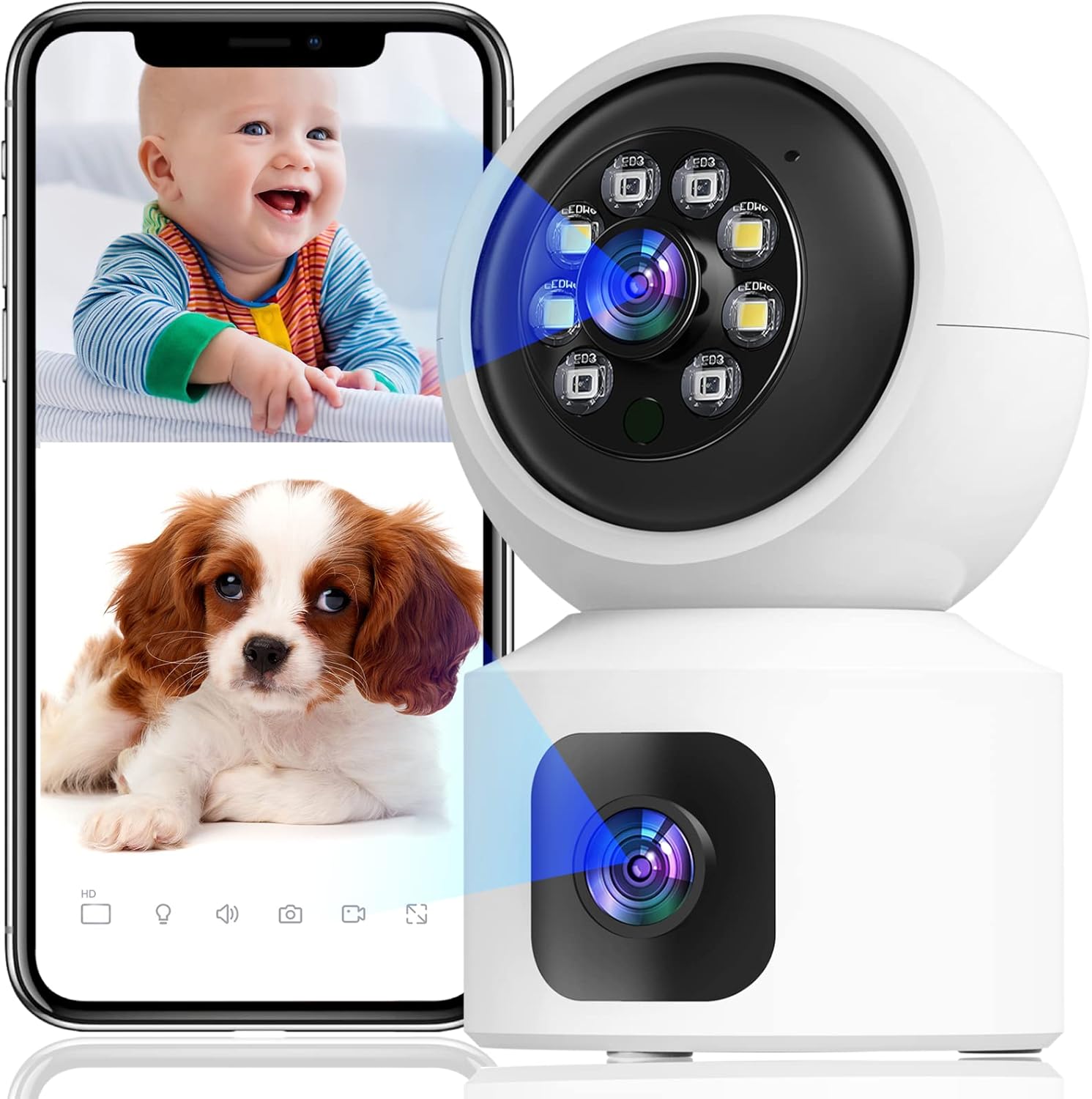
Image: The JAIOT 2K Dual Lens Indoor Security Camera, a white device with a spherical top housing the main lens and a square base with a secondary lens. A smartphone displays a split screen showing live feeds of a baby and a puppy, demonstrating the camera's monitoring capabilities.
1.3 Колдонмону орнотуу жана тармакты конфигурациялоо
To set up your JAIOT camera, download the "iSee Home" app from your device's app store (available on App Store or Google Play). Follow these steps for network configuration:
- Plug in the power to the camera.
- After the camera emits light to automatically identify the network, open the iSee Home APP for network configuration.
- Click the '+' icon on the Home page of the app.
- Ensure your phone's Wi-Fi is connected to a 2.4GHz network (5GHz networks are not supported) and Bluetooth is turned on.
- Select the correct device within the app based on the Product ID and then tap "Add".
- Once the network configuration is successful, the device name can be added successfully.
Video: This video demonstrates the initial setup process for the JAIOT 2K 4MP Dual Lens Security Camera, including plugging in the power, the camera's self-identification process, and connecting it to the iSee Home mobile application via Wi-Fi and Bluetooth.

Image: A close-up of a smartphone screen displaying the iSee Home application interface, guiding the user through the camera setup process. The screen shows options for adding a new device and configuring network settings.
2. Камераны иштетүү
2.1 Dual Lens and Pan/Tilt Functionality
The JAIOT camera features a unique dual-lens design, allowing it to monitor two different areas simultaneously. One lens is fixed to cover a primary area, while the other is a Pan/Tilt/Zoom (PTZ) camera that can rotate 355° horizontally and 114° vertically, providing 360° surveillance coverage without blind spots.

Image: A side-by-side comparison illustrating the JAIOT Dual Lens 4MP camera versus a generic single lens 2MP camera, highlighting the advantage of dual lenses for broader coverage and higher resolution.

Image: A diagram contrasting the monitoring capabilities of the JAIOT Dual Lens Camera, which simultaneously covers two distinct areas (one with PTZ, one fixed), against a normal single-lens camera that leaves a significant blind spot.

Image: The JAIOT 2K 4MP HD Security Camera mounted on a wall, with arrows indicating its 355-degree horizontal pan and 114-degree vertical tilt capabilities, demonstrating its extensive coverage.
Video: This video highlights the dual-lens functionality, motion detection, and two-way audio features of the JAIOT 4MP Indoor Security Camera, showcasing its ability to monitor multiple areas and interact with subjects.
2.2 2K 4MP Full HD and Color Night Vision
The camera delivers a 2K 4MP Super HD live stream, capturing clear and detailed video. It supports infrared, full-color, and auto night vision modes, ensuring visibility even in low-light conditions.

Image: A visual comparison demonstrating the superior clarity and detail of a 4MP image captured by the JAIOT camera compared to a 1080P image from another device, focusing on a dog's fur.
2.3 Эки тараптуу аудио
Equipped with a built-in microphone and speaker, the camera enables two-way communication. You can speak to and hear from individuals near the camera through the iSee Home app.

Image: A mother and child are shown playing, with a smartphone displaying a live feed of the mother. Speech bubbles indicate a two-way conversation, illustrating the camera's two-way audio capability.
2.4 Кыймылды аныктоо жана эскертүүлөр
The camera features built-in motion detection sensors. Upon detecting human or general motion, it automatically tracks the movement and sends instant alerts to your phone. A 90dB siren can also be activated via the iSee Home app to deter intruders.

Image: A security camera is depicted detecting a burglar in a home setting, with icons representing human detection, real-time alerts, sound alarms, and customized alarm notifications, highlighting the camera's security features.

Image: Two children are shown playing, with a smartphone displaying a notification from the iSee Home app indicating motion detection. This illustrates the camera's PIR motion detection and siren alarm capabilities.
2.5 Storage Options: SD Card and Cloud
The camera supports 24/7 continuous recording. Video footage can be stored locally on a Micro SD card (not included, up to 256GB) or via optional cloud storage. Cloud data is stored at local base stations in the U.S. for privacy and security.
Image: A visual representation of the camera's 24/7 recording and playback features, showing options for both SD card storage (not included, for continuous record) and cloud storage (optional, for event record), with a smartphone displaying playback footage.
3. Техникалык тейлөө
To ensure optimal performance and longevity of your JAIOT security camera, regular maintenance is recommended:
- Тазалоо: Чаңды жана тактарды кетирүү үчүн камеранын линзасын жана корпусун жумшак, кургак чүпүрөк менен акырын сүртүңүз. Катуу химиялык заттарды же абразивдүү материалдарды колдонуудан алыс болуңуз.
- Программалык камсыздоонун жаңыртуулары: Periodically check the iSee Home app for available firmware updates. Keeping your camera's firmware up-to-date ensures you have the latest features, security enhancements, and bug fixes.
- Жайгашкан жери: Камера туруктуу жерге, түз күн нурунан, экстремалдык температурадан жана жогорку нымдуулуктан алыс жайгашканын текшериңиз, бул анын иштешине жана иштөө мөөнөтүнө таасир этет.
4. Кыйынчылыктарды
If you encounter issues with your JAIOT security camera, refer to the following common problems and solutions:
| Көйгөй | Мүмкүн себеп | Чечим |
|---|---|---|
| Camera won't connect to Wi-Fi / Frequent disconnections | Incorrect Wi-Fi password, 5GHz Wi-Fi network, weak signal, network congestion. | Ensure you are connecting to a 2.4GHz Wi-Fi network. Verify Wi-Fi password. Move camera closer to router. Restart camera and router. |
| Live video not showing / Black screen in app | Network issue, camera offline, app glitch. | Check camera's power and network connection. Restart the iSee Home app. Re-add the device in the app if necessary. Ensure stable internet connection. |
| Эки тараптуу аудио иштебейт | Microphone/speaker muted in app, app permissions, network latency. | Check audio settings in the iSee Home app. Ensure app has microphone permissions. Verify stable network connection. |
| Motion detection not triggering alerts | Detection sensitivity too low, alert settings disabled. | Adjust motion detection sensitivity in the app. Ensure alert notifications are enabled in both the app and your phone's settings. |
| Pan/Tilt movement is slow or unresponsive | Network latency, app issue. | Ensure a strong and stable Wi-Fi connection. Restart the iSee Home app. |
Эгерде көйгөй чечилбесе, кошумча жардам алуу үчүн Кепилдик жана колдоо бөлүмүн караңыз.
5. Техникалык шарттар
| Өзгөчөлүк | Деталь |
|---|---|
| Модель номери | A013A-W-PRO-EN |
| Ички/тышкы колдонуу | Indoor |
| Видео тартуунун резолюциясы | 2K (4MP натыйжалуу кадрдык чечилиш) |
| Connectivity Protocol | Wi-Fi (2.4 ГГц гана) |
| Power Source | Электр зымдары (5 вольт, 3.1 ватт) |
| Монтаж түрү | Дубалга орнотуу |
| Түс | Ак |
| Каналдардын саны | 2 (Dual Lens) |
| Төмөн жарык технологиясы | Түнкү түс |
| Эскертүү түрү | Аудио жана кыймыл |
| Сактагыч параметрлери | Micro SD картасы (256 ГБ чейин, кошулган эмес), булут сактагычы |
| Башкаруу ыкмасы | App (iSee Home) |
| Элемент Салмагы | 12 унция |
| Пакеттин өлчөмдөрү | 6.54 x 5.67 x 3.66 дюйм |
| UPC | 734730519630 |
6. Кепилдик жана колдоо
JAIOT is committed to providing high-quality products and customer satisfaction. For any warranty claims, technical assistance, or product-related inquiries, please contact JAIOT customer support directly. Refer to the product packaging or the official JAIOT webакыркы байланыш маалыматы үчүн сайт.
Сураныч, кепилдик максаттары үчүн сатып алганыңыздын далилин сактап коюңуз.


