1. Киришүү
Thank you for choosing the RisoPhy Mechanical Gaming Keyboard. This manual provides detailed instructions for setting up, operating, and maintaining your new keyboard. Please read this manual thoroughly before use to ensure optimal performance and longevity of your device.
2. Продукт бүтүп калдыview
2.1 Негизги өзгөчөлүктөрү
- Responsive Blue Switches: Offers tactile feedback and an audible click for precise and quick key presses.
- Rainbow Backlit RGB: Features 9 different backlight modes, 5 levels of light speed, and 5 brightness levels for customizable illumination.
- 104-Key Full-Size Layout: Includes a numeric keypad and dedicated function keys for comprehensive functionality.
- 100% Анти-Гостинг: Ensures all simultaneous key presses are registered accurately.
- 12 Multimedia Shortcuts: Quick access to media controls, volume, and other functions via Fn key combinations.
- Эргономикалык дизайн: Scientific stair-up keycap design and adjustable rear kickstands reduce hand fatigue.
- Төгүлүүгө туруктуу дизайн: Equipped with 4 hydrophobic holes to quickly drain accidental spills.
- Туруктуу курулуш: Ultra-durable double injection ABS engineered keycaps for long-lasting use.
2.2 Пакеттин мазмуну
- RisoPhy Mechanical Gaming Keyboard (Pink)
- USB кабели (интегралдык)
- Баскыч капкагын тарткыч
- User Manual
2.3 Баскычтоптун жайгашуусу
The RisoPhy Mechanical Gaming Keyboard features a standard 104-key layout, including a full numeric keypad and a row of function keys (F1-F12) that can be combined with the Fn key for multimedia shortcuts.

1-сүрөт: жогорудан ылдыйга view of the RisoPhy Mechanical Gaming Keyboard, showcasing its full 104-key layout and pink color with RGB backlighting.
3. Орнотуу
Setting up your RisoPhy Mechanical Gaming Keyboard is a simple plug-and-play process.
- Баскычтопту таңгактан чыгаруу: Баскычтопту жана башка аксессуарларды таңгактан этияттык менен алып салыңыз.
- Түзмөгүңүзгө туташуу: Locate an available USB-A port on your computer (PC, Mac) or gaming console (Xbox). Insert the USB connector of the keyboard into the port.
- Драйверди орнотуу: The keyboard is plug-and-play and does not require additional driver installation for basic functionality. Your operating system will automatically detect and configure the device.
- Эргономиканы тууралоо: Flip out the two strong foldable rear kickstands located on the underside of the keyboard to adjust the typing angle for improved comfort.
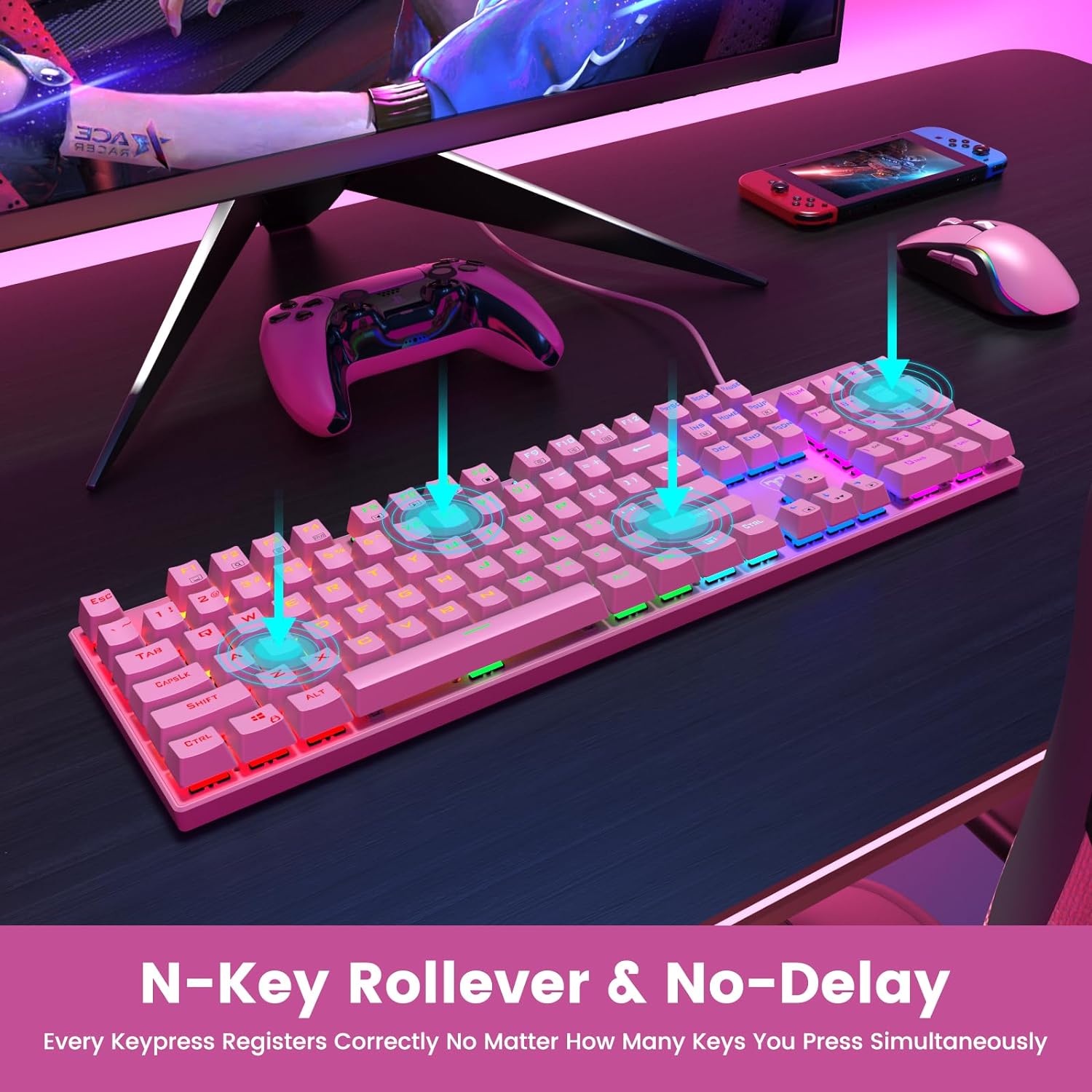
Figure 2: The underside of the RisoPhy keyboard, highlighting the adjustable rear feet that allow users to set a comfortable typing angle.
4. Иштөө нускамалары
4.1 Негизги операция
The RisoPhy keyboard functions as a standard 104-key keyboard. Simply type as you normally would. The blue mechanical switches provide a distinct tactile and audible feedback with each keypress.
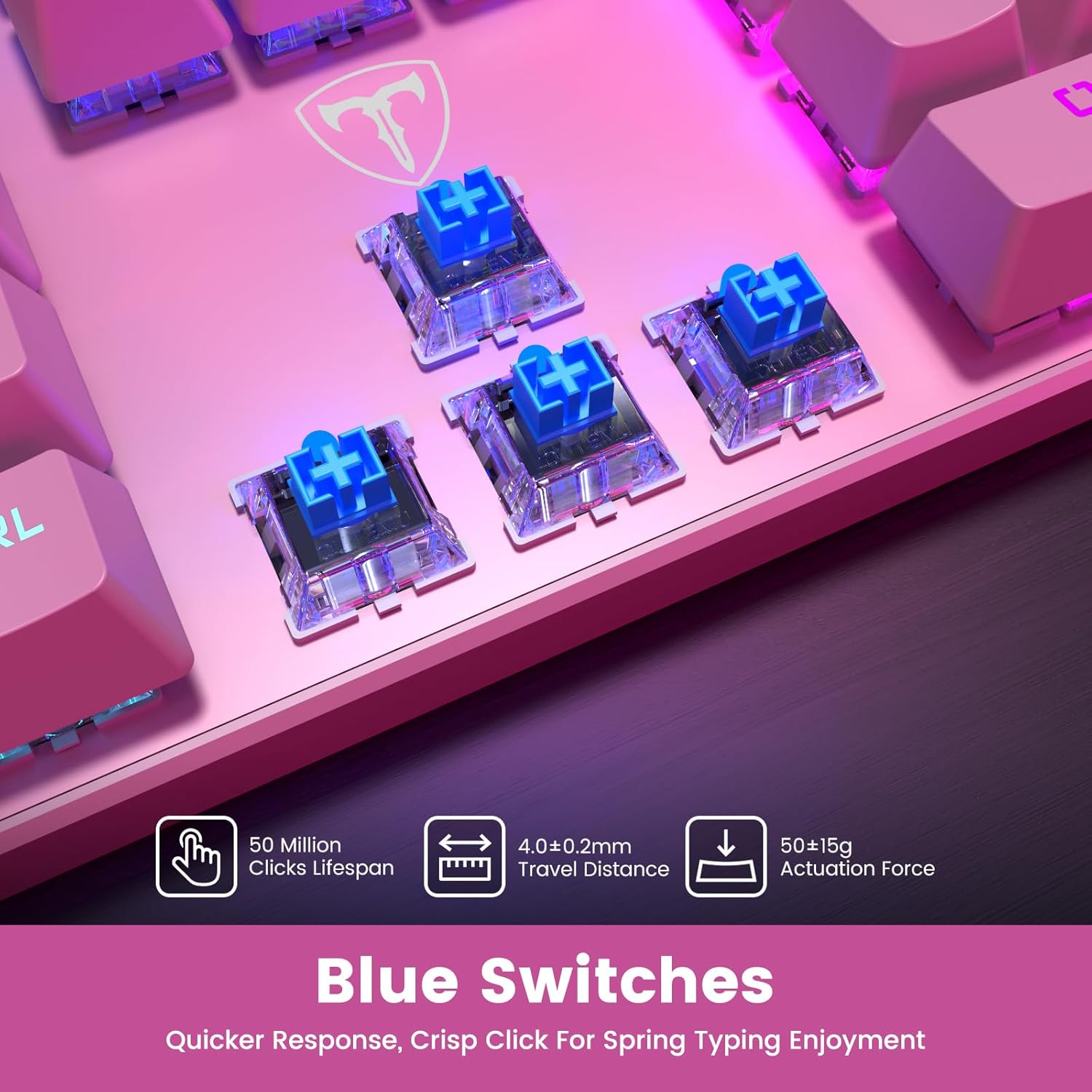
Сүрөт 3: Жакын пландан view of the blue mechanical switches beneath the keycaps, illustrating their design for responsive and clicky feedback.
4.2 Жарыкты башкаруу
Your RisoPhy keyboard features vibrant rainbow backlighting with multiple customization options:
- Арткы жарык режимдерин өзгөртүү: Use the dedicated backlight mode key (often indicated by a sun or light icon, usually near the arrow keys or F-row) to cycle through 9 different lighting effects.
- Жарыктыкты жөндөө: Басыңыз Fn + PgUp жарыктыгын жогорулатуу жана Fn + PgDn to decrease brightness (5 levels).
- Adjusting Light Speed: Басыңыз Fn + +/- (on the numeric keypad) to adjust the speed of dynamic lighting effects (5 levels).
- Арткы жарыкты күйгүзүү/өчүрүү: Use the dedicated ON/OFF switch if available, or a specific Fn combination (refer to keyboard markings).

Figure 4: The keyboard illuminated with its rainbow RGB backlighting, demonstrating various lighting modes and brightness levels.
4.3 Мультимедиа жана кыска жол баскычтары
The keyboard includes 12 multimedia shortcut combinations accessible by pressing the Fn key simultaneously with the corresponding F-key (F1-F12).
| Комбинация | Функция |
|---|---|
| Fn + F1 | Менин компьютерим |
| Fn + F2 | издөө |
| Fn + F3 | Калькулятор |
| Fn + F4 | Мультимедиа ойноткучу |
| Fn + F5 | Мурунку трек |
| Fn + F6 | Кийинки трек |
| Fn + F7 | Ойнотуу/Тыныгуу |
| Fn + F8 | Токто |
| Fn + F9 | Үнсүз |
| Fn + F10 | Үндү азайтуу |
| Fn + F11 | Үнүн жогорулатуу |
| Fn+Win | Win Lock (disables Windows key during gaming) |
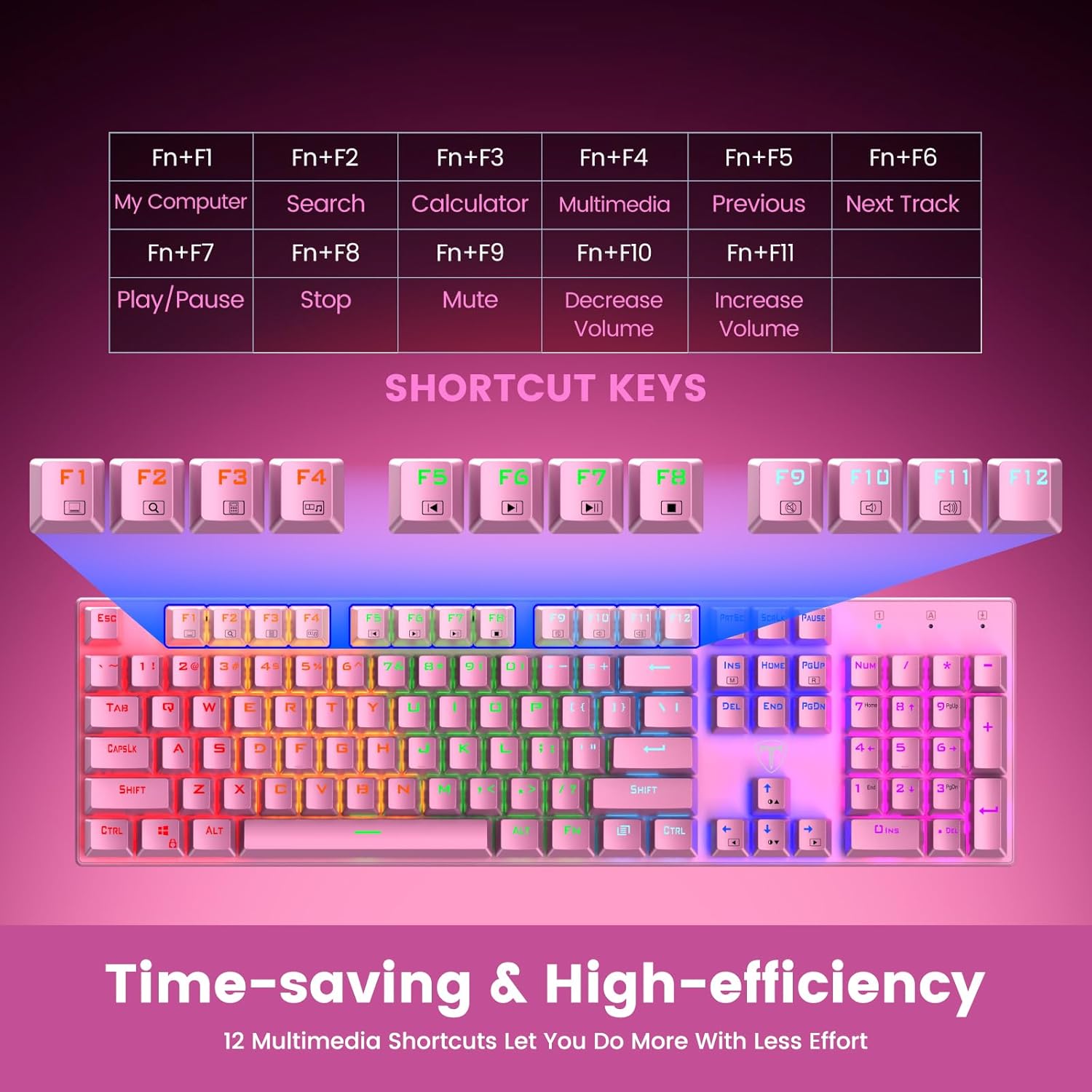
Figure 5: Visual representation of the Fn key combinations for various multimedia and system shortcuts.
4.4 Арбактарга каршы
The 100% anti-ghosting feature ensures that every keypress is registered accurately, even when multiple keys are pressed simultaneously. This is crucial for fast-paced gaming and rapid typing.

Figure 6: An illustration demonstrating the N-Key Rollover capability, ensuring all key presses are registered without delay.
5. Техникалык тейлөө
5.1 Клавиатураңызды тазалоо
To maintain the performance and appearance of your keyboard, regular cleaning is recommended:
- Ажыратуу: Тазалоодон мурун ар дайым клавиатураны түзмөгүңүздөн ажыратыңыз.
- Чаңды тазалоо: Баскыч капкактарынын ортосундагы чаңды жана калдыктарды үйлөө үчүн кысылган аба банкасын колдонуңуз.
- Бетти тазалоо: Баскыч капкактарын жана клавиатуранын бетин жумшак, бир аз сүртүңүз damp, мамыксыз кездеме. Катуу химиялык заттардан же абразивдүү материалдардан алыс болуңуз.
- Баскычтын капкагын алып салуу (милдеттүү эмес): For deeper cleaning, use the included keycap puller to carefully remove individual keycaps. Gently pull straight up on the keycap. Clean the switch and keycap, then firmly press the keycap back into place until it clicks.

Figure 7: An illustration highlighting the long-lasting and non-fading properties of the double-shot detachable keycaps.
5.2 Төгүлүүгө каршылык
The RisoPhy keyboard is designed with 4 hydrophobic holes to help drain accidental liquid spills. In case of a spill:
- Immediately Disconnect: Баскычтопту түзмөгүңүздөн сууруп алыңыз.
- Drain Liquid: Turn the keyboard upside down to allow liquid to drain through the designated holes.
- Кылдат кургатуу: Wipe the surface dry with a cloth and allow the keyboard to air dry completely for several hours (or overnight) before reconnecting.
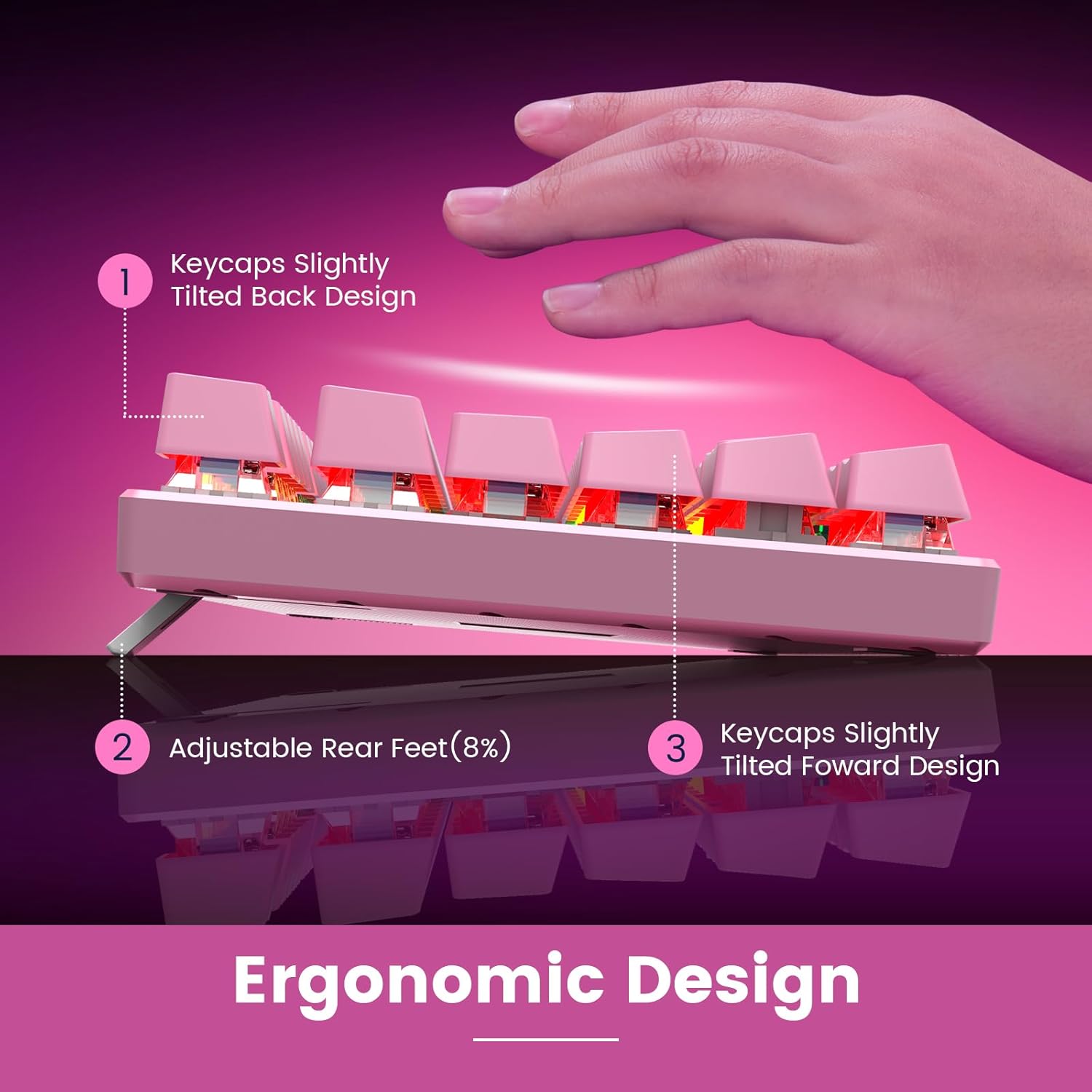
Figure 8: An image depicting water droplets on the keyboard surface, demonstrating its advanced spill-resistant design.
6. Кыйынчылыктарды
If you encounter issues with your RisoPhy Mechanical Gaming Keyboard, please refer to the following common solutions:
| Көйгөй | Чечим |
|---|---|
| Баскычтоп жооп бербей жатат |
|
| Арткы жарык иштебей жатат же жыпылыктап жатат |
|
| Ачкычтар жабышчаак же жооп бербейт |
|
| Мультимедиа баскычтары иштебейт |
|
7. Техникалык шарттар
- Модел: B0C5CV369L
- Бренд: RisoPhy
- Негизги Түрү: Механикалык көк өчүргүчтөр
- Ачкычтардын саны: 104
- Байланыш: USB-A зымдуу
- Арткы жарык: Rainbow RGB (9 modes, 5 brightness, 5 speed levels)
- Клавиатура материалы: Кош инжекциялуу ABS
- Арбактарга каршы: 100% (N-ачкычтуу оодарылып кетүү)
- Төкмө каршылык: Yes, with drainage holes
- Шайкеш түзмөктөр: PC, Mac, Xbox, Gaming Consoles
- Өлчөмдөрү: 17.48 x 6.38 x 1.81 дюйм (болжол менен)
- Элемент Салмагы: 1.92 фунт (болжол менен)
8. Кепилдик жана колдоо
RisoPhy is committed to providing high-quality products and excellent customer service.
- Кепилдик: Бул продукт 2 жылдык кепилдик менен келет. Кепилдик дооматтары үчүн сатып алганыңызды тастыктаган документти сактап коюңуз.
- Кардарларды колдоо: For any questions, technical assistance, or warranty inquiries, please contact RisoPhy customer service.
- Байланыш ыкмалары:
- Click on the seller's name on the product page and send messages.
- Click on the store name in your order history and click to send messages.

Figure 9: Information regarding RisoPhy's customer support and warranty details.


