Introduction
This manual provides detailed instructions for the safe operation and maintenance of your SYMA X660 Mini Drone. Please read this manual thoroughly before operating the drone to ensure proper use and to prevent damage or injury. Keep this manual for future reference.
Пакеттин мазмуну
Төмөндө тизмеленген нерселердин баары пакетиңизге камтылганын текшериңиз:
- 1 x SYMA X660 Drone
- 1 x Алыстан башкаруу
- 1 x USB заряддоо кабели
- 4 x Кошумча пропеллерлер
- 1 x Screwdriver
- 1 x Instruction Manual

Image: Contents of the SYMA X660 Mini Drone package.
Продукт бүттүview
Drone Features
- 6-Color LED Light Display
- Full Propeller Guards for Safety
- Компакт жана жеңил дизайн
- Бийиктикти кармоо функциясы
- Бир ачкыч менен учуу/конуу
- 3-Speed Modes
- Башсыз режим
- 360° Flips and other stunt modes
Remote Control Layout

Image: Remote control layout with functions for left joystick (light effects, trimming), right joystick (speed switch), spin button, rotate button, flip button, one-key takeoff/landing, and power switch.
- Сол джойстик: Short press to change light effects; press and hold for trimming adjustment. To clear trimming settings, press and hold simultaneously with the power button.
- Оң Джойстик: Short press to switch between high and low speed modes.
- Айлантуу баскычы: Initiates spin flight.
- Айлантуу баскычы: Initiates rotary ascent.
- Отжимание баскычы: Activates 360° flip stunt.
- Бир баскычтуу учуп-конуу баскычы: For automatic takeoff and landing.
- Кубат которгучу: Пультту күйгүзөт/өчүрөт.
Жайгашуу
1. Дрондун батареясын кубаттоо
- Connect the drone's Type-C charging port to the USB charging cable.
- Connect the USB charging cable to a USB power adapter (not included) or a computer's USB port.
- The drone's LED lights will indicate charging status (refer to the full instruction manual for specific light patterns).
- Кубаттоо убактысы болжол менен 40 мүнөт.
2. Алыстан башкаруунун батареяларын орнотуу
- Пульттун артындагы батарея бөлүкчөсүн ачыңыз.
- Insert the required batteries (refer to the remote control for battery type and polarity).
- Батарея отсегин бекем жабыңыз.
3. Дронду жана пультту жупташтыруу
- Дронду тегиз, тегиз жерге орнотуңуз.
- Дрондун кубат которгучун күйгүзүңүз. Дрондун LED жарыктары күйүп-өчүп турат.
- Алыстан башкаруу пультунун кубат которгучун күйгүзүңүз.
- Push the left joystick fully up, then fully down. The drone's LED lights will stop flashing and remain solid, indicating successful pairing.
Иштөө нускамалары
Негизги учуу башкаруу

Image: Basic flight controls for the SYMA X660 Mini Drone.
- Учуп чыгуу: Press the One-Key Takeoff/Landing button. The drone will automatically ascend and hover.
- Конуу: Press the One-Key Takeoff/Landing button again. The drone will automatically descend and land.
- Өтүү/Төмөн: Use the left joystick to control altitude. Push up to ascend, pull down to descend.
- Алдыга артка: Use the right joystick to move the drone forward or backward.
- Left/Right Turn: Use the right joystick to turn the drone left or right.
Өзгөчөлүктөр
6-Color LED Light Display
The drone features 6 vibrant, switchable LED colors. Short press the left joystick on the remote control to cycle through the different light effects. The lights will blink rapidly when the battery is low, indicating it's time to land.

Image: SYMA X660 Mini Drone displaying its 6-color LED lights.
3-Speed Modes
The drone offers three adjustable speed settings. Short press the right joystick to switch between low, medium, and high speed modes. Beginners should start with the low speed mode.
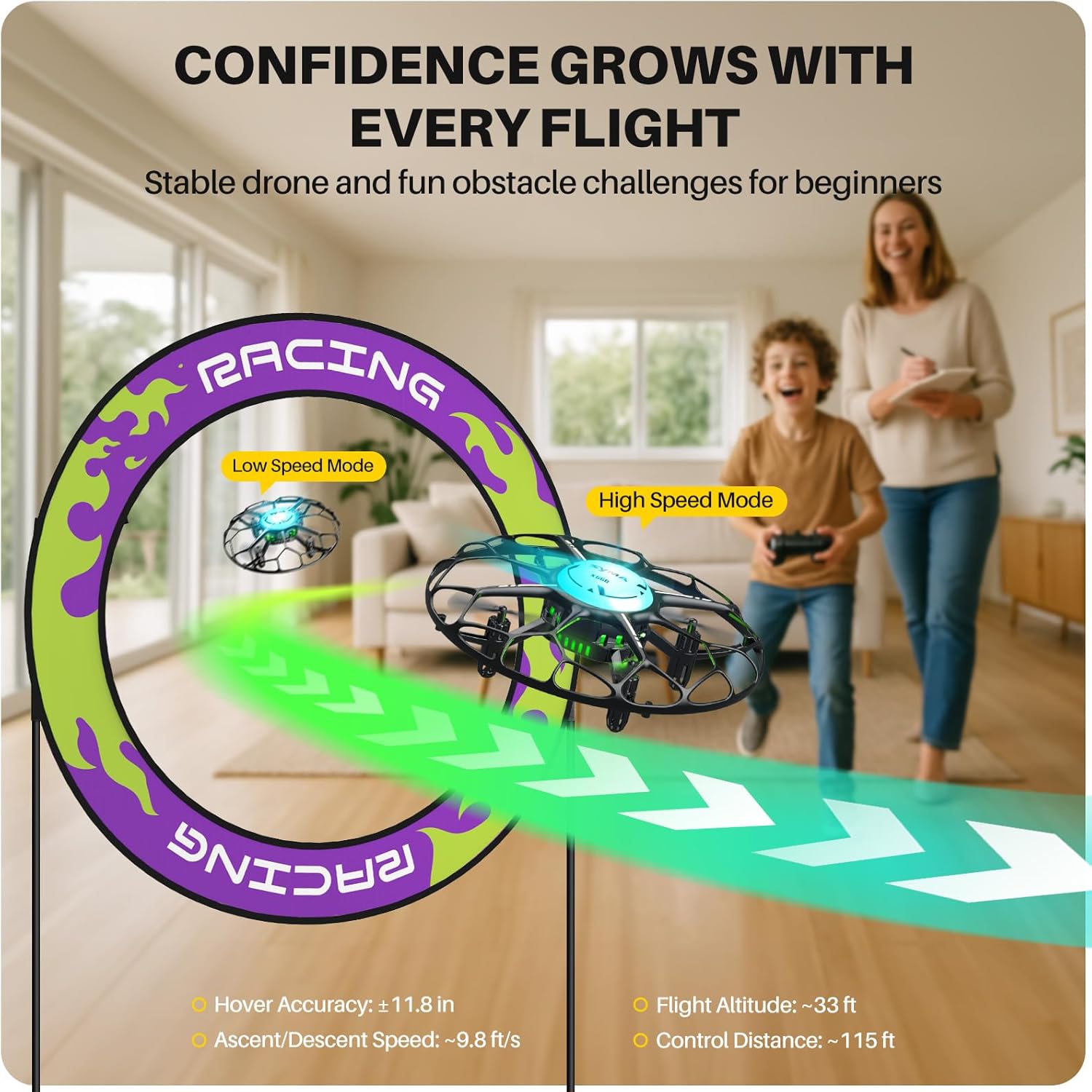
Image: Illustration of the drone's speed modes, showing a drone in low speed and high speed.
Башсыз режим
In Headless Mode, the drone's orientation is relative to the pilot, regardless of the drone's actual front direction. This simplifies control for beginners. Refer to the full instruction manual for activation and deactivation procedures.
One-Touch Stunts
The SYMA X660 Mini Drone can perform various aerial acrobatics with simple button presses:
- 360° бурулуштар: Press the Flip button to execute a 360-degree roll.
- Rotary Ascent: Press the Rotate button to perform a spiraling climb.
- Spin Flight: Press the Spin button to make the drone spin while flying.
- Other stunts include Spin in Place, Diagonal Flip, and Self-spin and Orbital Flight.

Image: Visual guide to mastering 6 drone tricks.
Техникалык тейлөө
- Тазалоо: Дронду жана пультту тазалоо үчүн жумшак, кургак чүпүрөктү колдонуңуз. Сууну же эриткичтерди колдонбоңуз.
- Пропеллерди алмаштыруу: If propellers are damaged, use the included screwdriver to replace them with the spare propellers. Ensure correct propeller (A or B) is installed in the corresponding position.
- Батареяга кам көрүү: Do not overcharge or over-discharge the battery. Store the drone and battery in a cool, dry place when not in use. Remove batteries from the remote control if storing for extended periods.
- Сактагыч: Дронду жана анын компоненттерин коопсуз жерде, түз күн нурунан жана өтө жогорку температурадан алыс сактаңыз.
Проблемаларды чечүү
| Көйгөй | Мүмкүн себеп | Чечим |
|---|---|---|
| Дрон пультка жооп бербейт. | Not paired; low battery in drone or remote. | Re-pair the drone and remote. Charge drone battery; replace remote control batteries. |
| Туруксуз учуу же дрейф. | Drone not calibrated; damaged propellers. | Calibrate the drone on a flat surface. Replace damaged propellers. Adjust trimming settings. |
| Кыска учуу убактысы. | Батарея толук заряддалган эмес; эски батарея. | Ensure battery is fully charged. Consider replacing the battery if it's old or degraded. |
| LED lights blinking rapidly. | Low drone battery. | Land the drone immediately and recharge the battery. |
For more detailed troubleshooting, please refer to the complete instruction manual included in your package.
Техникалык шарттар

Image: Product features and specifications overview.
| Өзгөчөлүк | Деталь |
|---|---|
| Бренд | SYMA |
| Модель аты | X660 |
| Продукциянын өлчөмдөрү | 4.72"L x 4.72"W x 1.77"H |
| Элемент Салмагы | 38 грамм (1.34 унция) |
| Батарея сыйымдуулугу | 200 миллионamp Hours (3.7V) |
| Заряддоо убактысы | Болжол менен 40 мүнөт |
| Учуу убактысы | Болжол менен 6 мүнөт |
| Remote Control Distance | Болжол менен 115 фут |
| Байланыш технологиясы | 2.4 ГГц |
| Skill Level | Beginner |
| Өзгөчөлүктөр | 6-Color LED Light Display, Kid-Safe Design, Stunt Modes, Altitude Hold |
Расмий продукт Video
Video: An official product video demonstrating the features and operation of the SYMA X660 Mini Drone.
Кепилдик маалымат
Specific warranty details for the SYMA X660 Mini Drone are typically provided with the product packaging or on the manufacturer's official website. Please refer to those sources for the most accurate and up-to-date warranty information.
Колдоо жана Байланыш
If you encounter any issues or have questions regarding your SYMA X660 Mini Drone, please contact our customer support team:
- Электрондук почта: usa@symatoys.com (АКШ)
- Телефон: +1 (718) 312-0558
For additional resources, you may visit the official SYMA webсайт.


