Introduction
This manual provides comprehensive instructions for the DOQAUS LIFE 4 Over-Ear Bluetooth Headphones. It covers essential information regarding setup, operation, maintenance, and specifications to ensure optimal use of your device. The LIFE 4 headphones are designed for extended listening with a focus on comfort, sound quality, and versatile connectivity.
Негизги өзгөчөлүктөрү
- Узартылган ойноо убактысы: Бир заряд менен 90 саатка чейин иштөө мөөнөтү.
- Ыңгайлаштырылган үн: Three professional EQ modes (Normal, Bass Boost, Vocal/Treble Boost) for tailored audio experiences.
- Таза байланыш: Built-in HD microphone for crystal-clear calls.
- Ыңгайлуулукка багытталган дизайн: Plush memory foam ear cups and an adjustable, lightweight headband for prolonged wear.
- Кош байланыш: Seamless connection to two devices simultaneously via Bluetooth 5.3.
- Ийкемдүү колдонуу: Зымсыз Bluetooth жана зымдуу 3.5 мм аудио туташууларын колдойт.
- Портативдик дизайн: Foldable earcups for easy storage and transport.
Кутуда эмне бар
Upon opening your DOQAUS LIFE 4 headphones package, you will find the following items:
- 1 x DOQAUS LIFE 4 Over-Ear Headphone
- 1 x USB заряддоо кабели
- 1 x Aux Audio Cable (3.5mm)
- 1 x User Manual
- 1 x Exquisite Package (packaging material)

Image: Contents of the DOQAUS LIFE 4 headphone package, including the headphones, charging cable, AUX cable, and user manual.
Орнотуу колдонмосу
Видео: Бүттүview of unboxing, setting up, and key features of the DOQAUS LIFE 4 headphones.
1. Наушниктерди заряддоо
Before initial use, fully charge your DOQAUS LIFE 4 headphones. A full charge takes approximately 2.5 hours and provides up to 90 hours of playtime. A quick 10-minute charge can provide 5 hours of music playback.
- Connect the provided USB charging cable to the USB-C port on the headphone.
- USB кабелинин экинчи учун шайкеш келген USB кубат булагына (мисалы, компьютердин USB портуна, дубал адаптерине) туташтырыңыз.
- The LED indicator on the headphone will show charging status (refer to the LED indicator section in the physical manual for specific light patterns).
- Толук заряддалгандан кийин, заряддоо кабелин ажыратыңыз.

Image: DOQAUS LIFE 4 headphones in use, highlighting the extended 90-hour playtime.
Video: Demonstration of the DOQAUS LIFE 4 headphones' 90-hour battery life and charging process.
2. Bluetooth Жупташтыруу
The LIFE 4 headphones utilize Bluetooth 5.3 for stable and fast wireless connections.
- Наушниктердин заряддалганын жана өчүрүлгөнүн текшериңиз.
- Press and hold the Power button on the headphone until the LED indicator flashes blue and red, indicating pairing mode.
- Түзмөгүңүздө (смартфон, планшет, компьютер) Bluetooth иштетип, жеткиликтүү түзмөктөрдү издеңиз.
- Түзмөктөр тизмесинен "DOQAUS LIFE 4" тандаңыз.
- Туташкандан кийин, LED көрсөткүчү катуу көк түскө айланат же жай көк түстө күйөт.

Сүрөт: Жакын план view of the DOQAUS LIFE 4 headphones, highlighting the Advanced Bluetooth 5.3 wireless technology.
Видео: Бүттүview of Bluetooth 5.3 connectivity and stable connection features of the DOQAUS LIFE 4 headphones.
3. Кош түзмөк байланышы
Кулакчындар бир эле учурда эки Bluetooth түзмөгүнө туташа алат.
- Наушниктерди жогоруда айтылгандай биринчи аппарат менен жупташтырыңыз.
- Биринчи түзмөктө Bluetooth'ду өчүрүңүз. Кулакчындар жупташтыруу режимине кайра кирет.
- Наушниктерди экинчи аппарат менен жупташтырыңыз.
- Re-enable Bluetooth on the first device. The headphones will automatically connect to both devices.
- Audio will play from the device that is actively playing media or receiving a call.

Image: A man enjoying music with DOQAUS LIFE 4 headphones connected wirelessly to his smartphone, illustrating stable Bluetooth connectivity.
Иштөө нускамалары
1. Башкаруу баскычтары
The DOQAUS LIFE 4 headphones feature intuitive button controls located on the earcups for easy management of audio and calls.
- Кубат баскычы: Күйгүзүү/өчүрүү үчүн басып туруңуз. Музыканы ойнотуу/тындыруу же чалууларга жооп берүү/аяктоо үчүн кыска басыңыз.
- Үндү жогорулатуу/Кийинки трек: Үнүн жогорулатуу үчүн кыска басыңыз. Кийинки трекке көпкө басыңыз.
- Үнүн азайтуу/Мурунку трек: Үнүн азайтуу үчүн кыска басыңыз. Мурунку трек үчүн көпкө басыңыз.
- EQ баскычы: Short press to cycle through the 3 EQ modes (Normal, Bass Boost, Vocal/Treble Boost).
2. EQ режимдери
Enhance your listening experience with three distinct equalizer modes:
- Кадимки режим: салмактуу аудио про менен камсыз кылатfile көпчүлүк жанрлар үчүн ылайыктуу.
- Бассты жогорулатуу режими: Amplifies low frequencies for a deeper, more impactful bass, ideal for workouts or bass-heavy music.
- Vocal/Treble Boost Mode: Enhances vocal clarity and high frequencies, perfect for podcasts, audiobooks, or acoustic music.

Image: Visual representation of the three EQ music modes available on the headphones.
Video: Demonstration of the 3 EQ modes for sound customization on the DOQAUS LIFE 4 headphones.
3. Зымдуу туташуу
For situations where Bluetooth is not available or preferred, use the included 3.5mm audio cable.
- Plug one end of the 3.5mm audio cable into the AUX port on the headphone.
- Экинчи учун түзмөгүңүздүн 3.5 мм аудио чыгаруусуна сайыңыз.
- The headphones will automatically switch to wired mode. Note that some controls may be limited in wired mode.

Image: DOQAUS LIFE 4 headphones demonstrating wireless and wired connection options.
4. Чалууларды кабыл алуу жана кабыл алуу
The built-in HD microphone ensures clear voice transmission during calls.
- Чалууга жооп берүү/аяктоо: Кубат баскычын кыска басыңыз.
- Чакырууну четке кагуу: Кубат баскычын көпкө басып туруңуз.
- Үн Жардамчысын жандыруу: Double-press the Power button (if supported by your connected device).
Комфорт жана дизайн
The DOQAUS LIFE 4 headphones are engineered for comfort and portability, featuring:
- Жөнгө салынуучу баш боосу: Easily customize the fit for various head sizes.
- Plush Memory Foam Earcups: Soft, breathable earcups provide comfort during extended listening sessions.
- Foldable and Swivel Design: Earcups can swivel 90 degrees and the headphones fold compactly for convenient storage and travel.
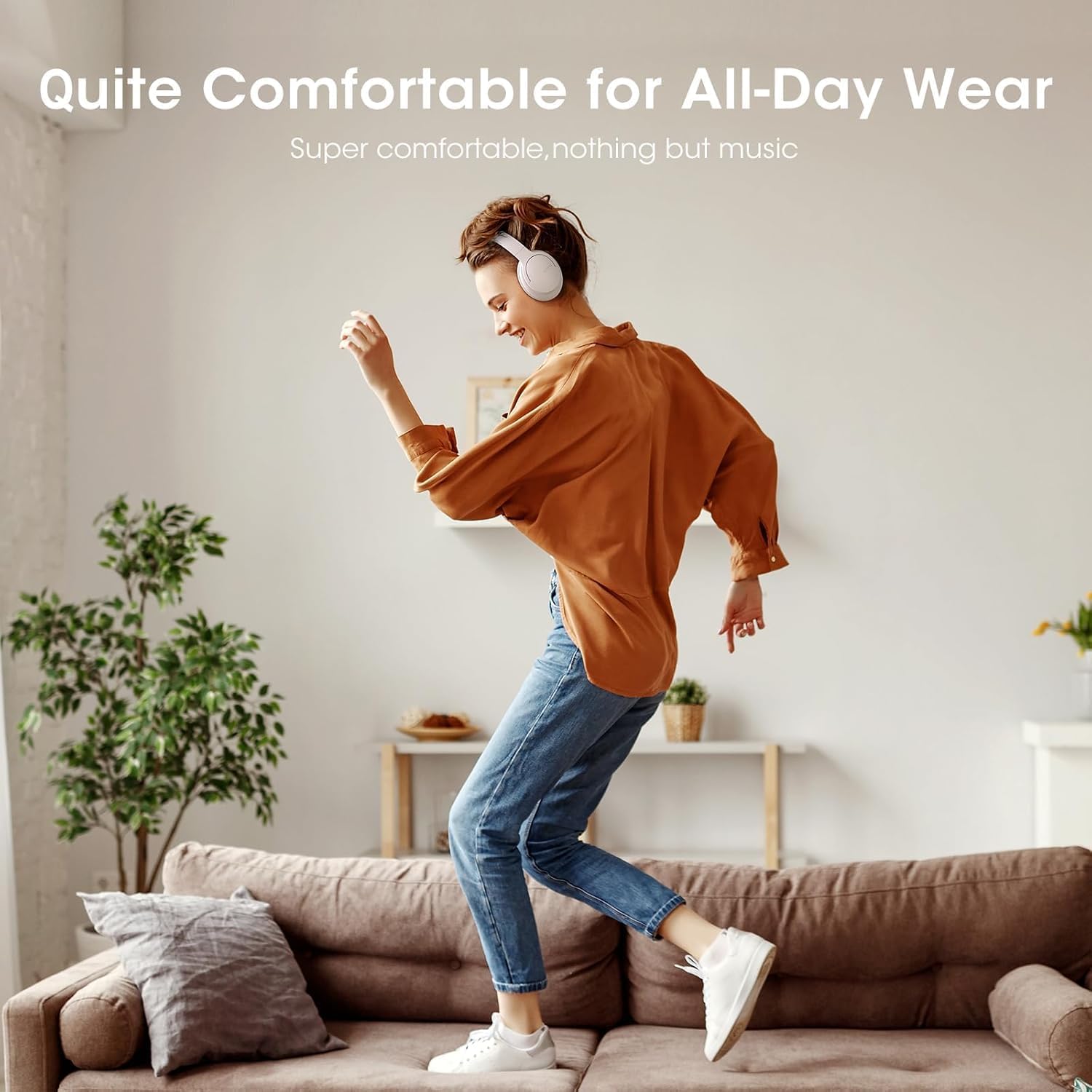
Image: Close-up of the plush memory foam earcups, highlighting the comfort-focused design.


Images: Details on adjustable headband, memory foam earcups, 90-degree swivel, and foldable design for enhanced comfort and portability.
Видео: Кайраview focusing on the passive noise isolation and comfortable fit of the DOQAUS LIFE 4 headphones.
Видео: Кайраview highlighting the all-day comfort and ergonomic design of the DOQAUS LIFE 4 headphones.
Техникалык тейлөө жана кам көрүү
To ensure the longevity and optimal performance of your DOQAUS LIFE 4 headphones, follow these care guidelines:
- Кулакка тагылуучу капкактарды жана баш боону жумшак, кургак чүпүрөк менен үзгүлтүксүз тазалап туруңуз.
- Наушниктерди экстремалдык температурага, нымдуулукка же тике күн нуруна тийгизүүдөн сактаңыз.
- Do not immerse the headphones in water. While water-resistant, they are not waterproof.
- Store the headphones in a cool, dry place when not in use, preferably folded to protect the earcups.
- Avoid using abrasive cleaners or solvents on the headphones.
Проблемаларды чечүү
If you encounter any issues with your DOQAUS LIFE 4 headphones, try the following steps:
- Кубат жок: Наушниктердин толук заряддалганын текшериңиз.
- Жупташуу мүмкүн эмес: Make sure the headphones are in pairing mode (flashing blue/red LED) and within range of your device. Try restarting both the headphones and your device.
- Үн жок: Check the volume levels on both the headphones and your connected device. Ensure the correct audio output is selected on your device.
- Үн сапаты начар: Move closer to your connected device to improve Bluetooth signal. Try switching EQ modes.
- Үзгүлтүксүз туташуу: Ensure no obstacles are between the headphones and your device. Avoid environments with high Wi-Fi or other wireless interference.
Техникалык шарттар
| Өзгөчөлүк | Деталь |
|---|---|
| Модель аты | ЖАШОО 4 |
| Бренд | ДОКАУС |
| Байланыш технологиясы | Зымдуу, Зымсыз (Bluetooth 5.3) |
| Bluetooth версиясы | 5.3 |
| Bluetooth диапазону | 32.8 Фут (болжол менен 10 метр) |
| Батареянын иштөө мөөнөтү | 90 саат |
| Заряддоо убактысы | 2.5 саат |
| Аудио драйверинин өлчөмү | 40 миллиметр |
| EQ режимдери | 3 (Normal, Bass Boost, Vocal/Treble Boost) |
| Микрофон | Built-in HD Microphone |
| Noise Control | Үн изоляциясы (пассивдүү) |
| Наушник уясы | 3.5 мм Джек |
| Материал | Plastic, Premium Memory Foam |
| Элемент Салмагы | 0.32 килограмм (11.3 унция) |
| Сууга туруктуулук деңгээли | Сууга чыдамдуу |
| Өзгөчөлүктөр | Adjustable Headband, Lightweight, Foldable |
Кепилдик жана колдоо
For warranty information, technical support, or customer service inquiries, please refer to the contact details provided in the original product packaging or visit the official DOQAUS webсайт.


