1. Киришүү
This manual provides instructions for the proper use and maintenance of your ATN Odin LT 640x480 1-4x 19mm Thermal Monocular. The Odin LT is a compact, ergonomic, and versatile thermal imaging device designed for observation. It features ATN's Obsidian LT core, offering a hands-free experience when mounted.
Негизги өзгөчөлүктөр төмөнкүлөрдү камтыйт:
- Obsidian LT Core: Advanced thermal processing for clear imaging.
- White Hot/Black Hot Mode: Selectable color palettes for displaying thermal signatures.
- Компакт дизайн: Fits comfortably in one hand for easy manipulation.
- Жогорку чечим дисплей: 1280x960 display for vivid images.
- Ар тараптуу монтаждоо: Handheld, helmet, or head-mounted for various observation scenarios.
2. Пакеттин мазмуну
Таңгактан чыгаргандан кийин, төмөндө көрсөтүлгөн нерселердин бардыгы бар экенин жана жакшы абалда экендигин текшериңиз:
- ATN Odin LT Thermal Monocular
Note: Additional accessories such as mounts or rechargeable batteries may be sold separately.
3. Продукт бүтүп калдыview
The ATN Odin LT is designed for intuitive operation with its ergonomic form factor.

3.1-сүрөт: Алдыңкы жагы view of the ATN Odin LT Thermal Monocular, showing the objective lens and eyepiece.

3.2-сүрөт: Diagram illustrating key features of the Odin LT, including the Obsidian LT core, USB-C port, step zoom, ergonomic design, and lightweight construction.
3.1 Компоненттер
- Объективдүү линза: Collects thermal radiation.
- Окуляр: үчүн viewing the thermal image.
- Башкаруу баскычтары: For power, menu navigation, and zoom.
- USB-C порту: For charging (with optional rechargeable battery) or data transfer.
- Монтаждоо пункту: For attaching to helmets or head mounts.
4. Орнотуу
4.1 Батареяны орнотуу
- Аппараттагы батарея бөлүкчөсүн табыңыз.
- Бөлүмдүн капкагын ачыңыз.
- Insert the required batteries (type specified in specifications) according to the polarity indicators.
- Батарея бөлүгүнүн капкагын бекем жабыңыз.
4.2 Монтаждоо параметрлери
The Odin LT can be used handheld or mounted for extended observation periods.
- Колдонуу: Simply hold the monocular to your eye for observation.
- Helmet/Head Mount: Attach the monocular to a compatible helmet or head mount using the integrated mounting point. Ensure the mount is securely fastened and adjusted for comfortable viewing.

4.1-сүрөт: Example of handheld use of the ATN Odin LT in an outdoor environment.
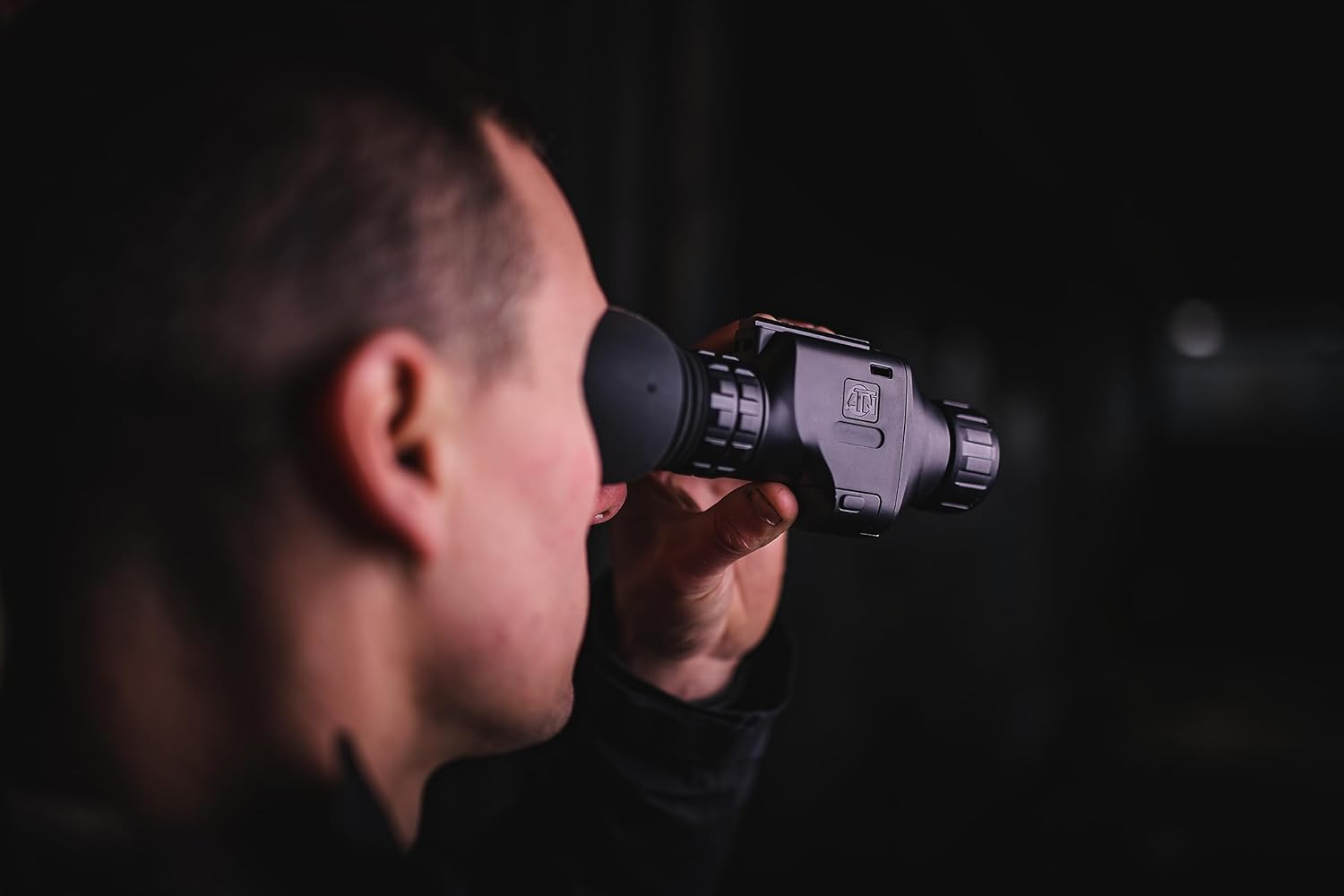
4.2-сүрөт: Жакын план view of the monocular being used for observation.
5. Иштөө нускамалары
5.1 Күйгүзүү/өчүрүү
- Күйгүзүү: Press and hold the Power button (typically marked with a power symbol) for approximately 2-3 seconds until the display illuminates.
- Өчүрүү: Press and hold the Power button again for approximately 3-5 seconds until the display turns off.
5.2 Фокусту тууралоо
The Odin LT features manual focus. Rotate the focus ring on the objective lens until the image appears sharp and clear in the eyepiece.
5.3 Чоңойтуу функциясы
Utilize the step zoom feature to adjust the magnification. Refer to the device's on-screen display or specific buttons for zoom control. The monocular offers a 1-4x magnification range.
5.4 Display Modes (White Hot/Black Hot)
The Odin LT provides different thermal display modes to suit various observation conditions:
- Ак Ысык: Hot objects appear white, and colder objects appear black.
- Кара ысык: Hot objects appear black, and colder objects appear white.
Cycle through these modes using the designated button (refer to your device's button layout for specifics).
6. Техникалык тейлөө
6.1 Тазалоо
- Линзалар: Use a soft, lint-free cloth specifically designed for optics. Gently wipe the lens surfaces. For stubborn smudges, use a small amount of lens cleaning solution.
- Дене: Монокулярдын денесин жумшак, d менен сүртүңүзamp кездеме. Катуу химиялык заттардан же абразивдүү материалдардан алыс болуңуз.
6.2 Сактоо
When not in use, store the monocular in a cool, dry place, away from direct sunlight and extreme temperatures. If storing for extended periods, remove the batteries to prevent leakage.
7. Кыйынчылыктарды
If you encounter issues with your ATN Odin LT, refer to the following common problems and solutions:
| Көйгөй | Мүмкүн себеп | Чечим |
|---|---|---|
| Түзмөк күйбөйт | Өлүк же туура эмес орнотулган батарейкалар | Replace batteries or ensure correct polarity. Charge rechargeable battery if applicable. |
| Сүрөт бүдөмүк | Фокусту туура эмес тууралоо | Adjust the manual focus ring on the objective lens. |
| Дисплейде сүрөт жок | Device not powered on; display settings | Ensure device is powered on. Check brightness settings. |
| Батареянын иштөө мөөнөтү кыска | Old batteries; continuous use | Replace with fresh batteries. Reduce continuous use or use power-saving features if available. |
If the problem persists after attempting these solutions, please contact ATN customer support for further assistance.
8. Техникалык шарттар
Technical specifications for the ATN Odin LT 640x480 1-4x 19mm Thermal Monocular:
| Өзгөчөлүк | Спецификация |
|---|---|
| Модель аты | ATN ODIN LT 640 1-4x |
| Элемент моделинин номери | TIMNODN619X |
| Резолюция | 640x480 |
| Чоңойтуу | 1-4x |
| Объективдүү линзанын диаметри | 19 миллиметр |
| Field Of View | 23.2 градус |
| Фокус түрү | Manual Focus |
| Display Resolution | 1280x960 |
| Power Source | Батарея менен иштейт |
| Продукциянын өлчөмдөрү | 5.16 x 2.8 x 1.81 дюйм (5.16"D x 2.8"W x 1.81"H) |
| Элемент Салмагы | 1 фунт |
| Шайкеш түзмөктөр | Helmet or Head Mount |
| Өндүрүүчү | ATN Corporation |
9. Кепилдик жана колдоо
For information regarding warranty coverage, technical support, or service, please refer to the official ATN website or contact ATN customer service directly. Keep your proof of purchase for warranty claims.
Көбүрөөк маалымат жана байланыш маалыматтарын даректен таба аласыз ATN Official Store.


