1. Киришүү
This manual provides instructions for the proper use, setup, and maintenance of your Dooya DC92 5-Channel Wireless Remote Control. This remote is designed to operate full cassette awnings and is compatible exclusively with Dooya brand products. Please read this manual thoroughly before operating the device to ensure safe and efficient use.

Сүрөт 1.1: Алдыңкы view of the Dooya DC92 remote control.
2. Коопсуздук маалыматы
- Keep the remote control away from water and high humidity.
- Аппаратты түз күндүн нуруна же экстремалдык температурага калтырбаңыз.
- Do not attempt to disassemble or repair the remote control yourself. Refer to qualified personnel for service.
- Батареяларды балдар жетпеген жерде сактаңыз. Эгер жутуп алса, дароо медициналык жардамга кайрылыңыз.
- Колдонулган батарейкаларды жергиликтүү эрежелерге ылайык жок кылыңыз.
3. Пакеттин мазмуну
Пакетте бардык буюмдар бар экенин текшериңиз:
- 1 x Dooya DC92 5-Channel Wireless Remote Control
- 1 x Дубалга орнотуу кронштейн
- Монтаждоо бурамдары жана дубал анкерлери
- 1 x CR2450 3VDC Button Cell Battery (may be pre-installed)

Image 3.1: The Dooya DC92 remote control shown with its wall mount bracket, screws, and wall anchors.
4. Орнотуу
4.1 Батареяны орнотуу
The Dooya DC92 remote control is powered by a CR2450 3VDC button cell battery. If the battery is not pre-installed or needs replacement, follow these steps:
- Пульттун артындагы батарея бөлүкчөсүнүн капкагын табыңыз.
- Use a small screwdriver or coin to gently pry open the cover.
- Insert the CR2450 battery with the positive (+) side facing upwards, ensuring it is securely seated.
- Replace the battery compartment cover, ensuring it clicks into place.
4.2 Дубалга монтаждоо
To conveniently store your remote control, you can install the included wall mount bracket:
- Choose a suitable location on a wall, ensuring it is within easy reach and away from direct sunlight or heat sources.
- Hold the wall mount bracket against the wall at the desired height and mark the positions for the screw holes using a pencil.
- Drill pilot holes at the marked positions. If drilling into drywall, insert the provided wall anchors.
- Align the bracket with the holes and secure it to the wall using the provided screws.
- Алыстан башкаруу пультун орнотулган кронштейнге жылдырыңыз.
4.3 Pairing with Awnings
The Dooya DC92 remote control needs to be paired with your Dooya awnings before use. The specific pairing procedure may vary slightly depending on your awning model. Please refer to your awning's instruction manual for detailed pairing steps. Generally, the process involves:
- Putting the awning motor into programming mode (often by pressing a button on the motor or cycling power).
- Pressing a specific button or sequence of buttons on the DC92 remote control to send the pairing signal.
- Confirming successful pairing (e.g., the awning jogs slightly).
Ensure the remote is set to the correct channel before initiating the pairing process for each awning.
5. Иштөө нускамалары
The Dooya DC92 remote control features intuitive buttons for controlling your awnings. It can control up to 5 separate awnings or groups of awnings.
5.1 Баскыч функциялары
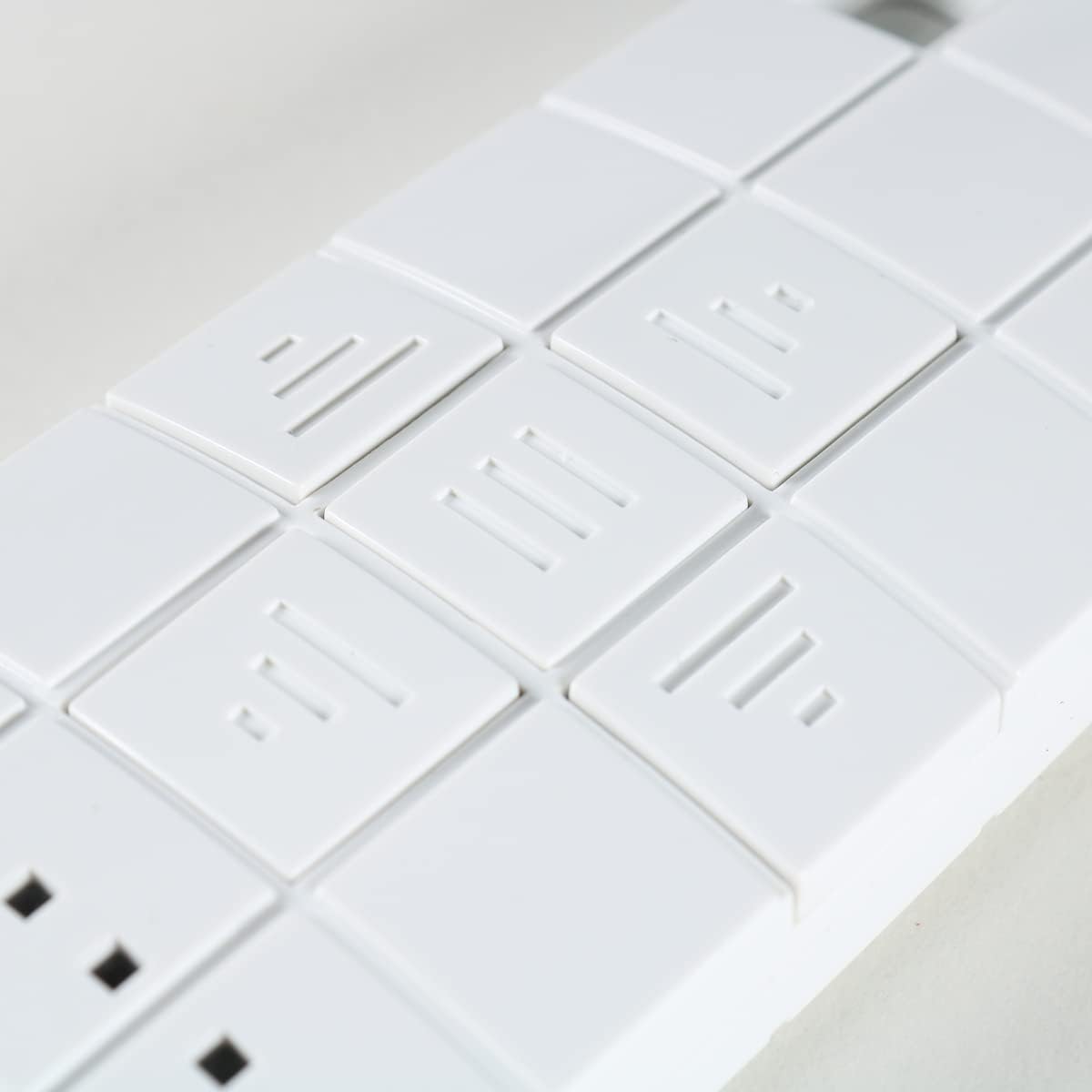
Сүрөт 5.1: Жакын пландан view of the control buttons on the Dooya DC92 remote.
| Баскыч сөлөкөтү | Функция | Description |
|---|---|---|
| ▲ (Up Arrow / Three Lines pointing up) | UP / OPEN | Extends the awning or moves it upwards. |
| ■ (Square / Three horizontal lines) | STOP / MY | Stops the awning at its current position. Can also be used to set a "My" preferred intermediate position (refer to awning manual for details). |
| ▼ (Down Arrow / Three lines pointing down) | DOWN / CLOSE | Retracts the awning or moves it downwards. |
| ■■■ (Three small squares) | КАНАЛ ТАНДОО | Press to cycle through channels 1-5. The active channel is indicated by the illuminated LED(s) above these buttons. |
5.2 Канал тандоо
The DC92 remote has 5 channels, allowing you to control up to 5 individual awnings or groups of awnings. The active channel is indicated by the small LED lights above the channel selection buttons.

Сүрөт 5.2: Жакын пландан view showing the "DOOYA" branding and the channel indicator LEDs.
- Press the channel selection button (three small squares) repeatedly to cycle through channels 1 to 5.
- Observe the illuminated LED(s) to identify the currently selected channel.
- Once the desired channel is selected, use the UP, STOP, or DOWN buttons to control the corresponding awning.
6. Техникалык тейлөө
- Тазалоо: Пультту жумшак, кургак чүпүрөк менен сүртүңүз. Абразивдүү тазалагычтарды же эриткичтерди колдонбоңуз.
- Батареяны алмаштыруу: Replace the CR2450 battery when the remote's range decreases or the indicator lights dim. Refer to Section 4.1 for battery installation instructions.
- Сактагыч: When not in use for extended periods, store the remote in a cool, dry place.
7. Кыйынчылыктарды
| Көйгөй | Мүмкүн себеп | Чечим |
|---|---|---|
| Пульт жооп бербей жатат. | Өлгөн же аз батарея. Remote not paired with awning. Туура эмес канал тандалды. | CR2450 батареясын алмаштырыңыз. Refer to Section 4.3 for pairing instructions. Ensure the correct channel is selected (check LED indicators). |
| Кыска иштөө диапазону. | Батарея аз. Obstructions between remote and awning. Радио интерференциясы. | CR2450 батареясын алмаштырыңыз. Көздүн так сызыгын камсыз кылыңыз. Тоскоолдукка алып келиши мүмкүн болгон башка электрондук түзүлүштөрдөн алыс болуңуз. |
| Awning moves erratically. | Интерференция. Awning motor issue. | Try operating from a different location. Consult your awning's manual or a qualified technician. |
8. Техникалык шарттар
- Модел: DC92
- Бренд: Dooya (Compatible only with Dooya products)
- Каналдар: 5 (controls up to 5 separate awnings)
- Жыштыгы: 433.05 - 434.79 МГц
- Электр камсыздоо: 1 x CR2450 3VDC Button Cell Battery
9. Кепилдик жана колдоо
For warranty information and technical support, please contact the seller or manufacturer directly. Keep your purchase receipt as proof of purchase. Do not attempt to repair the device yourself, as this may void the warranty.


