1. Киришүү
This manual provides essential information for the installation, operation, and maintenance of your Zyxel USGFLEX500H ZyWALL High-Speed Cyber Security Firewall. Please read this manual thoroughly before using the device to ensure proper setup and functionality. The USGFLEX500H is designed to provide robust network security for businesses, featuring multi-gigabit ports, Power over Ethernet (PoE+), VPN capabilities, and Nebula Cloud management.
2. Коопсуздук маалыматы
- Ашыкча ысып кетүүнүн алдын алуу үчүн түзмөк жакшы желдетилген жерге орнотулганын текшериңиз.
- Аппарат менен кошо берилген кубат адаптерин гана колдонуңуз.
- Аппаратты сууга же ашыкча нымдуулукка дуушар кылбаңыз.
- Аппаратты жылуулук булактарынын жанына же тике күн нуруна коюудан алыс болуңуз.
- Аппаратты ачпаңыз casing; бардык тейлөөлөрдү квалификациялуу кызматкерлерге тапшырыңыз.
- Properly ground the device if required by local electrical codes.
3. Пакеттин мазмуну
Пакетиңизде төмөнкү заттар бар экенин текшериңиз:
- Zyxel USGFLEX500H ZyWALL Firewall Unit
- Кубаттуу адаптер
- Электр кабели
- Ethernet кабели
- Console Cable (RJ45 to DB9)
- Стеллажга орнотуу комплекти (кронштейндер жана бурама)
- Quick Start Guide

Image: Zyxel USGFLEX500H Firewall unit, power adapter, power cord, Ethernet cable, console cable, and rack-mount brackets.
4. Продукт бүтүп калдыview
4.1 алдыңкы панели

Сүрөт: алдыңкы view of the Zyxel USGFLEX500H firewall, highlighting its ports and status indicators.
- Статус диоддору: Indicate power, system status, and port activity.
- USB 3.0 порт: For external storage or 3G/4G/5G modem.
- 2 x 2.5G PoE+ Ports: Multi-gigabit ports with Power over Ethernet Plus capability (30W total).
- 2 x 2.5G Ports: Multi-gigabit Ethernet ports.
- 8 x 1G Ports: Gigabit Ethernet ports.
- Консоль порту (RJ45): For local management and configuration via CLI.
- REBOOT/RESET Button: For restarting or resetting the device to factory defaults.
4.2 Арткы панель

Сүрөт: Арткы view of the Zyxel USGFLEX500H firewall, showing the power input, grounding screw, and cooling fan.
- Power Input (19V, 4.74A): Берилген кубат адаптерине туташат.
- Жерге туташтыруу бурагы: Жер кабелин туташтыруу үчүн.
- Муздатуу желдеткич: Оптималдуу иштөө температурасын камсыз кылат.
- Kensington Lock Slot: Физикалык коопсуздук үчүн.
5. Орнотуу
5.1 Физикалык орнотуу
- Монтаждоо: Place the firewall on a stable, flat surface or install it in a standard 19-inch equipment rack using the provided rack-mount kit. Ensure adequate space for ventilation around the device.
- Кубат туташуу: Connect the power adapter to the firewall's power input and then plug the power cord into a suitable power outlet.
- Негиздөө: For enhanced safety, connect a grounding cable from the grounding screw on the rear panel to a proper earth ground.
5.2 Тармактык байланыштар
- WAN туташуу: Connect your internet service provider's modem or router to one of the configurable WAN/LAN ports (e.g., P1) on the firewall using an Ethernet cable.
- LAN туташуу: Connect your internal network devices (computers, switches, access points) to the remaining LAN ports. Utilize the 2.5G PoE+ ports (P3, P4) for devices requiring higher bandwidth and power, such as Wi-Fi 6/7 access points.
- Консоль туташуусу (милдеттүү эмес): For initial configuration or troubleshooting via CLI, connect a console cable from the firewall's console port to a computer.
5.3 Баштапкы конфигурация
The USGFLEX500H can be configured via the Nebula portal or a local web интерфейс.
- Nebula Cloud Setup: For cloud-managed deployment, register your device on the Zyxel Nebula portal (https://nebula.zyxel.com) and follow the wizard for initial setup. This allows centralized policy control and monitoring.
- Жергиликтүү Web Интерфейс: Connect a computer to a LAN port of the firewall. Configure your computer's IP address to be in the same subnet as the firewall's default LAN IP (e.g., 192.168.1.1). Open a web browser and navigate to the firewall's default IP address. Log in with the default credentials (refer to the Quick Start Guide for details).
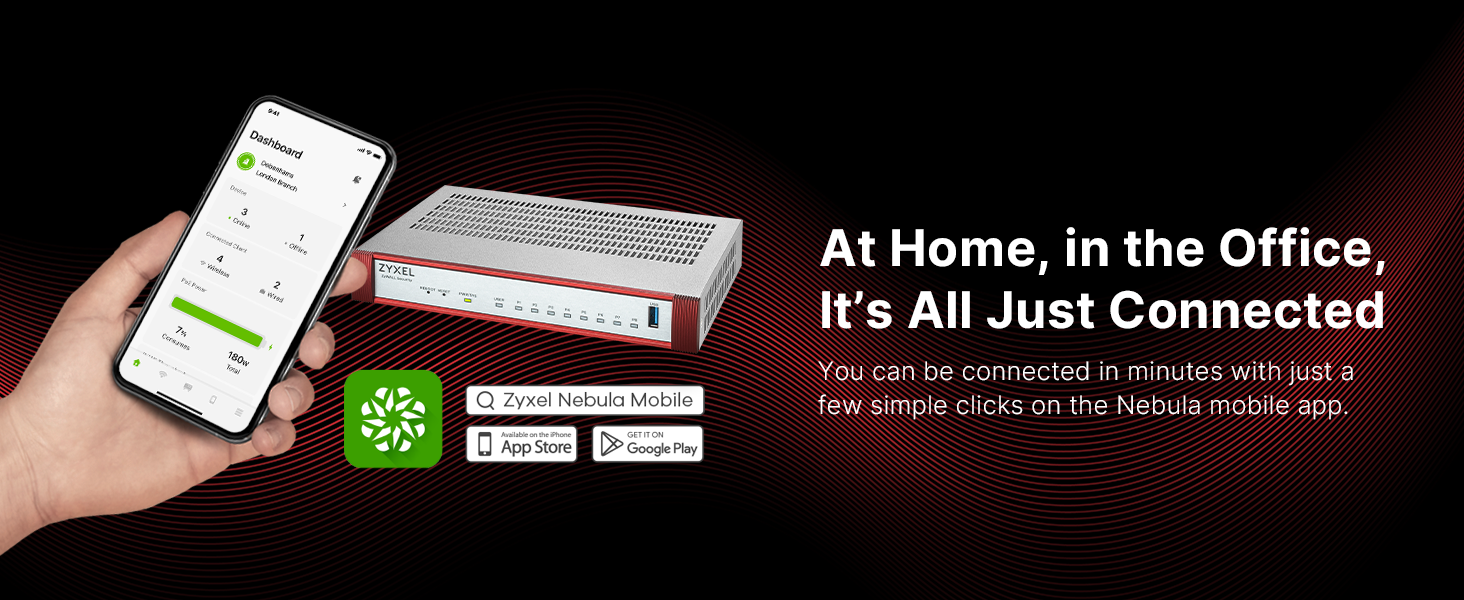
Image: The Zyxel Nebula mobile app dashboard, illustrating remote management capabilities for connected devices.
The Nebula mobile app can also be used for quick setup and monitoring.
6. Иштөө нускамалары
The Zyxel USGFLEX500H offers various features for network security and management.
6.1 Коопсуздук өзгөчөлүктөрү
The firewall provides multi-layered security. The base unit includes reputation filtering and SecuReporter visibility. Optional licenses (Gold Security Pack) unlock advanced features:
- Anti-Malware: Protects against viruses and other malicious software.
- Sandboxing: Isolates suspicious files for analysis to prevent zero-day threats.
- Web Чыпкалоо: Controls access to websites based on categories.
- Кирип кирүүнүн алдын алуу системасы (IPS): Detects and blocks network intrusions.
- Колдонмону көзөмөлдөө: Manages and controls application usage on the network.
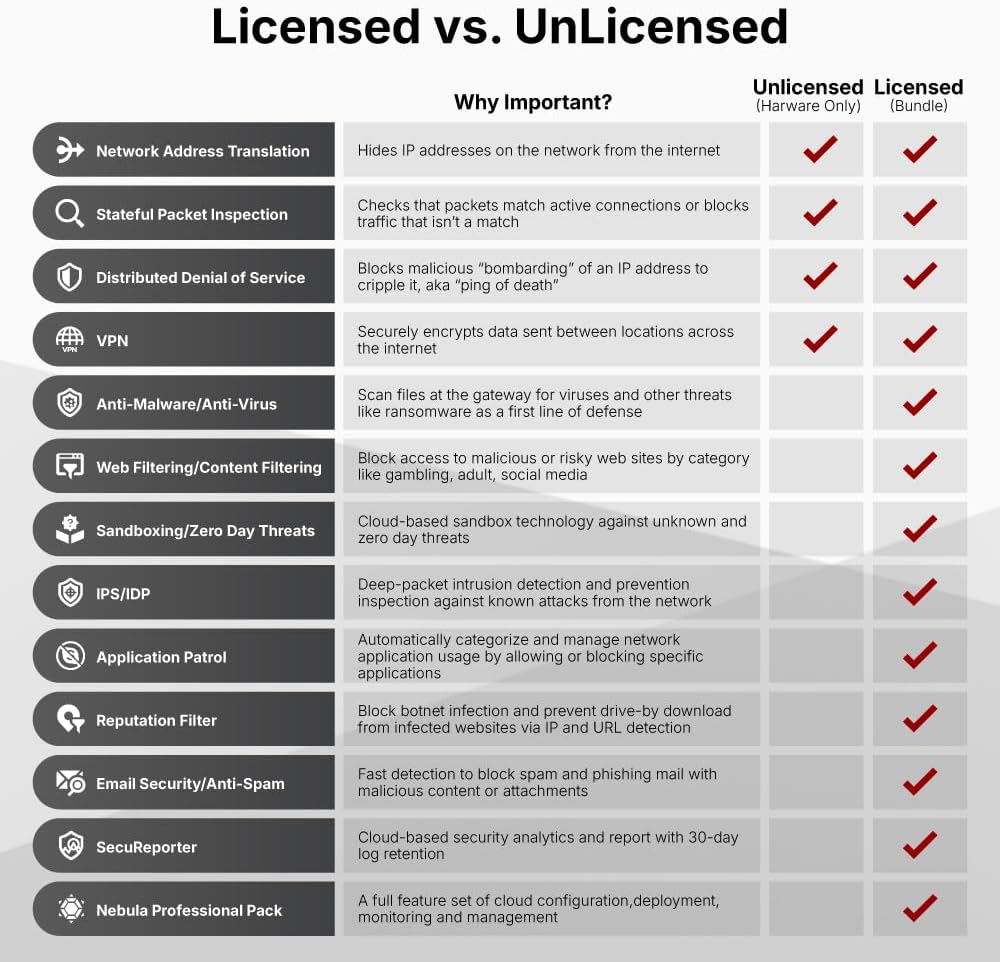
Image: A table comparing the security features available with unlicensed (hardware only) and licensed (bundle) Zyxel USGFLEX firewalls.
6.2 VPN конфигурациясы
The USGFLEX500H supports various VPN protocols for secure remote access and site-to-site connectivity:
- IKEv2/IPSec VPN: For secure site-to-site and client-to-site connections.
- SSL VPN: Provides easy remote access for users via a web браузер.
- Tailscale VPN: Integrates with Tailscale for simplified mesh VPN networking.
6.3 Тумандуулукту башкаруу
Leverage the Nebula Cloud for unified security management, real-time monitoring, and SD-VPN orchestration. This platform simplifies network operations and provides a comprehensive overview of your network's health and security posture.
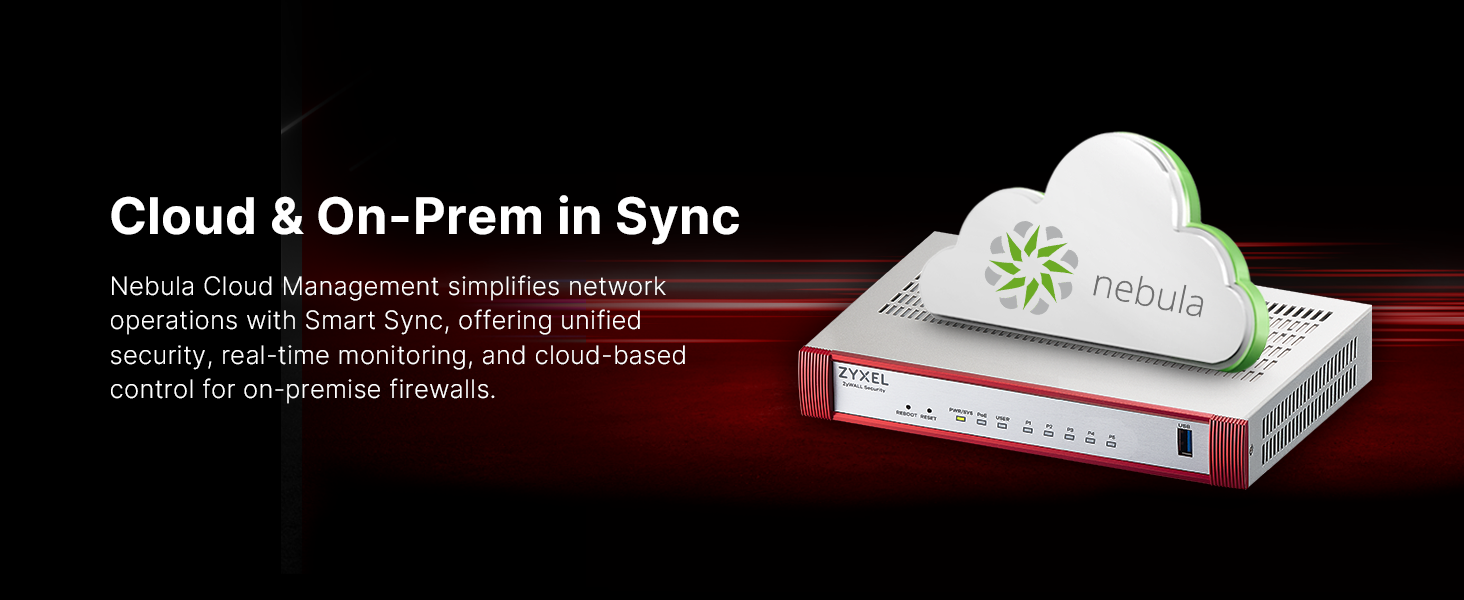
Image: Diagram illustrating the synchronization between Nebula Cloud management and on-premise Zyxel devices.
6.4 Порт конфигурациясы
The device features user-definable WAN/LAN assignments, WAN load balancing, active-backup failover, and Link Aggregation for flexible network design.

Image: Visual representation of the flexible multi-gigabit and PoE+ port capabilities of the USG FLEX H series.
7. Техникалык тейлөө
7.1 Микропрограмма жаңыртуулары
Regularly update the device firmware to ensure optimal performance, security, and access to new features. Firmware updates can be performed via the Nebula Cloud portal or offline via FTP on the local network. The web interface remains accessible after offline updates.
7.2 Конфигурациянын камдык көчүрмөсүн сактоо жана калыбына келтирүү
Periodically back up your device configuration to prevent data loss. The configuration can be restored if needed, for example, after a factory reset or device replacement.
7.3 Тазалоо
Аппаратты таза жана чаңдан алыс кармаңыз. Сыртын сүртүү үчүн жумшак, кургак чүпүрөктү колдонуңуз. Суюк тазалагычтарды же аэрозолдорду колдонбоңуз.
8. Кыйынчылыктарды
| Көйгөй | Мүмкүн себеп | Чечим |
|---|---|---|
| Кубат жок/Түзмөк күйбөй жатат | Электр кабели үзүлүп калган; кубат адаптери бузук; розеткадагы көйгөй. | Check power cable connections; try a different power outlet; ensure power adapter is functioning. |
| Интернетке кирүү жок | Incorrect WAN configuration; ISP issue; cable problem. | Verify WAN settings; contact your ISP; check Ethernet cables. |
| Кирүү мүмкүн эмес web интерфейс | Туура эмес IP дареги; тармактык туташуу көйгөйү; брандмауэр кирүүнү бөгөттөп жатат. | Ensure your computer's IP is in the correct subnet; check physical connection; temporarily disable client firewall. |
| Тармактын жай иштеши | High network traffic; misconfigured security policies; outdated firmware. | Monitor network usage; review and optimize security policies; update firmware. |
| PoE+ not working | Device not PoE+ compatible; power budget exceeded; cable issue. | Ensure connected device supports PoE+; check total power consumption; use standard Ethernet cables. |
Эгерде көйгөйлөр чечилбесе, Zyxel колдоо кызматына кайрылыңыз webсайтка же техникалык колдоо менен байланышыңыз.
9. Техникалык шарттар
| Өзгөчөлүк | Деталь |
|---|---|
| Модел | USGFLEX500H |
| Физикалык порттор | 8 x 1G RJ-45, 4 x 2.5G RJ-45 (2 x PoE+), 1 x USB 3.0, 1 x Console (RJ45) |
| Firewall Throughput (SPI) | 10,000 Мбит/сек (10 Гбит/сек) |
| IPS өткөрүү | 4,500 Мбит/сек |
| VPN өткөрүү жөндөмдүүлүгү | 2,000 Мбит/сек (2 Гбит/сек) |
| Максималдуу колдонуучулар | 300ге чейин |
| Max Sessions | 1,000,000 |
| IPSec VPN Tunnels | 300 |
| SSL VPN Users | 150 |
| Колдоого алынган VLANдар | 64 |
| PoE+ бюджети | 30W total (on P3, P4) |
| Өлчөмдөрү (W x D x H) | 12 x 7 x 2 дюйм |
| Салмагы | 6.43 фунт |
| Стойкага орнотулган | Ооба |

Image: A product matrix detailing specifications across the Zyxel USG FLEX H series, with the USGFLEX500H highlighted.
10. Кепилдик жана колдоо
10.1 Кепилдик маалыматы
This Zyxel product is covered by a limited hardware warranty. For specific warranty terms and conditions, please refer to the warranty card included in your product packaging or visit the official Zyxel webсайт. Кепилдик дооматтар үчүн сатып алганыңыздын далилин сактаңыз.
10.2 Техникалык колдоо
For technical assistance, product documentation, firmware downloads, and FAQs, please visit the Zyxel support portal:
- Zyxel колдоо кызматы Webсайт: https://www.zyxel.com/support
- Nebula Cloud Portal: https://nebula.zyxel.com
When contacting support, please have your product model number (USGFLEX500H) and serial number ready.
11. Продукт видеолору
11.1 Work Smarter, Not Harder
Video: An official Zyxel video titled "Work smarter, not harder" demonstrating the benefits of Zyxel network security solutions in an office environment. Duration: 0:51.
11.2 USG FLEX H Firewall Series Overview
Video: An official Zyxel video providing an overview of the USG FLEX H Firewall Series, highlighting key features and capabilities. Duration: 0:29.