1. Продукт бүтүп калдыview
The HOU Slim Bluetooth Keyboard Case is designed to enhance the functionality and protection of your iPad. It features a minimalist, ultra-thin, and lightweight design, making it ideal for portability. The case is constructed from silicon-containing tech leather, offering wear-resistant and stain-resistant properties. Its magnetic stand provides two ergonomic tilt angles for comfortable typing and viewing.

Image 1.1: HOU Slim Bluetooth Keyboard Case with iPad in open position, showcasing the keyboard and screen.
Негизги өзгөчөлүктөрү:
- Ultra-Slim & Lightweight: Weighing approximately 434 grams and 0.6 cm thin, designed for easy transport.
- Туруктуу материал: Made from PU (with silicon) + synthetic leather for enhanced durability and easy cleaning.
- Magnetic Stand: Offers 115° for typing and 125° for viewing, providing stable support.
- Magnetic Separation: Keyboard and iPad can be easily separated due to dual magnetic points.
- Узак мөөнөттүү батарея: Узартылган колдонуу убактысын камсыз кылат.
- Так тууралоо: Specifically designed for iPad 10th and 11th Generation models.
2. Кутуда эмне бар
Сураныч, алгандан кийин пакетиңиздин мазмунун текшериңиз:
- HOU Slim Bluetooth Keyboard Case
- Магниттик кубаттоочу кабель
- Колдонуучунун Колдонмосу (бул документ)
3. Шайкештик
This HOU Slim Bluetooth Keyboard Case is compatible with the following iPad models:
- iPad 10th Generation 10.9 inch (2022 models: A2696/A2757/A2777/A3162)
- iPad 11th Generation 11 inch A16 (2025 models: A3354/A3355/A3356)

Image 3.1: Diagram illustrating the compatible iPad models for the HOU keyboard case.
4. Орнотуу нускамалары
4.1 Attaching Your iPad to the Case
- Align your compatible iPad with the backplate of the keyboard case.
- The iPad will securely attach to the case via strong magnets. No force or snapping is required.

Image 4.1: A user attaching an iPad to the HOU keyboard case using magnetic attraction.
4.2 Bluetooth жупташтыруу
- iPad'иңиздин Bluetooth күйгүзүлгөнүн текшериңиз.
- Turn on the HOU keyboard case. The Bluetooth indicator light on the keyboard will begin to flash.
- iPad'иңизден төмөнкүгө өтүңүз Орнотуулар > Bluetooth.
- Select the HOU keyboard from the list of available devices.
- Once paired, the indicator light will stop flashing, and your iPad will show the keyboard as connected.

Image 4.2: An iPad screen displaying the Bluetooth connection status and battery level of the connected keyboard.
4.3 Баскычтопту заряддоо
Use the provided magnetic charging cable to charge the keyboard. Connect the magnetic end to the keyboard's charging port and the other end to a USB power source. The iPad can display the keyboard's battery level in real-time.

Сүрөт 4.3: Жакын план view of the magnetic charging port on the HOU keyboard case.
5. Иштөө нускамалары
5.1 тууралоо Viewбурч
The magnetic stand allows for two primary ergonomic tilt angles:
- 115° бурч: Suitable for typing and productivity tasks.
- 125° бурч: Ideal for media consumption, such as watching videos or reading.

Image 5.1: Illustration of the two adjustable viewing angles (115° and 125°) provided by the magnetic stand.
5.2 Using Shortcut Keys
The keyboard features dedicated shortcut keys for quick access to various iPad functions, including:
- Үндү көзөмөлдөө
- Жарыктыкты жөндөө
- Издөө функциясы
- Үй экранына кирүү
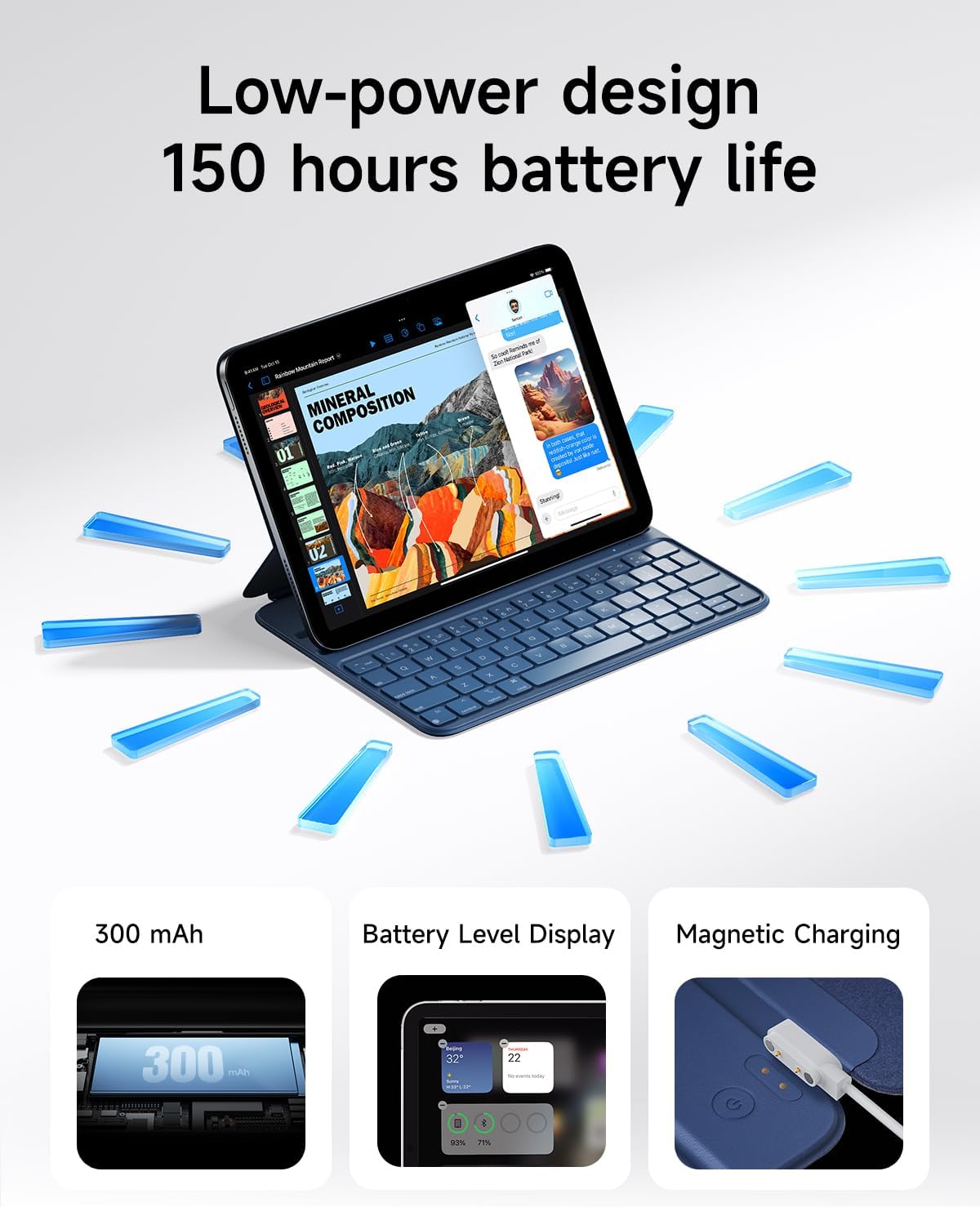
Image 5.2: A close-up of the HOU keyboard highlighting the layout and various shortcut keys.
5.3 Терүү тажрыйбасы
The keyboard is designed with flat keycaps and a scissor-switch structure to provide smooth input, quiet operation, and responsive feedback, reducing fatigue during extended typing sessions.
Video 5.3: This video demonstrates the HOU Keyboard Case for iPad, showing its magnetic attachment, comfortable typing experience, and shortcut key functionality.
6. Техникалык тейлөө
6.1 Корпусту тазалоо
The silicon-containing tech leather material is designed to be wear-resistant and stain-resistant. To clean, gently wipe the surface with a soft, damp cloth. For stubborn stains like coffee or ink, a mild soap solution can be used, followed by wiping with a clean, damp кездеме жана абада кургатуу.
6.2 Батареяга кам көрүү
To prolong battery life, avoid fully discharging the keyboard frequently. Charge the keyboard regularly, especially if it will be stored for an extended period.
7. Кыйынчылыктарды
7.1 Баскычтоп Bluetooth аркылуу туташпай жатат
- Күчтү текшерүү: Баскычтоп күйүк турганын жана батареясы жетиштүү заряддалганын текшериңиз.
- Түзмөктү кайра жупташтыруу: On your iPad, forget the device in Bluetooth settings and attempt to pair again.
- Түзмөктөрдү кайра иштетүү: Turn off and restart both your iPad and the keyboard.
- Жакындык: Ensure the keyboard and iPad are within close range during pairing.
7.2 Typing Delay or Unresponsive Keys
- Bluetooth байланыш: Verify a stable Bluetooth connection. Disconnect and reconnect if necessary.
- Батарея деңгээли: A low battery can affect performance. Charge the keyboard fully.
- Интерференция: Тоскоолдукка алып келиши мүмкүн болгон башка зымсыз түзмөктөрдөн алыс болуңуз.
8. Техникалык шарттар
| Өзгөчөлүк | Деталь |
|---|---|
| Продукциянын өлчөмдөрү | 9.8 x 3.3 x 0.3 дюйм |
| Элемент Салмагы | 1.59 фунт (болжол менен 721 грамм) |
| Өндүрүүчү | HOU |
| Элемент моделинин номери | A2696/A2777/A2757 |
| Батареялар | 1 Литий Полимердик батарейка (кошулган) |
| Шайкеш түзмөктөр | iPad 10th Generation 10.9 inch 2022 & iPad 11th Generation 11 inch A16 2025 |
| Байланыш технологиясы | Bluetooth |
| Өзгөчөлүктөр | Ergonomic, Hotkeys and Media Keys, Lightweight, PU+ABS, Rechargeable |
| Түс | Көк |
| Материал | Акрилонитрил бутадиен стирол (ABS) |
9. Кепилдик жана колдоо
HOU provides a 12-month extended after-sales service for this product. For any inquiries or support needs, please contact HOU Store Customer Service. 24/7 online support is available.

Image 9.1: HOU Customer Service information, highlighting 24/7 online support and a 12-month extended after-sales service.
Additionally, a 30-day refund/replacement return policy is available through the retailer.


