1. Киришүү
Thank you for choosing the PELONIS Bladeless Tower Fan. This manual provides important information for the safe operation, maintenance, and troubleshooting of your new fan. Please read it thoroughly before use and retain it for future reference.

Image: The PELONIS Bladeless Tower Fan demonstrating its powerful airflow.
2. Маанилүү коопсуздук нускамалары
Өрт, электр тогуна урунуу жана адамдардын жаракат алуу коркунучун азайтуу үчүн электр шаймандарын колдонууда ар дайым негизги коопсуздук чараларын сактаңыз.
- Бул желдеткичти колдонуудан мурун бардык көрсөтмөлөрдү окуп чыгыңыз.
- Ensure the power source matches the fan's requirements.
- Зымы же сайы бузулган желдеткичти иштетпеңиз.
- Keep the fan away from water or wet surfaces.
- Манжаларды же бөтөн нерселерди эч кандай тешиктерге киргизбеңиз.
- Unplug the fan from the outlet when not in use or before cleaning.
- Бул шайман үй ичинде гана колдонуу үчүн.
- Keep out of reach of children and pets. The bladeless design enhances safety.
3. Орнотуу
The PELONIS Bladeless Tower Fan requires minimal assembly.
- Carefully remove the fan and all packaging materials from the box.
- Желдеткичти катуу, тегиз жерге кой.
- Электр шнурунун кыпчылып же бузулуп калбагандыгын текшериңиз.
- Желдеткичти стандарттуу электр розеткасына сайыңыз.
- For smart features, download the PELONIS app from your smartphone's app store and follow the in-app instructions to connect your fan to your Wi-Fi network.
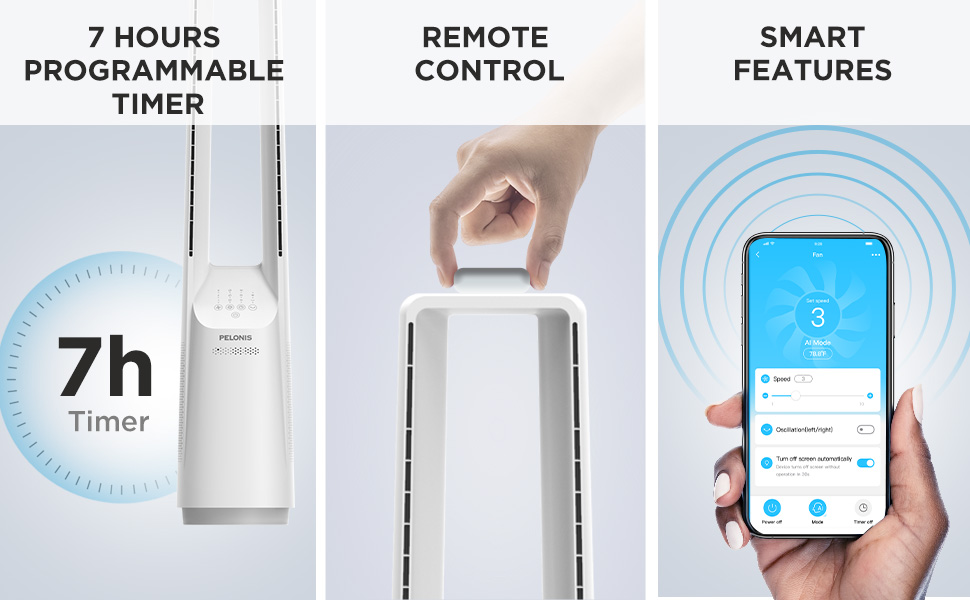
Image: The fan can be controlled via remote or a smartphone app, enabling smart features.
4. Иштөө нускамалары
Your PELONIS Bladeless Tower Fan offers multiple ways to customize your cooling experience.
Башкаруу панели жана алыстан башкаруу

Сүрөт: деталдуу view of the fan's intuitive control panel, showing buttons for speed, modes, timer, and oscillation.
- Кубат баскычы: Желдеткичти КҮЙГҮЗҮҮ же ӨЧҮРҮҮ үчүн басыңыз.
- Speed Settings (6-Speed): Adjust the fan speed from 1 (lowest) to 6 (highest) for personalized airflow.
- Wind Modes (4 Modes): Cycle through different wind modes:
- Кадимки: Тандалган ылдамдыкта туруктуу аба агымы.
- Табигый: Simulates a natural breeze with varying speeds.
- Уйку: Уйку учурунда тынч иштөө үчүн желдеткичтин ылдамдыгын акырындык менен азайтат.
- AI Mode (Sensi Cool Technology): Бөлмөнүн температурасына жараша желдеткичтин ылдамдыгын автоматтык түрдө тууралайт.
- Oscillation (120°): Press to activate or deactivate the 120-degree oscillation function, distributing air across a wider area.
- Timer (7-Hour): Set the fan to automatically turn off after a specified period (1, 2, 4, or 7 hours).
Smart Control (Wi-Fi and Voice Control)
This fan is compatible with Alexa and Google Assistant for convenient voice control. After connecting the fan to your Wi-Fi network via the PELONIS app, you can use voice commands such as:
- "Алекса, желдеткичти күйгүз."
- "Hey Google, set the fan speed to 3."
- "Alexa, turn off oscillation on the fan."
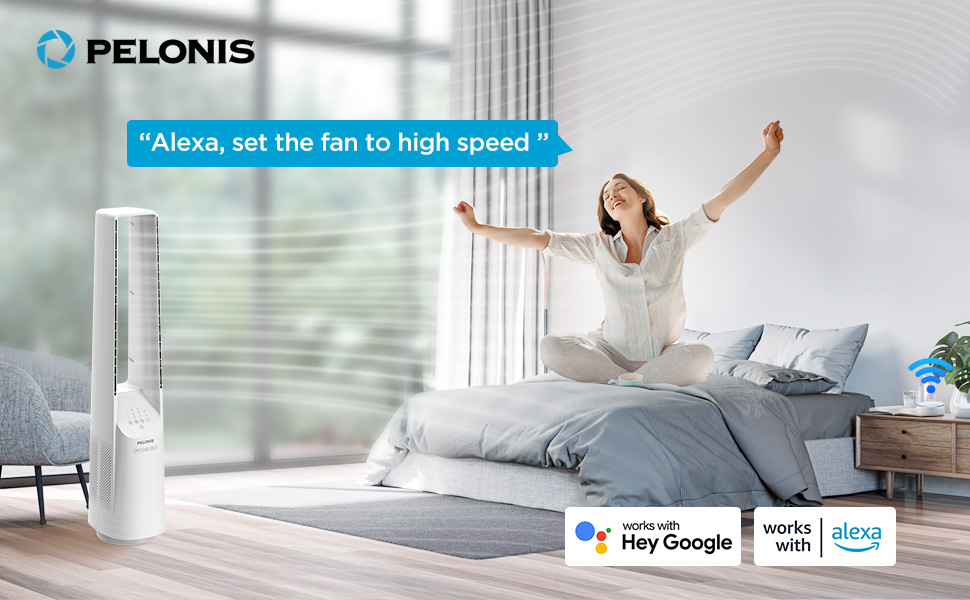
Image: The fan integrates seamlessly with smart home systems like Alexa and Google Assistant for voice-activated control.
Видео: Продукт бүттүview demonstrating the features and operation of the PELONIS Bladeless Tower Fan.
5. Техникалык тейлөө жана тазалоо
Regular cleaning will help maintain your fan's performance and extend its lifespan. Always unplug the fan before cleaning.
- Тышкы тазалоо: жумшак колдонуу, damp cloth (towel) to wipe the exterior surfaces of the fan. Do not use abrasive cleaners or solvents.
- Аба кириш/чыгаруу: Use a vacuum cleaner with a brush attachment to gently remove dust from the air inlet and outlet grilles. The bladeless design makes cleaning easier compared to traditional fans.
- Желдеткичти сууга батырбаңыз же мотор корпусуна суу тамчылап жибербеңиз.
- Колдонулбаганда желдеткичти салкын, кургак жерде сактаңыз.
6. Кыйынчылыктарды
| Көйгөй | Мүмкүн себеп | Чечим |
|---|---|---|
| Желдеткич күйбөйт. | Электр розеткасына сайылган эмес; розетка иштебейт; кубат баскычы басылган эмес. | Желдеткичтин иштеп жаткан розеткага бекем сайылганын текшериңиз. Кубат баскычын басыңыз. |
| Алсыз аба агымы. | Low speed setting; air inlets/outlets blocked by dust. | Increase fan speed. Clean air inlets and outlets as per maintenance instructions. |
| Күтүүсүздөн күйөрман токтойт. | Timer activated; safety auto-off feature (after 10-15 hours of no commands). | Check timer settings. This is a built-in safety feature to prevent overheating. Turn the fan back on if desired. |
| Smart features not working. | Fan not connected to Wi-Fi; incorrect app setup; Wi-Fi signal issues. | Ensure fan is connected to your home Wi-Fi via the PELONIS app. Check Wi-Fi signal strength. Refer to app instructions for troubleshooting connectivity. |
| Адаттан тышкаркы ызы -чуу. | Fan not on a level surface; internal obstruction. | Place fan on a stable, flat surface. If noise persists, contact customer support. |
7. Техникалык шарттар
- Модел: PBF15T4AWW
- Бренд: ПЕЛОНИС
- Өлчөмдөрү (D x W x Y): 8.07" x 9.76" x 39.76"
- Салмагы: 3.46 фунт
- Ызы-чуу деңгээли: 32 дБ (минималдуу)
- Аба агымы диапазону: 26-33 фут
- Ылдамдык жөндөөлөрү: 6
- Шамал режимдери: 4 (Normal, Natural, Sleep, AI Mode)
- Термелүү: 120°
- Таймер: 7 сааттык программалануучу
- Башкаруу ыкмасы: Touch Panel, Remote Control, Voice (Alexa/Google), App
- Кубат булагы: DC
- Бышактын материалы: Plastic (Bladeless Design)
- Сертификаттар: UL
8. Кепилдик жана колдоо
PELONIS provides a 1 жылдык өндүрүүчүнүн кепилдиги with the purchase of this product. This warranty covers defects in materials and workmanship under normal use.
For warranty claims, technical support, or any questions regarding your PELONIS Bladeless Tower Fan, please contact PELONIS Customer Service. Please have your model number (PBF15T4AWW) and proof of purchase ready.
You can also refer to the official PELONIS website for additional support resources and FAQs: Visit the PELONIS Store on Amazon


