Продукт бүттүview
The Feit Electric Smart Outdoor Flood Light is a hardwired LED security light designed for outdoor use. It features integrated motion sensing, dusk-to-dawn functionality, and smart control capabilities via the Feit Electric app, Alexa, and Google Assistant. This manual provides instructions for installation, setup, operation, and maintenance of your flood light.
Негизги өзгөчөлүктөрү:
- WiFi-Enabled Control: Manage your flood light from anywhere using the Feit Electric app (2.4 GHz WiFi network required).
- Үн менен башкаруу: Compatible with Alexa and Hey Google for hands-free operation.
- Motion Sensor & Dusk-to-Dawn: Automatic activation based on detected motion and ambient light levels.
- Түзүлүүчү ак: Түс температурасын жылуу актан (2700K) муздак акка (6500K) тууралаңыз.
- Өчүрүүчү: Adjust brightness levels via the app.
- Пландаштыруу: Create custom schedules for automated operation.
- Туруктуу дизайн: ETL Listed and designed for outdoor conditions, providing 2000 lumens of illumination.
Коопсуздук маалыматы
Сураныч, орнотуудан жана колдонуудан мурун бардык коопсуздук нускамаларын окуп, түшүнүңүз. Антпесе өрт, электр шок же башка коркунучтар келип чыгышы мүмкүн.
- Электр коопсуздугу: Арматураны орнотуудан же тейлөөдөн мурун ар дайым автоматтык өчүргүчтү өчүрүңүз. Туура жерге туташтырылганын текшериңиз.
- Квалификациялуу электрик: If you are unsure about wiring or electrical connections, consult a qualified electrician.
- Сыртта колдонуу: This fixture is rated for outdoor use. Ensure all connections are watertight.
- Монтаждоо: Mount the fixture securely to a suitable surface according to local electrical codes.
- Жылуулук: LED жарык баштары иштөө учурунда жылуу болушу мүмкүн. Түз байланыштан алыс болуңуз.
Пакеттин мазмуну
Орнотууну баштоодон мурун бардык компоненттер бар экендигин текшериңиз:
- 1 LED Smart Flood Light
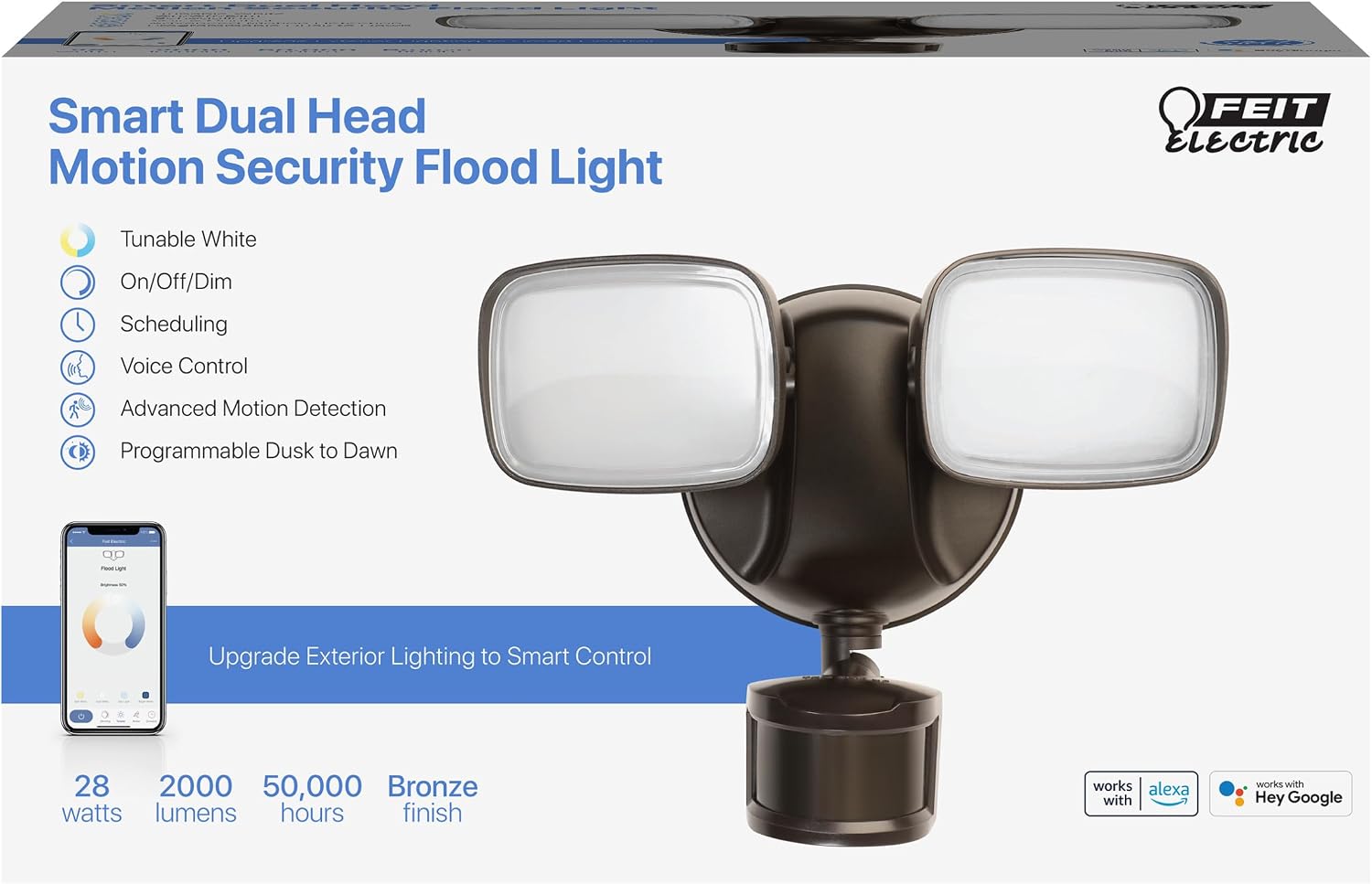
Image: Product packaging highlighting key features like tunable white, on/off/dim, scheduling, voice control, advanced motion detection, and programmable dusk to dawn.
Жайгашуу
Installation Instructions (Hardwired)
This flood light is designed for hardwired installation. Professional installation is recommended if you are not familiar with electrical wiring.
- Кубатты өчүрүү: Locate the circuit breaker controlling the outdoor light fixture and turn off the power.
- Эски арматураны алып салуу: Carefully remove your existing flood light fixture.
- Монтаждык кронштейн: Attach the new mounting bracket to the junction box.
- Зымдар: Connect the flood light's wires to your household wiring (black to black, white to white, ground to ground). Secure connections with wire nuts.
- Коопсуз арматура: Mount the flood light fixture to the mounting bracket, ensuring a tight seal against the wall to prevent water intrusion.
- Күчтү калыбына келтирүү: Электрди өчүргүчтөн кайра күйгүзүңүз.

Image: Illustrates the hardwired installation process, showing electrical wires being connected within a junction box.
App Setup & Connection
To unlock the smart features of your flood light, connect it to the Feit Electric app.
- Күйгүзүү: Ensure your flood light is powered on and rapidly blinking. If not, press the reset button located on the fixture (use a small tool or your finger).
- Колдонмону жүктөп алуу: Download the Feit Electric app from your device's app store.
- Түзмөк кошуу: Open the app, tap 'Add Device' or the '+' icon in the top right corner.
- Select Flood Light: The app should detect the flood light. Tap 'Go to add' and then the '+' sign next to 'Floodlight with PIR'.
- WiFi чоо-жайын киргизиңиз: Enter your 2.4 GHz WiFi network password. Ensure it is case-sensitive.
- Туташуу: The app will connect to your device. Keep your phone close to the router for best results.
- Ырастоо: Once connected, you will receive a confirmation message. Tap 'Done'.
Video: Demonstrates the process of connecting the Feit Electric Smart Flood Light to the Feit Electric mobile application, including resetting the device and entering WiFi credentials.
Иштөө нускамалары
Basic Operation (On/Off, Dimming)
Once connected to the Feit Electric app, you can control your flood light remotely:
- Күйгүзүү/өчүрүү: Tap the power button within the app to turn the light on or off.
- алсыздатуу: Use the brightness slider in the app to adjust the light intensity from 1% to 100%.

Image: A smartphone displaying the Feit Electric app interface, showing controls for dimming, voice control, and scheduling for the flood light.
Tunable White Settings
Adjust the color temperature to suit your preference or specific needs:
- In the app, select from preset options like Soft White, White, Day Light, or Bright White.
- Alternatively, use the color wheel to fine-tune the color temperature between 2700K (warm) and 6500K (cool).

Image: The flood light is shown alongside a smartphone displaying the Feit Electric app, illustrating the tunable white feature with options ranging from 2700K to 6500K.
Motion Sensor Configuration
Customize the motion sensor behavior through the app's motion menu:
- Кыймыл диапазону: Adjust the detection range (e.g., 10ft, 20ft, 30ft, 40ft, 50ft) to prevent unwanted triggers.
- Evening Settings: Define when lights turn on with motion during the evening (e.g., Early Evening, Evening, Late Evening).
- Morning Settings: Define when lights turn on with motion during the morning (e.g., Early Morning, Morning, Late Morning).
- Primary Timer: Set how long the lights stay on after motion is detected.
- Secondary Brightness & Timer: Configure a secondary brightness level and timer for the light to remain on at a lower intensity after the primary timer expires.

Сүрөт: жакын план view of the flood light's motion sensor, with arrows illustrating its adjustable detection range.
Пландаштыруу
Automate your lighting by creating custom schedules:
- In the Feit Electric app, navigate to the 'Schedule' section.
- Tap 'Add Schedule'.
- Select the desired days of the week and the specific time for the light to turn on or off.
- Графигиңизди сактап коюңуз.
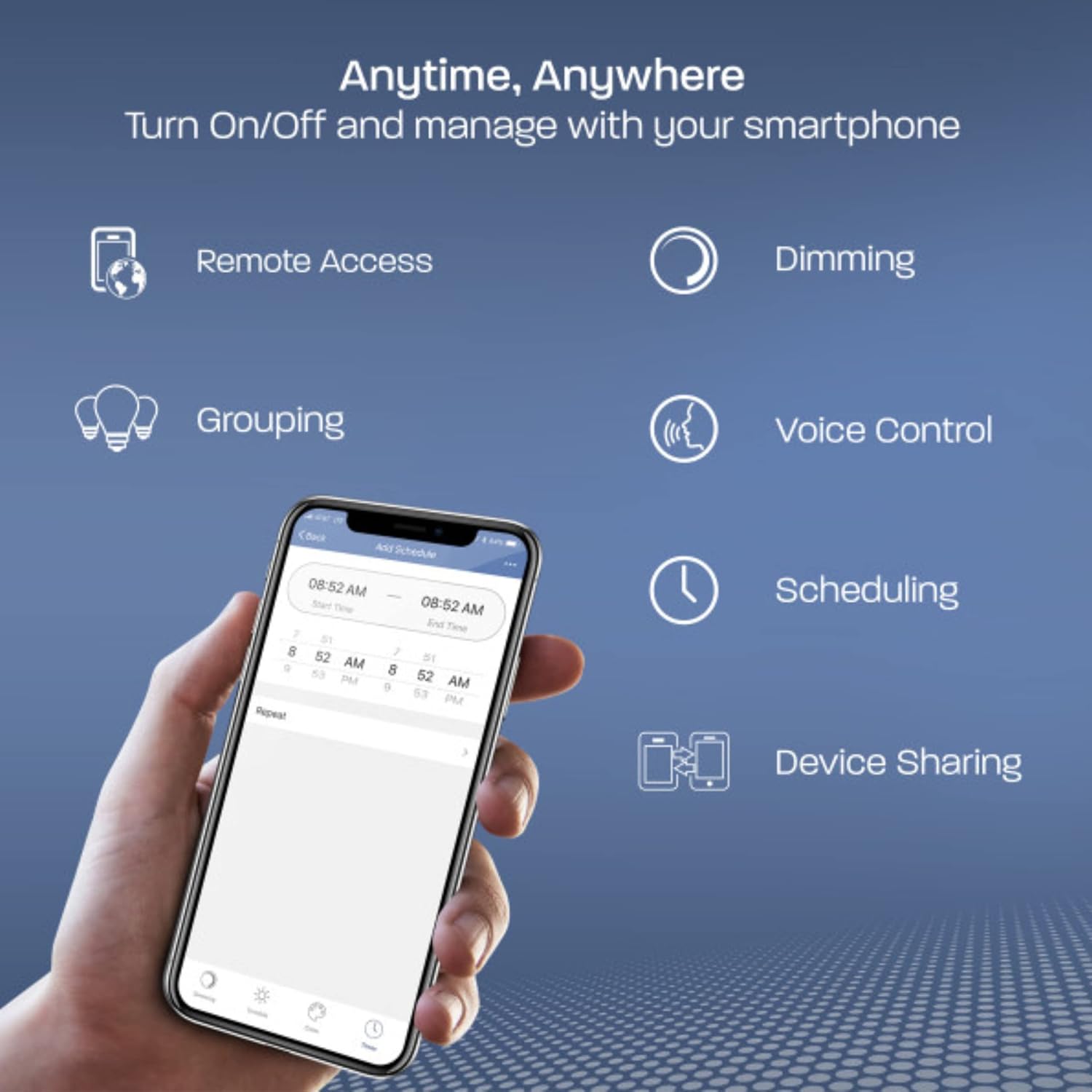
Image: A smartphone displaying the Feit Electric app, illustrating various control options including remote access, dimming, grouping, voice control, scheduling, and device sharing.
Техникалык тейлөө
Үзгүлтүксүз техникалык тейлөө сиздин прожекторуңуздун оптималдуу иштешин жана узак мөөнөттүү иштешин камсыз кылат.
- Тазалоо: Periodically clean the light heads and motion sensor lens with a soft, damp кездеме. Абразивдүү тазалагычтарды же эриткичтерди колдонбоңуз.
- Байланыштарды текшерүү: Annually inspect all electrical connections for tightness and signs of wear or corrosion.
- Сенсордук тоскоолдуктар: Ensure the motion sensor is free from obstructions like leaves, branches, or spiderwebs that could interfere with its operation.
- Аба ырайын коргоо: While designed for outdoor use, extreme weather conditions may affect performance. Ensure the fixture is properly sealed.

Image: A Feit Electric flood light mounted on the exterior of a house, operating effectively during a rain shower, indicating its weather-resistant design.
Проблемаларды чечүү
If you encounter issues with your Feit Electric Smart Outdoor Flood Light, refer to the following common problems and solutions:
- Жарык күйбөйт:
- Түзмөккө кубат берүү үчүн автоматтык өчүргүчтү текшериңиз.
- Бардык зым байланыштары коопсуз экендигин текшериңиз.
- Ensure the light is not in a scheduled 'off' period or set to a very low brightness.
- Light Not Blinking for Setup:
- Press the reset button on the fixture. If it still doesn't blink, try cycling the power off and on at the switch or breaker.
- WiFiга туташа албай жатат:
- Ensure your WiFi network is 2.4 GHz. The device does not support 5 GHz networks.
- Verify the WiFi password is entered correctly (it is case-sensitive).
- Move your smartphone closer to the flood light and your WiFi router during the connection process.
- Consider using a WiFi extender if the installation location is far from your router.
- Motion Sensor Not Responding:
- Check the motion sensor settings in the Feit Electric app to ensure it is enabled and the range is appropriate.
- Сенсордун ишине тоскоол болгон эч кандай тоскоолдуктар жок экенин текшериңиз view.
- Verify the 'Evening Settings' and 'Morning Settings' are configured correctly for when motion detection should be active.
- Light Stays On Constantly:
- Check motion sensor settings for continuous motion detection or an extended timer.
- Ensure the dusk-to-dawn sensor is not being tricked by nearby light sources.
Техникалык шарттар
| Модель номери | S9DFL/CCT/MOT/BZ/AG |
| Бренд | Feit Electric |
| Түс | Кара |
| Материал | Алюминий |
| Өлчөмдөрү (L x W x Y) | 9 x 4.8 x 6.8 дюйм |
| Элемент Салмагы | 1.2 фунт |
| Power Source | Hardwired |
| Тtage | 120 вольт |
| Ватtage | 28 ватт |
| Жарык агымы | 2000 Lumens |
| Лампанын түрү | LED |
| Монтаж түрү | Дубалга орнотуу |
| Өзгөчөлүктөр | Dusk to Dawn, Motion Sensor, Voice Control, Tunable White, On/Off Dim, Scheduling |
| UPC | 017801763140 |
Кепилдик маалымат
This Feit Electric product comes with a 5-year warranty. For detailed warranty terms and conditions, please refer to the official Feit Electric webсайтка же кардарларды колдоо менен байланышыңыз.
Колдоо
For further assistance, technical support, or to report any issues, please visit the Feit Electric website or contact their customer service department. You can often find FAQs and additional resources online.
Онлайн ресурстар: Visit the Feit Electric Store on Amazon


