Introduction
The itel Power 900 is a versatile mobile phone designed with a large 10000 mAh battery, functioning also as a power bank. It features a 2.8-inch display, 10W charging support, and offers extended battery backup. This manual provides comprehensive instructions for setting up, operating, maintaining, and troubleshooting your device.
Кутуда эмне бар
Upon unboxing your itel Power 900, please verify that all the following items are included:
- Handset with Battery
- USB кабели
- Кубат адаптери (заряддагыч)
- Колдонуучунун колдонмосу / Кепилдик картасы

Image: The retail box for the itel Power 900, showing the phone, USB cable, charger, and user manual/warranty card as included accessories.
Жайгашуу
1. SIM картаны жана батарейканы салуу
- Телефондун арткы капкагын кылдаттык менен алып салыңыз.
- SIM картаңызды (карталарыңызды) алтын түстүү контакттары ылдый каратып, белгиленген уячага (уячаларга) салыңыз.
- Insert the battery into the battery compartment, ensuring the contacts align correctly.
- Арткы капкакты чыкылдатмайынча ордуна коюңуз.
2. Баштапкы заряддоо
Before first use, fully charge the device. Connect the USB cable to the phone's charging port and the power adapter, then plug the adapter into a wall outlet. The battery indicator on the screen will show charging progress.

Image: The itel Power 900 connected via USB to another smartphone, demonstrating its power bank functionality for reverse charging.
Иштөө нускамалары
Күйгүзүү/өчүрүү
- Күйгүзүү үчүн, экран күйгүчө кубат/чакырууну аяктоо баскычын басып туруңуз.
- Өчүрүү үчүн, Күйгүзүү/Чалууну бүтүрүү баскычын басып, кармап туруңуз, андан кийин параметрлерден "Өчүрүүнү" тандаңыз.
Чалууларды жасоо
- Ариптакта аркылуу телефон номерин киргизиңиз.
- Press the Call button (green icon) to initiate the call.
- To end a call, press the Power/End Call button (red icon).
Power Bank катары колдонуу
The itel Power 900 can charge other devices. Connect the charging cable of the device you wish to charge to the USB Type-A output port on the itel Power 900. Charging will begin automatically.
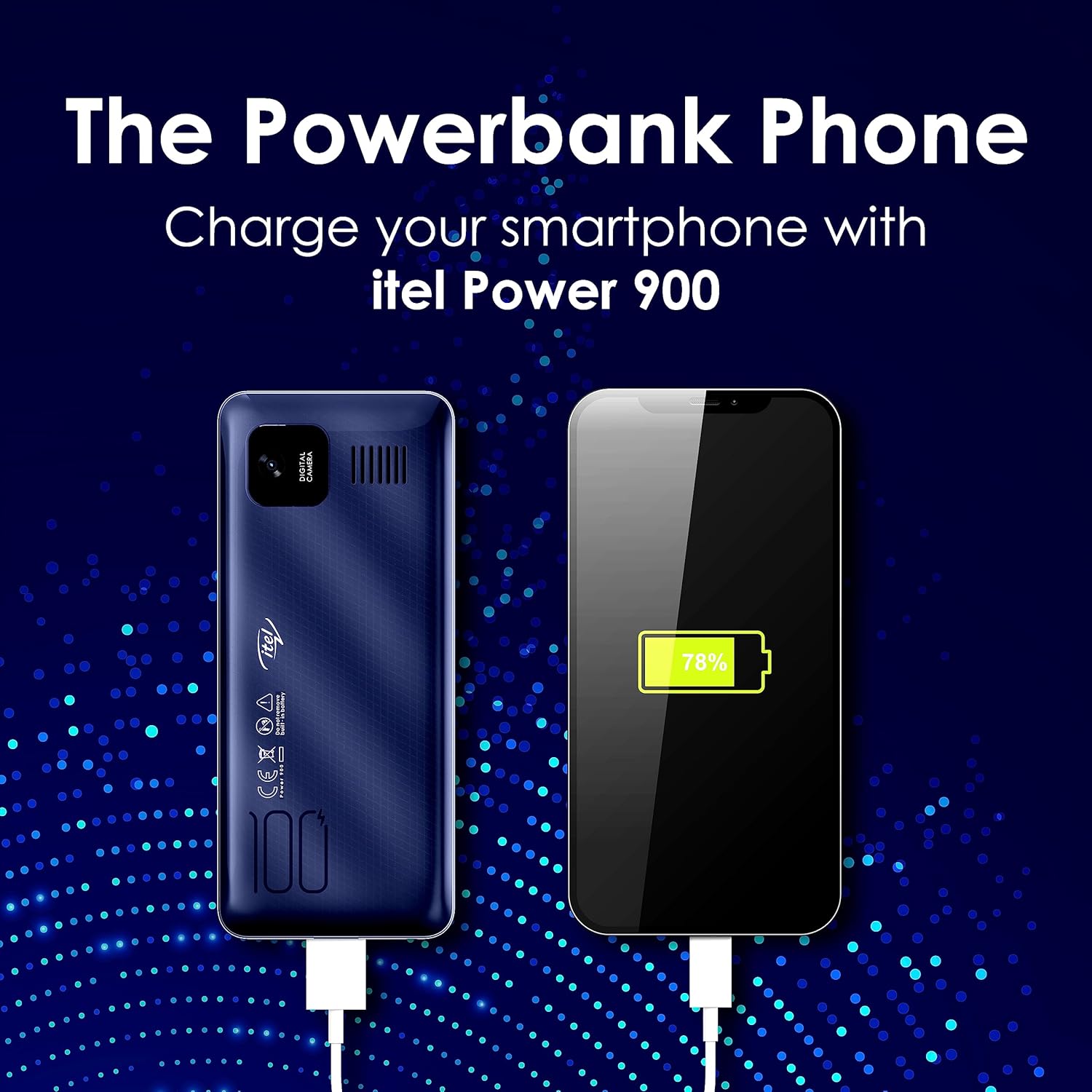
Image: The itel Power 900 connected to a smartphone via a USB cable, illustrating its capability to charge external devices.
Батареянын иштөө мөөнөтү жана заряддоо
The itel Power 900 is equipped with a massive 10000 mAh battery, providing extended usage times. It supports 10W fast charging for efficient power replenishment.
- Сүйлөшүү убактысы: Болжол менен 88.8 саат
- Күтүү убактысы: Болжол менен 210 күн

Image: An illustration highlighting the extensive battery life of the itel Power 900, detailing its talk time of 88.8 hours and standby time of 210 days, along with 10W fast charging capability.
Bluetooth байланышы
The phone supports Bluetooth for connecting to other devices, such as headsets or for BT Call functionality. Navigate to the Bluetooth settings in the menu to pair with compatible devices.

Image: An infographic highlighting key features of the itel Power 900, including Bluetooth (BT Caller), Camera, 3D Super Sound, GPRS, King Talker, 1000 Phonebook capacity, and support for 9 local languages.
Multimedia and Display
Enjoy multimedia content on the 2.8-inch display. The phone supports basic camera functions and has a powerful speaker for audio playback.

Image: The itel Power 900 showcasing its 2.8-inch display with a vibrant image, surrounded by entertainment-related graphics, emphasizing its entertainment capabilities.
Техникалык тейлөө
- Тазалоо: Телефондун бетин тазалоо үчүн жумшак, кургак чүпүрөктү колдонуңуз. Суюк тазалоочу каражаттарды же абразивдүү материалдарды колдонбоңуз.
- Батареяга кам көрүү: To prolong battery life, avoid exposing the phone to extreme temperatures. Do not attempt to remove or replace the built-in battery yourself.
- Сактагыч: Эгер телефонду узак убакытка сактап жатсаңыз, анын жарым-жартылай заряддалганын (болжол менен 50%) жана салкын, кургак жерде сакталганын текшериңиз.
Проблемаларды чечүү
| Көйгөй | Мүмкүн себеп | Чечим |
|---|---|---|
| Телефон күйбөйт | Батареянын аздыгы; Батарея туура салынган эмес | Charge the phone for at least 30 minutes; Re-insert the battery ensuring proper alignment. |
| Чалууларды кабыл алуу же жасоо мүмкүн эмес | No network signal; SIM card not inserted correctly; SIM card expired/inactive | Move to an area with better network coverage; Re-insert SIM card; Contact your service provider. |
| Other devices not charging from phone | Low phone battery; Incorrect cable; Device not compatible | Ensure phone has sufficient charge; Use the correct USB cable; Check device compatibility. |
| Аудио сапаты начар | Speaker/microphone blocked; Low network signal | Clean speaker/microphone openings; Move to an area with better signal. |
Техникалык шарттар
| Өзгөчөлүк | Деталь |
|---|---|
| Модель номери | CX01 |
| Операция системасы | Nucleus OS |
| Батарея сыйымдуулугу | 10000 мАч литий-ион |
| Заряддоо колдоо | 10 Вт |
| Дисплей өлчөмү | 2.8 дюйм (7.11 см) |
| Ички эс тутум | 32 ГБ |
| Expandable Memory | Up to 32 GB (via SD card) |
| Зымсыз байланыш | Bluetooth |
| Аудио Jack | Ооба |
| Өлчөмдөрү (LxWxH) | 15.9 x 6.7 x 1.9 см |
| Элемент Салмагы | 293 г |
| Түс | Deep Blue |
| Өзгөчөлүктөр | Expandable Memory, Camera, BT Call, King Talker, Wireless FM with Recording, Reverse Charging |

Image: A diagram illustrating the physical dimensions of the itel Power 900, showing its height (159mm), width (67mm), and thickness (19.2mm).
Кепилдик жана колдоо
The itel Power 900 comes with a 1 жылдык кепилдик from the date of purchase. Please refer to the Warranty Card included in your package for detailed terms and conditions.
For technical support, service, or warranty claims, please contact Itel customer service. Contact information can typically be found on the warranty card or the official Itel webсайт.
Manufacturer: S MOBILE DEVICES PRIVATE LTD, Ismartu India Private Limited. D-197 and 198, Sector-63, Noida, Gautam Buddh Nagar, Uttar Pradesh-201301


