1. Киришүү
This user manual provides comprehensive instructions for the installation, operation, and maintenance of the Turing TP-MFD8M28 Smart 8MP IR Dome IP Camera. This advanced surveillance camera features 8MP resolution, a 2.8mm lens, and integrates with Turing SMART Series NVR, Bridge, and Cloud for advanced AI capabilities including Face, Human, and Vehicle detection. Designed for both indoor and outdoor use, it boasts IP67 weather resistance and IK10 vandal resistance, ensuring reliable performance in various environments.
2. Продукт бүтүп калдыview
The Turing TP-MFD8M28 is a high-performance dome IP camera engineered for superior surveillance. Its robust design and intelligent features make it suitable for a wide range of security applications.
2.1 Негизги өзгөчөлүктөрү
- Face/Human/Vehicle AI: Advanced detection capabilities when integrated with Turing SMART Series NVR, Bridge, and Cloud.
- Жогорку чечим: Max. 8MP (3840x2160) at 20fps resolution for clear imaging.
- TwilightVision: Ensures optimal image clarity even in low-light conditions.
- Туруктуу дизайн: IP67 rated for weather resistance and IK10 rated for vandal resistance.
- Ethernet аркылуу күч (PoE): Simplifies installation by providing power and data over a single cable.
- Кең динамикалык диапазон (WDR): 120 dB WDR for balanced images in challenging lighting.
- Борттогу сактагыч: Supports up to 256GB microSD card (not included) for local recording.
2.2 Камеранын компоненттери
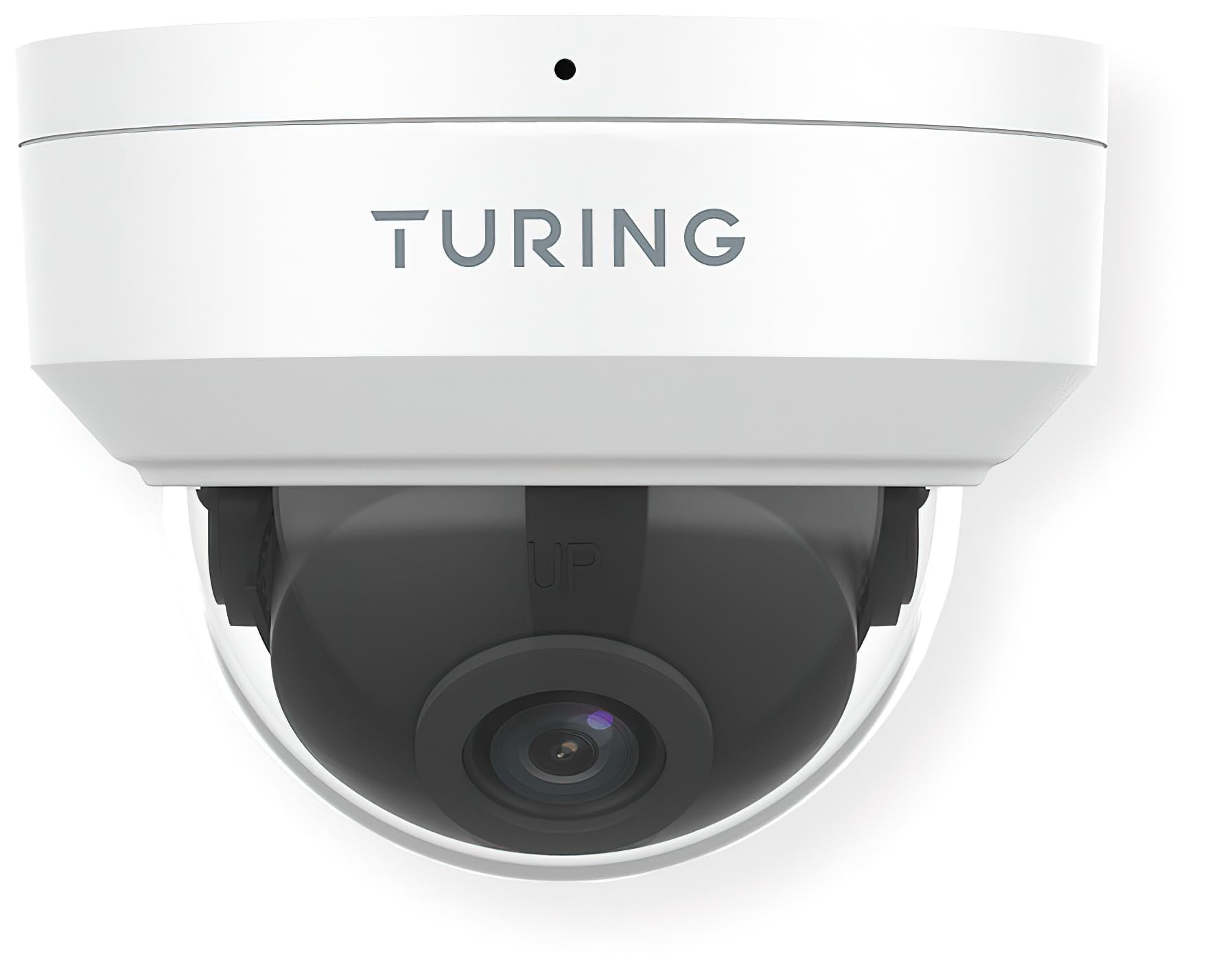
1-сүрөт: Фронт view of the Turing TP-MFD8M28 Smart 8MP IR Dome IP Camera. The image displays the white dome camera with the Turing logo on the top housing and the dark lens assembly visible through the clear dome cover. A small black dot, likely an indicator light or microphone, is visible at the top center.
The camera consists of a main housing, a clear dome cover, and an internal camera module with the lens. The housing is designed for secure mounting, and the dome protects the sensitive camera components while allowing for a wide field of view.
3. Орнотуу жана орнотуу
Proper installation is crucial for optimal performance and longevity of your camera.
3.1 Пакеттин мазмуну
- Turing TP-MFD8M28 IP Camera
- Монтаждоо бурамалар жана дубал сайгычтар
- Waterproof Connector (for Ethernet cable)
- Quick Start Guide
3.2 Монтаждоо боюнча нускамалар
- Жайгашкан жерди тандоо: Select a suitable indoor or outdoor location, ensuring a clear field of view and access to network cabling. Consider the camera's 2.8mm fixed lens angle of view (H: 112.4°, V: 60.1°, D: 146.1°).
- Бетти даярдоо: Mark drilling points using the provided mounting template (if applicable). Drill holes for the wall plugs.
- Коопсуз база: Attach the camera's mounting base securely to the surface using the provided screws.
- Кабелдерди туташтыруу: Connect the Ethernet cable to the camera's PoE port. Use the waterproof connector for outdoor installations to protect the connection.
- Бурчту тууралоо: Once mounted, adjust the camera's lens angle to cover the desired surveillance area.
- Secure Dome: Reattach the clear dome cover, ensuring it is properly sealed.
3.3 Тармактык туташуу
The TP-MFD8M28 supports Power over Ethernet (PoE). Connect the camera to a PoE-enabled switch or NVR using a standard Ethernet cable. The camera will power on automatically. For initial setup and configuration, refer to the Turing Vision software or your NVR's user manual.
4. Камераны иштетүү
The camera's primary functions are managed through the Turing Vision software or a compatible Turing SMART Series NVR/Bridge.
4.1 Live View жана Жаздыруу
- Access the live feed through the Turing Vision application or connected NVR.
- Configure recording schedules (continuous, motion-triggered, event-based) via the software interface.
- Ойнотуу жазылган footage from the NVR or the camera's microSD card (if installed).
4.2 AI Features (with Turing SMART Series NVR/Bridge)
- Жүздү таануу: Set up and manage known faces for alerts or access control.
- People Detection: Receive alerts when human figures are detected in specified zones.
- Унаа аныктоо: Get notifications for vehicle presence or movement.
- Configure detection zones and sensitivity settings within the Turing Vision software.
4.3 Өркүндөтүлгөн жөндөөлөр
- Сүрөт жөндөөлөрү: Adjust brightness, contrast, saturation, and WDR settings.
- Тармак орнотуулары: Configure IP address, port forwarding, and other network parameters.
- Программалык камсыздоонун жаңыртуулары: Regularly check for and apply firmware updates to ensure optimal performance and security.
5. Техникалык тейлөө
Regular maintenance helps ensure the longevity and optimal performance of your camera.
- Линзаны тазалоо: Gently wipe the clear dome and lens with a soft, lint-free cloth. For stubborn dirt, use a mild lens cleaning solution. Avoid abrasive materials.
- Турак жай инспекциясы: Periodically check the camera housing for any signs of damage, cracks, or loose components.
- Кабелдик байланыштар: Ensure all cable connections are secure and free from corrosion, especially for outdoor installations.
- Программалык камсыздоо жаңыртуулары: Keep the camera's firmware and associated Turing Vision software updated to the latest versions.
6. Кыйынчылыктарды
Эгерде сиз камераңыз менен көйгөйлөргө туш болсоңуз, төмөнкү кеңири таралган көйгөйлөрдү жана чечимдерди караңыз.
| Көйгөй | Мүмкүн себеп | Чечим |
|---|---|---|
| Кубат жок/Камера оффлайн режиминде | No PoE power; faulty Ethernet cable; network issue. | Check PoE switch/NVR status. Verify Ethernet cable connection. Ensure network is operational. |
| Сүрөт/видео түрмөгү жок | Network connectivity issue; incorrect IP settings; camera malfunction. | Verify network connection. Check camera's IP address. Restart camera/NVR. |
| Сүрөттүн сапаты начар | Dirty lens/dome; low light conditions; incorrect image settings. | Clean lens/dome. Ensure sufficient lighting or check TwilightVision settings. Adjust image parameters (WDR, brightness). |
| AI Features Not Working | Not connected to Turing SMART Series NVR/Bridge; incorrect AI settings; outdated firmware. | Confirm connection to compatible Turing hardware. Review AI detection zone and sensitivity settings. Update firmware. |
If the problem persists after attempting these solutions, please contact Turing technical support.
7. Техникалык шарттар
Detailed technical specifications for the Turing TP-MFD8M28 Smart 8MP IR Dome IP Camera.
| Модел | TP-MFD8M28 |
| Сенсор | 1/2.7-in 8MP 16:9 Progressive Scan CMOS |
| Объектив | 2.8мм туруктуу линза |
| Бурчу View | H: 112.4 degrees; V: 60.1 degrees; D: 146.1 degrees |
| Макс. Резолюция | 8MP (3840x2160) at 20fps |
| Минималдуу жарыктандыруу | Түсү: 0.0025 Люкс (F1.6, AGC күйүк); 0 Люкс IR күйүктүү |
| Видеону коддоо | Ultra 265, H.265, H.264, MJPEG |
| Санарип иштетүү | 120 dB WDR; 2D/3D DNR; Defog |
| AI өзгөчөлүктөрү | Face Recognition, People and Car Detection (with SMART series NVR/Bridge) |
| Ingress Protection | IP67 (чаңга жана сууга туруктуу) |
| Вандалдык каршылык | IK10 |
| Күч | DC 12V, PoE (IEEE 802.3af); up to 6.0W |
| Тоскоолдуктан коргоо | 4КВ |
| Бортто сактагыч | microSD (up to 256 GB, not included) |
| Smart IR Range | 30 м (98.43 фут) чейин |
| Өлчөмдөрү (Диаметр x Бийиктиги) | 4.3 x 3.2 дюйм |
| Салмагы | 0.93 фунт (14.9 унция) |
| Connectivity Protocol | Ethernet |
| Монтаж түрү | Шыпка орнотуу |
| Ички/тышкы колдонуу | Тышкы, ички |
8. Кепилдик жана колдоо
Turing products are designed for reliability and performance.
8.1 Кепилдик маалыматы
This product comes with a standard manufacturer's warranty. Please refer to the warranty card included in your product packaging or visit the official Turing webдеталдуу кепилдик шарттары жана шарттары үчүн сайт. Кепилдик дооматтар үчүн сатып алганыңыздын далилин сактаңыз.
8.2 Техникалык колдоо
For technical assistance, troubleshooting, or any product-related inquiries, please contact Turing technical support.
- Онлайн колдоо: Visit the official Turing website for FAQs, knowledge base articles, and support resources.
- Байланыш маалыматы: Refer to the contact section on the Turing webтүздөн-түз колдоо көрсөтүү үчүн телефон номерлери же электрондук почта даректери үчүн сайт.
When contacting support, please have your product model number (TP-MFD8M28) and serial number ready.


