1. Киришүү
Thank you for choosing the secucore 2K HD WiFi Outdoor Security Camera. This manual provides detailed instructions for the installation, operation, and maintenance of your new security camera. Please read this manual thoroughly before use to ensure proper functionality and to maximize the benefits of your device.
This camera is designed for both indoor and outdoor use, offering high-definition 2K resolution, motion detection, two-way audio, and various recording options to enhance your security.
2. Негизги өзгөчөлүктөрү
- 2K HD Resolution (4 Megapixels): Так жана деталдуу видео foo камсыз кылатtage.
- Панорама жана жантайтуу функциясы: Allows horizontal and vertical movement for wide area coverage.
- 2.4 GHz WiFi Connectivity: Ensures stable wireless connection to your network.
- Кыймылды аныктоо: Камеранын аймагында аныкталган кыймыл тууралуу эскертет view.
- Түнкү көрүнүш: Equipped with IR and white LEDs for clear, full-color surveillance even in low-light conditions.
- Эки тараптуу аудио: Орнотулган микрофон жана динамик реалдуу убакыт режиминде байланышууга мүмкүндүк берет.
- Automatic Human Tracking: The camera can automatically follow detected human figures.
- Programmed Patrols: Set specific routes for the camera to automatically monitor large areas.
- Бир нече сактагыч параметрлери: Supports cloud storage and local recording via Micro SD card.
- Алыстан байкоо: Түз эфирге кирүү view and recordings from your smartphone, tablet, or PC.
3. Пакеттин мазмуну
Сураныч, пакетте төмөнкү нерселерди текшериңиз:
- secucore 2K HD WiFi Outdoor Security Camera
- Кубаттуу адаптер
- Монтаждоо бурамалар жана дубал сайгычтар
- Монтаж шаблону
- User Manual
Note: Micro SD card is not included and must be purchased separately if local storage is desired.
4. Орнотуу колдонмосу
4.1 Физикалык орнотуу
Камераңыз үчүн ылайыктуу жерди тандап, анын так экенине ынаныңыз view of the area you wish to monitor and is within range of your 2.4 GHz WiFi network. The camera can be mounted on a wall or ceiling.
- Каалаган беттеги бургулоочу тешиктерди белгилөө үчүн берилген шаблонду колдонуңуз.
- Тешиктерди бургула жана дубал тыгындарын салгыла.
- Secure the camera's mounting bracket to the surface using the screws.
- Камераны монтаждоо кронштейнине бекитиңиз.

Image: The secucore 2K HD WiFi Outdoor Security Camera, showing its design and mounting capabilities.
4.2 Кубат туташтыруу
Connect the power adapter to the camera's power input port and then plug it into a standard electrical outlet. The camera will power on and initiate its startup sequence.
4.3 Micro SD картаны орнотуу (милдеттүү эмес)
If you plan to use local storage, insert a Class 10 or higher Micro SD card (up to 128GB, not included) into the designated slot on the camera. Ensure the camera is powered off before inserting or removing the SD card.

Image: Icons representing cloud storage and Micro SD card storage options for the camera.
4.4 App Download and Network Configuration
- Download the official secucore app from your smartphone's app store (iOS or Android).
- Жаңы каттоо эсебин каттаңыз же сизде мурунтан эле бар болсо кириңиз.
- Follow the in-app instructions to add your camera. This typically involves scanning a QR code on the camera or connecting to its temporary WiFi hotspot.
- Ensure your smartphone is connected to a 2.4 GHz WiFi network during the setup process. The camera does not support 5 GHz WiFi.
5. Камераны иштетүү
5.1 Live View жана Ойнотуу
Once connected, open the secucore app to access the live video feed from your camera. You can view реалдуу убакыт footage and playback recorded events from your Micro SD card or cloud storage.

Image: Demonstrates remote monitoring of multiple camera feeds via laptop and smartphone applications.
5.2 Эки тараптуу аудио
The camera features a built-in microphone and speaker, allowing you to listen to the camera's surroundings and speak through the camera using the app. This is useful for communicating with visitors or deterring intruders.

Image: Illustrates the two-way audio feature, showing a person communicating through the camera.
5.3 Панорамалоо, эңкейтүү жана масштабдоо (PTZ) башкаруусу
Use the controls within the app to remotely adjust the camera's viewing angle. Pan (horizontal rotation) and Tilt (vertical rotation) allow you to cover a wide area. Digital zoom is also available.

Image: Shows the camera's ability to pan and tilt, indicated by red arrows.
5.4 Кыймылды аныктоо жана эскертүүлөр
Configure motion detection sensitivity and areas within the app. When motion is detected, the camera will record footage and send instant alerts to your smartphone.
5.5 Түнкү көрүү режимдери
The camera automatically switches to night vision in low-light conditions. It features both infrared (IR) LEDs for standard black-and-white night vision and powerful white LEDs for full-color night vision, which can also serve as a deterrent.

Image: Depicts the camera's color night vision capability, illuminating a scene at night.
5.6 Automatic Human Tracking
Enable this feature in the app, and the camera will automatically detect and follow human figures moving within its field of view, ensuring continuous surveillance of potential threats.
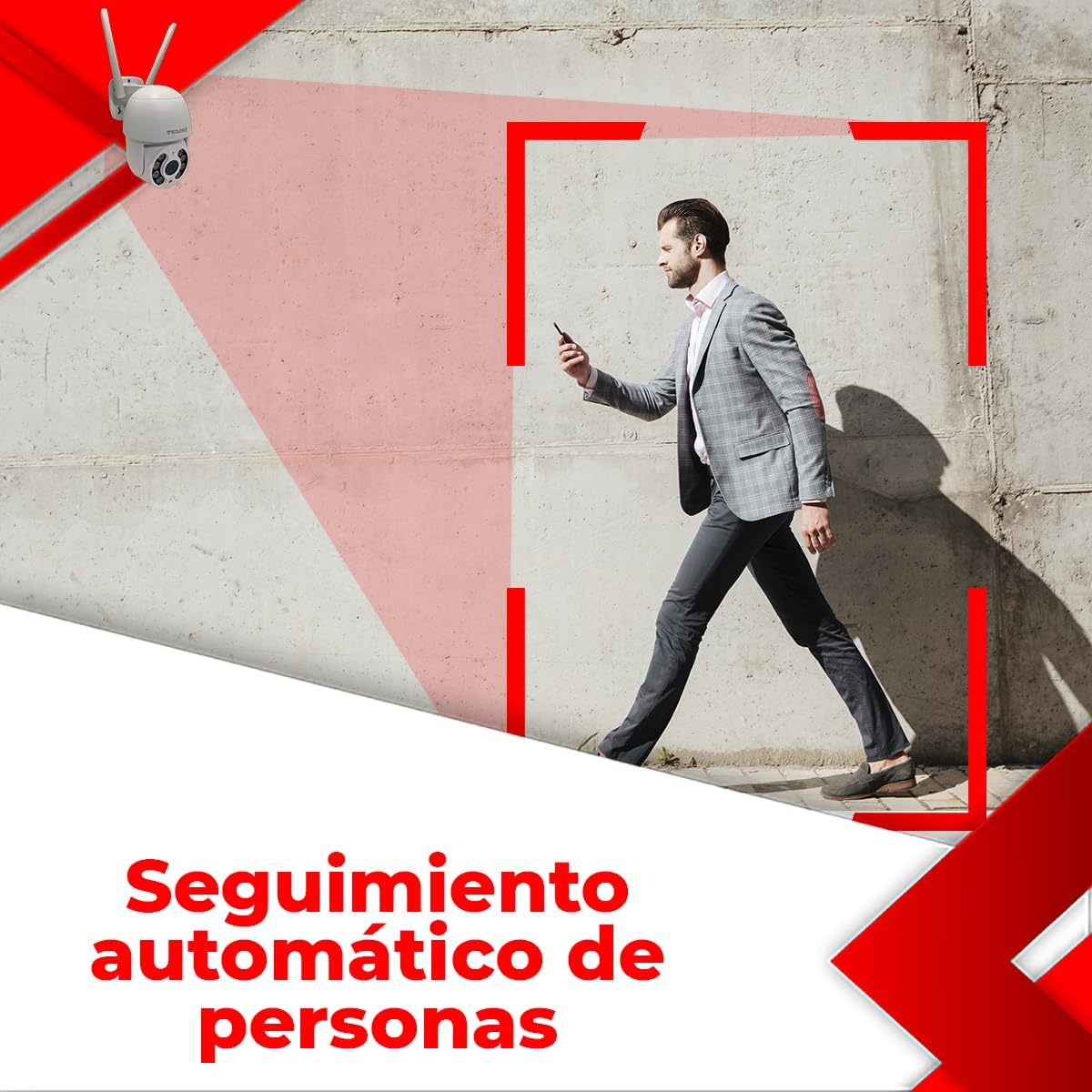
Image: Illustrates the automatic human tracking feature, showing the camera's focus on a moving person.
5.7 Programmed Patrols
Set up specific patrol routes for the camera to automatically scan predefined areas. This is ideal for monitoring large properties or multiple points of interest.

Image: Demonstrates programmed patrol routes, indicating how the camera can cover large areas automatically.
6. Техникалык тейлөө
6.1 Тазалоо
Сүрөттүн сапатын так сактоо үчүн камеранын линзасын жумшак, кургак чүпүрөк менен үзгүлтүксүз тазалап туруңуз. Катуу химиялык заттарды же абразивдүү материалдарды колдонбоңуз.
6.2 Микропрограмма жаңыртуулары
Periodically check the app for available firmware updates. Keeping your camera's firmware up-to-date ensures optimal performance, security, and access to new features.
6.3 Сактагычты башкаруу
If using a Micro SD card, regularly back up important footage and format the card periodically to maintain performance. For cloud storage, manage your subscription and storage space through the app.
7. Кыйынчылыктарды
If you encounter issues with your camera, please refer to the following table for common problems and solutions:
| Көйгөй | Мүмкүн себеп | Чечим |
|---|---|---|
| Camera offline / Cannot connect to WiFi | Incorrect WiFi password; Camera too far from router; 5 GHz WiFi network used; Router issues. | Ensure correct 2.4 GHz WiFi password. Move camera closer to router. Restart router. Re-add camera in the app. |
| Сүрөттүн сапаты начар | Кир линза; жетишсиз жарыктандыруу; Тармактын өткөрүү жөндөмдүүлүгү маселелери. | Clean the camera lens. Ensure adequate lighting or enable color night vision. Check network speed. |
| Recording errors / Cannot view жаздыруулар | Faulty or incompatible Micro SD card; SD card full; Cloud storage issues. | Ensure Micro SD card is Class 10 or higher and formatted correctly. Check if SD card is full and delete old footage or replace. Verify cloud subscription status. |
| Эки тараптуу аудио иштебейт | Microphone/speaker blocked; App permissions; Volume settings. | Ensure nothing is obstructing the microphone or speaker. Check app permissions for microphone access. Adjust volume settings in the app. |
| Кыймылды аныктоо иштебей жатат | Sensitivity too low; Detection area not set; Environmental factors. | Increase motion detection sensitivity. Define detection zones in the app. Avoid placing camera where trees or shadows cause false alarms. |
If the problem persists after trying these solutions, please contact secucore technical support.
8. Техникалык шарттар
| Өзгөчөлүк | Спецификация |
|---|---|
| Резолюция | 2K (4 мегапиксел) |
| Байланыш | 2.4 ГГц WiFi |
| Power Source | Wired Electric Cable |
| Материал | Пластик |
| Өлчөмдөрү (L x W x Y) | 19 x 19 x 12 см (7.5" x 7.9" x 4.8") |
| Салмагы | 500 г |
| Өзгөчөлүктөр | Two-Way Audio, Motion Detection, Color Night Vision, Automatic Tracking |
| Сактагыч параметрлери | Булуттагы сактагыч, Micro SD карта (128 ГБ чейин) |
| Колдонуу чөйрөсү | Сыртта |
| Монтаж түрү | Дубалга орнотуу |
9. Кепилдик жана колдоо
This secucore product comes with a warranty and technical support provided directly by the brand in Mexico. For any warranty claims, technical assistance, or product inquiries, please contact secucore Mexico support. Refer to the product packaging or the official secucore webэң акыркы байланыш маалыматы үчүн сайт.
We are committed to providing excellent customer service and support for your secucore security camera.


