1. Introduction and Overview
The Buffbee Sound Machine & Alarm Clock is a versatile 2-in-1 device designed to enhance your sleep and wake-up experience. It combines a high-quality sound machine with a precise digital alarm clock, offering a range of features to create a peaceful environment and ensure timely waking.

Image 1.1: The Buffbee device highlighting its dual functionality as a sound machine and an alarm clock.
Негизги өзгөчөлүктөрү:
- 2-ин-1 Функциясы: Combines a sound machine and a digital alarm clock in one compact unit.
- 18 Тынчтандыруучу үн: Includes 5 white noises, 3 fan sounds, and 10 nature sounds (ocean, lullaby, waves, rain, thunderstorm, stream, croaks, bird chirps, summer night, campfire) to aid sleep and relaxation.
- Жөнгө салынуучу дисплей жарыктыгы: Clock face brightness can be dimmed from 0% to 100% to suit your preference.
- Көлөмдү так көзөмөлдөө: Offers 30 levels of volume adjustment for optimal sound output.
- Уйку таймери: Set the sound machine to automatically turn off after 15, 30, 60, 90, or 120 minutes, or allow continuous play.
- 7 түстүү түнкү жарык: Features a soothing colored light at the base with 7 color options and ON/OFF functionality.
- Жогорку сапаттагы спикер: Equipped with a 5W speaker for rich, detailed sound.

Сүрөт 1.2: Алдыңкы view of the Buffbee Sound Machine & Alarm Clock, displaying the time and the top control panel.
2. Орнотуу
2.1 Кутудан чыгаруу жана Мазмуну
Carefully remove the Buffbee Sound Machine & Alarm Clock from its packaging. Verify that all components are present:
- Buffbee Sound Machine & Alarm Clock unit
- Кубат адаптери (USB кабели жана дубал адаптери)
- Колдонуучунун Колдонмосу (бул документ)
2.2 Кубат туташтыруу
The device is powered by an electrical cable.
- Insert the small end of the USB power cable into the DC IN port on the back of the Buffbee unit.
- Plug the larger end of the USB cable into the provided wall adapter.
- Дубал адаптерин стандарттуу электр розеткасына сайыңыз.
The device will power on automatically, and the digital display will illuminate.
2.3 Убакытты коюу
Upon initial power-on or after a power outage, you may need to set the correct time.
- басып, кармап туруңуз Убакыт коюу сааттын сандары жаркылдай баштаганга чейин үстүнкү панелдеги баскычын (адатта саат сүрөтчөсү менен көрсөтүлөт) басып туруңуз.
- колдонуу +/- buttons (or arrow buttons) to adjust the hour.
- басыңыз Убакыт коюу button again to switch to minute adjustment.
- колдонуу +/- мүнөттөрдү тууралоо үчүн баскычтар.
- басыңыз Убакыт коюу ырастоо жана убакыт орнотуу режиминен чыгуу үчүн дагы бир жолу басыңыз.
3. Иштөө нускамалары
3.1 Sound Machine Function
The Buffbee Sound Machine offers 18 soothing sounds to help you relax and sleep.

Сүрөт 3.1: Ички view illustrating the upward-firing speaker for enhanced sound quality.
Үндөрдү ойнотуу:
- басыңыз Үн режими button (often a music note icon) to cycle through the available sound categories (White Noise, Fan Sounds, Nature Sounds).
- колдонуу Next/Previous Sound buttons (arrow icons) to select a specific sound within the chosen category.
- The sound will begin playing automatically.
Үндү тууралоо:
The device features 30 levels of precise volume control.
- басыңыз Үнүн жогорулатуу (+) or Үнүн азайтуу (-) buttons to increase or decrease the sound volume.

Image 3.2: Illustration of the auto-off timer and 30-level precise volume control features.
Уйку таймерин орнотуу:
The sleep timer allows the sound machine to turn off automatically after a set duration.
- басыңыз Таймер button (often an hourglass icon) repeatedly to cycle through the available timer options: 15 minutes, 30 minutes, 60 minutes, 90 minutes, 120 minutes, or continuous play (indicated by 'ON' or no timer display).
- The selected timer duration will be displayed briefly on the screen.
3.2 Ойготкуч саат функциясы
The Buffbee device functions as a digital alarm clock with customizable wake-up sounds.
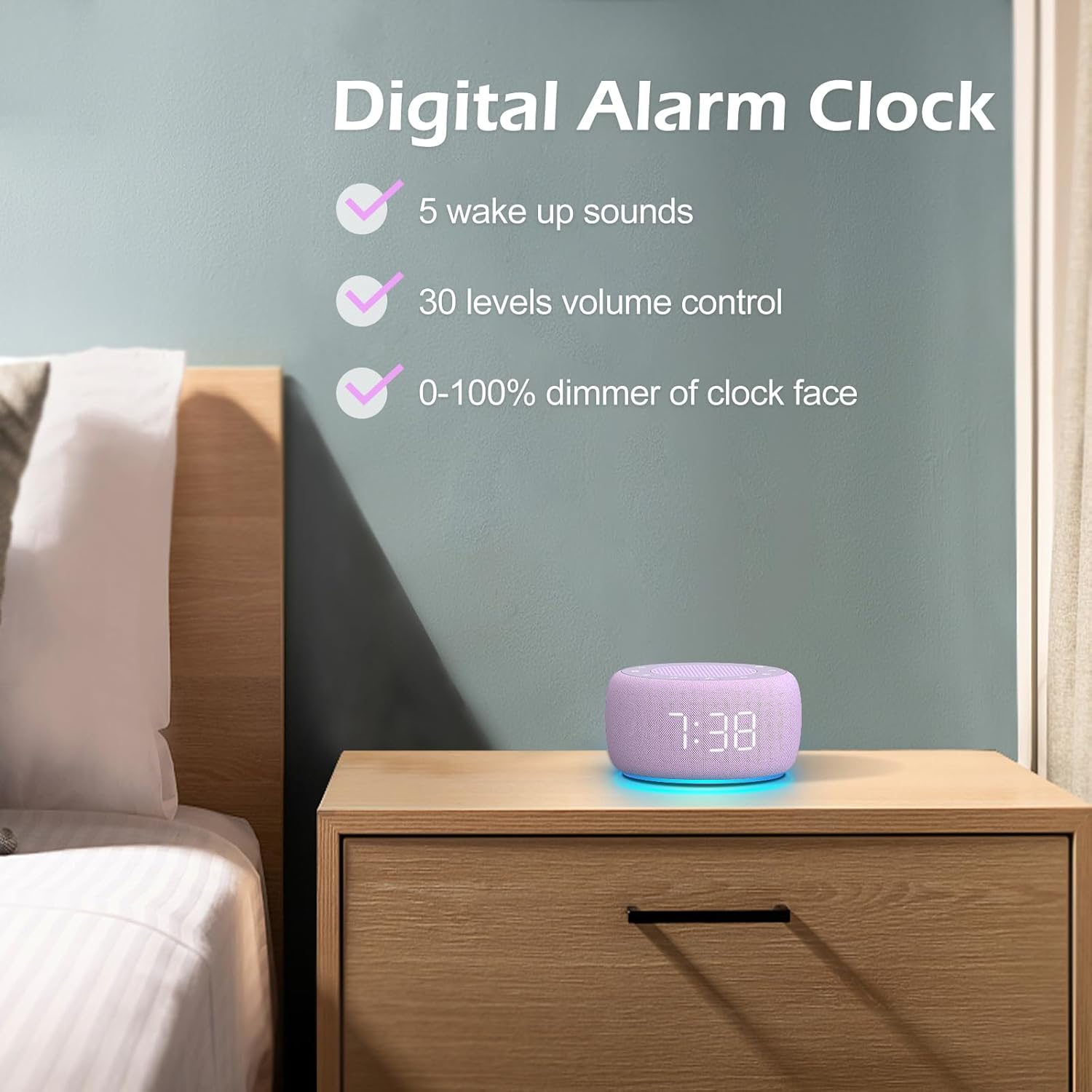
Сүрөт 3.3: Бүттүview of the digital alarm clock features, including wake-up sounds, volume control, and display dimmer.
Ойготкуч коюу:
- басып, кармап туруңуз Ойготкуч орнотулган button (often an alarm clock icon) until the alarm hour digits begin to flash.
- колдонуу +/- ойготкуч саатын тууралоо үчүн баскычтар.
- басыңыз Ойготкуч орнотулган button again to switch to minute adjustment.
- колдонуу +/- ойготкуч мүнөттөрдү тууралоо үчүн баскычтар.
- басыңыз Ойготкуч орнотулган button one more time to confirm the alarm time.
- After setting the time, you can select the wake-up sound by pressing the Үн тандоо button (if available, or use +/- buttons while alarm sound is flashing). There are 5 wake-up sounds available.
- басыңыз Ойготкуч орнотулган button again to activate the alarm. An alarm icon will appear on the display.
Чырым Function:
Ойготкуч басылганда, басыңыз Тындыр button (usually a large button on top or a dedicated snooze icon) to temporarily silence the alarm for a few minutes (typically 9 minutes). The alarm will sound again after the snooze period.
Ойготкучту өчүрүү:
Ойготкучту толугу менен өчүрүү үчүн басыңыз Ойготкучту иштетүү/өчүрүү button (often the same as the Alarm Set button, or a dedicated toggle). The alarm icon will disappear from the display.
3.3 Display & Light Functions
Дисплей жарыктыгын жөндөө:
The digital display brightness can be adjusted from 0% (completely dark) to 100% (brightest).

Image 3.4: Demonstration of the 0-100% display dimmer feature, showing various brightness levels.
- басыңыз Диммер button (often a sun icon) repeatedly to cycle through different brightness levels.
- кармаңыз Диммер button to smoothly adjust the brightness from 0% to 100% and vice versa. Release the button at your desired brightness.
Түнкү жарыкты колдонуу:
The device features a colored night light at its base with 7 color options.

Image 3.5: The Buffbee device showcasing its 7-color night light feature in a bedroom setting.
- басыңыз Жарык button (often a light bulb icon) to turn the night light ON.
- басыңыз Жарык 7 жеткиликтүү түстөр арасында айлануу үчүн баскычты кайра-кайра басыңыз.
- басыңыз Жарык button one more time after cycling through all colors to turn the night light OFF.
4. Техникалык тейлөө
4.1 Тазалоо
To maintain the appearance and functionality of your Buffbee device:
- Тазалоодон мурун ар дайым аппаратты розеткадан сууруп алыңыз.
- Сырткы беттерди сүртүү үчүн жумшак, кургак, мамыксыз чүпүрөктү колдонуңуз.
- Абразивдүү тазалоочу каражаттарды, момдорду же эриткичтерди колдонбоңуз, анткени алар каптамага зыян келтириши мүмкүн.
- Ар кандай тешиктерге ным кирүүдөн сактаңыз.
4.2 Сактоо
Узак мөөнөткө колдонулбаганда, аспапты салкын, кургак жерде, тике күн нурунан жана экстремалдык температурадан алыс сактаңыз.
4.3 Коопсуздук эскертүүлөрү
Сураныч, төмөнкү коопсуздук чараларын сактаңыз:
- Бул продукт оюнчук эмес. Балдар жетпеген жерде сактаңыз.
- Handle with care to avoid electric shock. Do not expose the device to water or excessive moisture.
- Use within recommended noise exposure limits to prevent hearing damage.
- Аппаратты өз алдынча бөлүүгө же оңдоого аракет кылбаңыз. Бардык тейлөөлөрдү квалификациялуу кызматкерлерге тапшырыңыз.
5. Кыйынчылыктарды
If you encounter issues with your Buffbee Sound Machine & Alarm Clock, please refer to the following common problems and solutions:
| Көйгөй | Мүмкүн себеп | Чечим |
|---|---|---|
| Түзмөк күйбөйт. | Эч кандай кубат туташуу же туура эмес адаптер. | Ensure the power cable is securely plugged into the device and the wall outlet. Try a different outlet. |
| Динамиктен үн чыкпайт. | Volume is too low or muted. Incorrect sound selected. | колдонуу менен үнүн жогорулатуу Үнүн жогорулатуу (+) button. Ensure a sound is selected and not paused. |
| Ойготкуч угулбайт. | Alarm is not set or not activated. Alarm volume is too low. | Verify that the alarm time is set correctly and the alarm icon is displayed. Increase the alarm volume (if separate from main volume). |
| Дисплей өтө күңүрт же өтө жарык. | Display dimmer setting is incorrect. | басыңыз же кармап туруңуз Диммер button to adjust the brightness to your preference. |
| Night light is not working. | Night light is turned off. | басыңыз Жарык button to turn on and cycle through colors. |
6. Техникалык шарттар
Detailed technical specifications for the Buffbee Sound Machine & Alarm Clock (Model BK11):
| Өзгөчөлүк | Спецификация |
|---|---|
| Бренд | BUFFBEE |
| Модель номери | BK11 |
| Түс | Violet |
| Материал | Пластик |
| Power Source | Электр зымдары |
| Продукциянын өлчөмдөрү | 14.3 x 11.2 x 7.7 см (5.6 x 4.4 x 3.0 дюйм) |
| Элемент Салмагы | 322 грамм (0.71 фунт) |
| Speaker Output | 5W |
| Үн параметрлери | 18 Soothing Sounds (5 White Noise, 3 Fan, 10 Nature) |
| Үн деңгээли | 30 Precise Levels |
| Диммерди көрсөтүү | 0-100% Adjustable Brightness |
| Түнкү жарык түстөр | 7 Түстөр |
| Уйку таймеринин параметрлери | 15, 30, 60, 90, 120 minutes, or Continuous Play |
| Wake-up Sounds | 5 Alarm Sounds |
7. Кепилдик жана колдоо
7.1 Кепилдик маалыматы
This product comes with a standard manufacturer's warranty. Please refer to the product packaging or the seller's webкепилдиктин белгилүү бир шарттары жана эрежелери, анын ичинде мөөнөтү жана камтуу чоо-жайы үчүн сайтты караңыз.
7.2 Кардарларды колдоо
For any questions, technical assistance, or warranty claims, please contact Buffbee customer support through the retailer's platform or the official Buffbee website. Have your product model number (BK11) and purchase details ready when contacting support.


