Introduction
Сатып алганыңыз үчүн рахматasing the HORLAT Mini Projector. This portable projector is designed to provide a versatile and immersive viewing experience, supporting 5G WiFi, Bluetooth 5.1, and Full HD 1080P content. This manual will guide you through the setup, operation, maintenance, and troubleshooting of your new device to ensure optimal performance and longevity.

Image: The HORLAT Mini Projector, a compact device with a lens on the front and control buttons on top, displayed against a vibrant, colorful projection.
Коопсуздук маалыматы
Please read all safety instructions before using the projector. Keep this manual for future reference.
- Желдетүүчү тешиктерди жаппаңыз. Проектордун айланасында жетиштүү аба айлануусун камсыз кылыңыз.
- l болгондо проектордун объективине тике карабаamp күйүк. Жарык жарык көзгө зыян келтириши мүмкүн.
- Do not place the projector in unstable locations.
- Avoid exposing the projector to rain, moisture, or extreme temperatures.
- Проектор менен келген кубат адаптерин гана колдонуңуз.
- Чагылган бороондордо же көпкө колдонулбаганда проекторду электр розеткасынан ажыратыңыз.
Пакеттин мазмуну
Пакетиңизде бардык буюмдар бар экенин текшериңиз:
- HORLAT мини проектору
- Алыстан башкаруу пульту (AAA батарейкалары кошулган эмес)
- Кубаттуу адаптер
- HDMI кабели
- AV Cable
- User Manual
Продукт бүттүview
Familiarize yourself with the components of your HORLAT Mini Projector.

Image: The HORLAT Mini Projector with its dimensions (7 inches length, 4.72 inches width, 2.75 inches height) and net weight (22 oz) highlighted, demonstrating its compact size and portability. It shows the projector supporting a tripod, being easily held, and fitting into a backpack.

Image: A diagram illustrating the short-focal lens capability of the projector, showing projection distances from 0.6m (21 inches) to 3.5m (180 inches). It also highlights 4P Keystone Correction, 50% Zoom, and a built-in speaker.
The projector features a compact design, making it highly portable. It includes a short-focal lens for flexible placement, a built-in speaker, and various ports for connectivity. The top panel houses intuitive controls for easy navigation.
Жайгашуу
1. Power Connection
Connect the supplied power adapter to the projector's DC input port and then plug it into a power outlet.
2. Жайгаштыруу жана проекциялоо
Place the projector on a stable, flat surface. Thanks to its short-focal lens, the projector can project a large image from a short distance, ranging from 1.8 feet (for a 21-inch screen) up to 5 feet or more for larger screens. For optimal viewing, a dark environment is recommended.
3. Фокусту жана Keystone коррекциясын түзүү
Adjust the focus ring on the lens until the image is clear. If the image appears trapezoidal, use the keystone correction features:
- ±15° Vertical Keystone Correction: Adjusts vertical distortion.
- 4P Keystone Correction: Allows individual adjustment of all four corners of the projected image for precise alignment.
- 4D Keystone Correction: Provides horizontal and vertical digital keystone adjustments.
Use the remote control to access these settings. The 50% Zoom function allows you to reduce the screen size without moving the projector, adjusting from 100% down to 50%.

Image: A visual representation of the projector's zoom function (up to 50%) and various keystone correction methods, including digital 4P, digital 4D, and ±15° keystone correction, demonstrating how to customize the projected image.
Иштеп жатат
1. Күйгүзүү/өчүрүү
Проектордун же пульттун кубат баскычын басып, блокту күйгүзүңүз же өчүрүңүз.
2. Киргизүү булактары
The HORLAT Mini Projector supports multiple input sources:
- HDMI: Connect devices like TV sticks, PCs, laptops, gaming consoles (PS4, Switch), or DVD players.
- USB: Play media directly from a USB flash drive.
- OF: Connect older devices using the provided AV cable.
- Audio (3.5mm): Тышкы динамиктерди же гарнитураны туташтырыңыз.
Use the "Source" button on the remote or projector to select the desired input.

Image: An illustration showing the various connection ports on the projector (AV, 3.5mm Audio, USB, HDMI, DC) and examples of compatible devices such as computers, USB drives, PS4, DVD players, TV sticks, audio players, laptops, Nintendo Switch, and cameras.

Image: A projected screen displaying various streaming service logos (HBO, Prime Video, Hulu, YouTube, Plex, ESPN, Netflix) with the projector and a TV stick (not included) in the foreground, demonstrating compatibility with streaming devices.
3. Зымсыз байланыш (WiFi жана Bluetooth)
The projector features 5G+2.4G dual-band WiFi and Bluetooth 5.1 for seamless wireless connections.
- WiFi Screen Synchronization: Connect your smartphone (iOS or Android) to the projector via WiFi for screen mirroring. The built-in Eshare system ensures smooth, lag-free mirroring for movies and games. Ensure both devices are on the same WiFi network.
- Bluetooth 5.1: Connect external Bluetooth speakers or headphones for enhanced audio. Bluetooth 5.1 offers faster and more stable audio synchronization with a wider transmission range compared to older versions.
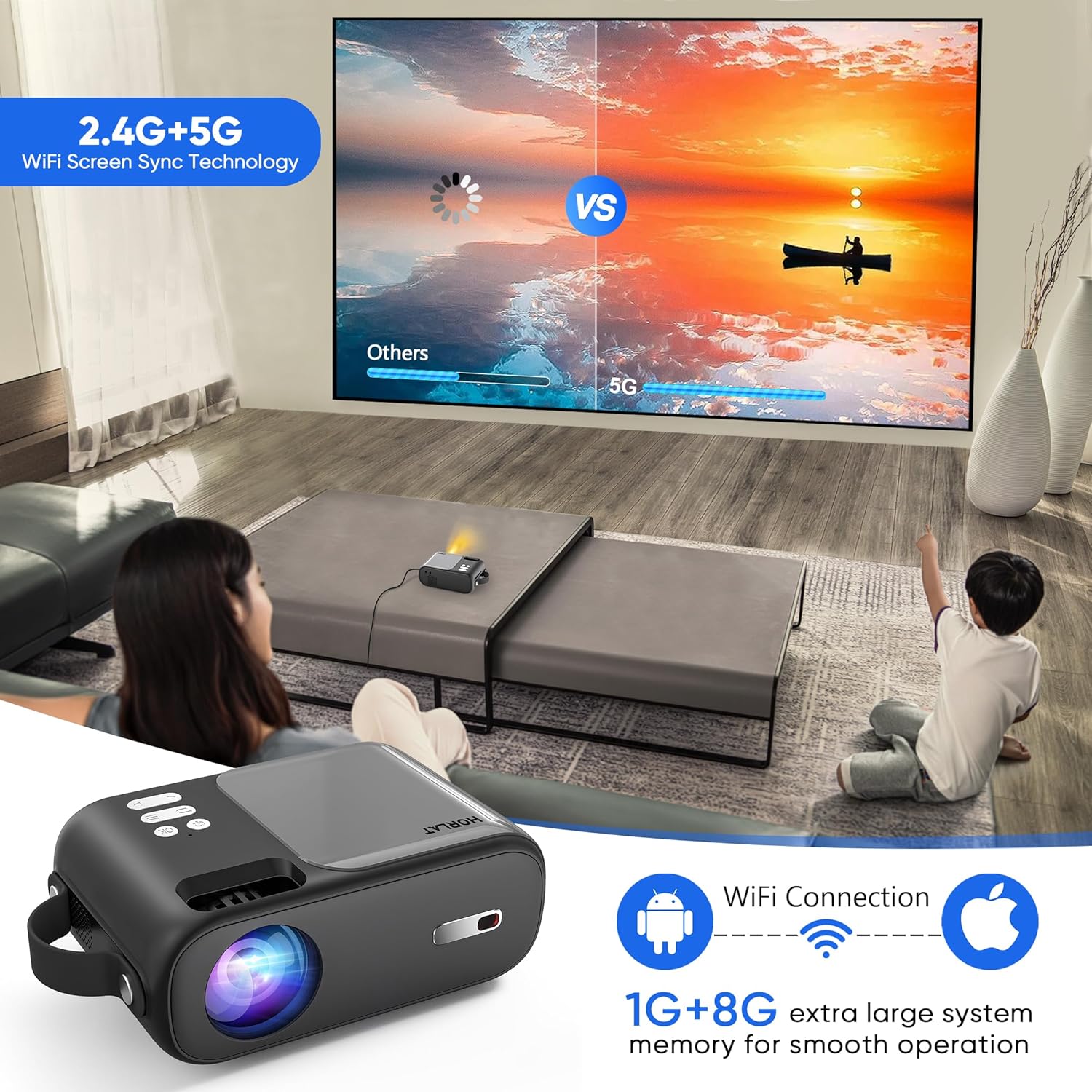
Image: A scene showing a family watching a movie projected onto a wall, with an overlay illustrating the 2.4G+5G WiFi Screen Sync Technology and 1G+8G system memory for smooth operation, emphasizing wireless connectivity for Android and Apple devices.

Image: A person playing a guitar, with the sound wirelessly connected via Bluetooth 5.1 from a smartphone to the projector, demonstrating the projector's capability to act as a Bluetooth speaker.
4. Аудио чыгаруу
The projector has a built-in speaker. For a more immersive audio experience, connect external speakers or headphones via the 3.5mm audio jack or Bluetooth.
5. Алыстан башкаруу
The remote control provides full functionality for navigating menus, adjusting settings, changing input sources, and controlling playback. Insert two AAA batteries (not included) before first use.
Техникалык тейлөө
Туура тейлөө проекторуңуздун узак иштөөсүн жана иштешин камсыз кылат.
- Линзаны тазалоо: Проектордун линзасын акырын сүртүү үчүн оптикалык линзалар үчүн атайын иштелип чыккан жумшак, мамыксыз чүпүрөктү колдонуңуз. Абразивдүү тазалоочу каражаттарды же ашыкча күч колдонбоңуз.
- Жалпы тазалоо: Wipe the projector's exterior with a soft, dry cloth. Avoid using liquid cleaners directly on the device.
- Вентиляция: Ensure the ventilation openings are clear of dust and obstructions to prevent overheating. The projector features a noise-reducing cooling system for efficient heat dissipation.
- Сактагыч: Колдонулбаганда, проекторду салкын, кургак жерде, тике күн нурунан жана экстремалдык температурадан алыс сактаңыз.

Image: A composite image highlighting the projector's portability, its support for tripods, its 4-layer coated-glass lens, and its noise-reducing cooling system, illustrating key design and functional aspects.
Проблемаларды чечүү
Проекторуңузда көйгөйлөргө туш болсоңуз, төмөнкү жалпы көйгөйлөрдү жана чечимдерди караңыз:
| Көйгөй | Мүмкүн чечим |
|---|---|
| Сүрөт жок же "Сигнал жок" |
|
| бүдөмүк сүрөт |
|
| Үн жок же үнү төмөн |
|
| WiFi байланышындагы көйгөйлөр |
|
Техникалык шарттар
| Өзгөчөлүк | Деталь |
|---|---|
| Бренд | ХОРЛАТ |
| Модел | B0C9937J1J |
| Native Resolution | 1280 x 720P (Supports 1080P) |
| Жарыктык | 9000 Lumens |
| Контраст катышы | 9000:1 |
| Байланыш технологиясы | Wireless Bluetooth WIFI (5G+2.4G), HDMI, USB, AV, Audio (3.5mm) |
| Keystone Correction | ±15°/4P/4D |
| Zoom функциясы | 50% |
| Элемент Салмагы | 2.42 фунт |
| Продукциянын өлчөмдөрү | 4.7 x 7 x 2.75 дюйм |
| Түс | Боз |
| Өзгөчөлүктөр | Built-In Wi-Fi, Portable, Wireless, Diffuse Reflection Eye Protection, Timer Shutdown |
Кепилдик жана колдоо
HORLAT provides a 3-year factory repair warranty with free replacement parts for this product. If you have any questions or require technical assistance, please do not hesitate to contact our professional support team. We are committed to providing 24/7 service to ensure your satisfaction.
For support, please refer to the contact information provided on the product packaging or the official HORLAT webсайт.


